Introduzione
This manual provides essential information for setting up, operating, and maintaining your Microsoft Surface Studio 2+ All-In-One Desktop Computer. The Surface Studio 2+ is designed for productivity and creativity, featuring a versatile 28-inch PixelSense™ touchscreen display.
Leghjite attentamente stu manuale per assicurà un usu currettu è per massimizà a durata di vita di u vostru apparechju.
Chì ci hè in u Box
Verificate chì tutti l'articuli sò presenti in l'imballu:
- Surface Studio 2+ All-in-One Computer
- Penna di superficia
- Cunfitturi superfici
- Mouse
- Power Cord with Grip-Release Cable
- Guida Quick Start
- Guida di Sicurezza è Garanzia
Istituisci
- Unpacking: Carefully remove the Surface Studio 2+ and its accessories from the packaging. Place the computer on a stable, flat surface.

Image: The Microsoft Surface Studio 2+ All-in-One computer displaying the Windows 11 desktop interface.
- Cunnessione di putenza: Connect the power cord to the power port on the back of the Surface Studio 2+ base, then plug the other end into a wall outlet.

Imagine: Daretu view of the Surface Studio 2+ base, highlighting the various ports including the power input.
- Cunnette i periferichi: Connect the Surface Keyboard and Mouse. These devices typically connect wirelessly via Bluetooth. Follow the on-screen instructions during initial setup for pairing.
- Avvio iniziale: Press the power button, usually located on the back or side of the display. The computer will guide you through the Windows 11 Pro setup process, including language selection, network connection, and user account creation.
Istruzzioni di funziunamentu
Ajustamentu di u Display
The Surface Studio 2+ features a unique Zero Gravity Hinge, allowing the display to be adjusted from an upright desktop mode to a flat studio mode for drawing and writing.

Image: A sequence showing the Surface Studio 2+ display being adjusted from an upright position to a nearly flat angle.
- Modu Desktop: Gently push the top of the screen backward to tilt it into an upright position for traditional desktop use.
- Modu Studio: Gently pull the top of the screen forward and down towards the base to transition it into a low-angle, flat position ideal for creative tasks with the Surface Pen.
Using the Surface Pen and Touchscreen
The 28-inch PixelSense™ touchscreen supports multi-touch gestures and is optimized for use with the included Surface Pen.
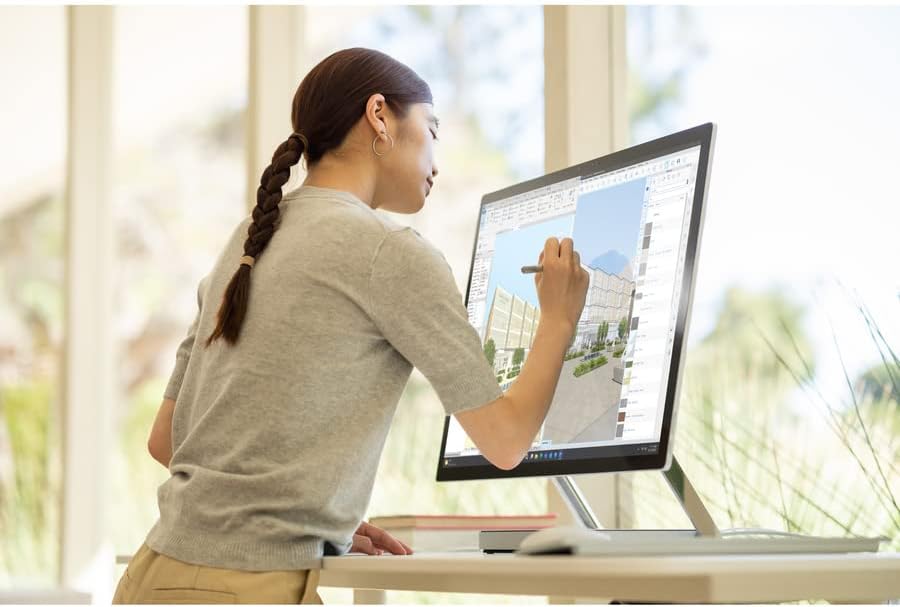
Image: A person using the Surface Pen to interact with the touchscreen of the Microsoft Surface Studio 2+ in studio mode.
- Gesti di toccu: Utilize standard Windows touch gestures for navigation, zooming, and scrolling.
- Penna di superficia: The Surface Pen allows for precise drawing, writing, and annotation directly on the screen. It can be magnetically attached to the side of the display for storage.
Windows 11 Pro
Your Surface Studio 2+ comes pre-installed with Windows 11 Pro. Familiarize yourself with the operating system's interface and features for optimal productivity.
- Menu Start: Access applications, settings, and power options from the Start Menu.
- Barra di attività: Pin frequently used applications to the taskbar for quick access.
- Settings: Customize your device, manage accounts, and configure privacy settings through the Settings app.
Features
The Microsoft Surface Studio 2+ is equipped with advanced components for high performance:
- Processore: Intel Core i7 3 GHz processor for demanding tasks.
- Memoria: 32 GB DDR4 RAM for smooth multitasking.
- Conservazione: 1 TB Solid State Drive (SSD) for fast boot times and application loading.
- Grafica: NVIDIA GeForce RTX 3060 with 6GB dedicated memory for graphics-intensive applications and gaming.
- Display: 28-inch PixelSense™ touchscreen with 4500 x 3000 resolution.
- Sistema Operativu: Windows 11 Prufessiunale.
- Connettività: Integrated 802.11ax Wi-Fi and Bluetooth for wireless connections.
Mantenimentu
Pulizia di u dispusitivu
- Screen: Aduprate un panno morbido e senza pelucchi leggermente dampLavatu cù acqua o un pulitore di schermu specificamente cuncipitu per l'elettronica. Evitate i prudutti chimichi aggressivi.
- corpu: Asciugate e superfici esterne cù un pannu dolce è asciuttu.
- Ventilazione: Ensure the ventilation openings on the base are clear of dust and obstructions to prevent overheating.
L'aghjurnamenti di u software
Verificate è installate regularmente l'aghjurnamenti di Windows per assicurà chì u vostru sistema abbia l'ultime patch di sicurezza è miglioramenti di prestazioni.
- Andà à Settings > Windows Update.
- Cliccate Verificate l'aghjurnamenti è installate qualsiasi aghjurnamenti dispunibili.
Risoluzione di prublemi
| Issue | Soluzione Possibile |
|---|---|
| L'urdinatore ùn s'accende micca. | Ensure the power cord is securely connected to both the computer and a working electrical outlet. Try a different outlet. |
| A visualizazione hè in biancu. | Check power connection. Ensure the computer is powered on. If connected to an external display, verify display input settings. |
| Surface Pen or Mouse not responding. | Check battery levels. Re-pair the devices via Bluetooth settings in Windows. |
| Prestazione lenta. | Close unnecessary applications. Check for and install Windows updates. Run a disk cleanup. |
| Prublemi di cunnessione Wi-Fi. | Restart your router and the Surface Studio 2+. Check Wi-Fi settings in Windows to ensure it's enabled and connected to the correct network. |
Specificazioni
| Feature | Detail |
|---|---|
| Numero di mudellu | SBG-00001 |
| Size Display | 28 inch |
| Risoluzione di u screnu | 4500 x 3000 |
| Processore | Intel Core i7 (3 GHz) |
| RAM | 32 GB DDR4 |
| Un discu duru | 1 TB SSD |
| Coprocessore graficu | NVIDIA GeForce RTX 3060 |
| Dimensione di a RAM di a carta grafica | 6 GB |
| Sistema upirativu | Windows 11 Pro |
| Tipu wireless | 802.11ax, Bluetooth |
| Pesu di l'articulu | 21.1 liri |
| Dimensioni di u produttu (LxWxH) | 25.1 x 0.5 x 17.3 inch |
| Culore | Argentu |
Garanzia è Supportu
Your Microsoft Surface Studio 2+ is covered by a manufacturer's warranty. Please refer to the included "Safety and Warranty Guide" for detailed information regarding warranty terms, conditions, and registration.
For technical support, driver downloads, or further assistance, please visit the official Microsoft Support website or contact Microsoft customer service.
Supportu in ligna: support.microsoft.com/surface


