Introduzione
Thank you for choosing the ZEBRONICS Zeb-Rainbow 400 Multimedia Speaker. This manual provides essential information for the proper setup, operation, and maintenance of your speaker system. Please read it carefully before use and retain it for future reference.
Istruzzioni di sicurità
- Ùn espone micca l'unità à a pioggia o à l'umidità per evità u focu o a scossa elettrica.
- Do not open the speaker cabinet. Refer all servicing to qualified personnel.
- Assicuratevi una ventilazione adatta intornu à l'unità. Ùn bluccate micca alcuna apertura di ventilazione.
- Prutegge u cordone di alimentazione da esse camminatu o pizzicatu.
- Scollegate l'unità durante e tempeste di fulmini o quandu ùn hè micca utilizatu per longu periodi.
- Mantene u pruduttu luntanu da a luce diretta di u sole, da fonti di calore è da campi magnetichi forti.
Cuntenutu di u pacchettu
Per piacè verificate a casella per i seguenti elementi:
- Unità Subwoofer
- Altoparlanti satellitari (4 unità)
- Control remoto
- Audio Input Cable (3.5mm to RCA)
- Manuale d'usu
Product Overview
The ZEBRONICS Zeb-Rainbow 400 is a 4.1 channel multimedia speaker system designed for versatile audio playback. It features multiple connectivity options including Bluetooth, AUX, USB, and FM radio. The system includes a powerful subwoofer and four satellite speakers for an immersive audio experience, complemented by integrated RGB lighting.
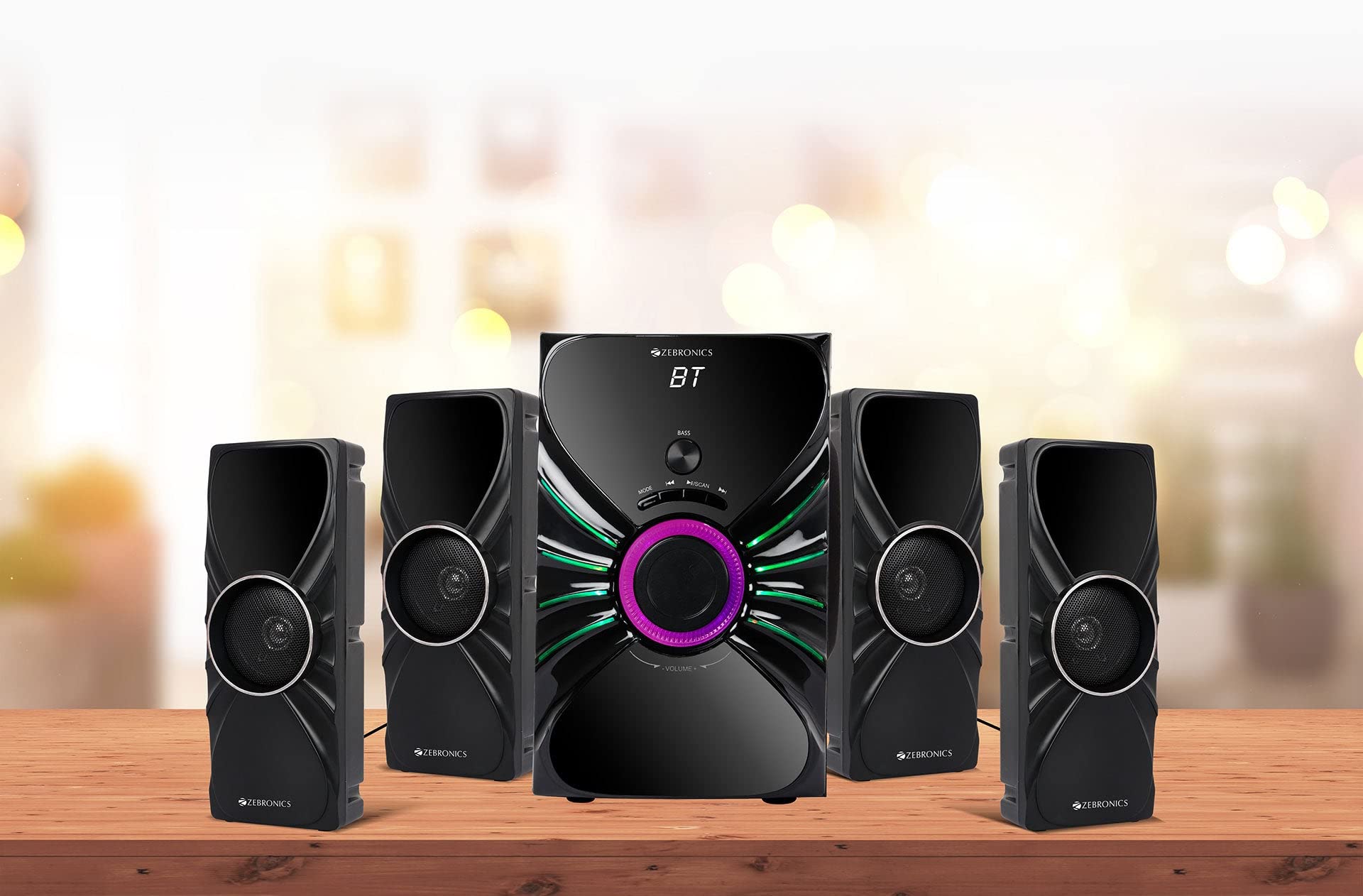
Image: The complete ZEBRONICS Zeb-Rainbow 400 multimedia speaker system, showing the subwoofer, four satellite speakers, and remote control.
Istituisci
1. Unpacking
Eliminate cù cura tutti i cumpunenti da l'imballu. Cunservate i materiali d'imballu per un trasportu o un almacenamentu futuru.
2. Placement di Speaker
Place the subwoofer on a stable, flat surface, preferably on the floor for optimal bass response. Position the four satellite speakers around your listening area for a balanced sound field. Ensure adequate space for ventilation.

Image: A visual representation of the 4.1 speaker setup, illustrating the subwoofer and four satellite speakers.
3. Cunnessione di altoparlanti satellitari
Connect each of the four satellite speakers to the corresponding output ports on the rear panel of the subwoofer unit. Ensure the connections are secure.
4. Connecting surghjenti Audio
- Ingressu AUX: Use the provided 3.5mm to RCA cable to connect your audio device (e.g., smartphone, tablet, PC) to the AUX input ports on the subwoofer.
- Input USB: Inserite una chiavetta USB chì cuntene audio MP3 files into the USB port on the subwoofer.
5. Connection Power
Cunnette u cavu di alimentazione à l'unità subwoofer è dopu cunnettelu à una presa di corrente CA standard.
Istruzzioni di funziunamentu
1. Power On / Off
Press the Power button on the front panel of the subwoofer or on the remote control to turn the speaker system on or off.
2. Selezzione di Modu
Press the 'MODE' button on the front panel or remote control to cycle through the available input modes: Bluetooth (BT), AUX, USB, and FM Radio.

Image: Close-up of the subwoofer's front panel, showing the control buttons (Mode, Play/Pause, Next/Previous, Bass, Volume) and the integrated RGB lighting.
3. Control Volume
Rotate the 'VOLUME' knob on the front panel of the subwoofer or use the Volume Up/Down buttons on the remote control to adjust the overall sound level. The 'BASS' knob can be used to adjust the bass intensity.
4. Modu Bluetooth
- Switch the speaker to Bluetooth mode using the 'MODE' button. The display will show 'BT'.
- Attivate Bluetooth nant'à u vostru dispositivu mobile o urdinatore.
- Cerca available devices and select "Zeb-Rainbow 400" to pair.
- Once paired, you can play audio from your device through the speakers.
5. Modu AUX
Connect your audio source using the 3.5mm to RCA cable. Switch the speaker to AUX mode. Audio from your connected device will play automatically.
6. Modu USB
Insert a USB flash drive into the USB port. The speaker will automatically switch to USB mode and begin playing MP3 files from the drive. Use the Play/Pause, Next, and Previous buttons to control playback.
7. Modu Radio FM
- Cambia u parlante à u modu FM.
- Press and hold the 'SCAN' button (often combined with Play/Pause) to automatically scan and save available FM stations.
- Use the Next/Previous buttons to navigate through the saved stations.
8. Control Remote
The included remote control provides full functionality for power, mode selection, volume, track control, and FM station tuning. Ensure the remote has working batteries and is pointed towards the subwoofer's sensor.

Image: The ZEBRONICS Zeb-Rainbow 400 subwoofer unit shown with its remote control, highlighting the main controls.
9. Luci RGB
The subwoofer features integrated RGB lights. These lights typically cycle through various colors and patterns automatically. Refer to the remote control for any specific buttons to change light modes, if available.
Mantenimentu
1. Pulizia
Asciugate e superfici di l'altoparlanti cù un pannu dolce è asciuttu. Ùn aduprate micca detergenti abrasivi, cere o solventi perchè puderanu dannighjà a finitura. Evitate di spruzzà liquidi direttamente nantu à l'altoparlanti.
2. Storage
If storing the speakers for an extended period, unplug them from the power outlet and store them in a cool, dry place, away from direct sunlight and extreme temperatures.
Risoluzione di prublemi
| Prublemu | Causa Possibile | Soluzione |
|---|---|---|
| Nisun putere | Power cable not connected; Power outlet faulty; Unit switched off | Ensure power cable is securely connected. Check power outlet with another device. Press the Power button. |
| Nisun sonu | Volume too low; Incorrect input mode; Audio cable loose/faulty; Device volume low | Increase volume. Select correct input mode. Check audio cable connections. Increase volume on connected device. |
| Bluetooth ùn hè micca cunnessu | Speaker not in BT mode; Device not in pairing mode; Interference | Switch speaker to BT mode. Ensure device Bluetooth is on and searching. Move devices closer. Restart both devices. |
| U cuntrollu remoto ùn funziona micca | Batterie esaurite; Ostruzzione; Telecomandu micca puntatu versu u sensore | Replace batteries. Remove any obstructions. Point remote directly at the subwoofer's IR sensor. |
| Pessima ricezione FM | Weak signal; Antenna position | Adjust the position of the FM antenna. Rescan for stations. |
Specificazioni
| Feature | Specificazione |
|---|---|
| Marca | ZEBRONICA |
| Numero di mudellu | Zeb Rainbow 400 |
| Dimensioni di u produttu (LxWxH) | 21 x 39 x 32 centimetri |
| Pesu di l'articulu | 9 kg 350 g |
| Tecnulugia di cunnessione | Auxiliary, Bluetooth, USB, Wireless |
| Fonte d'energia | AC |
| Dispositivi compatibles | Smartphone, Tablet |
| Subwoofer Drive Size | 16.51 cm |

Image: A visual highlighting the 16.51 cm subwoofer drive of the ZEBRONICS Zeb-Rainbow 400.
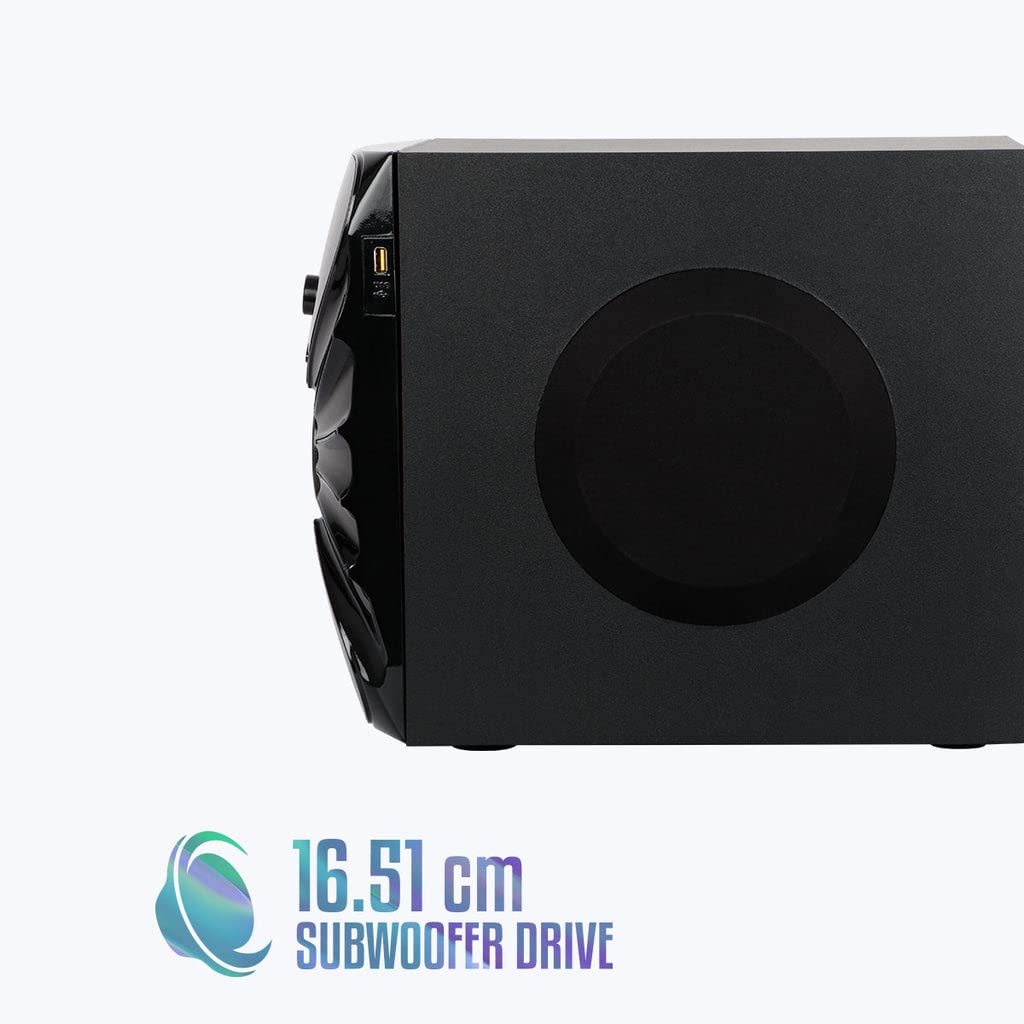
Imagine: Latu view of the ZEBRONICS Zeb-Rainbow 400 subwoofer, showing the USB port and overall dimensions.
Garanzia è Supportu
This product comes with a minimum six-month seller warranty. For any issues or support, please contact your seller or refer to the official ZEBRONICS support channels. Keep your purchase receipt for warranty claims.