1. Introduzione
The CHNADKS AQ-60 is a portable 9-in-1 indoor air quality monitor designed to provide real-time detection of various airborne pollutants and environmental factors. This device helps users understand and manage the air quality in their homes, offices, and other indoor spaces.
It is equipped with multiple sensors to accurately measure levels of Carbon Dioxide (CO2), Volatile Organic Compounds (VOCs), Formaldehyde (HCHO), Particulate Matter (PM2.5 and PM10), overall Air Quality (AQ), Temperature, and Humidity.

Figure 1.1: Understanding your indoor air quality.
2. Funzioni chjave
- Rilevazione cumpleta: Monitors CO2, VOCs, Formaldehyde (HCHO), PM2.5, PM10, and overall Air Quality (AQ).
- Monitoraghju Ambientale: Also measures Temperature and Humidity.
- Sensori d'alta precisione: Equipped with imported sensors for accurate readings.
- Grande display LCD: Provides clear, intuitive real-time data readings.
- Batteria ricaricabile: Built-in Li-ion battery for portable use, offering extended operation in ECO mode.
- Disegnu Portable: Compact and lightweight, suitable for various indoor and outdoor environments.
- Convection Design: Features left and right convection holes for enhanced air contact with internal sensors, ensuring accurate data.

Figura 2.1: Overview of the monitor's detection capabilities.

Figure 2.2: High-precision chip for fast response.
3. Cuntenutu di u pacchettu
Verificate u cuntenutu di u pacchettu quandu u disimballate per assicurassi chì tutti l'articuli sò presenti:
- CHNADKS AQ-60 Air Quality Monitor
- Cavu di carica USB
- Manuale d'uso (stu documentu)
- Wrist Strap (may be included)

Figura 3.1: Imballaggio di u pruduttu.
4. Produttu Finituview
The CHNADKS AQ-60 features a compact design with a clear LCD display and intuitive controls.

Figura 4.1: Fronte view of the AQ-60 monitor.
4.1. Cumpunenti di u dispusitivu
- Display LCD: Shows all air quality parameters, time, temperature, and humidity.
- Buttuni di cuntrollu: Typically two buttons for navigation and settings (e.g., Power/Mode, Up/Down).
- Venti d'aria: Located on the sides for air intake and heat dissipation, crucial for accurate sensor readings.
- Portu di carica: USB port for recharging the internal battery.
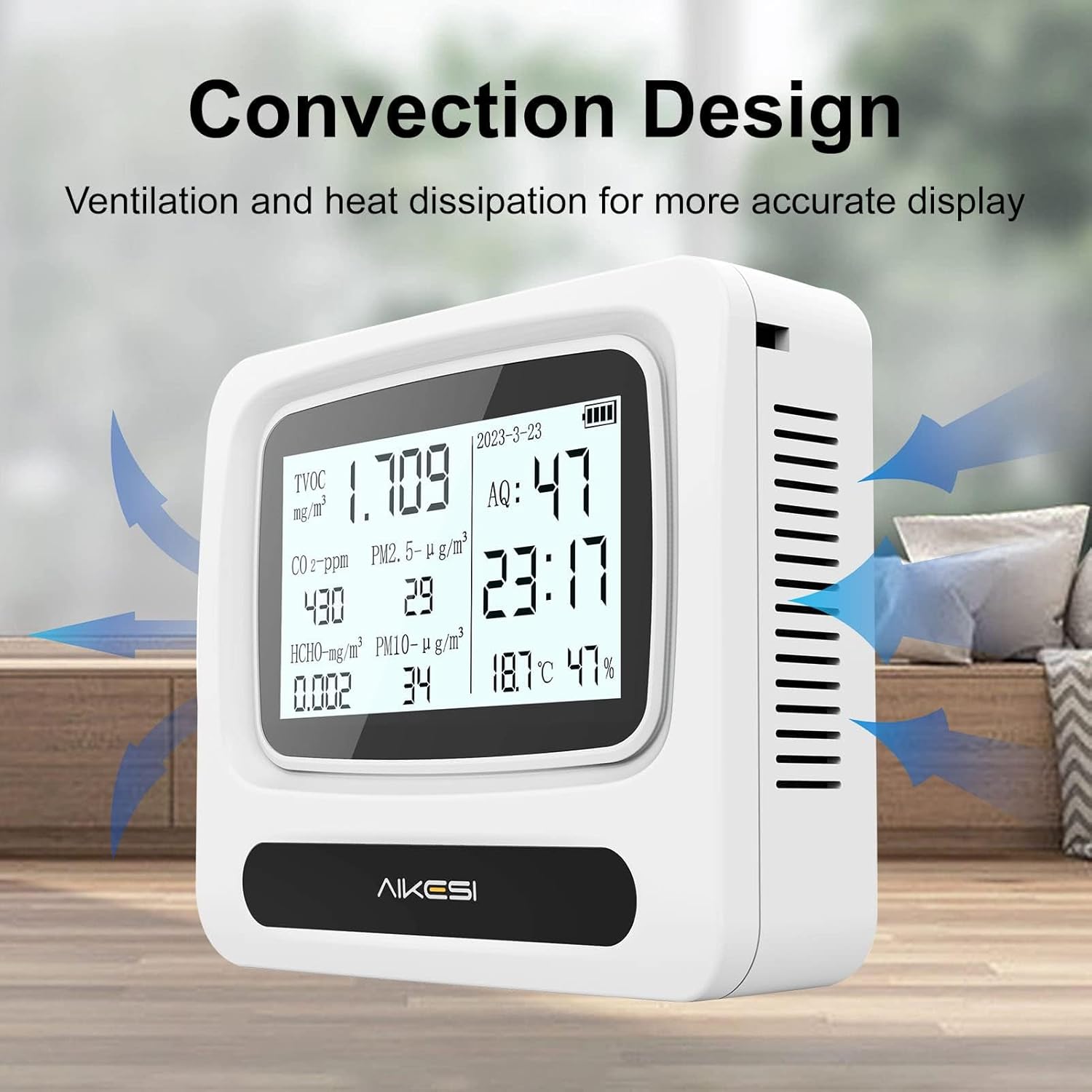
Figure 4.2: Convection design for accurate readings.

Figure 4.3: Large HD screen for clear data.
5. Setup Guide
5.1. Carica iniziale
Before first use, fully charge the device. Connect the provided USB cable to the monitor's charging port and plug the other end into a standard USB power adapter (not included) or a computer USB port. The charging indicator on the screen will show charging status. A full charge typically takes several hours.

Figure 5.1: Built-in lithium battery power for extended use.
5.2. Powering On / Off
Press and hold the Power button (usually the main button) for a few seconds to turn the device on or off. The LCD screen will illuminate upon startup.
5.3. Initial Stabilization
Upon first power-on or after being stored for a long time, the monitor may display high initial readings. This is normal as the sensors stabilize and acclimate to the environment. Allow the device to operate for at least 1-2 hours in a well-ventilated area for the most accurate initial readings.
6. Operating Instructions
6.1. Capisce u Display
The large LCD screen provides real-time data for all monitored parameters:
- TVOC (Composti Organici Volatili Totali): Measured in mg/m³. Indicates the total concentration of various organic chemicals.
- CO2 (Carbon Dioxide): Measured in ppm (parts per million). High levels can indicate poor ventilation.
- HCHO (formaldeide): Measured in mg/m³. A common indoor pollutant from building materials and furniture.
- PM2.5 & PM10 (Particulate Matter): Measured in µg/m³. Refers to fine inhalable particles with diameters of 2.5 micrometers and 10 micrometers, respectively.
- AQ (Air Quality Index): An overall indicator of air quality, often a composite score based on various pollutants.
- Temperature : Measured in degrees Celsius (°C).
- umidità: Measured in percentage (%).
- Ora è Data: Mostra l'ora è a data attuale.
- Indicatore di batteria: Mostra u livellu attuale di a bateria.

Figure 6.1: Real-time monitoring display.
6.2. Modi upirativu
The device typically offers different operating modes to balance continuous monitoring with battery life:
- Constant Read Mode: Provides continuous real-time updates of all parameters. This mode consumes more battery power.
- ECO Mode (Battery Saver Mode): The display may dim or update less frequently to conserve battery. This mode is ideal for long-term monitoring without frequent charging. Refer to the device's on-screen prompts or the included quick start guide for specific button presses to switch modes.
6.3. Setting Time and Date
The device may require manual setting of time and date. Typically, this involves pressing and holding a specific button (e.g., Mode button) to enter settings, then using the Up/Down buttons to adjust values, and the Mode button again to confirm and move to the next setting. Consult the quick start guide for precise instructions.
7. Calibrazione
The CHNADKS AQ-60 is factory-calibrated to ensure accuracy. For optimal performance, it is recommended to allow the device to stabilize in a fresh air environment for at least 1-2 hours after initial power-on or if it has been stored for an extended period. This allows the sensors to acclimate to the ambient conditions.
If you suspect significant inaccuracies, ensure the device is placed in a stable environment away from direct drafts, strong odors, or extreme temperatures. If issues persist, refer to the troubleshooting section or contact customer support.
8. Piazzamentu Ottimale
For the most accurate readings, consider the following placement guidelines:
- Place the monitor in the center of the room or area you wish to monitor, away from walls or corners that might restrict airflow.
- Avoid placing it near windows or doors where external air currents might influence readings.
- Keep it away from direct sunlight, heating vents, air conditioners, or other sources of extreme temperature fluctuations.
- Do not place it directly next to sources of strong odors, chemicals, or cooking fumes, as this can skew readings for VOCs and Formaldehyde.
- The device can be placed on a flat surface or hung using the integrated strap (if included).
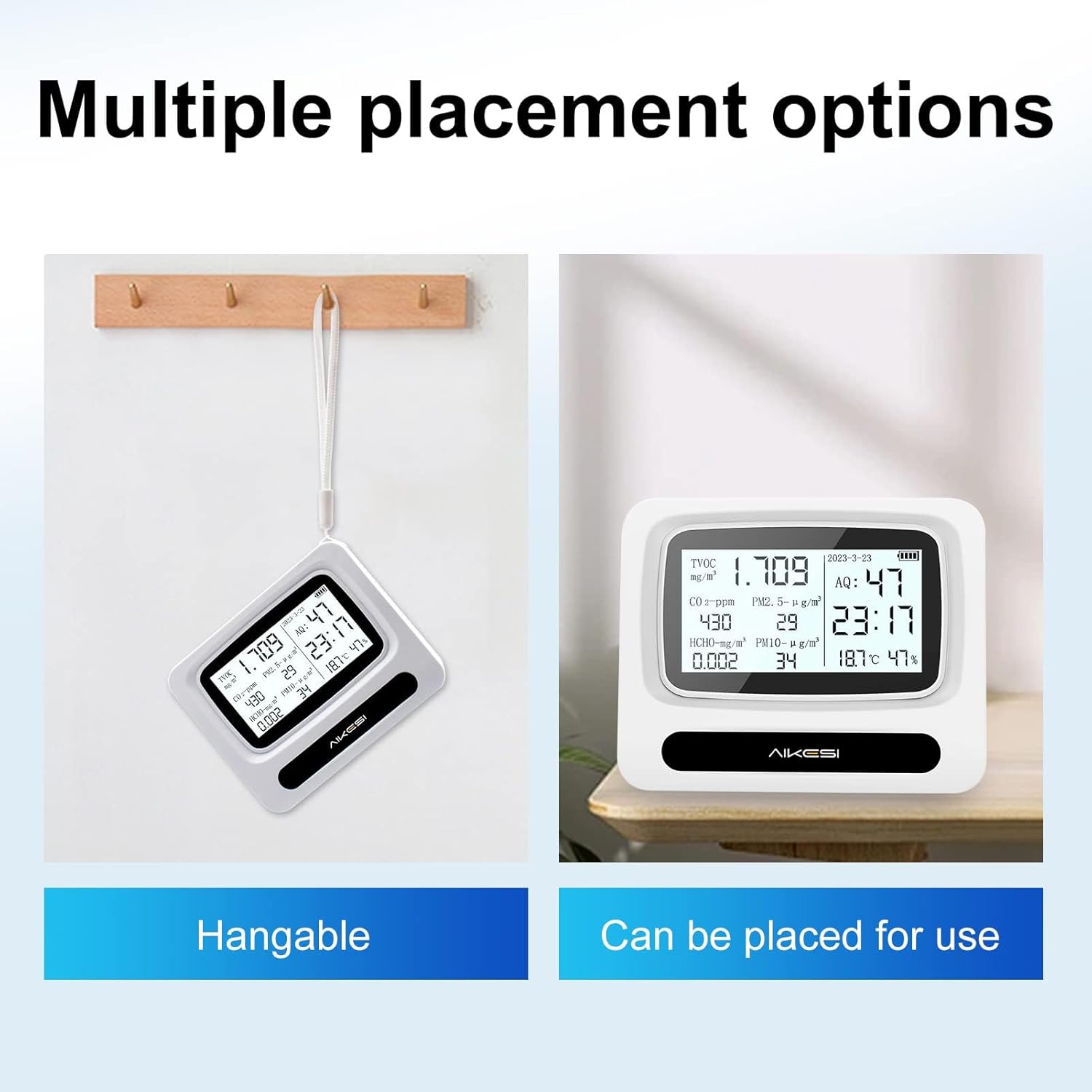
Figure 8.1: Multiple placement options.

Figure 8.2: Monitor placed in a bedroom.

Figure 8.3: Monitor in an office setting.
8.1. Applicazioni Versatili
The AQ-60 is suitable for a wide range of environments, including:
- Homes and bedrooms
- Offices and commercial centers
- Classrooms and laboratories
- Areas with new furniture or renovations
- Dentru i veiculi

Figure 8.4: Diverse applications for the air quality monitor.
9. Mantenimentu
9.1. Pulizia
To clean the device, gently wipe the exterior with a soft, dry cloth. Do not use abrasive cleaners, solvents, or immerse the device in water. Ensure no liquid enters the air vents.
9.2. Cura di batterie
- Caricà u dispusitivu regularmente per mantene a salute di a bateria.
- Evitate di svuotà cumpletamente a batteria spessu, postu chì questu pò riduce a so durata di vita.
- If storing the device for an extended period, charge it to about 50% and store in a cool, dry place. Recharge every few months to prevent deep discharge.
- Use only the provided USB cable or a compatible high-quality cable for charging.
10. Risoluzione di prublemi
| Prublemu | Causa Possibile | Soluzione |
|---|---|---|
| U dispusitivu ùn accende micca. | Batteria bassa o scarica. | Connect to a power source using the USB cable and charge for at least 30 minutes before attempting to power on. |
| Readings appear unusually high or fluctuate wildly initially. | Sensors are stabilizing or acclimating to a new environment. | Allow the device to operate for 1-2 hours in a well-ventilated area for stabilization. Ensure proper placement away from direct sources of pollution. |
| A batteria si scarica rapidamente. | Constant Read Mode is active; aging battery. | Switch to ECO mode to conserve battery. If battery life significantly degrades over time, the battery may be nearing its end of life. |
| U schermu hè bluccatu o ùn risponde micca. | Errore di software tempurale. | Press and hold the Power button to force a restart. If it doesn't respond, allow the battery to fully drain, then recharge and restart. |
| Letture imprecise o incoerenti. | Improper placement; sensor interference; device not calibrated (factory). | Ensure optimal placement (see Section 8). Avoid placing near strong air currents, chemicals, or heat sources. The device is factory calibrated; if persistent issues, contact support. |
11. Specificazioni
| Parametru | Detail |
|---|---|
| Marca | CHNADKS |
| Numero di mudellu | AQ-60 |
| Fonte d'energia | Alimentatu da batteria (ioni di litiu ricaricabili) |
| Culore | Biancu |
| Umidità operativa | Finu à 80% |
| Tipu di sensor | TVOC, CO2, HCHO, PM2.5, PM10, Temperature, Humidity |
| Pesu di l'articulu | 9.1 ounces (circa 258 grammi) |
| Dimensioni di u produttu | 1.65 x 4.53 x 5.71 pollici (circa 4.2 x 11.5 x 14.5 cm) |
| Usu | Indoor, Outdoor (portable use) |
12. Informazioni di sicurezza
- Do not disassemble or modify the device. This can cause damage, void the warranty, and pose safety risks.
- Keep the device away from water, excessive moisture, and high temperatures.
- Evite di abbandunà o sottumette u dispusitivu à forti impatti.
- Do not block the air vents, as this can affect sensor accuracy and device performance.
- This device is intended for general air quality monitoring and should not be used as a substitute for professional testing equipment or for critical safety applications.
- Smaltite u dispusitivu è a so batteria in modu rispunsevule secondu e regulazioni lucali.
13. Garanzia è Assistenza Clienti
For warranty information, technical support, or any questions regarding your CHNADKS AQ-60 Air Quality Monitor, please contact the manufacturer or your point of purchase. Refer to the product packaging or the official CHNADKS websitu per i dettagli di cuntattu più aggiornati.
The manufacturer provides returns if the product does not perform well or if any problems arise. Please contact customer service for assistance.
Visit the CHNADKS Store: CHNADKS Official Store


