Introduzione
The FOREO BEAR 2 go is a travel-friendly microcurrent facial device designed to tone and firm the skin. This compact and lightweight device is clinically proven to improve the appearance of fine lines and skin firmness, offering a non-invasive solution for facial sculpting and anti-aging care.

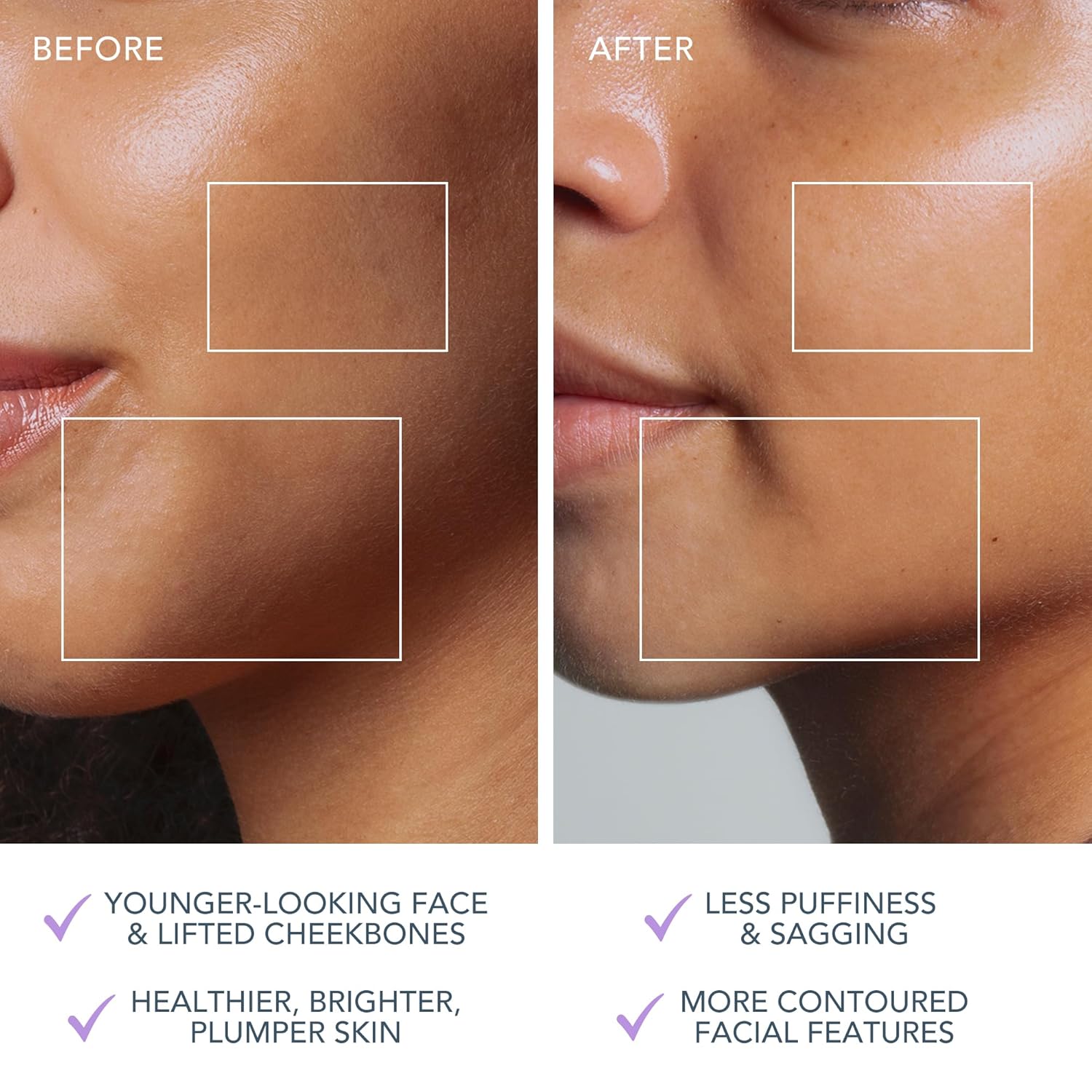
The FOREO BEAR 2 go device in use, highlighting its microcurrent toning capabilities for reducing wrinkles, puffiness, and sagging.

Key technologies of the device include Advanced Microcurrent for muscle strengthening, Lifting Microcurrent for contoured appearance, and T-Sonic Massage for smoothing fine lines.
Chì ci hè in u Box?
Your FOREO BEAR 2 go package includes the following items:
- FOREO BEAR 2 go Device (Lavander)
- Guida Quick Start
- Manuale generale
- Cavu di carica USB
The complete package contents of the FOREO BEAR 2 go, showing the device, quick start guide, general manual, and USB charging cable.
Istituisci
Caricà u dispusitivu
Before first use, ensure your FOREO BEAR 2 go device is fully charged. Connect the provided USB charging cable to the device and a suitable power source. The device will indicate charging status, typically taking up to 2 hours for a full charge.
Unlocking and Pairing Your Device
To unlock and register your device, follow these simple steps:
- Download the FOREO For You mobile app on your mobile phone. You can find the app on the App Store or Google Play.
- Entra in u vostru contu o registrate per un novu.
- Add device (located at the top of your screen within the app).
- Sceglie a serie di u dispusitivu.
- Appughjà è tene premutu u buttone Power di u vostru dispositivu per cunnettelu à l'app mobile.
- Fill in the purchase information as prompted.
Once these steps are completed, your device is ready for use.
Per scaricà l'app, visitate: foreo.com/app
Istruzzioni di funziunamentu
The FOREO BEAR 2 go is designed for ease of use, integrating seamlessly into your skincare routine. Always ensure your face is clean before use.
Application of Conductive Serum
For optimal conductivity and to ensure a smooth glide, it is essential to apply a suitable serum or conductive gel to your face and neck before using the device. FOREO recommends their Serum Serum Serum, which is lightweight, hydrating, and specifically formulated to enhance microcurrent transfer.

The Supercharged Serum 2.0 is recommended for use with the BEAR 2 go to improve microcurrent transfer and maximize treatment benefits.
Passi di usu
- Clean your face thoroughly.
- Apply a suitable serum or conductive gel to enhance conductivity.
- Turn on the device and select the desired intensity level.
- Gently glide the device over your face and neck, focusing on areas with fine lines and wrinkles.
- Use in a circular motion for about 5 minutes.
- Rinse your face and follow with your regular skincare routine.
The device offers adjustable intensity levels, allowing you to customize the treatment to your comfort and skin needs. The accompanying FOREO For You app provides guided routines and allows for personalized settings, acting as a personal beauty coach.
Mantenimentu
Pulizia di u dispusitivu
Cleaning your FOREO BEAR 2 go is simple due to its durable and waterproof material. After each use, wipe the device down with a damp cloth. For thorough sanitization, you may occasionally spritz it with a sanitizing spray. This ensures hygiene and longevity of your device.
Risoluzione di prublemi
Precautions to be taken in the event of changes in the performance of FOREO devices:
- If your FOREO device is not activated when pressing the center button:
- A batteria hè viota. Ricaricate cù u cable di carica USB per un massimu di 2 ore finu à a carica cumpleta, è dopu riavvia u vostru dispositivu tenendu premutu u buttone d'alimentazione.
- If device cannot be switched off and/or interface buttons do not respond: Microprocessor is temporarily malfunctioning. Press and hold the power button to restart the device.
- Sè u vostru dispusitivu FOREO ùn si sincroniza micca cù l'app FOREO:
- Assicuratevi chì u vostru dispositivu hè cumplettamente carica è chì u vostru Bluetooth hè attivatu.
- Spegnete u vostru Bluetooth è poi riavviate per pruvà à ricunnnettere.
- Chiudite l'app FOREO è dopu riaprite per inizià u prucessu.
- Sguassate è reinstallate l'applicazione - forse l'appiecazione solu deve esse aghjurnata.
- Dopu sguassate è reinstalling l'applicazione, assicuratevi di ripiglià u vostru telefunu.
- Sguassà i cookies di u vostru telefunu è a memoria cache.
- Assicuratevi chì u sistema operatore di u vostru telefuninu hè statu aghjurnatu à l'ultima versione.
Specificazioni
| Feature | Detail |
|---|---|
| Dimensioni di u produttu | 1.46 x 3.78 x 3.43 inch |
| Pesu di l'articulu | 2.12 ounces (0.06 kilogrammi) |
| Numeru di mudellu di l'articulu | F1825 |
| Dipartimentu | Unisex |
| Batterie | 1 batterie Lithium Ion necessarie (incluse) |
| U fabricatore | FORU |
| Culore | Lavanda |
| Tipu di pelle | Tuttu |
| Nome di mudellu | ORSU 2 vai |
Garanzia è Supportu
The FOREO BEAR 2 go device comes with a 2 anni di garanzia from the date of purchase. For any product support, warranty claims, or additional information, please visit the official FOREO support page.
Supportu ufficiale: foreo.com/support
No specific safety warnings are required for this product.


