1. Introduzione
Thank you for choosing the SILENTWARE Air 1000 Black ATX Midi Tower PC Case. This manual provides essential information for the proper installation, operation, and maintenance of your new PC case. Please read this manual thoroughly before beginning the assembly process to ensure a smooth and successful build.
2. Informazioni di sicurezza
- Always disconnect the power supply from the wall outlet before installing or removing any components inside the PC case.
- Handle components with care to avoid damage from electrostatic discharge (ESD). Consider using an anti-static wrist strap.
- Be cautious of sharp edges inside the case.
- Ùn pruvate micca di mudificà a carcassa o i so cumpunenti, postu chì questu puderia annullà a garanzia è presentà risichi per a sicurezza.
- Keep the case away from water, moisture, and extreme temperatures.
3. Cuntenutu di u pacchettu
Verificate chì tutti l'articuli sò presenti in u vostru pacchettu:
- SILENTWARE Air 1000 Black ATX Midi Tower PC Case
- Pre-installed 4x 120mm ARGB Fans
- Accessory box (screws, cable ties, standoffs, etc.)
- Manuale d'uso (stu documentu)
4. Produttu Finituview
The SILENTWARE Air 1000 is an ATX Midi Tower PC case designed for optimal airflow and component compatibility. It features a mesh front panel for maximum ventilation and a tempered glass side panel to showcase your build.


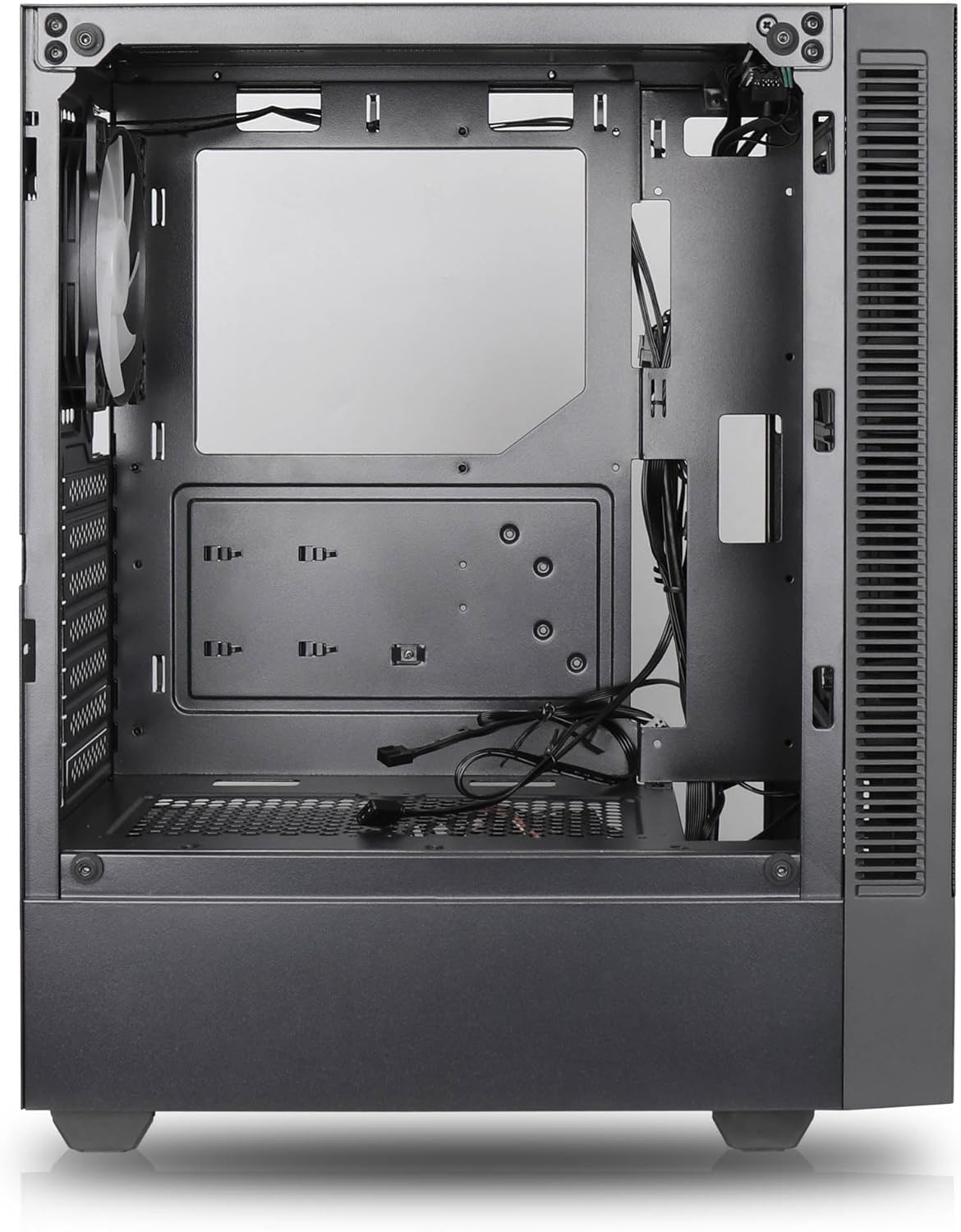

Funzioni chjave:
- Flussu Massimu d'Air: Large mesh front panel and four pre-installed 140mm A-RGB fans with hydraulic bearings ensure excellent ventilation.
- Easy PC Building: Thoughtful design with daisy-chain connections simplifies installation, eliminating the need for additional adapters or controllers.
- Disegnu di alta qualità: Genuine tempered glass side panel showcases installed components and provides a minimalist, premium aesthetic.
- Flexible Lighting and Control: 3-pin A-RGB fans and 4-pin fan control allow for impressive lighting effects and easy adjustment of fan speed and curves directly from the motherboard.
- Powerful Component Compatibility: Supports GPUs up to 400mm long, radiators up to 360mm (front and top) and 140mm (rear), and space for up to 4 fans.
- Compact Case with Ampu spaziu: Midi tower format accommodates E-ATX, ATX, mATX, and ITX motherboards, up to two 2.5" SSDs, two 3.5" HDDs, and ATX power supplies.
5. Guida d'installazione
Follow these steps for component installation. Refer to your individual component manuals for specific instructions.
5.1. Preparazione di u Casu
- Pone a custodia nantu à una superficia piana è stabile.
- Carefully remove the tempered glass side panel by unscrewing the thumb screws and gently pulling it away. Set it aside on a soft, non-abrasive surface.
- Remove the solid right side panel by unscrewing the thumb screws and sliding it backward.
5.2. Installazione di scheda madre
- Installate u schermu I/O in l'apertura posteriore di u chassis.
- Ensure the correct standoffs are installed for your motherboard form factor (E-ATX, ATX, mATX, ITX). Adjust or add standoffs as needed.
- Pone cù cura a vostra scheda madre nantu à i distanziatori, allineendu i fori di e viti.
- Fissate a scheda madre cù e viti furnite. Ùn stringhjite micca troppu.
5.3. Installazione di l'alimentatore (PSU)
- Pusiziunate l'alimentatore in u compartimentu dedicatu in fondu à a parte posteriore di u chassis.
- Ensure the PSU fan faces downwards (if the case has a bottom vent) or upwards, depending on your cooling preference.
- Assicurate l'alimentatore à u chassis cù e viti furnite da u spinu.
5.4. Installazione di l'unità di almacenamiento
SSD di 2.5":
- Locate the 2.5" drive mounts (typically behind the motherboard tray).
- Secure the SSDs using the provided screws.
Dischi rigidi di 3.5":
- Locate the 3.5" drive cages (usually near the PSU shroud).
- Slide the HDDs into the drive trays and secure them with screws or tool-less mechanisms if available.
5.5. Installazione di a carta grafica (GPU)
- Eliminate i coperchi di slot PCIe necessarii da u fondu di u chassis.
- Align your GPU with the PCIe slot on the motherboard and press firmly until it clicks into place.
- Secure the GPU to the case with screws.
5.6. Gestione di cavi
Aduprate i ritagli di u percorsu di i cavi è i punti di fissaggio daretu à u vassoio di a scheda madre per gestisce i cavi. Questu migliora u flussu d'aria è l'estetica.
6. Operazione
6.1. Accensione
After all components are installed and cables are connected, reattach the side panels. Connect the power cable to the PSU and a wall outlet, then press the power button on the top I/O panel of the case.
6.2. Cuntrollu di u Ventilatore ARGB
The pre-installed ARGB fans feature 3-pin ARGB connectors for lighting control and 4-pin connectors for fan speed control. These can be connected directly to compatible headers on your motherboard. Use your motherboard's software or BIOS settings to customize lighting effects and fan curves.
7. Mantenimentu
7.1. Pulizia
- Regularly clean dust filters (if present) to maintain optimal airflow.
- Use a can of compressed air to remove dust from inside the case and components.
- Pulisce e superfici esterne cun un damp tela. Evite i sustanzi chimichi duri.
- For the tempered glass panel, use a glass cleaner and a microfiber cloth.
8. Risoluzione di prublemi
- PC not powering on: Check all power connections, including the 24-pin motherboard power, 8-pin CPU power, and GPU power cables. Ensure the PSU switch is in the 'ON' position.
- Fans not spinning/RGB not working: Verify that fan and ARGB headers are correctly connected to the motherboard. Check motherboard software for fan speed and lighting control settings.
- Surriscaldamentu: Ensure proper airflow by checking fan orientation and cleaning dust filters. Verify CPU cooler and GPU cooler are properly seated.
- Nisun display: Confirm the monitor cable is connected to the graphics card (not the motherboard integrated graphics, unless you are using integrated graphics). Reseat the graphics card and RAM modules.
9. Specificazioni
| Feature | Specificazione |
|---|---|
| Marca | SILENTWARE |
| Nome di mudellu | Silentware Flow 100 ARGB |
| Numeru di mudellu di l'articulu | FLUSSU 100 |
| ASIN | B0CB8CZ5GF |
| Culore | Neru |
| Tipu di casu | Mid Tower |
| Materiale | Vetru temperatu |
| Cumpatibilità di a scheda madre | ATX, Micro ATX, Mini ITX |
| Dispositivi compatibles | ATX, mATX, ITX motherboards, GPUs up to 325mm, radiators up to 360mm, 2.5" and 3.5" storage drives |
| Usi cunsigliati | Lusinghi |
| Metudu di rinfrescante | Aria |
| Fans preinstallati | 4x Ventilatori ARGB da 120 mm |
| Dimensione di u fan | 140 Millimeters (Note: Product description mentions 140mm fans, while pre-installed are 120mm. Please verify with product packaging.) |
| Tipu di muntatura di l'alimentatore | Munti di fondu |
| Lunghezza massima GPU | 400 mm |
| Radiator Support (Front/Top) | Finu à 360 mm |
| Supportu di u radiatore (posteriore) | Finu à 140 mm |
| Alloggiamenti per unità da 2.5" | Finu à 2 |
| Alloggiamenti per unità da 3.5" | Finu à 2 |
10. Garanzia è Support
For warranty information and technical support, please refer to the official SILENTWARE website or contact your retailer. Specific details regarding spare parts availability and software updates are not available in the provided product information.


