1. Introduzione
The UNI-T UT361 is a professional digital anemometer designed for accurate measurement of wind speed, wind count, and temperature. This device is equipped with a split-type sensor for flexible positioning and features a clear LCD backlight display, data storage capabilities, and various measurement units to suit diverse professional applications.
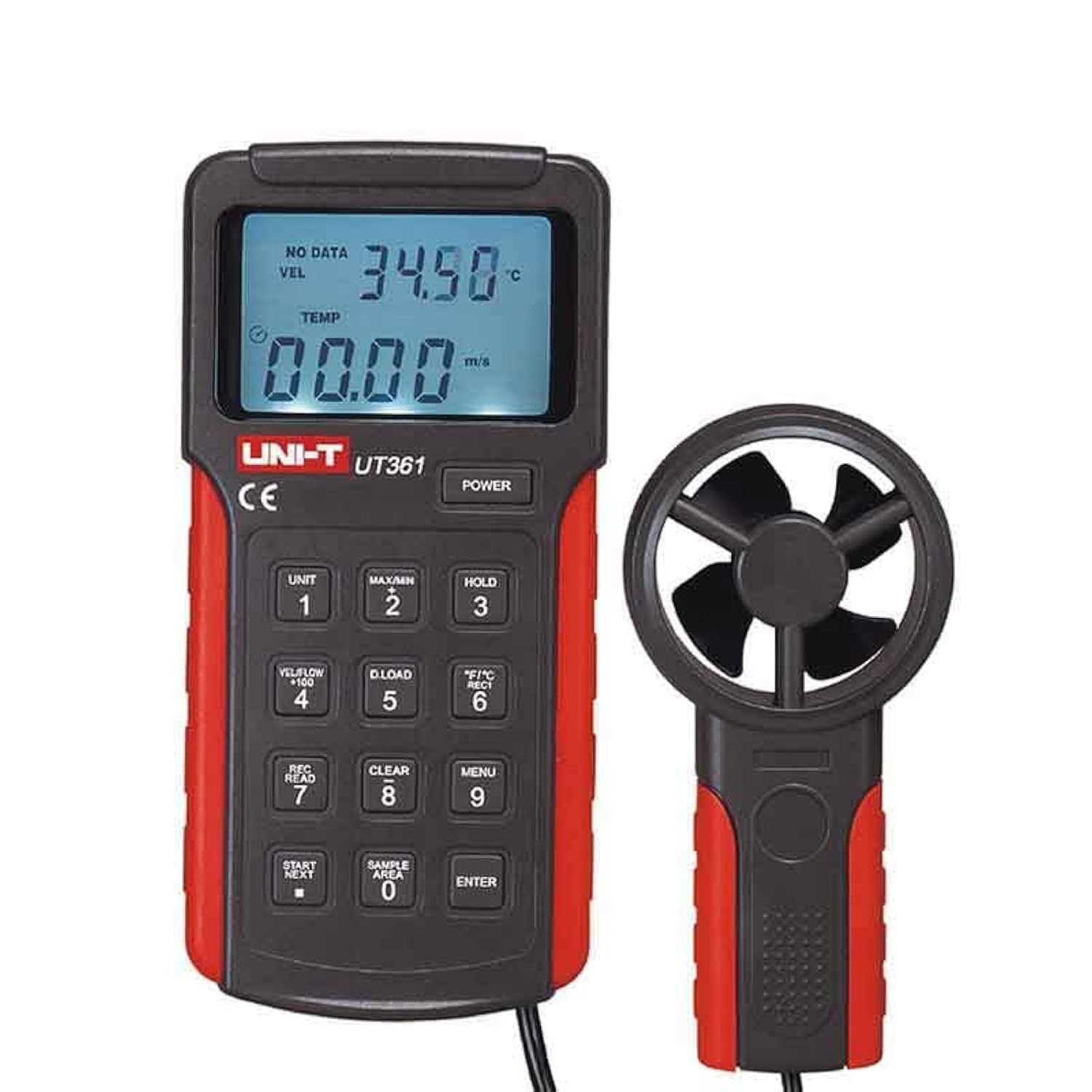
Figure 1: UNI-T UT361 Digital Anemometer, showing the main display unit and the detached fan sensor.
2. Caratteristiche di u produttu
- Mantene di dati: Ferma a misurazione attuale nant'à u display.
- Retroilluminazione LCD: Aumenta a visibilità in cundizioni di poca luce.
- Unità di temperatura: Selectable between Celsius (℃) and Fahrenheit (℉).
- Spegnimentu automaticu: Automatically shuts down after approximately 10 minutes of inactivity (cancelable).
- Storage di dati: Memorizza finu à 2044 insemi di dati di misurazione.
- Auto Record Function: Records data automatically at intervals from 0.5 to 255 seconds.
- Wearproof Fan Shaft: Designed for improved accuracy and long-term reliability.
- Modi di velocità di u ventu: Displays Maximum (MAX), Minimum (MIN), and Real-time wind speed.
- Wind Count Modes: Displays Maximum (MAX), 2/3 Maximum, Minimum (MIN), Average (AVG), and Real-time wind count (CFM/CMM).
- Unità selezziunate: Supports 7 units for wind speed and flow: m/s, km/h, ft/min, MPH, KNOTS, CFM, CMM.
- Interfaccia USB: For data transmission to a PC.
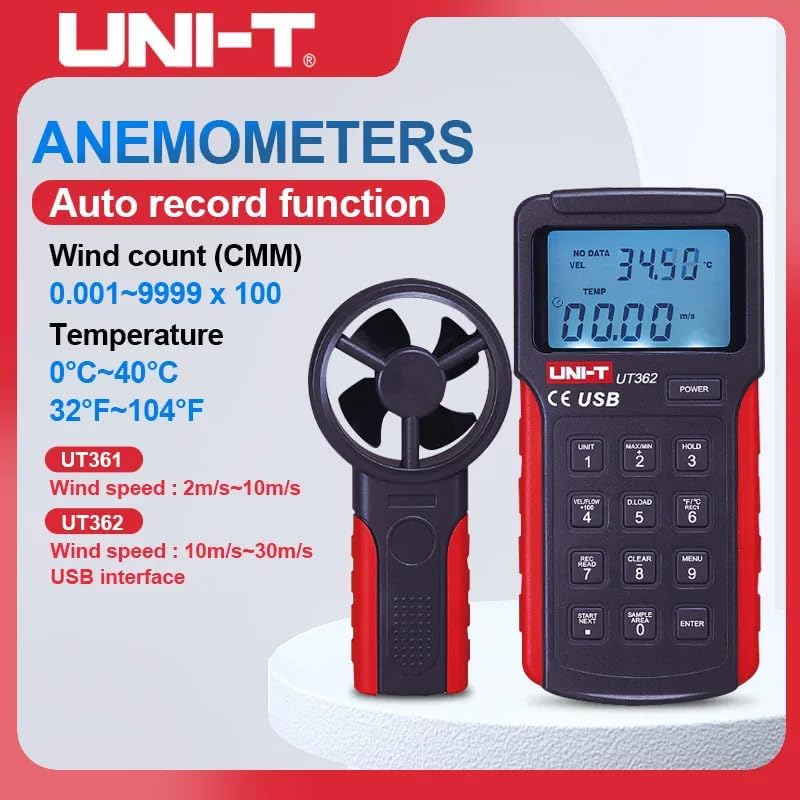
Figura 2: Overview of key features for UNI-T UT361 and UT362 anemometers.
3. Setup
3.1 Installazione di batterie
- Localisate u compartmentu di a bateria in u spinu di l'unità principale.
- Aprite a tappa di a bateria.
- Insert one 9V alkaline battery (6F22) into the compartment, ensuring correct polarity.
- Chiudete a tappa di a bateria in modu sicuru.
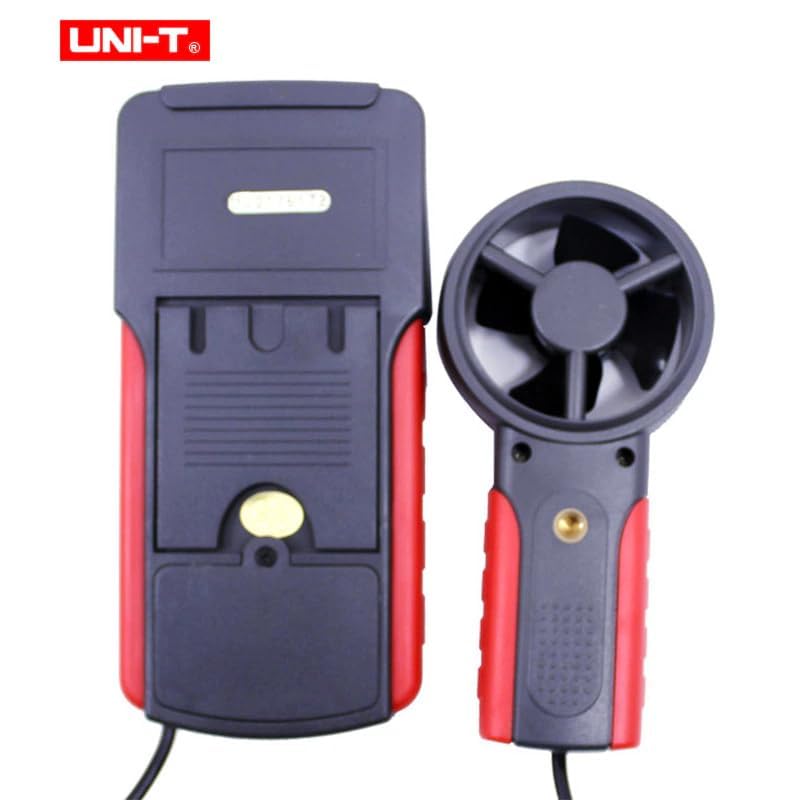
Figura 3: Posteriore view of the UT361, highlighting the battery compartment.
3.2 Cunnessione di u sensore
Connect the cable from the fan sensor to the designated port on the main unit. Ensure the connection is firm.
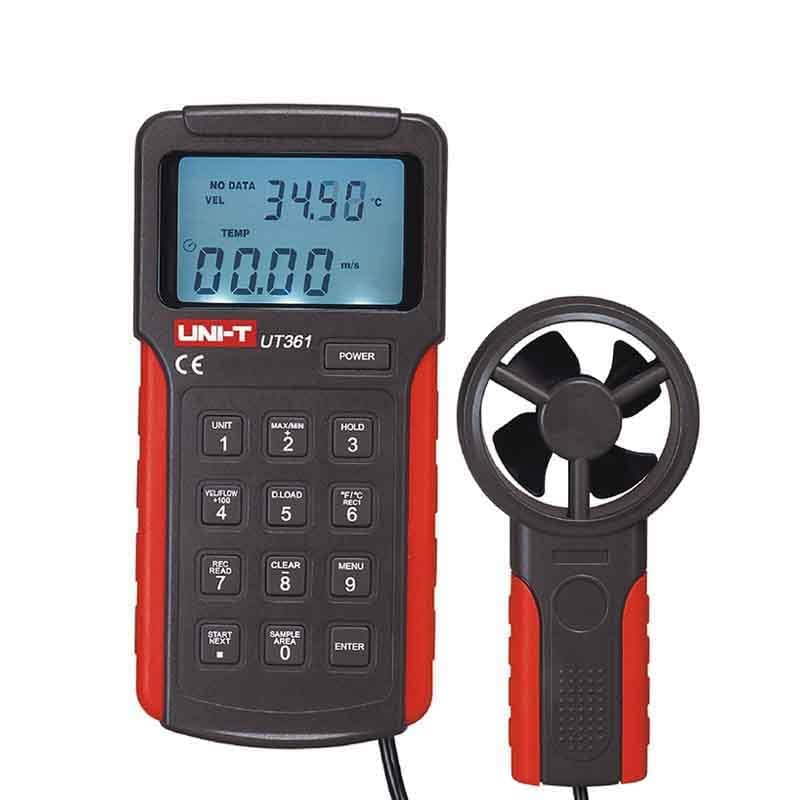
Figura 4: Fronte view of the UT361, showing the main unit and its connected fan sensor.
4. Operazione
4.1 Power On/Off
Press u POWER button to turn the device on or off. The device will automatically power off after approximately 10 minutes of inactivity to conserve battery life. This feature can be disabled if continuous operation is required.
4.2 Selezzione di l'unità di misura
Press u UNITÀ button to cycle through the available wind speed and flow units: m/s, km/h, ft/min, MPH, KNOTS, CFM, CMM. Press the ℃ / ℉ button to switch between Celsius and Fahrenheit for temperature measurement.
4.3 Wind Speed and Wind Count Measurement
Position the fan sensor in the airflow. The current wind speed and temperature will be displayed on the LCD. Use the MAX/MIN buttone à view maximum or minimum readings. The VEL / FLOW button switches between wind speed (VEL) and wind count (FLOW) display modes.
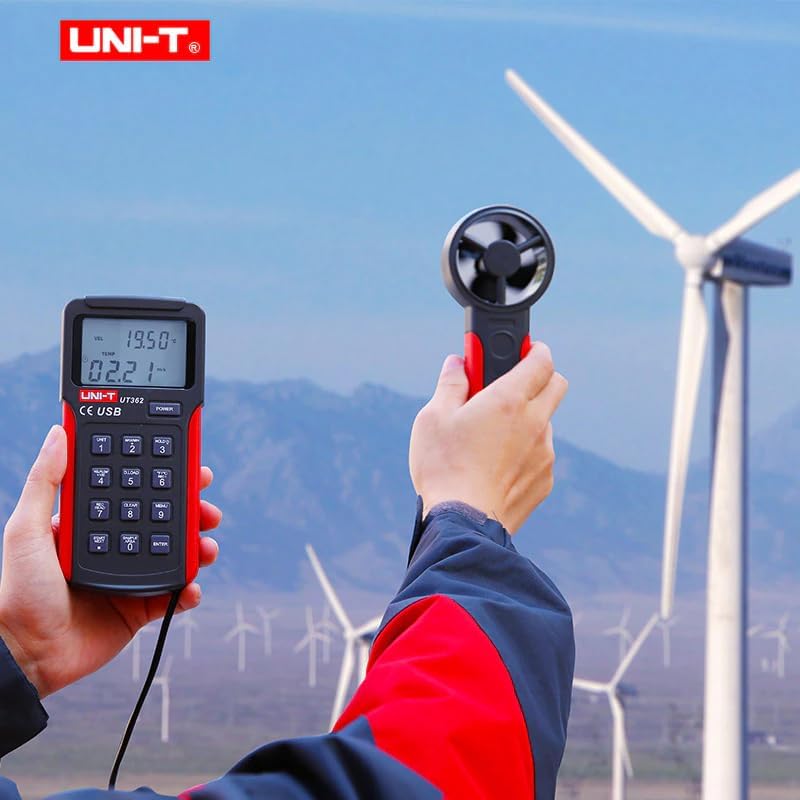
Figure 5: The UT361 in use, demonstrating its split-type design for flexible measurement.
4.4 Funzione Data Hold
Press u HOLD button to freeze the current reading on the display. Press it again to release the hold and resume live measurements.
4.5 Data Storage and Auto Record
The UT361 can store up to 2044 sets of data. Refer to the detailed operating manual for instructions on setting up the auto record function (intervals from 0.5 to 255 seconds) and retrieving stored data via the USB interface.
For data transmission to a PC, connect the device using the provided USB cable and utilize the PC software CD for data logging and analysis.
5. Mantenimentu
- Mantene u dispusitivu pulito è seccu. Aduprà un soft, damp pannu per a pulizia; ùn aduprate micca detergenti abrasivi o solventi.
- Quandu ùn hè micca aduprata per periodi prolungati, cacciate a batteria per impedisce perdite.
- Store the anemometer in its carrying bag to protect it from dust and physical damage.
- Avoid exposing the device to extreme temperatures or high humidity.
- The fan shaft is wearproof, but avoid physical obstructions or excessive force on the impeller.
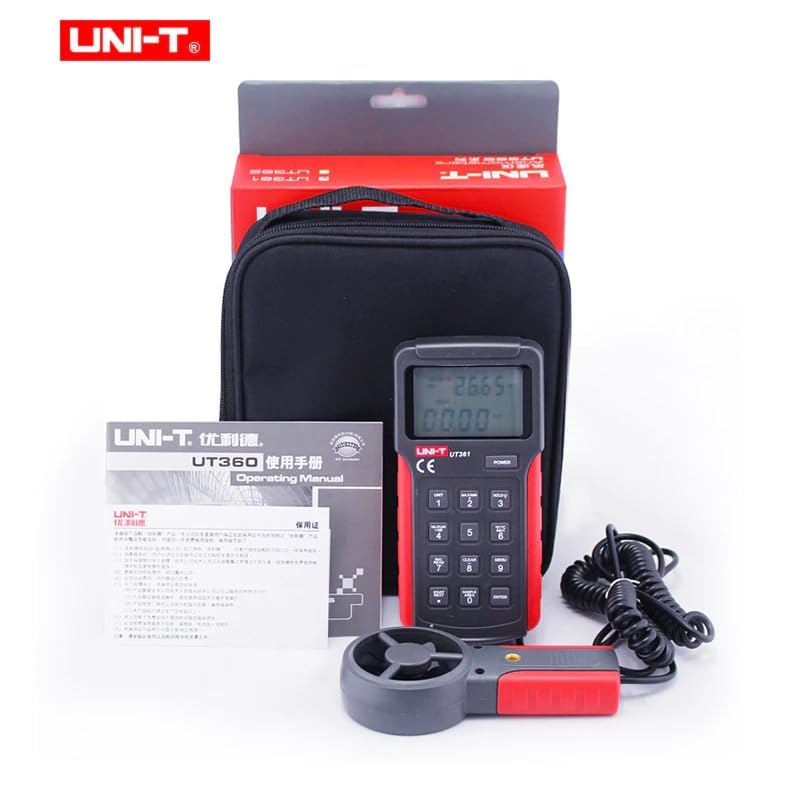
Figure 6: The UT361 anemometer with its standard accessories, including the carrying bag for protection.
6. Risoluzione di prublemi
| Prublemu | Causa Possibile | Soluzione |
|---|---|---|
| U dispusitivu ùn accende micca. | Batteria bassa o morta; installazione incorretta di a batteria. | Rimpiazzà a batteria di 9V; assicurassi di a polarità curretta. |
| Letture imprecise. | Fan sensor obstructed or damaged; device not calibrated. | Check for obstructions around the fan; ensure the sensor is clean. If issues persist, contact support for calibration. |
| LCD backlight not working. | Backlight function not activated; internal fault. | Ensure backlight is turned on (if applicable via a button, not explicitly mentioned but common). If not, contact support. |
| Data logging issues. | Incorrect auto record settings; USB connection problem; PC software issue. | Verify auto record interval settings. Check USB cable and PC software installation. |
7. Specificazioni
| Parametru | Range (UT361) | Best Accuracy (UT361) |
|---|---|---|
| Misurazione di a velocità di u ventu | 2 m/s~10 m/s 10 m/s~30 m/s | ± (3% + 5) ± (3% + 8) |
| Wind Count Measurement (CMM) | 0.001~9999 x 100 | ✓ |
| Wind Count Measurement (CFM) | 0.001~9999 x 100 | ✓ |
| Misurazione di a temperatura | 0 ℃ ~ 40 ℃ (32 ℉ ~ 104 ℉) | ± 3 ℃ (± 4 ℉) |
| Contu di Display | 9999 | |
| Data Hold | ✓ | |
| Auto Power Off | Around 10 Minutes | ✓ |
| Indicazione di batteria bassa | ≤7.2V | ✓ |
| Modu MAX | ✓ | |
| Modu MIN | ✓ | |
| Logging di dati | 2044 | |
| Interfaccia USB | ✓ | |
| Auto Record Time Setup | ✓ | |
| Cambia unità | ✓ | |
| Retroilluminazione LCD | ✓ | |
| Display di a velocità di u ventu | Display "VEL" | ✓ |
| Wind Count Display | Display "FLOW" | ✓ |
Caratteristiche generale
- putenza: 9V Alkaline Battery (6F22)
- Dimensioni LCD: 57 mm x 37 mm
- Culore di u pruduttu: Rossu è Grisgiu
- Pesu netu di u produttu: 375 g
- Dimensione di u produttu: 162 mm x 78 mm x 30 mm
- Accessori standard: Battery, USB Interface Cable, PC Software CD, Carrying Bag
- Imballaggio individuale standard: Gift Box, English Manual
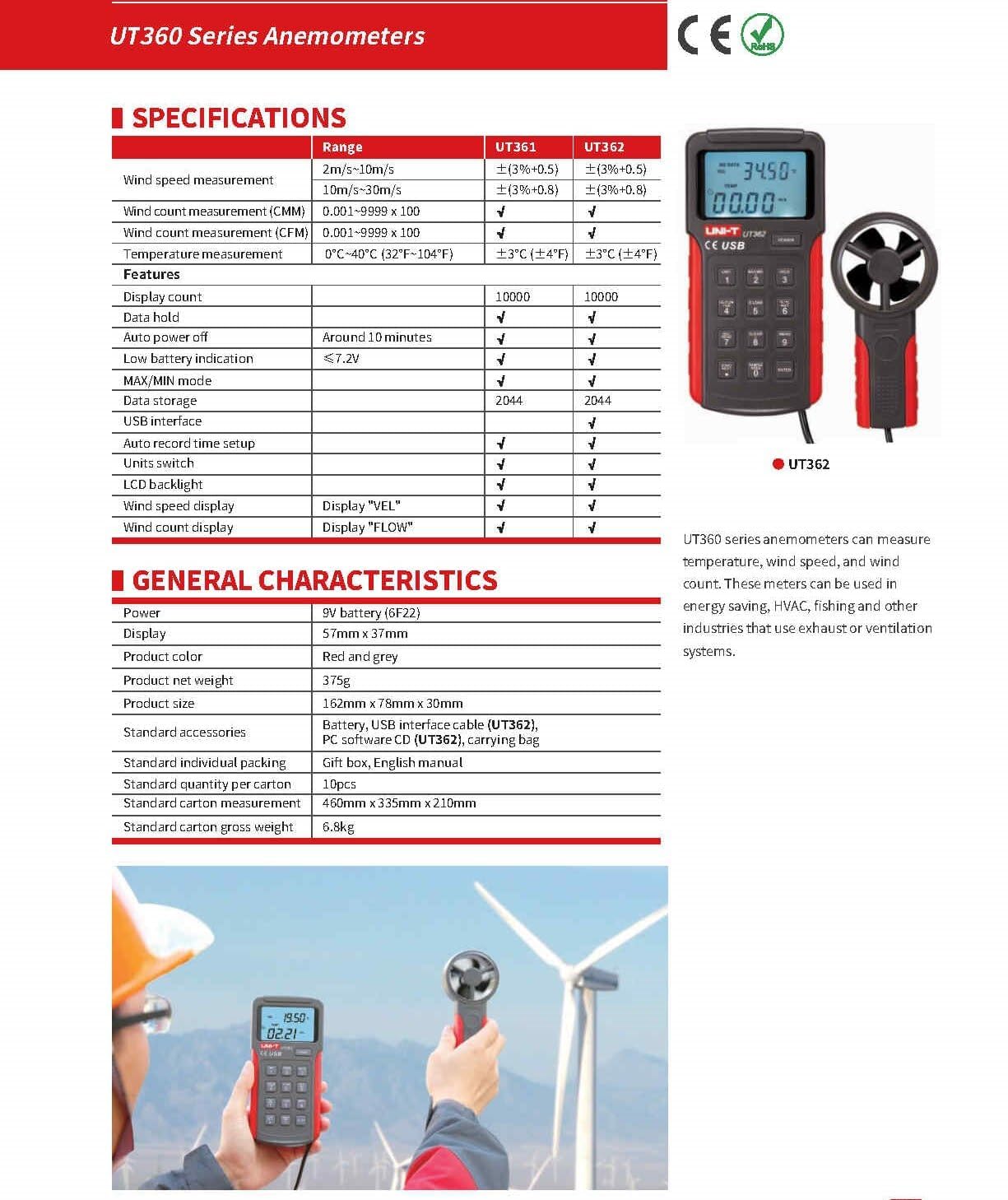
Figure 7: Comprehensive specifications table for the UT360 series anemometers.
8. Video ufficiale di u pruduttu
Video 1: An unboxing and feature overview of the UNI-T UT361/UT362 Digital Wind Speed Meter. This video demonstrates the physical components and highlights key functionalities of the anemometer.
9. Garanzia è Support
For warranty information, technical support, or service inquiries, please refer to the contact details provided in the packaging or visit the official UNI-T websitu. Conservate a vostra ricevuta d'acquistu cum'è prova d'acquistu per e richieste di garanzia.
The product is certified with CE and UKCA, ensuring compliance with relevant European and UK standards.


