Product Overview
The RISOON WiFi Hygrometer Thermometer Sensor is designed for accurate and remote monitoring of indoor temperature and humidity. It connects to your 2.4 GHz WiFi network, allowing you to access real-time data and receive alerts through the TUYA or Smart Life mobile application. This device is ideal for maintaining optimal environmental conditions in various spaces, from living areas to specialized environments like pet habitats or wine cellars.

The RISOON WiFi Hygrometer Thermometer Sensor provides real-time temperature and humidity monitoring, accessible via a mobile application.

Ensure optimal comfort and safety by monitoring temperature and humidity in sensitive areas like a baby's room.
Ciò chì hè inclusu
Your RISOON WiFi Hygrometer Thermometer Sensor package includes the following items:
- RISOON WiFi Hygrometer Thermometer Sensor unit
- 2 x Batterie AAA (incluse per usu immediatu)
- Adhesive mounting strip
- Reset pin tool
The compact packaging of the RISOON sensor, highlighting its key features and compatibility.
The sensor's battery compartment is easily accessible for battery insertion. The included mounting bracket allows for secure placement using either the adhesive strip or screws (not included).
Istituisci
- Inserite batterie: Open the battery compartment on the back of the sensor and insert the two included AAA batteries, ensuring correct polarity.
- Scaricate l'App: Download the "Tuya Smart" or "Smart Life" app from your mobile device's app store (available for Android and iOS).Scaricate l'app Smart Life
- Registrazione/Accessu: Aprite l'app è registrate un novu contu o cunnettatevi se ne avete digià unu.
- Aghjunghjite u dispositivu: In the app, tap the "+" icon to add a new device. Select "Sensor" or "Temperature & Humidity Sensor" from the device list.
- Modu di accumpagnamentu: The sensor should automatically enter pairing mode (indicated by a blinking light). If not, use the provided reset pin tool to press the reset button until the light blinks.
- Cunnette vi à WiFi: Follow the in-app instructions to connect the sensor to your 2.4 GHz WiFi network. (Note: 5G WiFi is not supported).
- Personalizà i paràmetri: Once connected, you can customize settings such as temperature units (Celsius/Fahrenheit).

The mobile application allows users to easily switch between Celsius and Fahrenheit temperature display units.
This video demonstrates the unboxing and initial setup steps for the RISOON WiFi Hygrometer Thermometer Sensor, including battery installation and pairing with the mobile application.
Istruzzioni di funziunamentu
Once set up, the sensor will continuously monitor temperature and humidity. You can view real-time data, historical records, and trend graphs directly within the Tuya Smart or Smart Life app.
- Monitoraghju in tempu reale: Open the app and select your sensor to view current temperature and humidity readings.
- Record di storia: Access the history section to review past data, which is typically updated every 5 minutes.
- Grafici di dati: Visualize temperature and humidity trends over time with integrated graphs.
- Commutazione di unità: Easily switch between Celsius (℃) and Fahrenheit (℉) display units within the app settings.

The sensor's data can be shared with multiple users through the app's sharing function, allowing real-time monitoring by family members.
Smart Scene Integration
Leverage the smart scene feature in the Tuya Smart or Smart Life app to automate actions based on temperature and humidity conditions:
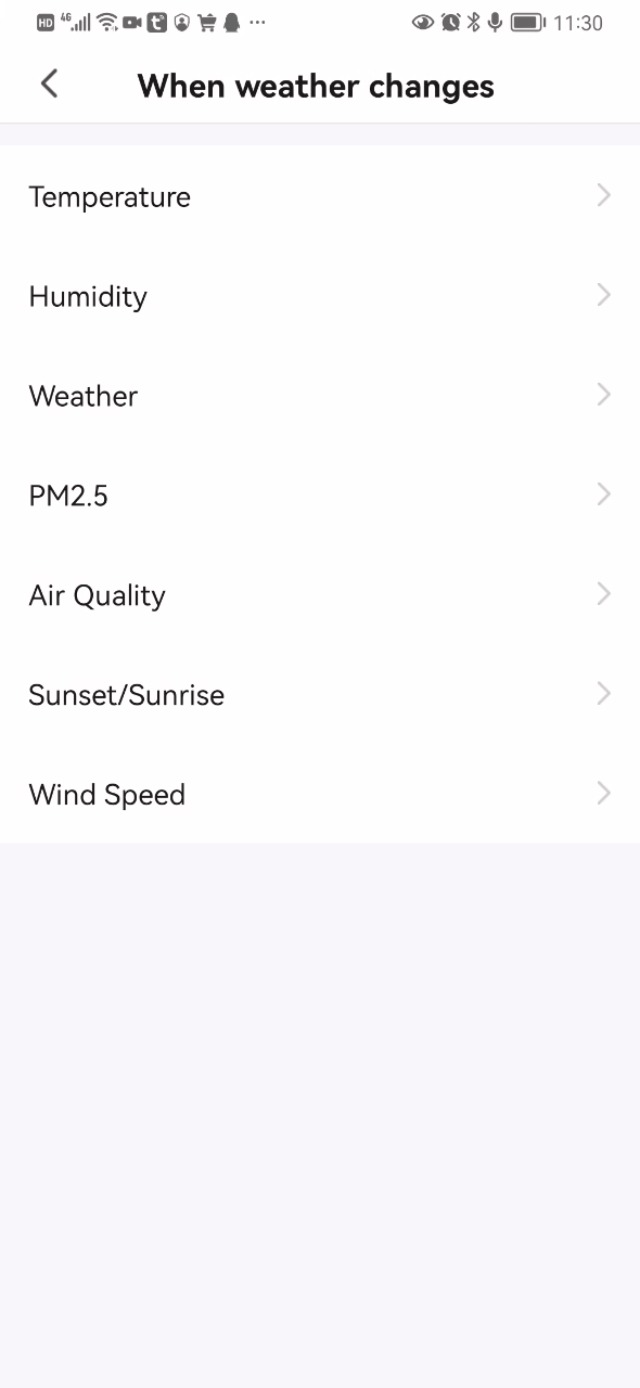
- Set Alerts: Create rules to receive notifications on your phone when temperature or humidity exceeds or falls below preset values.
- Automate Devices: Link the sensor to other smart devices (e.g., smart plugs controlling heaters, humidifiers, or air conditioners). For example, you can set a scene to automatically turn on your AC if the temperature rises above a certain threshold, or activate a dehumidifier if humidity becomes too high.

The sensor can be integrated into smart scenes to automatically trigger other smart devices, such as turning on an air conditioner when a certain temperature is reached.
This video demonstrates how to set up smart scenes within the Tuya/Smart Life app, enabling automated actions based on temperature and humidity readings from the sensor.
Voice Control
The RISOON sensor is compatible with Amazon Alexa and Google Home, allowing for convenient voice-activated inquiries about your environment:
- Cunnette si à l'Assistente Vocale: Link your Tuya Smart or Smart Life account to your Amazon Alexa or Google Home app.
- Comandi vocali: Once linked, you can ask your voice assistant for current temperature and humidity readings. For example, "Alexa, what's the temperature in the living room?" or "Hey Google, what's the humidity in the bedroom?"

The sensor supports voice commands through Amazon Alexa and Google Home, allowing users to inquire about current temperature and humidity.
I metudi di stallazione
The compact design of the RISOON sensor offers versatile installation options:
- Montaggio adesivo: Use the provided adhesive strip to attach the sensor to any clean, flat surface. This is ideal for quick and non-permanent placement.
- Montaggio à viti: The sensor includes a mounting bracket that can be screwed into a wall or other surface for a more permanent installation. The main sensor unit then slides onto this bracket.
- Autoportante: Its small size allows it to be simply placed on a shelf, table, or inside specific enclosures like terrariums, humidors, or plant pots.

The compact design of the sensor allows for flexible placement in various environments, including small spaces like terrariums or humidors.

The sensor is suitable for monitoring environmental conditions in a wide range of locations, including residential, commercial, and industrial settings.
Mantenimentu
- Sustituzione di batterie: The sensor is powered by two AAA batteries. When the battery level is low, you will receive an alert message via the app. Replace batteries promptly to ensure continuous operation.
- Pulizia: Wipe the sensor gently with a dry, soft cloth. Do not use liquid cleaners or immerse the device in water.
- Placement: Ensure the sensor is placed in an area where air can circulate freely around it for accurate readings. Avoid placing it near heat sources, direct sunlight, or in areas with extreme drafts.
Risoluzione di prublemi
| Issue | Causa Possibile | Soluzione |
|---|---|---|
| Sensor not connecting to WiFi | Incorrect WiFi password; 5GHz WiFi network; sensor too far from router; temporary network issue. | Ensure correct 2.4 GHz WiFi network and password. Move sensor closer to router. Restart router. Re-enter pairing mode and try connecting again. |
| Letture imprecise | Sensor placed near heat/cold source, direct sunlight, or in a draft. | Relocate the sensor to a central area away from direct environmental influences. Allow time for readings to stabilize. |
| L'applicazione ùn riceve micca avvisi | Notification settings disabled in app or phone settings; incorrect smart scene configuration. | Check app notification settings and phone's system notification settings. Verify smart scene conditions and actions are correctly set up. |
| Sensore chì ùn risponde micca | Batteria bassa; malfunzionamentu di u dispusitivu. | Replace batteries. If issue persists, perform a factory reset using the reset pin tool. |
For further assistance, please refer to the support section or contact customer service.
Specificazioni
- Mudellu: B0B99R64FV
- Marca: RISOON
- Connettività: 2.4 GHz WiFi (IEEE 802.11 b/g/n)
- Fonte di energia: 2 x batterie AAA (incluse)
- Dimensioni di u pruduttu: 0.96"L x 2.72"A (circa 0.96 x 0.96 x 2.72 pollici)
- Pesu: 1.76 once
- Precisione di a temperatura: ± 1 ° C
- Precisione di l'umidità: ± 5%
- Tipu di muntatura: Supportu murale (adesivu o viti)
Garanzia è Supportu
RISOON provides a guaranzia di 24 mesi for your WiFi Hygrometer Thermometer Sensor, ensuring peace of mind regarding product quality and performance.
For technical support, troubleshooting assistance, or warranty claims, please contact RISOON customer service through the contact information provided with your product packaging or on the official RISOON websitu.
Risorse in linea:
- For app-related queries, visit the Smart Life App support page.
- For product information, refer to the Amazon product page using ASIN: B0B99R64FV.