Introduzione
Thank you for choosing the EVEO Screen Cleaner Spray and Microfiber Cloth Kit. This kit is designed to provide a safe and effective solution for cleaning a wide range of electronic screens, ensuring a crystal-clear, streak-free finish. Our alcohol-free and ammonia-free formula, combined with premium microfiber cloths, protects your devices while delivering superior cleaning performance.

Image: The EVEO Screen Cleaner Spray and Microfiber Cloth Kit, featuring two spray bottles and two microfiber cloths.
Ciò chì hè inclusu:
- 2 x EVEO Screen Cleaner Spray Bottles (4 fl oz / 118 ml each)
- 2 x Premium Microfiber Cleaning Cloths
Istituisci
The EVEO Screen Cleaner Spray is ready for use right out of the box. No assembly is required for the spray bottles. The microfiber cloths are pre-washed and ready for immediate use.
Preparazione:
- Ensure the electronic device you intend to clean is powered off and cooled down.
- Remove any loose dust or debris from the screen surface using a dry microfiber cloth or a soft brush.

Image: Two EVEO Screen Cleaner bottles, highlighting features such as quick-dry, alcohol-free, and no ammonium hydroxide, along with an included microfiber cloth.
Istruzzioni di funziunamentu
Follow these simple steps for optimal cleaning results and to protect your electronic screens.
Prucedura di pulizia:
- Spruzzate nantu à un pannu: Lightly spray the EVEO Screen Cleaner solution onto one of the provided microfiber cloths. Do not spray directly onto the electronic screen.
- Wipe the Screen: Gently wipe the screen surface in a circular or back-and-forth motion. Apply light pressure to remove smudges, fingerprints, and dust.
- Buff for Shine: Use a dry, clean section of the microfiber cloth to buff the screen until it is completely dry and streak-free.
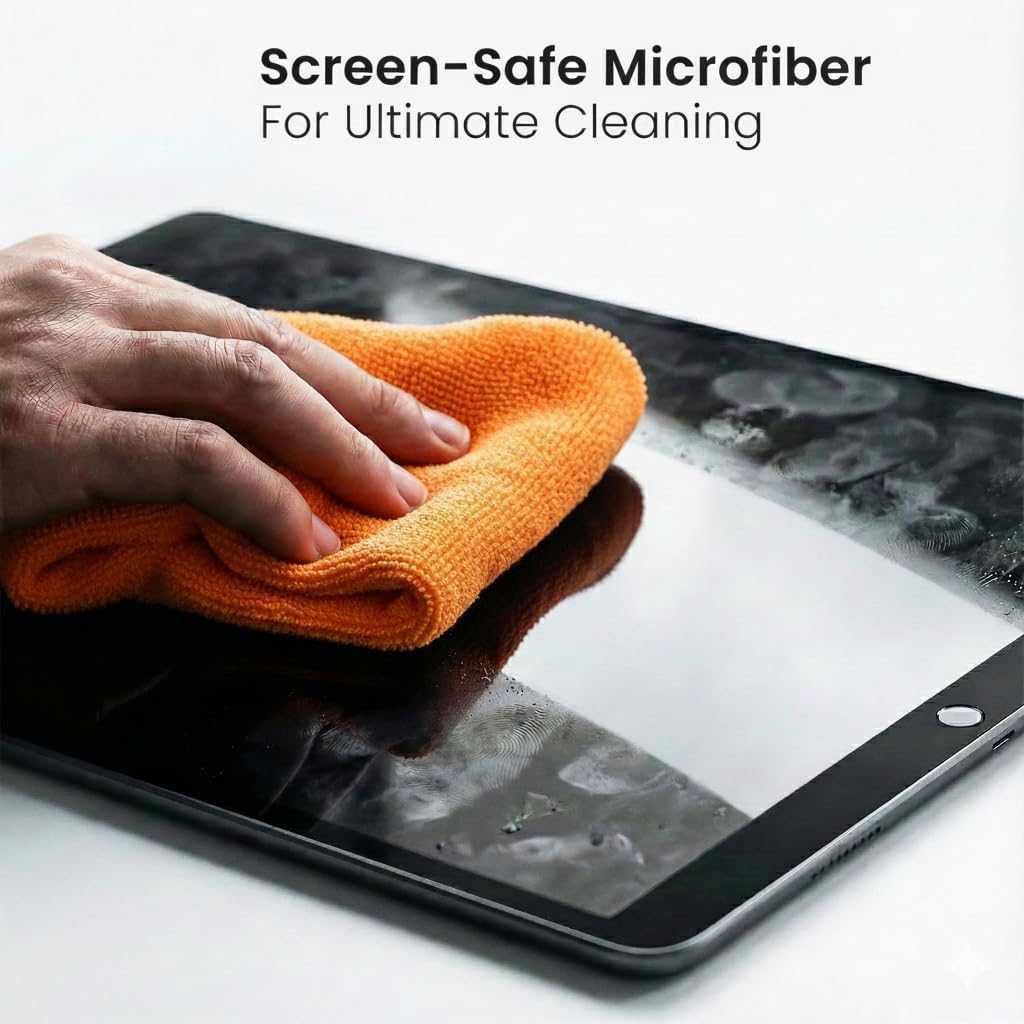
Image: A hand gently cleaning a tablet screen using an EVEO microfiber cloth, demonstrating the proper application technique.
Cumpatibilità:
The EVEO Screen Cleaner is safe and effective for use on all types of electronic screens, including:
- LCD, LED, CRT, and OLED displays
- Televisori (TV)
- Monitori di computer
- Laptops (MacBook, Windows Laptops)
- Tablets (iPad, Android Tablets)
- Smartphones (iPhone, Android Phones)
- Car Infotainment Screens
- Eyeglasses and Sunglasses

Image: A collection of electronic devices, including a smartphone, laptop, and tablet, illustrating the wide range of compatible screens for the EVEO cleaner.
Video ufficiali di u pruduttu:
EVEO Screen cleaner for electronic devices, Streak Free
Video: This video demonstrates the EVEO Screen Cleaner in action, showcasing its effectiveness in achieving streak-free results on various electronic devices.
EVEO Screen cleaner, for a streak-free screen
Video: A short video highlighting the ease of use and the streak-free finish provided by the EVEO Screen Cleaner on electronic screens.
Mantenimentu
Proper care of your EVEO Screen Cleaner Kit components will ensure long-lasting performance.
Cura di i panni in microfibra:
- Machine wash the microfiber cloths with similar colors in cold water.
- Do not use fabric softener or bleach, as these can damage the microfiber and reduce its effectiveness.
- Asciugà à u focu bassu o seccu à l'aria.
Conservazione:
- Store the screen cleaner bottles in a cool, dry place away from direct sunlight.
- Ensure the spray nozzle is securely closed to prevent leakage or evaporation.

Imagine: Un primu pianu view of the premium microfiber cloth, emphasizing its soft texture and quality for screen cleaning.
Risoluzione di prublemi
If you encounter any issues while using your EVEO Screen Cleaner, refer to the following common solutions:
Issue: Streaks or Residue Remain on Screen
- Soluzione 1: Ensure your microfiber cloth is clean. A dirty cloth can transfer oils and debris back onto the screen.
- Soluzione 2: Avoid over-saturating the cloth. A light mist is sufficient. Excess liquid can lead to streaks.
- Soluzione 3: Use a dry section of the microfiber cloth to buff the screen immediately after wiping with the damp sezione.

Image: A side-by-side comparison showing a TV screen before and after cleaning with the EVEO Screen Cleaner, demonstrating its effectiveness in removing smudges and grime.
Specificazioni
| Marca | EVEO |
| Numero di mudellu | B0CGDTS9FR |
| Volume liquidu | 4 Fluid Ounces (per bottle, 2 bottles included) |
| Tipu di formula | Alcohol-Free, Ammonia-Free, Quick-Dry, Fragrance-Free |
| Materiale di tela | Premium Microfiber |
| Cumpatibilità | LCD, LED, CRT, OLED screens; TVs, Monitors, Laptops, Tablets, Smartphones, Car Screens, Eyeglasses |
| Pesu di l'articulu | 4 ounces (total product weight) |
Garanzia
Specific warranty information for the EVEO Screen Cleaner Spray and Microfiber Cloth Kit is not provided in the product details. However, the product is eligible for a 30-day refund/replacement policy from the date of purchase. Please refer to the retailer's return policy for more details.
Supportu
For further assistance or inquiries regarding your EVEO Screen Cleaner, please visit the official EVEO brand store or contact customer support through your purchase platform.
EVEO Brand Store: Visit the EVEO Store on Amazon


