FLEXISPOT ET365W

FLEXISPOT E6 Essential Dual Motor Standing Desk Frame User Manual

Model: ET365W (White Frame, 3 Stage Lite Leg)

Importante infurmazione di sicurezza

Leghjite è capite tutte l'istruzzioni prima di u montaggio è di l'usu. A mancanza di seguitu di queste istruzzioni pò causà ferite o danni à u pruduttu.

Product Overview

The FLEXISPOT E6 Essential Dual Motor Standing Desk Frame provides a versatile and ergonomic workspace solution. Featuring a robust 3-stage lift system and quiet dual motors, it allows for seamless transitions between sitting and standing positions.

Funzioni chjave:

FLEXISPOT E6 Essential Standing Desk Frame with controller

Image: The FLEXISPOT E6 Essential Dual Motor Standing Desk Frame in white, featuring the integrated control panel.

Cuntenutu di u pacchettu

Verificate chì tutti i cumpunenti sianu presenti è intatti prima di principià u montaggio. Sè qualchì parte manca o hè dannighjata, cuntattate l'assistenza clienti.

Components of the FLEXISPOT E6 Essential Standing Desk Frame

Image: All frame components laid out for inspection.

Istruzzioni di Assemblea

Follow these steps carefully to assemble your FLEXISPOT E6 Essential Standing Desk Frame. It is recommended to have two people for assembly.

Video: Official FLEXISPOT E6 Essential Standing Desk Installation Guide. This video provides a visual walkthrough of the assembly process.

  1. Step 1: Assemble the Cross Beams

    Connect the left and right beams (parts 2 and 3) using the provided screws (C) and the T-Socket Wrench (11). Ensure screws are aligned with square holes and pressed tightly. The length of the cross beams can be adjusted to fit a desktop of 51-59 inches (1300-1500mm).

    Assembly of cross beams for desk frame

    Image: Illustration showing the connection of the left and right beams.

  2. Step 2: Attach Columns to Cross Beams

    Attach the two columns (part 4) to the assembled cross beams using screws (A) and the T-Socket Wrench (11). Pre-tighten all screws for the cross beams, then tighten them simultaneously for a secure fit. Prioritize installing diagonal screws first.

    Attaching columns to cross beams

    Image: Visual guide for attaching the columns to the cross beams.

  3. Step 3: Install Pedestals

    Secure the pedestals (part 7) to the bottom of the columns using screws (E) and the T-Socket Wrench (11).

    Installing pedestals to the desk columns

    Image: Diagram showing the attachment of the pedestals to the columns.

  4. Step 4: Attach Adapter Bracket and Keypad

    Mount the adapter bracket (part 12) and the keypad (part 5) to the underside of your chosen desktop. Ensure the curved edge of the keypad is flush with the edge of the table top. Use screws (F) and a drill for this step. Make sure the keypad is on the same side as the adapter bracket.

    Attaching adapter bracket and keypad to desktop

    Image: Illustration of attaching the adapter bracket and keypad to the desktop.

  5. Passu 5: Connect Wiring

    Connect all necessary cables: the keypad to the control box, the motors to the control box, the power adapter (part 6) to the control box, and the AC power cable (part 8) to the power adapter. Use cable clips (part 10) to manage and secure the cables neatly under the desktop.

    Wiring connections for the standing desk

    Image: Diagram showing the proper routing and connection of all electrical cables.

Istruzzioni di funziunamentu

The FLEXISPOT E6 Essential features an intuitive programmable controller for easy height adjustment.

Close-up of the intelligent keypad with LED display and memory buttons

Image: The intelligent keypad with LED display and buttons for height adjustment and memory presets.

Funzioni di u controller:

Specificazioni di u produttu

FeatureDetail
Numero di mudelluET365W
MarcaFLEXISPOT
CuloreCornice Bianca
Dimensioni di u produttu (quadru)43.3"D x 23.6"W x 23.6"H (Adjustable width for desktop)
Gamma di regulazione di l'altezza23.6 inches (Minimum) to 48.8 inches (Maximum)
Meccanismu di elevazioneElectric Dual Motor, 3-StagSistema di sollevamentu
Capacità massima di pesu220 lbs (100 kg)
Livellu di rumoreMeno di 50 dB
Materiale di basaMetallu
Cumpunenti inclusiStrumenti d'installazione è fili
UPC810072845221
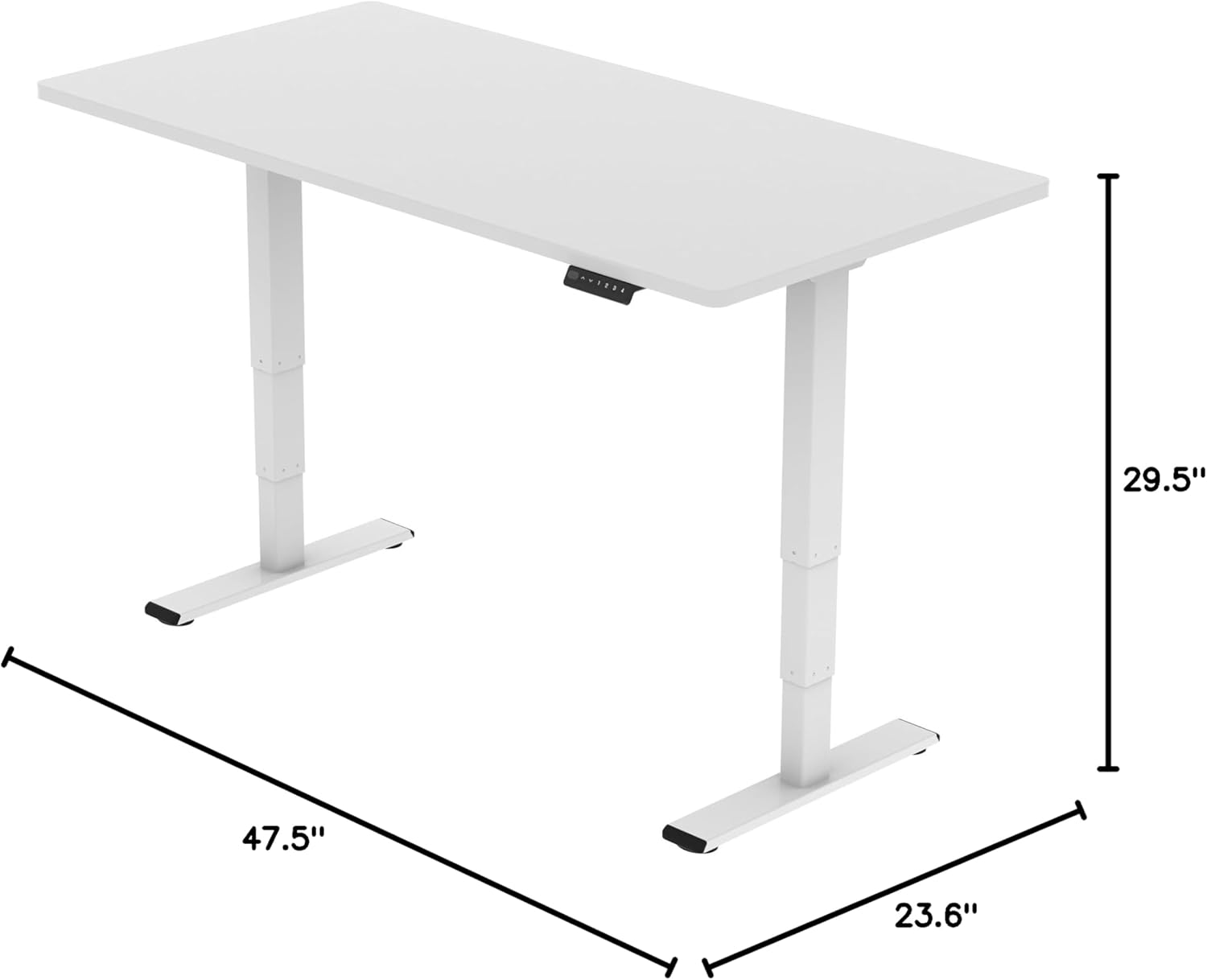
FLEXISPOT E6 Essential Standing Desk Frame dimensions

Image: Diagram illustrating the adjustable dimensions of the desk frame.

Mantenimentu

Una manutenzione regulare assicura a longevità è e prestazioni ottimali di a struttura di u vostru scrivania in piedi.

Risoluzione di prublemi

If you encounter any issues with your FLEXISPOT E6 Essential Standing Desk Frame, refer to the common problems and solutions below.

Garanzia è Supportu

FLEXISPOT s'impegna à furnisce prudutti di alta qualità è un eccellente serviziu clienti.

Video: "Welcome to FLEXISPOT'S Mega Factory" - Showcasing the manufacturing process and commitment to quality.