1. Introduzione
Thank you for choosing the VOLTCRAFT OM-100 Oxygen Meter. This device is designed for precise measurement of oxygen concentration in various environments. This manual provides essential information for the safe and efficient operation, setup, maintenance, and troubleshooting of your oxygen meter. Please read this manual thoroughly before using the device and keep it for future reference.
2. Istruzzioni di sicurità
- Always operate the device within the specified environmental conditions.
- N'espone micca u dispusitivu à temperature estreme, umidità, o luce diretta di u sole.
- Evitate impatti forti o cascà u dispusitivu.
- Ùn pruvate micca d'apre o di mudificà l'apparechju. E riparazioni devenu esse effettuate solu da persunale qualificatu.
- Mantene u dispusitivu luntanu da i zitelli.
- Smaltite e batterie è u dispusitivu secondu e regulazioni lucali.
- Ensure the oxygen sensor is clean and free from obstructions for accurate readings.
3. Cuntenutu di u pacchettu
Please check the contents of your package upon unpacking. If any items are missing or damaged, contact your retailer immediately.
- VOLTCRAFT OM-100 Oxygen Meter
- Oxygen Sensor with connection cable
- Manuale d'usu
4. Produttu Finituview
4.1 Cumpunenti di u dispusitivu
The VOLTCRAFT OM-100 consists of a main display unit and a detachable oxygen sensor. The main unit features a large LCD display, control buttons, and a port for the sensor connection.

Image 1: Fronte view of the VOLTCRAFT OM-100 Oxygen Meter. The digital display shows an oxygen concentration of 23.8%. Below the display are three buttons: 'MODE', a red power button with a lightbulb icon, and 'APO'. The oxygen sensor is connected to the top right of the device.

Image 2: Angulu view of the VOLTCRAFT OM-100 Oxygen Meter. The display shows 20.9% O2. The sensor is clearly visible connected to the side of the main unit.

Image 3: Top-down view showing the VOLTCRAFT OM-100 Oxygen Meter and its separate oxygen sensor. The sensor is not connected to the main unit, illustrating its detachable nature.
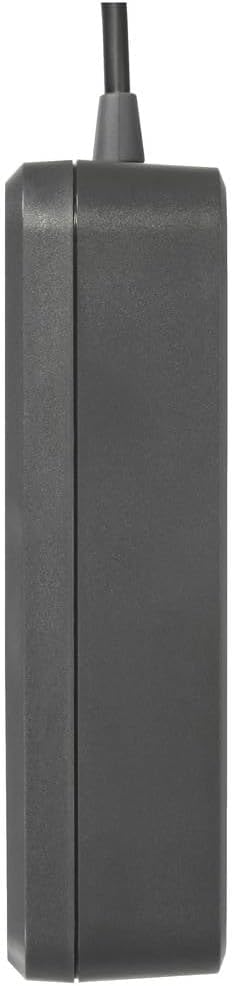
Image 4: Latu view of the VOLTCRAFT OM-100 Oxygen Meter, showing its compact profile.
5. Setup
5.1 Installazione di batterie
The VOLTCRAFT OM-100 requires batteries for operation. Locate the battery compartment on the back of the device. Open the compartment cover, insert the batteries according to the polarity markings, and close the cover securely.
5.2 Cunnessione Sensor
Connect the oxygen sensor cable to the designated port on the top or side of the main unit. Ensure the connection is firm to prevent inaccurate readings or disconnections during use.
6. Operating Instructions
6.1 Accensione / spegnimentu
- Per accende: Press and hold the red power button (with the lightbulb icon) until the display illuminates.
- Per spegne: Press and hold the red power button again until the display turns off.
6.2 Piglià una Misurazione
Once powered on, the device will automatically begin measuring oxygen concentration. Position the sensor in the environment where you wish to take a reading. Allow a few seconds for the reading to stabilize on the LCD display.
6.3 Pulsante Mode
The 'MODE' button allows you to cycle through different display modes or functions, if available. Refer to the on-screen indicators for the current mode. Pressing the button briefly will typically switch between modes.
6.4 APO (Automatic Power Off) Function
The 'APO' button controls the Automatic Power Off function. Pressing this button may enable or disable the feature, which conserves battery life by automatically turning off the device after a period of inactivity. Consult the display for APO status indicators.
7. Calibrazione
Regular calibration is crucial for maintaining the accuracy of your oxygen meter. The VOLTCRAFT OM-100 is factory calibrated, but environmental factors and sensor aging can affect readings. It is recommended to calibrate the device periodically or if you suspect inaccurate measurements.
7.1 Prucedura di calibrazione
The calibration process for the OM-100 can be intricate. Follow these steps precisely:
- Calibrazione Zero: Place the oxygen sensor in an oxygen-free atmosphere (e.g., nitrogen gas or a zero-oxygen calibration chamber). Access the calibration menu (often by holding down a combination of buttons, refer to specific on-screen prompts). Initiate zero calibration.
- Span Calibration (20.9% O2): After zero calibration, expose the sensor to fresh ambient air (which typically contains 20.9% oxygen). Access the calibration menu again and initiate span calibration.
- Verificazione: After calibration, verify the readings in both oxygen-free and ambient air environments to ensure accuracy.
Nota: If calibration consistently fails or yields inconsistent results, the sensor may need replacement or there might be an issue with the calibration environment. Refer to the troubleshooting section.
8. Mantenimentu
8.1 Pulizia
Wipe the device and sensor with a soft, damp pannu. Ùn aduprate micca detergenti abrasivi o solventi. Assicuratevi chì nisun liquidu ùn entre in l'aperture di u dispusitivu.
8.2 Storage
Quandu ùn hè micca adupratu per periodi prolungati, cacciate e batterie per impedisce perdite. Conservate u dispusitivu in un locu frescu è asciuttu, luntanu da a luce diretta di u sole è da temperature estreme.
8.3 Rimpianu Sensor
The oxygen sensor has a limited lifespan and may require replacement over time, especially if calibration becomes difficult or impossible. Consult VOLTCRAFT support for information on replacement sensors and procedures.
9. Risoluzione di prublemi
| Prublemu | Causa Possibile | Soluzione |
|---|---|---|
| U dispusitivu ùn accende micca | Batterie morte o installate incorrectamente | Rimpiazzà e batterie; verificà a polarità |
| Letture imprecise o instabili | Sensor not properly connected; sensor dirty; device needs calibration; sensor end-of-life | Check sensor connection; clean sensor; perform calibration; consider sensor replacement |
| Calibration fails or is difficult | Incorrect calibration procedure; unstable calibration environment; sensor issue | Review calibration steps carefully; ensure stable oxygen-free and ambient air environments; if persistent, sensor may need replacement |
| U display hè viotu o scuru | Low battery; display malfunction | Rimpiazzà e batterie; se u prublema persiste, cuntattà l'assistenza |
10. Specificazioni
| Feature | Valore |
|---|---|
| Marca | VOLTCRAFT |
| Numero di mudellu | VC-12870870 |
| Dimensioni di u produttu (L x W x H) | 7.3 x 3 x 11.1 cm |
| Pesu di l'articulu | 192 g |
| ASIN | B0CLTKVX79 |
| Data Prima Disponibile | 27 ottobre 2023 |
11. Garanzia è Support
VOLTCRAFT products are designed for quality and reliability. This product comes with a standard manufacturer's warranty. For specific warranty terms, duration, and to obtain technical support or service, please refer to the warranty card included with your product or visit the official VOLTCRAFT website. Please have your model number (OM-100 or VC-12870870) and purchase information ready when contacting support.


