Introduzione
This manual provides detailed instructions for the safe and efficient operation of your Czgor 60 LED Stage Light. Leghjite attentamente stu manuale prima di l'usu è cunservatelu per riferimenti futuri.
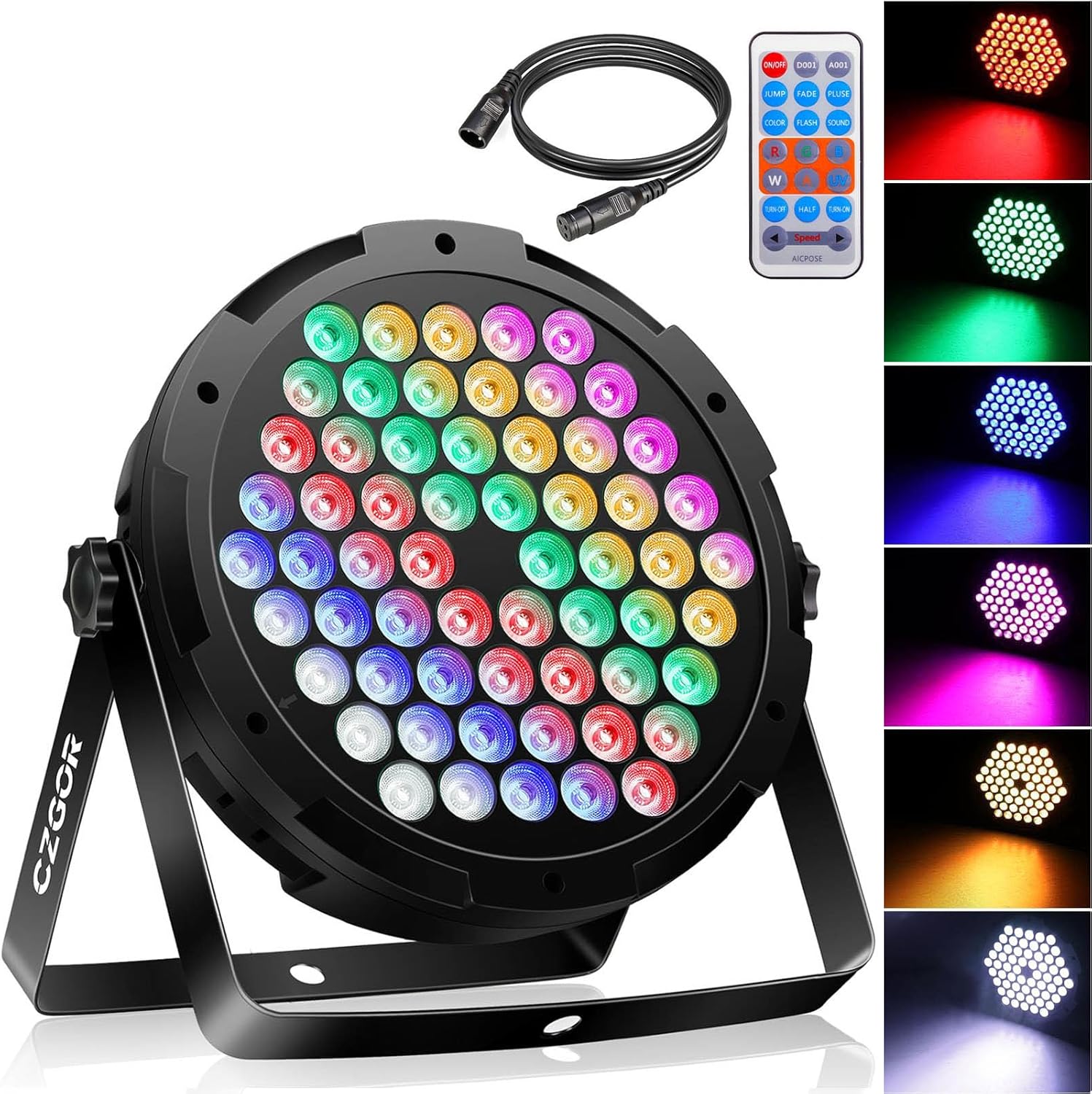
Image: The Czgor 60 LED Stage Luce, mostraasing its front LED array, included remote control, and DMX cable.
Chì ci hè in u Box
Verificate chì tutti i cumpunenti sò presenti à l'apertura di u pacchettu:
- 90W Par Light x 1
- 3.2FT DMX Cable x 1
- Remote x 1
- Metal Stand x 2
- Viti x 2
- Manuale x 1

Image: All components included in the package: the 60 LED stage light, remote control, DMX cable, metal stands, and screws.
Video: An unboxing demonstration showing the contents of the Czgor 60 LED Stage Light package.
Specificazioni
| Marca | Czgor |
| Numero di mudellu | 50w parlightW |
| Tipu di fonte di luce | Diode emettitore di luce (LED) |
| Numero di fonti di luce | 60 |
| Wattage | 90 Watt |
| Voltage | 110 Volts (AC) |
| Angulu di fasciu | 25 gradi |
| Canali di cuntrollu | 7 Canali DMX |
| Modi di cuntrollu | Auto / Master/Slave / DMX512 |
| Materiale | Acrilonitrile Butadiene Stirene (ABS), Metallu, Plastica |
| Dimensioni di u produttu | 9"L x 2.5"L x 9"A |
| Pesu di l'articulu | 2.52 liri |

Image: Detailed technical specifications and dimensions of the Czgor 60 LED Stage Luce.
Istituisci
- Attach the Metal Stand: Secure the two metal stands to the sides of the light using the provided screws. Ensure they are tightened for stability.
- Placement: The 360° adjustable brackets allow for flexible placement. Position the light on a table, floor, wall, or ceiling as required. Ensure the light is stable and securely mounted to prevent accidental falls.
- Cunnessione di putenza: Connect the power cord to the light and then to a standard 110V AC power outlet.
- Cunnessione DMX (Opzionale): If using DMX control, connect the provided 3.2FT DMX cable from your DMX controller to the DMX IN port on the light. For multiple lights, connect them in a daisy chain from DMX OUT to DMX IN.

Image: The Czgor 60 LED Stage Light with its dimensions and all accessories laid out, illustrating the components for setup.
Video: A demonstration of the Czgor 60 LED Stage Light displaying various color changes and effects.
Modi di funziunamentu
1. Operazione di Cuntrollu à Distanza
The included wireless remote control allows for convenient adjustment of lighting effects and colors.
- Accensione / spegnimentu: Press the "ON/OFF" button to power the light on or off.
- Selezzione di culore: Use the R (Red), G (Green), B (Blue), W (White), Y (Yellow), PK (Pink), UV (Ultraviolet) buttons to select a static color. To change colors, first turn off the current color by pressing its button again, then select a new color.
- Modi di illuminazione:
- JUMP Mode: I culori cambianu di colpu.
- FADE Mode: Colors transition smoothly.
- PLUSE Mode: Colors pulse.
- FLASH Mode: Colors flash rapidly.
- SOUND Mode: Light effects react to sound.
- Brightness/Speed Adjustment: Use the "Speed +" and "Speed -" buttons to adjust the speed of dynamic modes or the brightness of static colors.
- Half/Turn-On/Turn-Off: These buttons control brightness levels or turn off specific color channels.

Image: The remote control for the Czgor 60 LED Stage Light, highlighting buttons for power, color selection, and various lighting modes.

Image: A detailed diagram of the remote control, labeling each button and its corresponding function for controlling the light.
Video: A demonstration of the Czgor 60 LED Stage Light being controlled by its remote, showcasing various color and mode changes.
2. Operazione Panel Control
The rear control panel provides direct access to settings and modes.
- MENU: Press to cycle through different operating modes (e.g., DMX, Auto, Sound Active).
- SU / GIÙ: Use these buttons to navigate options or adjust values within a selected mode.
- ENTRA: Confirm your selection or setting.
- Display Digitale: Shows the current mode or value.

Image: A labeled diagram of the light's rear control panel, indicating the digital display, menu navigation buttons, DMX input/output, and cooling fan.
3. Control DMX
For advanced control, connect the light to a DMX512 controller using the DMX IN/OUT ports.
- Impostazione di l'indirizzu DMX: Use the control panel to set the DMX address for each light. Refer to the DMX Description table for channel values.
- Funzioni di u canale: The light utilizes 7 DMX channels for various functions including total dimming, individual RGB color control, strobe effects, program selection (jump, gradual, pulse, voice control), and speed adjustment.

Image: A table outlining the 7 DMX channels and their corresponding functions and value ranges for controlling the Czgor 60 LED Stage Luce.
Mantenimentu
- Pulizia: Regularly clean the lens and exterior with a soft, dry cloth to maintain optimal light output. Do not use harsh chemicals or abrasive materials.
- Ventilatore di raffreddamentu: Ensure the built-in cooling fan is free from dust and obstructions to prevent overheating.
- Conservazione: When not in use, store the light in a cool, dry place away from direct sunlight and extreme temperatures.
- Ispezione di u cable: Periodically check power and DMX cables for any signs of wear or damage. Replace damaged cables immediately.
Risoluzione di prublemi
| Prublemu | Causa Possibile | Soluzione |
|---|---|---|
| A luce ùn accende micca. | No power supply; faulty power cord. | Check power connection and outlet. Ensure power cord is securely connected and undamaged. |
| U cuntrollu remoto ùn funziona micca. | Remote battery depleted; remote not aimed correctly. | Replace remote battery. Ensure remote is aimed directly at the light's sensor. |
| Incorrect color display via remote. | Previous color not deselected. | Press the current color button again to turn it off, then select the desired new color. |
| DMX control issues. | Incorrect DMX address; faulty DMX cable; controller issue. | Verify DMX address settings on the light. Check DMX cable connections. Test with a different DMX cable or controller if available. |
Garanzia è Supportu
For any questions or support needs regarding your Czgor 60 LED Stage Light, please refer to the contact information provided with your purchase or visit the official Czgor websitu. Mantene a vostra ricevuta di compra per i rivendicazioni di garanzia.


