1. Introduzione
Grazie per l'acquistuasing the MUSE M-15 Alarm Clock Radio. This manual provides essential information for the safe and efficient operation of your device. Please read it thoroughly before use and retain it for future reference.
2. Informazioni di sicurezza
- Fonte di energia: Use only the specified battery type (1 AA battery). Ensure correct polarity when inserting batteries.
- L'acqua è l'umidità: Do not expose the device to water, rain, or excessive moisture. Avoid placing it near liquids.
- Calore: Mantene l'apparecchiu luntanu da fonti di calore cum'è radiatori, registri di calore, stufe o altri apparecchi (cumpresi amplifiers) chì producenu calore.
- Pulizia: Pulite solu cù un pannu seccu. Ùn aduprate micca detergenti liquidi o pulitori aerosol.
- Service : Ùn circate micca di serviziu stu pruduttu voi stessu. Cunsultate tutti i servizii à u persunale di serviziu qualificatu.
- Eliminazione: Smaltite e batterie è u dispusitivu secondu e regulazioni lucali. Ùn ghjittate micca e batterie in u focu.
3. Produttu Finituview
Familiarize yourself with the components of your MUSE M-15 Alarm Clock Radio.
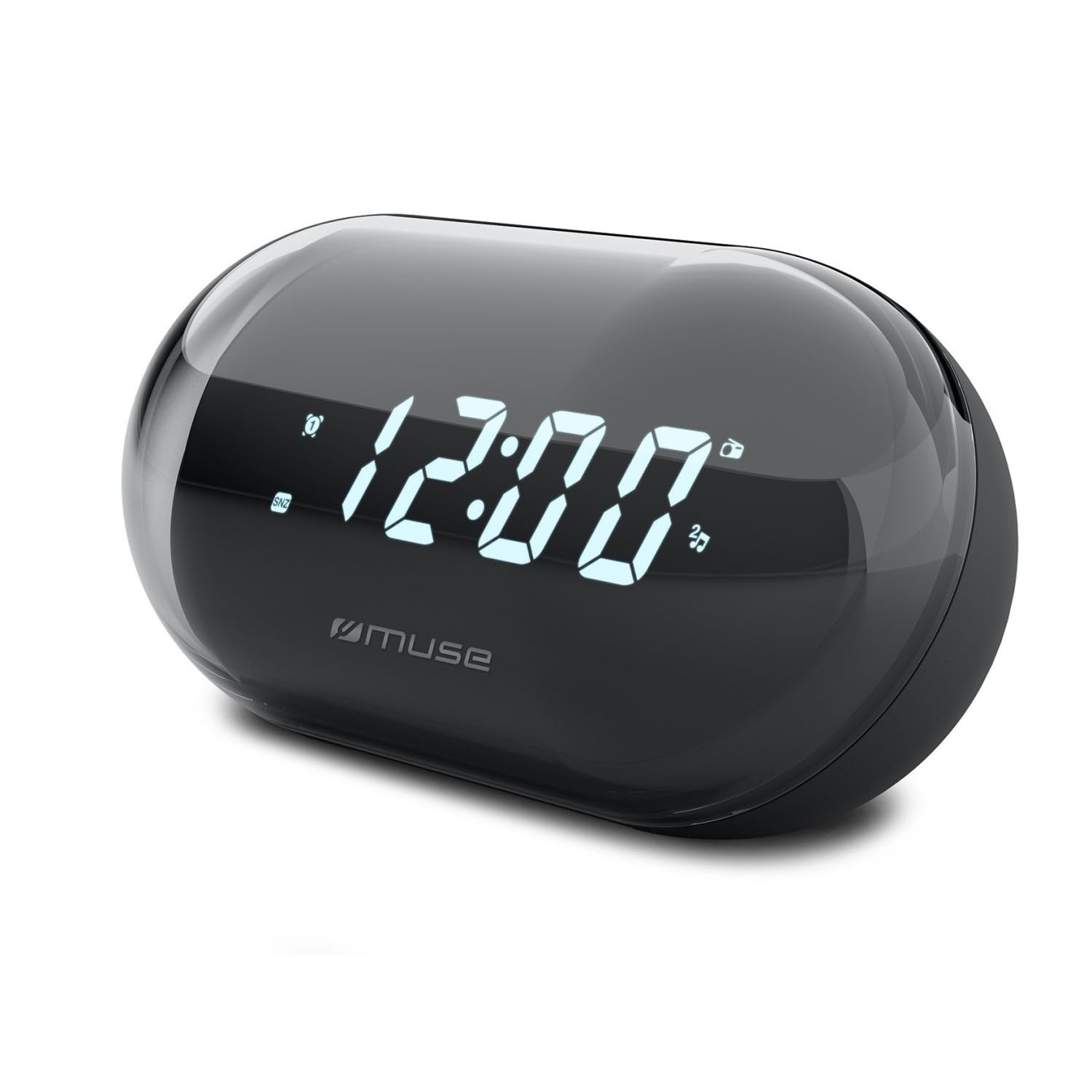
Image: Front view of the MUSE M-15 Alarm Clock Radio, showing the digital display and control buttons.
Cuntrolli è funziunalità:
- Display Digitale: Mostra l'ora, u statu di l'alarme è a frequenza radio.
- Buttone di impostazione di l'ora: Used to adjust the current time.
- Pulsante di impostazione di l'allarme: Adupratu per impostà è attivà/disattivà l'allarme.
- Tuning Buttons (+/-): Used to adjust radio frequency.
- Controlu di u voluminu: Ajusta u livellu di output audio.
- Pulsante Power / Mode: Turns the device on/off and switches between radio and clock modes.
- Pulsante Snooze: Silenzisce temporaneamente l'allarme.
- Compartimentu di batterie: Located on the back, for 1 AA battery.
4. Setup
4.1 Installazione di batterie
- Truvate u coperchiu di u compartimentu di a batteria nant'à u spinu di l'unità.
- Fate scorrere o alzate u coperchio per apre u compartimentu.
- Insert one (1) AA battery, ensuring the correct polarity (+ and -) matches the diagram inside the compartment.
- Sustituite a tappa di u compartmentu di a batteria in modu sicuru.
Note: The MUSE M-15 is battery-powered and does not require an external power adapter.
5. Operating Instructions
5.1 Impostazione di u Tempu
- In u modu di u clock, appughjà è tene premutu Pulsante Set Time until the hour digits begin to flash.
- Aduprà u Tuning Buttons (+/-) per aghjustà l'ora. Appughjà u buttone Pulsante Set Time torna per cunfirmà l'ora è passà à i minuti.
- Aduprà u Tuning Buttons (+/-) per aghjustà i minuti. Appughjà u buttone Pulsante Set Time one more time to save the time and exit time setting mode.
5.2 Impostazione di l'Alarma
- Appughjà è tene premutu Pulsante Set Alarm until the alarm hour digits begin to flash.
- Aduprà u Tuning Buttons (+/-) to adjust the alarm hour. Press the Pulsante Set Alarm torna per cunfirmà è passà à i minuti.
- Aduprà u Tuning Buttons (+/-) to adjust the alarm minutes. Press the Pulsante Set Alarm una volta di più per salvà l'ora di a sveglia.
- To activate or deactivate the alarm, briefly press the Pulsante Set Alarm. An alarm icon will appear on the display when activated.
5.3 Using the Radio
- Press u Pulsante Power / Mode to switch to radio mode. The display will show the radio frequency.
- Aduprà u Tuning Buttons (+/-) to manually tune to your desired radio station.
- Ajuste u voluminu cù u Volume Control.
- Per spegne a radiu, appughjà u buttone Pulsante Power / Mode again to return to clock mode or turn off the device.
5.4 Funzione Snooze
Quandu sona l'alarma, preme u Pulsu Snooze to temporarily silence the alarm for a few minutes. The alarm will sound again after the snooze period ends.
6. Mantenimentu
6.1 Pulizia
Wipe the exterior of the device with a soft, dry cloth. Do not use abrasive cleaners, waxes, or solvents as they may damage the finish.
6.2 Sustituzione di batterie
When the display dims or the device functions become erratic, it is time to replace the battery. Follow the battery installation steps in Section 4.1.
7. Risoluzione di prublemi
| Prublemu | Causa Possibile | Soluzione |
|---|---|---|
| U dispositivu ùn accende micca. | A batteria hè morta o inserita in modu incorrectu. | Replace the AA battery or check its polarity. |
| L'alarma ùn sona micca. | L'alarma ùn hè micca attivata o u vulume hè troppu bassu. | Ensure the alarm icon is visible on the display. Increase the volume. |
| Pessima ricezione radio. | Segnale debule o interferenza. | Reposition the device or extend the antenna (if applicable). Try tuning to a stronger station. |
| Time/Alarm settings reset. | A putenza di a bateria hè troppu bassu. | Sustituite a bateria AA. |
8. Specificazioni
- Mudellu: MUSE M-15
- Dimensioni di u produttu (L x W x H): 15 x 3.81 x 10 cm (5.9 x 1.5 x 3.9 inch)
- Pesu: 300 grammi (0.66 lbs)
- Fonte di energia: 1 x Batteria AA (micca inclusa)
- Tipu di visualizazione: Digitale
- Features: Alarm, Radio, Digital Time Display
- Tipu di muntatura: Munti di tavulinu
9. Garanzia è Support
This product is covered by a standard manufacturer's warranty. For detailed warranty information, please refer to the warranty card included with your purchase or visit the official MUSE websitu.
For technical support, troubleshooting assistance, or spare parts inquiries, please contact MUSE customer service through their official websitu o l'infurmazioni di cuntattu furnite in l'imballu di u vostru pruduttu.
Please have your model number (M-15) and purchase date available when contacting support.