1. Introduzione
This manual provides comprehensive instructions for the installation, operation, and maintenance of your CAMECHO Android 11 Car Stereo. Please read this manual thoroughly before using the product to ensure proper functionality and safety.
1.1. Compatible Vehicle Models
This 9-inch Android 11 car stereo is designed for specific Opel models:
- Opel Astra H (2004-2008)
- Opel Zafira B (2005-2015)

Figure 1.1: Compatible Opel models and a visual comparison of the dashboard before and after installing the CAMECHO car stereo.
2. Informazioni di sicurezza
Always prioritize safety while operating your vehicle. Do not attempt to operate complex functions or watch videos that may distract you from driving. Ensure all connections are secure and correctly installed to prevent electrical hazards or damage to the unit or vehicle.
- Ùn disassemble o mudificà l'unità.
- Evite di espose l'unità à temperature estreme o umidità.
- Cunsultate un prufessiunale per l'installazione sè ùn site micca sicuru.
3. Cuntenutu di u pacchettu
Verificate chì tutti l'articuli elencati quì sottu sò inclusi in u vostru pacchettu:
- Unità principale
- Cavu di putenza
- Antenna GPS
- Cable RCA
- Cavu USB
- Micrufonu
- Cavu d'ingressu di a camera
- Manuale d'usu
- Video Extension Cable
- Viti per a stallazione
- Camera posteriore AHD
- Strumentu di stallazione
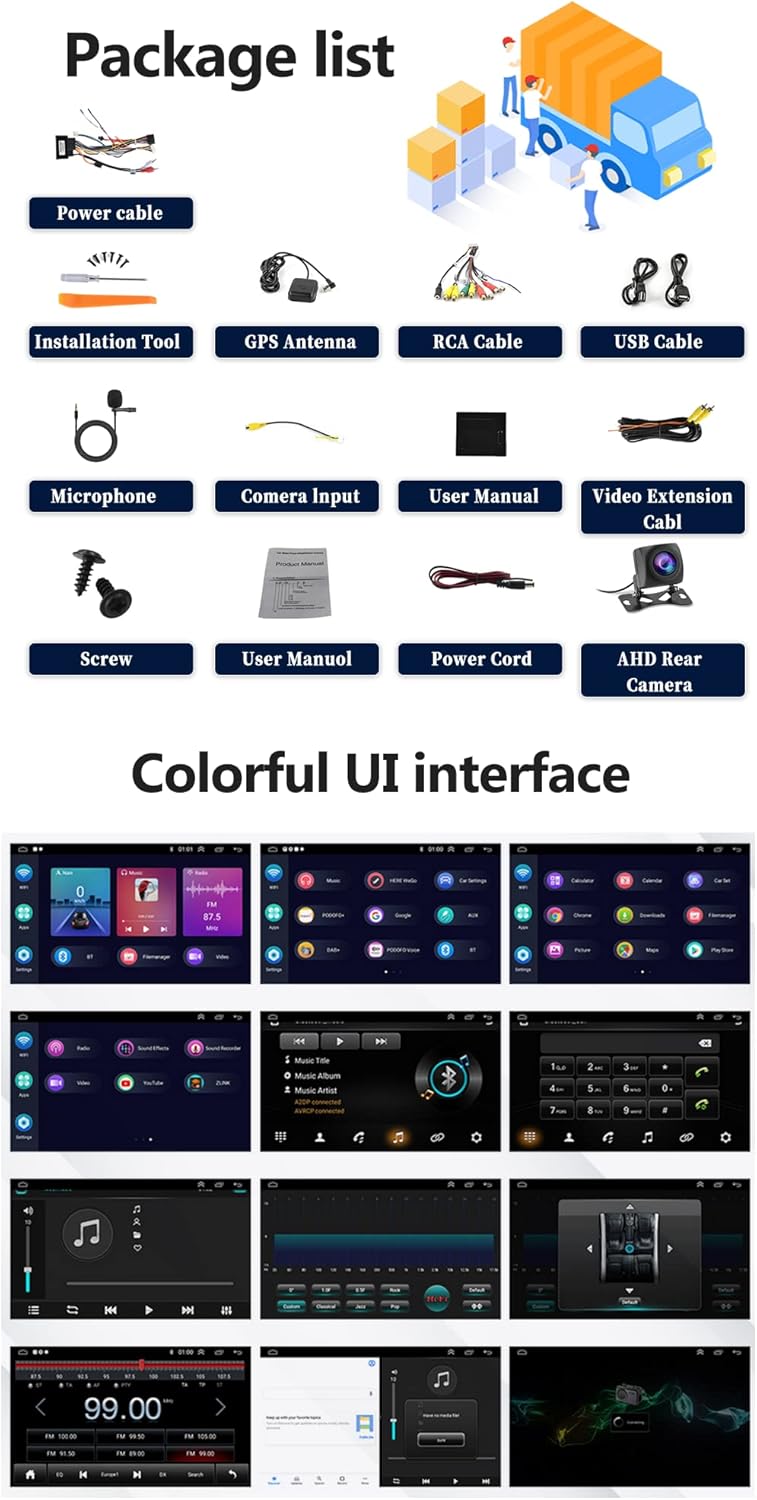
Figure 3.1: Contents of the CAMECHO car stereo package.
4. Produttu Finituview
Familiarize yourself with the physical dimensions and connection ports of your car stereo.

Figure 4.1: Product dimensions and rear port connections.
4.1. Main Unit Dimensions
- Dimensione di u screnu: 9 inch
- Larghezza generale: 236 mm (9.30 inches)
- Overall Height: 137mm (5.41 inches)
- Mounting Frame Width: 225mm (8.85 inches)
- Mounting Frame Height: 190mm
- Mounting Frame Depth: 107mm
4.2. Back Ports and Connections
The rear of the unit features various ports for power, audio, video, and accessories:
- Porte USB (USB1, USB2): For media playback and Android Auto/Carplay connections.
- Ingressu di a camera di retromarcia: Dedicated input for the included AHD reversing camera.
- GPS Antenna Port: For connecting the external GPS antenna.
- Cavi RCA: For audio output (front/rear, subwoofer), video output, and auxiliary input.
- Cunnettore di u cavu di alimentazione: Cunnessione principale di l'alimentazione è di l'altoparlanti.
5. Setup è Installazione
L'installazione prufessiunale hè cunsigliata. Assicuratevi chì l'alimentazione di u veiculu sia scollegata prima di inizià l'installazione.
5.1. Passi generali d'installazione
- Remove the original car stereo unit.
- Cunnette u cablaggio principale di l'alimentazione à u cablaggio di u veiculu.
- Connect the GPS antenna and route it to a suitable location (e.g., dashboard).
- Connect the USB cables and route them to a convenient location (e.g., glove compartment).
- Connect the RCA cables for any external amplifiers or auxiliary devices.
- Install the reversing camera (refer to section 5.2).
- Mount the new CAMECHO car stereo into the dashboard opening.
- Assicurà l'unità cù viti.
- Reconnect the vehicle's power and test all functions.
5.2. Installazione di a telecamera di retromarcia
The reversing camera provides visual assistance when backing up. Ensure the reversing input is connected even if the camera is not immediately used.
- Connect the red wire (1) of the camera's power cable to the positive pole of the car's reversing light.
- Connect the black wire (2) of the camera's power cable to the negative pole of the car's reversing light.
- The reversing trigger (3) is controlled by the stereo and does not require a separate connection.
- Connect the camera's video output cable (4) to the 'Camera Input' port on the car stereo.
- Impurtante: The white plug must be connected to the main device, otherwise Bluetooth and Wi-Fi signals may not function correctly.
To adjust camera settings: Go to Car Settings > Factory Settings (Password: 8888) > Reversing settings > Reverse video resolution. Select "NTSC/PAL" or "AHD/25" as appropriate, then restart your car.
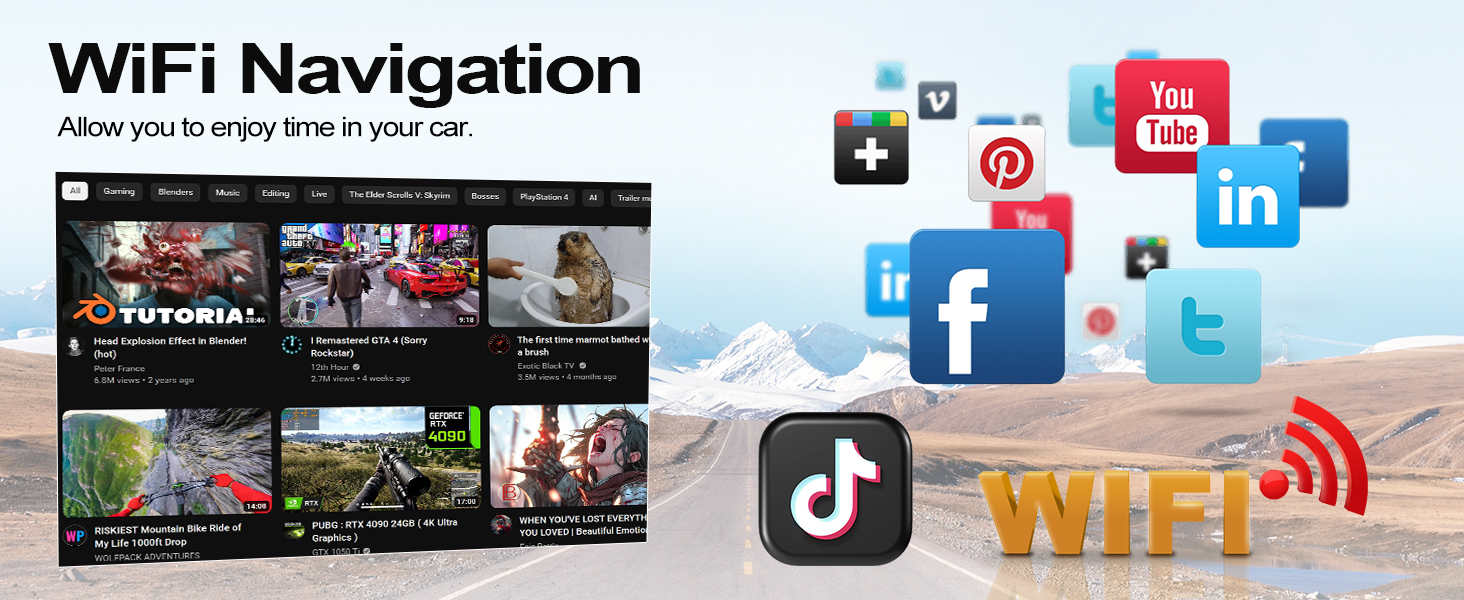
Figure 5.1: Reversing camera wiring diagram.
6. Operating Instructions
6.1. Funzionamentu Basic
- Accensione / spegnimentu: Press and hold the power button on the front panel or use the vehicle's ignition.
- Controlu di u voluminu: Adjust using the physical knob or on-screen controls.
- Interfaccia touchscreen: Navigate through menus and applications by tapping and swiping on the 9-inch HD display.
6.2. Carplay senza filu è Android Auto
Connect your smartphone wirelessly to access navigation, music, calls, and other apps safely while driving. Supports split-screen functionality.
- Assicuratevi chì Bluetooth è Wi-Fi sò attivati in u vostru smartphone.
- Nant'à l'autoradio, apre l'applicazione Carplay o Android Auto.
- Segui l'istruzzioni nantu à u screnu per assucià u vostru dispusitivu.
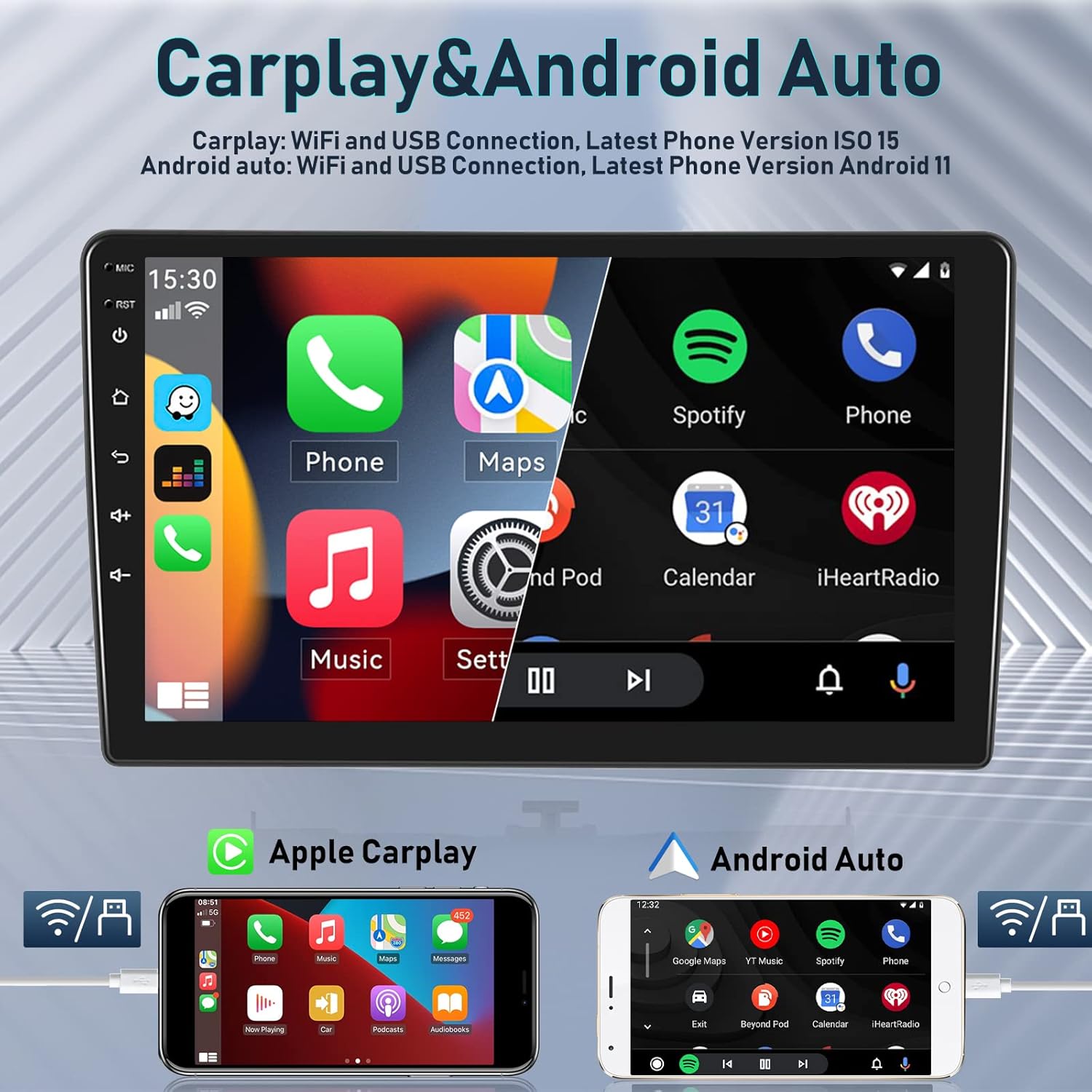
Figure 6.1: Wireless Carplay and Android Auto functionality.

Figure 6.2: Apple Carplay and Android Auto connection methods.
6.3. Navigazione GPS è WiFi
The integrated GPS receiver supports both online and offline maps. Connect to Wi-Fi or a mobile hotspot to access online maps and other internet-based applications.
- Carte in linea: Requires a Wi-Fi connection for real-time traffic and updates.
- Carte fora di linea: Scaricate e carte per a navigazione senza una cunnessione internet.
- WiFi Hotspot: Connect to your phone's hotspot to browse the internet, stream media, and use apps like YouTube, TikTok, and Spotify.
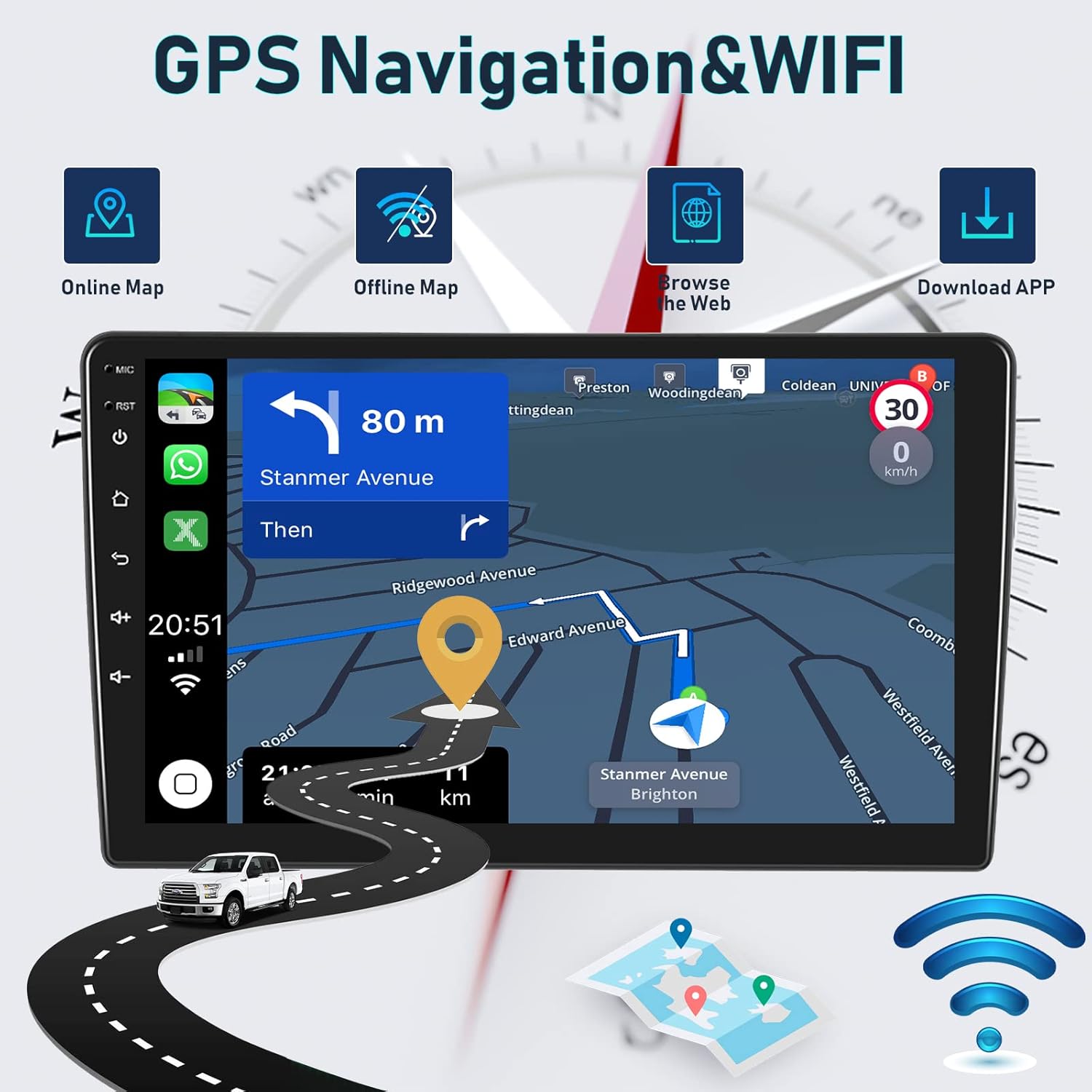
Figure 6.3: GPS Navigation and Wi-Fi features.

Figure 6.4: Detailed GPS navigation features.

Figure 6.5: WiFi connectivity for various applications.
6.4. Funzionalità Bluetooth
The integrated microphone and Bluetooth module allow for hands-free calling and wireless music streaming from your iOS or Android device.
- Chjama senza mani: Make and receive calls directly from the car stereo.
- Musica Bluetooth: Trasmette l'audio da u vostru telefunu à l'altoparlanti di a vittura.
- Sincronizà i cuntatti: Access your phone's contact list on the stereo display.
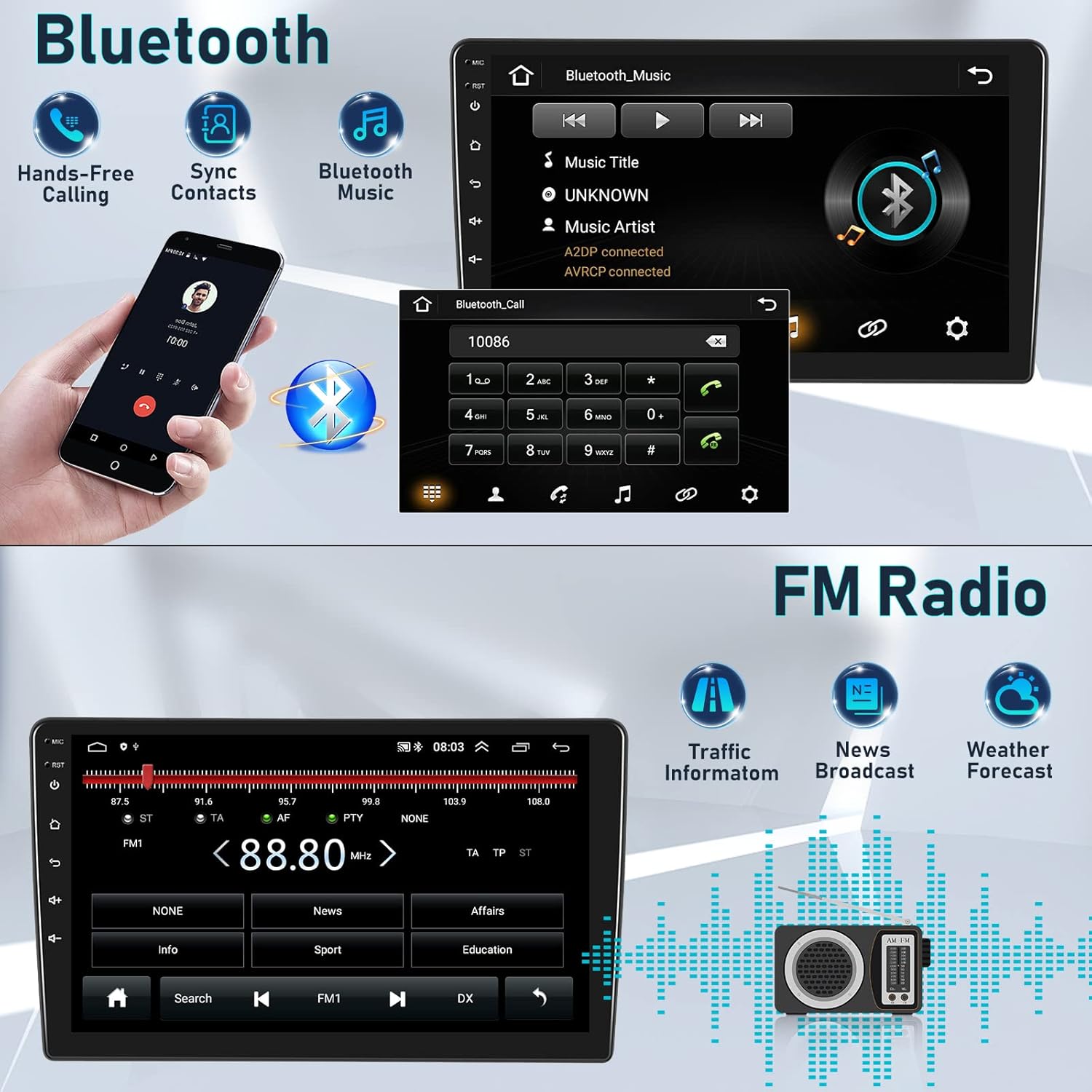
Figure 6.6: Bluetooth features for calls and music.
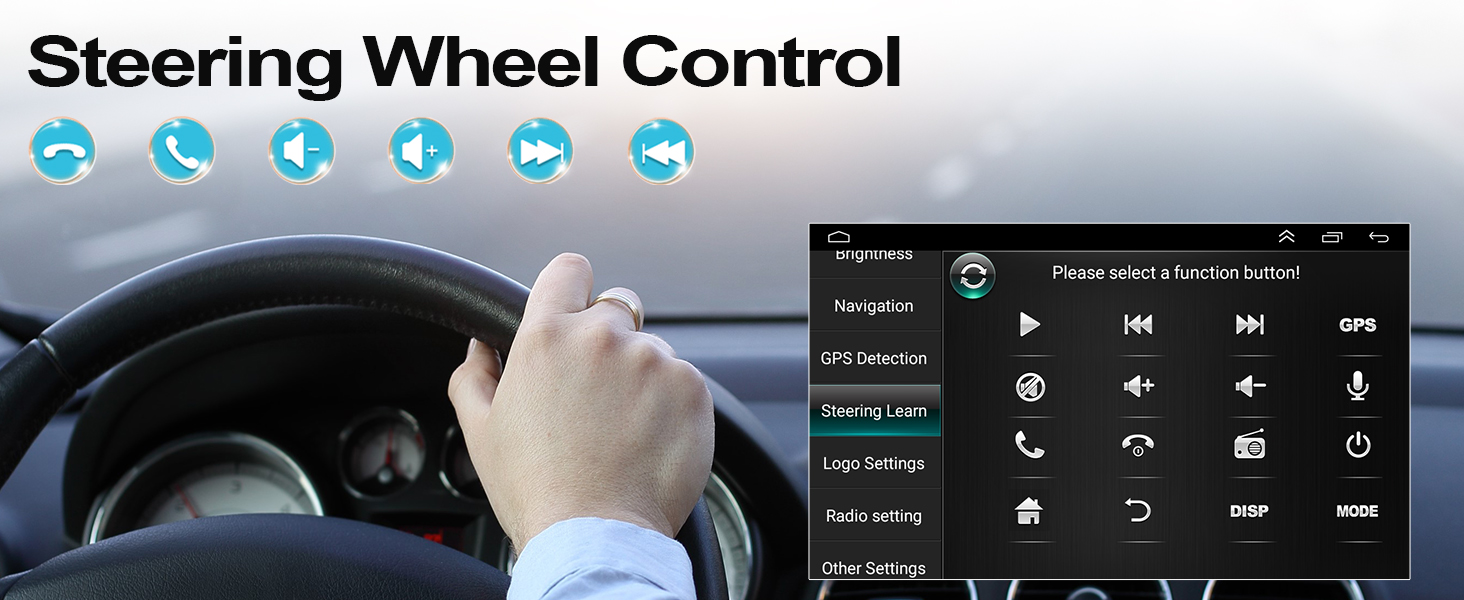
Figura 6.7: Interfaccia di chjama vivavoce Bluetooth.
6.5. Radio FM/RDS
Enjoy high-quality digital stereo FM radio with RDS (Radio Data System) functionality. The unit can automatically or semi-automatically search for radio stations.
- Automatic/Manual Tuning: Scansione di e stazioni dispunibili.
- RDS Features: Display station information, traffic announcements, and program types.
- Controlu di u volume di l'oratore: Adjust individual speaker volumes.
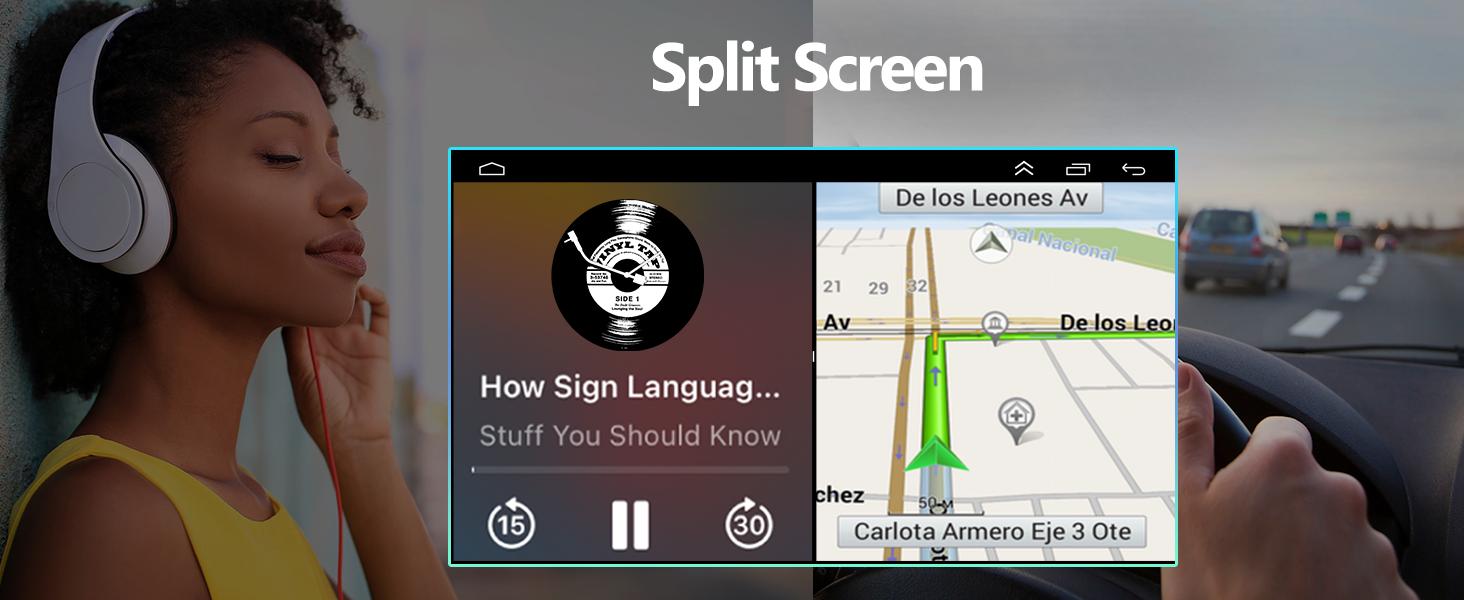
Figura 6.8: Interfaccia radio FM/RDS.
6.6. HIFI Sound Settings
Customize your audio experience with the built-in 15-band graphic equalizer and various sound presets.
- EQ 15-Band: Fine-tune audio frequencies to your preference.
- Presets di sonu: Choose from Pop, Rock, Jazz, Classical, Flat, User, Voice, and Sound Delay.
- Pruduzione Subwoofer: Supports external subwoofer connection for enhanced bass.

Figure 6.9: HIFI sound customization options.
6.7. Cuntrollu di u Volante (SWC)
Integrate your vehicle's steering wheel controls for safer operation. This allows you to manage calls, adjust volume, and change tracks without taking your hands off the wheel.
- Access the 'Steering Learn' menu in the car stereo settings.
- Segui l'istruzzioni nantu à u screnu per assignà i buttoni di u volante à e funzioni desiderate.

Figura 6.10: Cunfigurazione di u cuntrollu di u volante.

Figure 6.11: Steering Wheel Control functions.
6.8. Funzionalità di schermu divisu
A funzione di schermu divisu permette di eseguisce duie applicazioni simultaneamente, cum'è a navigazione è a riproduzione di musica, migliorandu e capacità di multitasking.

Figure 6.12: Split Screen in action.
6.9. Accessori Optional
The car stereo supports various optional accessories to expand its functionality:
- DVR (Digital Video Recorder): Per a registrazione di cibo di guidatage.
- OBD2 (On-Board Diagnostics II): Connect an OBD2 scanner to monitor vehicle data.
- DAB+ (Digital Audio Broadcasting Plus): For enhanced digital radio reception.
- External USB Devices: For additional storage or connectivity.
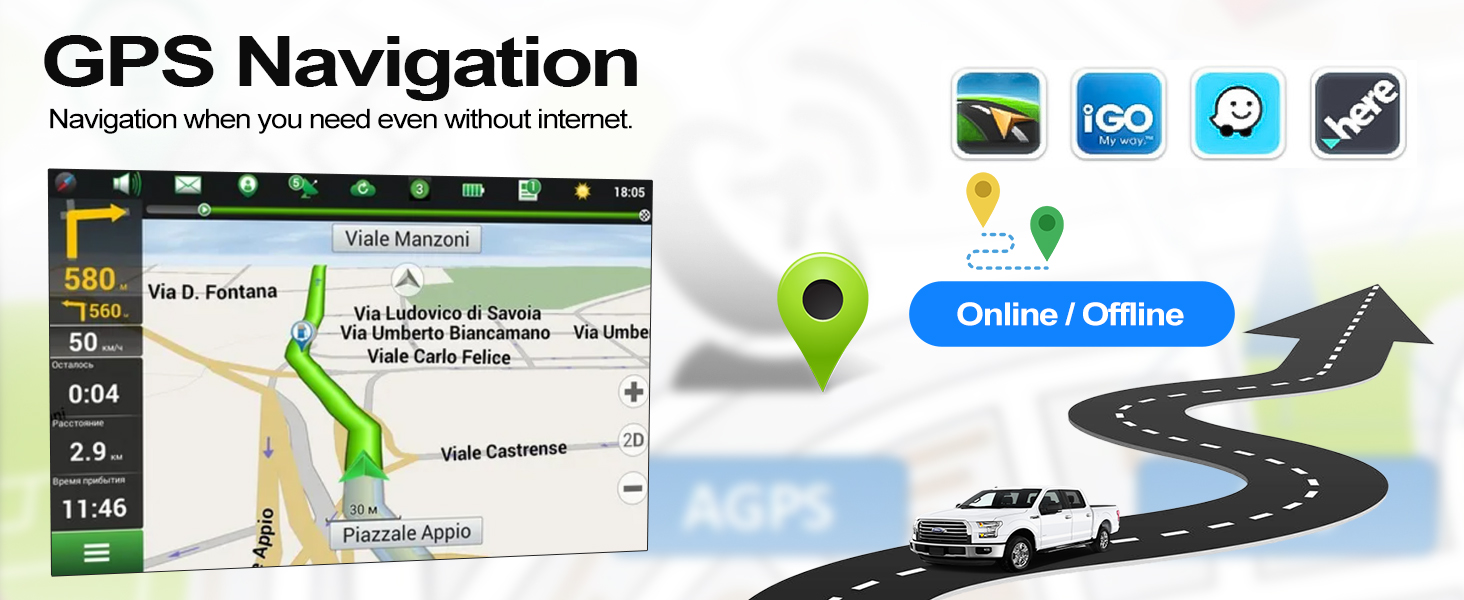
Figure 6.13: Optional accessories for the car stereo.
7. Mantenimentu
Per assicurà a longevità è e prestazioni ottimali di u vostru autoradio CAMECHO, seguitate queste linee guida di manutenzione:
- Pulizia: Aduprate un pannu dolce è asciuttu per pulisce u schermu è l'unità. Evitate detergenti abrasivi o solventi.
- Actualizazioni di u software: Periodically check for and install software updates to improve performance and add new features.
- Cundizioni Ambientali: Avoid exposing the unit to direct sunlight for extended periods or extreme temperatures.
- Cunnessioni di cable: Assicuratevi chì tutti i cavi sianu cunnessi currettamente è senza danni.
8. Risoluzione di prublemi
If you encounter issues with your car stereo, refer to the following common troubleshooting tips:
| Prublemu | Causa Possibile | Soluzione |
|---|---|---|
| Nisun putere | Cunnessione elettrica allentata, fusibile bruciatu | Verificate i cavi di alimentazione è i fusibili di u veiculu. Assicuratevi una stallazione curretta. |
| Nisun sonu | Vulume troppu bassu, fonte audio sbagliata, prublema di cablaggio di l'altoparlanti | Aumenta u vulume, selezziunate a fonte audio curretta, verificate e cunnessione di l'altoparlanti. |
| Bluetooth/Wi-Fi not working | White plug not connected, interference, device not paired | Ensure the white plug is connected. Re-pair device. Check for interference. |
| GPS signal lost | GPS antenna obstructed or disconnected | Assicuratevi chì l'antenna GPS abbia una visibilità chjara view di u celu è hè cunnessu in modu sicuru. |
| A camera di retromarcia ùn si mostra micca | Incorrect wiring, camera settings, faulty camera | Verify camera wiring (Section 5.2). Check camera settings in the menu. |
Sè u prublema persiste, cuntattate l'assistenza clienti.
9. Specificazioni
| Feature | Descrizzione |
|---|---|
| Marca | CAMECHO |
| Mudellu | 4Core 2G+64G Carplay Hifi |
| Sistema upirativu | Android 11 |
| RAM | 2 GB |
| Storage internu | 64 GB |
| Size Screen | 9 inch |
| Tecnulugia di cunnessione | Bluetooth, RCA, USB, Wi-Fi |
| Funzioni spiciali | Wireless Android Auto, Wireless Apple CarPlay, GPS Navigation, FM/RDS Radio, Steering Wheel Control, AHD Reversing Camera Support, HIFI Audio |
| Dispositivi compatibles | Smartphone |
| Modu Output Audio | HIFI |
| Cunfigurazione di u Canale Sonu Surround | 4.0 |
| Codifica Video | H.264 |
10. Garanzia è Support
CAMECHO is committed to providing quality products and customer satisfaction.
- Garanzia: This product comes with a 1-year manufacturer's warranty.
- Garanzia di rimborsu: Prufittate di una garanzia di rimborsu di 30 ghjorni per qualsiasi ragione.
- Assicuranza di qualità: A 12-month warranty covers any quality-related issues.
10.1. Assistenza Clienti
For any questions, issues, or support needs, please do not hesitate to contact us:
- E-mail: icamecho@hotmail.com
- Amazon Page: Refer to the seller information on the Amazon product page for direct contact options.
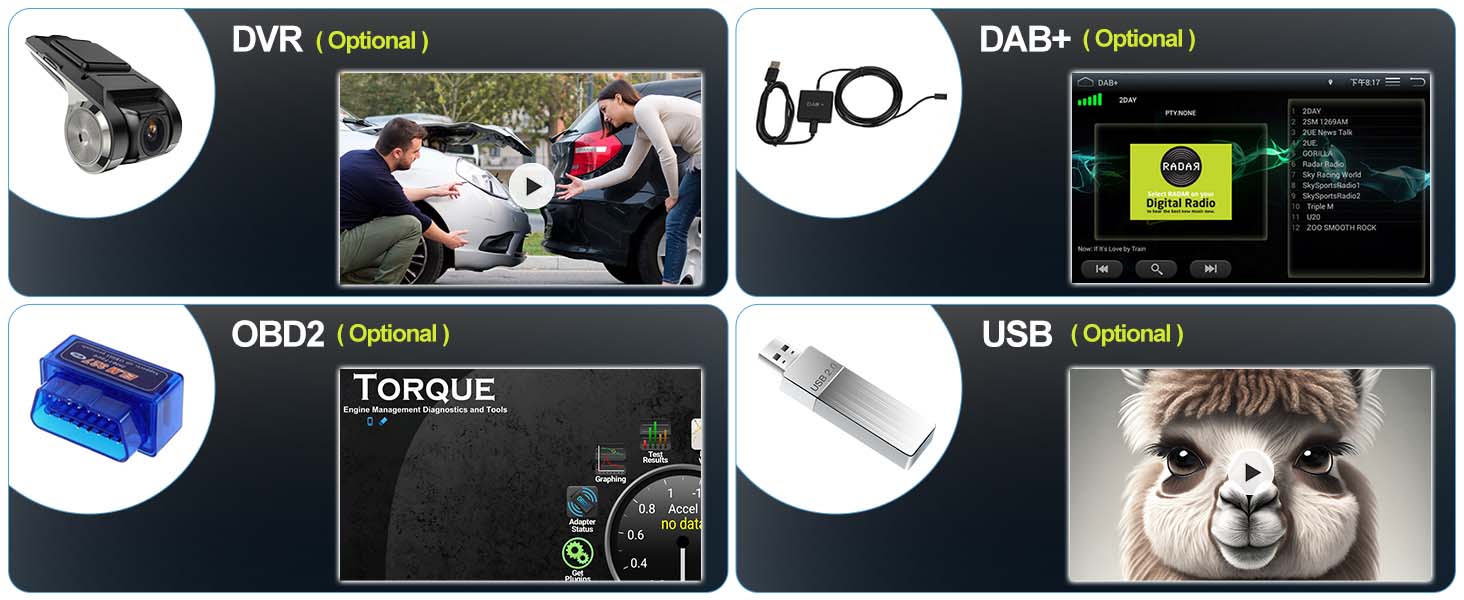
Figure 10.1: How to contact customer support.


