1. Produttu Finituview
The Waveshare Solar Power Manager Module (D) is a versatile solar charge controller designed for efficient power management in solar-powered applications. It supports a wide input voltage range from 6V to 24V solar panels and can also be powered via a Type-C adapter. This module provides a stable 5V/3A regulated output, making it suitable for various low-power IoT and environmental protection projects. It features MPPT (Maximum Power Point Tracking) for optimized solar panel efficiency and includes multiple protection circuits for safe and reliable operation.

Imagine: In cima view of the Waveshare Solar Power Manager Module (D), showing various components and connection terminals.
2. Cuntenutu di u pacchettu
Verificate chì tutti l'articuli elencati quì sottu sò inclusi in u vostru pacchettu:
- Solar Power Manager (D) x1
- Battery holder x1 (Batteries are not included)
- Screws pack x1
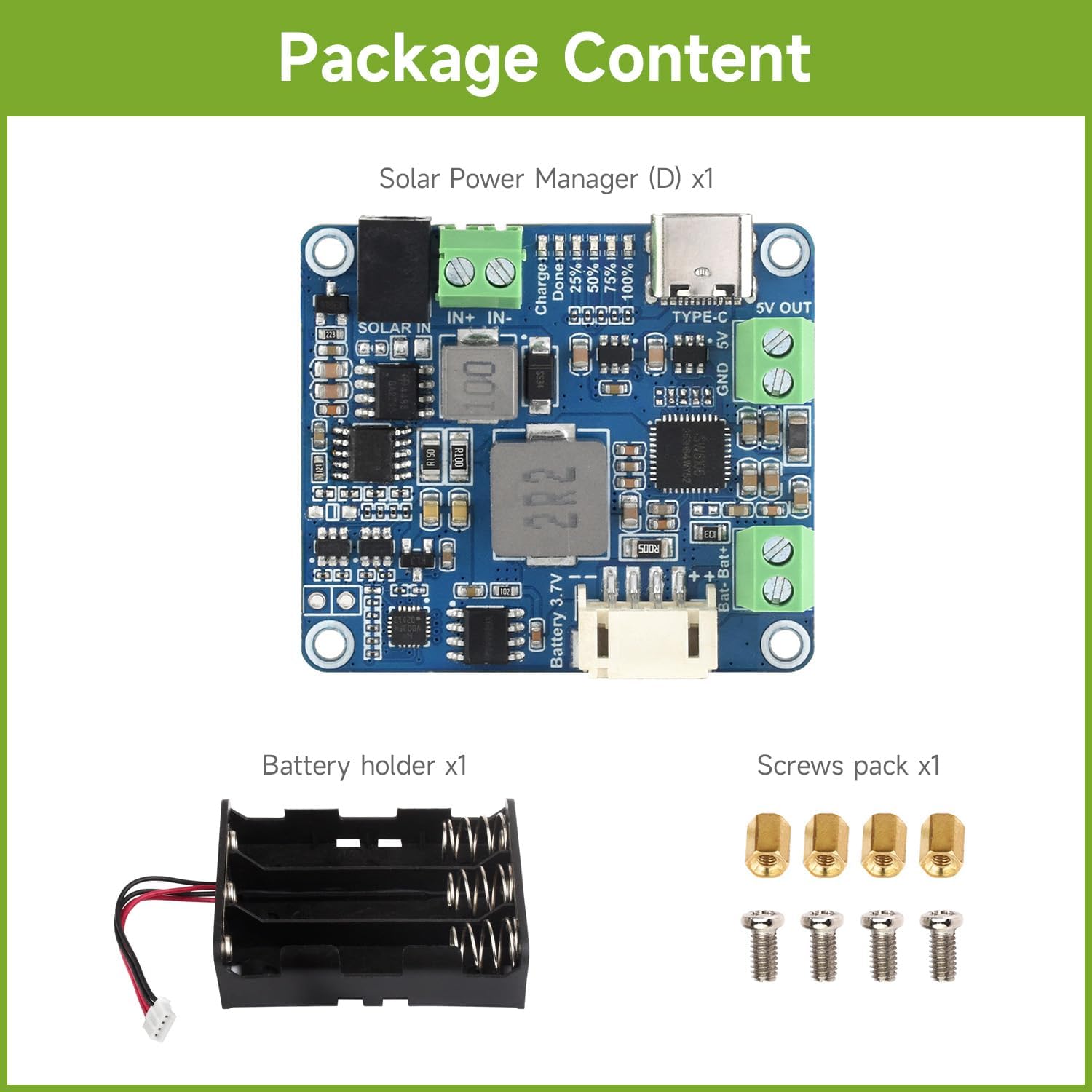
Image: Contents of the package, including the Solar Power Manager (D) module, a battery holder, and a screw pack.
3. Funzioni chjave
The Solar Power Manager Module (D) offers the following key features:
- Supports MPPT (Maximum Power Point Tracking) function, maximizing the efficiency of the solar panel.
- Supports solar panel / Type-C power adapter for battery charging.
- For 6V~24V solar panel, supports self-adaptive input voltage via DC-002 jack or screw terminal, with input anti-reverse protection.
- Multi LED indicators, for monitoring the status of solar panel and batteries.
- Multi protection circuits: over-charge / over-discharge / overheat / over-current, ensuring stable and safe use.

Image: A summary of the module's features, highlighting its MPPT capability, dual charging inputs, wide voltage support, LED indicators, and multiple protection circuits.
4. Cunfigurazione è cunnessione
This section details the various connection points and their functions on the Solar Power Manager Module (D).

Image: Detailed diagram of the module with numbered labels indicating each component and connection point.
- Solar panel charging input: Connect your 6V-24V solar panel here via the DC-002 jack or screw terminal. The module supports self-adaptive input voltage.
- Ingressu di carica Type-C: Use a 5V power adapter with a Type-C connector to charge the battery or power external devices.
- Potenza di uscita: Provides a stable 5V/3A output via the screw terminal for your load.
- Battery interfaces: Connect a 3.7V rechargeable Li battery using the screw terminal or the PH2.0 4P connector.
- SW6106: USB power management chip, responsible for USB charging and 5V/3A boost output.
- CN3791: Solar power management chip, for solar panel charging and buck input.
- XB8886A: Li battery over-charge / over-discharge protection chip.
- Battery capacity indicators: LEDs that light up when charging or under load. They will turn off after 30 seconds when there is no load connected.
- Indicatori di carica di pannelli solari: "Charge" LED indicates active solar panel charging. "Done" LED indicates when the battery is fully charged by the solar panel.
4.1. Installazione di batterie
Insert 3.7V 18650 Li-ion batteries (not included) into the provided battery holder, ensuring correct polarity. Connect the battery holder's output to the module's battery interface (4) using either the screw terminal or the PH2.0 4P connector.
4.2. Input di Potenza
Connect your solar panel to the "SOLAR IN" terminals (1) or use a Type-C power adapter with the Type-C input (2). The module will automatically detect and adapt to the input voltage da u pannellu solare.
4.3. Cunnessione di uscita
Connect your target device or load to the "5V OUT" screw terminals (3). This output provides a regulated 5V/3A power supply.
5. Operating Instructions
Once the solar panel (or Type-C adapter) and battery are connected, the module will begin charging the battery and providing regulated 5V output. Monitor the LED indicators for operational status.
- Status di carica: The "Charge" LED (9) will illuminate when the solar panel is actively charging the battery. The "Done" LED (9) will light up when the battery is fully charged by the solar panel.
- Capacità di a batteria: The battery capacity indicators (8) will show the approximate charge level (25%, 50%, 75%, 100%) when charging or under load. These LEDs will turn off after 30 seconds if no load is connected.
- MPPT Function: The module automatically adjusts its charging parameters to extract maximum power from the solar panel, especially under varying light conditions.
6. Mantenimentu
To ensure optimal performance and longevity of your Solar Power Manager Module (D), consider the following maintenance tips:
- Mantene u modulu pulitu è senza polvere è detriti. Aduprate un pannu dolce è asciuttu per a pulizia.
- Ensure proper ventilation around the module, especially during operation, to prevent overheating.
- Regularly check all connections to ensure they are secure and free from corrosion.
- If using outdoors, protect the module from direct exposure to rain and extreme weather conditions.
- Periodically inspect the solar panel for cleanliness and any damage that might reduce its efficiency.
7. Risoluzione di prublemi
| Prublemu | Causa Possibile | Soluzione |
|---|---|---|
| No output power (5V OUT) | Battery not connected or discharged; Input power (solar/Type-C) not present; Over-discharge protection activated. | Ensure battery is connected and charged. Verify solar panel is receiving sufficient light or Type-C adapter is connected. Recharge battery. |
| A batteria ùn hè micca carica | Insufficient solar input; Type-C adapter not working; Battery faulty; Over-charge protection activated. | Ensure solar panel is in direct sunlight. Check Type-C adapter and cable. Test battery. If "Done" LED is on, battery is full. |
| Module gets excessively hot | Overload on 5V output; Poor ventilation. | Reduce load on 5V output. Ensure adequate airflow around the module. |
| L'indicatori LED ùn funziona micca | No power input/output; Module malfunction. | Check all power connections. If problem persists, contact support. |
8. Specificazioni
| Feature | Detail |
|---|---|
| Marca | Waveshare |
| Numero di mudellu | Solar Power Manager D |
| Solar Input Voltage | 6V ~ 24V (self-adaptive) |
| Input di carica | Solar Panel / Type-C Power Adapter |
| Battery Type Supported | 3.7V Rechargeable Li battery (e.g., 18650) |
| Output regulatu | 5V / 3A |
| Circuiti di Prutezzione | Over-charge, Over-discharge, Overheat, Over-current |
| Dimensioni | 45.00 mm x 39.99 mm x 10.10 mm (circa 1.77"L x 1.57"L x 0.40"A) |
| Pesu di l'articulu | 1.9 once |

Image: A comparison table detailing specifications across different Waveshare Solar Power Manager models, including model D.
Image: Technical drawing showing the precise outline dimensions of the Waveshare Solar Power Manager Module (D) in millimeters.
9. Dumanda Esamples
The Waveshare Solar Power Manager Module (D) is highly versatile and can be integrated into various projects requiring solar power management and battery charging. Common applications include:
- Solar-powered control systems for MCUs and development boards like Raspberry Pi, Jetson Nano, or Arduino.
- Mini solar road lamps.
- Intelligent agriculture systems.
- Various IoT applications requiring autonomous power.

Image: Diagram illustrating the module's use in a solar-powered system, connecting a solar panel and 18650 batteries to power a Raspberry Pi 4.

Image: Examples of practical applications, including mini weather stations, solar monitors, audible and visual alarms, solar road lamps, solar flood lights, and solar bug killers.
Video: A demonstration of the Waveshare Solar Power Manager Module (D) in operation, showing its charging capabilities with various power sources and its regulated 5V output. This video highlights the board's compact size and status indicators.
10. Garanzia è Support
Per infurmazioni nantu à a garanzia è l'assistenza tecnica, vi pregu di cunsultà u situ ufficiale di Waveshare. website or contact their customer service directly. Ensure you have your product model number and purchase details ready when seeking support.
Waveshare ufficiale Websitu: www.waveshare.com


