1. Introduzione
Welcome to the user manual for your new SENTRY BT Pro Sq Headset with Active Noise Canceling. This manual provides essential information on setting up, operating, maintaining, and troubleshooting your headset to ensure optimal performance and longevity. Please read this manual thoroughly before using the product.
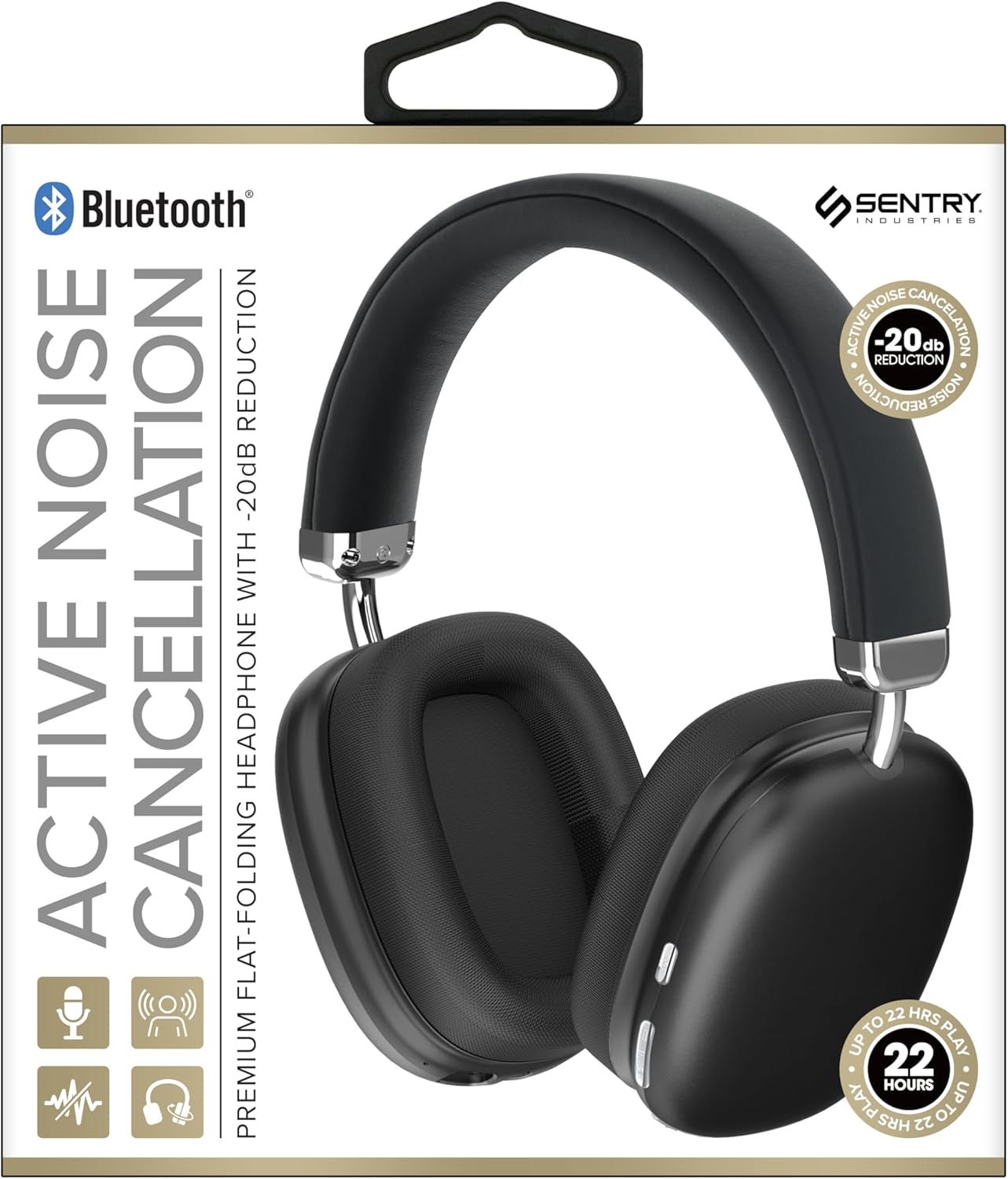
This image displays the SENTRY BT Pro Sq Headset in black, highlighting its over-ear design, adjustable headband, and the control buttons located on the earcups. The packaging indicates features such as Bluetooth connectivity, Active Noise Cancellation with -20dB reduction, and up to 22 hours of play time.
2. Impurtante Information Safety
To ensure safe and proper operation, please observe the following guidelines:
- Ùn espone micca l'auriculare à temperature estreme, umidità o sustanzi currusivi.
- Evitate di fà cascà o di sottumette l'auriculare à impatti forti.
- Ùn smuntate micca o pruvate micca di riparà l'auriculare voi stessu. Questu annullerà a garanzia.
- Clean the headset with a soft, dry cloth only. Do not use liquid cleaners.
- L'ascolta prulungata à livelli di vulume elevati pò causà danni à l'audizione. Ajustate u vulume à un livellu sicuru.
- Do not use the headset in situations where inability to hear ambient sounds could be dangerous (e.g., driving, cycling, walking in traffic).
3. Cuntenutu di u pacchettu
Verificate u pacchettu per i seguenti elementi:
- SENTRY BT Pro Sq Headset
- Cavu di carica USB
- Manuale d'usu
4. Produttu Finituview
The SENTRY BT Pro Sq Headset features an over-ear design with soft ear pads for comfort and noise isolation. It includes an adjustable folding headband for portability. Key components include:
- Earcups: House the audio drivers and provide passive noise isolation.
- Fascia per a testa: Adjustable for a comfortable fit, designed to fold for compact storage.
- Buttuni di cuntrollu: Located on the earcups for power, volume, track control, and Active Noise Cancellation (ANC).
- Micrufonu: Integratu per chjamate mani libere.
- Portu di carica: Per cunnette u cavu di carica USB.
Refer to the product image in the Introduction section for visual identification of these components.
5. Setup
5.1 Caricamentu di l'auriculare
- Cunnette a piccula estremità di u cavu di carica USB à u portu di carica di l'auriculare.
- Cunnette l'estremità più grande di u cavu di carica USB à un adattatore di alimentazione USB (micca inclusu) o à a porta USB di un urdinatore.
- The LED indicator on the headset will illuminate to show charging status. It will change color or turn off when fully charged.
- Una carica cumpleta dura di solitu circa 2-3 ore.
5.2 Accoppiamentu cù i dispusitivi Bluetooth
Before using the headset wirelessly, you must pair it with your Bluetooth-enabled device (smartphone, laptop, tablet, smart speaker, gaming console).
- Assicuratevi chì l'auriculare hè cumpletamente carica.
- With the headset powered off, press and hold the Power button for approximately 5-7 seconds until the LED indicator flashes rapidly, indicating pairing mode.
- On your Bluetooth device, enable Bluetooth and search for new devices.
- Select "SENTRY BT Pro Sq" (or similar name) from the list of available devices.
- Once paired, the LED indicator on the headset will stop flashing and may turn solid blue or off, depending on the model.
- The headset will automatically attempt to reconnect to the last paired device when powered on.
6. Operating Instructions
6.1 Power On/Off
- Power On: Press and hold the Power button for 2-3 seconds. The LED indicator will light up.
- Spegnimentu: Press and hold the Power button for 3-4 seconds. The LED indicator will turn off.
6.2 Cancellazione attiva di rumore (ANC)
The headset features Active Noise Cancellation to reduce ambient noise.
- Attiva l'ANC: Locate the ANC button (if separate) or press the designated control. The ANC indicator light will turn on.
- Disattivà ANC: Appughjà torna u buttone ANC. A luce indicatrice ANC si spegnerà.
6.3 Media Control (Touch Control)
Control your audio playback directly from the headset:
- Play/Pause: Toccate una volta u buttone multifunzione.
- Aument du volume : Toccate u buttone Volume Up.
- Volume Imbruglia: Toccate u buttone Volume Down.
- Prussima pista: Toccate duie volte u buttone multifunzione.
- Pista Precedente: Toccate trè volte u buttone multifunzione.
6.4 Gestione di e chjame
Manage phone calls with the built-in microphone:
- Rispondi à a chjama: Single tap the multi-function button when a call comes in.
- Chjama finita: Toccate una volta u buttone multifunzione durante una chjama.
- Reject Call: Appughjà è tene premutu u buttone multifunzione per 2 secondi quandu entra una chjama.
7. Mantenimentu è Cura
- Pulizia: Wipe the headset with a soft, dry, lint-free cloth. Do not use abrasive cleaners, alcohol, or chemical solvents.
- Conservazione: When not in use, store the headset in a cool, dry place, away from direct sunlight and extreme temperatures. Utilize the folding headband feature for compact storage.
- Cura di a batteria: To preserve battery life, charge the headset regularly, even if not used for extended periods. Avoid fully discharging the battery frequently.
- Evite l'acqua: The headset is not waterproof. Keep it away from water and moisture.
8. Risoluzione di prublemi
If you encounter issues with your headset, please refer to the following common problems and solutions:
| Prublemu | Soluzione Possibile |
|---|---|
| L'auriculare ùn s'accende micca. | Ensure the headset is fully charged. Connect to a power source and allow it to charge for at least 30 minutes before attempting to power on again. |
| Ùn si pò micca accoppià cù u dispositivu Bluetooth. | Ensure the headset is in pairing mode (LED flashing rapidly). Make sure Bluetooth is enabled on your device and it is within range (10 meters). Try restarting both the headset and your device. |
| Nisun sonu da l'auriculare. | Check the volume level on both the headset and your connected device. Ensure the headset is properly paired and connected. Try playing audio from a different application or device. |
| A cancellazione attiva di u rumore (ANC) ùn hè micca efficace. | Ensure ANC is activated. Make sure the earcups are properly sealed around your ears. ANC is most effective against low-frequency, constant noise. |
| U microfonu ùn funziona micca. | Ensure the headset is connected and selected as the input device on your computer or smartphone. Check privacy settings on your device that might restrict microphone access. |
9. Specificazioni
| Feature | Detail |
|---|---|
| Nome di mudellu | HPXBTA1000 |
| Tecnulugia di cunnessione | Wireless (Bluetooth) |
| Controlu di u rumore | Cancellazione attiva di u rumore |
| Posizionamentu di l'arechja | Over Ear |
| Fattore di forma | Over Ear |
| Tipu di cuntrollu | Cuntrollu di i media, Toccale |
| Gamma di Frequency | 20 Hz à 20,000 Hz |
| Tipu di Driver Audio | Driver dinamicu |
| Dispositivi compatibles | Smartphones, Laptops, Tablets, Smart Speakers, Gaming Consoles |
| Culore | Neru |
| Pesu di l'articulu | 1.2 liri |
| UPC | 080068501503 |
| U fabricatore | SENTRY |
10. Garanzia è Support
SENTRY products are designed and manufactured to the highest quality standards. For information regarding warranty coverage, technical support, or service inquiries, please refer to the warranty card included with your product or visit the official SENTRY websitu. Per piacè cunservate a vostra prova d'acquistu per e richieste di garanzia.


