Introduzione
This manual provides detailed instructions for the Jennov 5MP PTZ WiFi Outdoor Surveillance Camera, model JS7016. It covers essential information regarding product features, installation procedures, operational guidelines, maintenance tips, and troubleshooting steps to ensure optimal performance and longevity of your device.
Important Note: This 5MP WiFi camera is designed as an additional unit for a Jennov 5MP WLAN Surveillance Camera Set. It cannot operate independently and requires connection to a Jennov NVR (Network Video Recorder) system.

Figure 1: Jennov 5MP PTZ WiFi Outdoor Surveillance Camera (Model JS7016)
Product Overview
Funzioni chjave
- 5MP High-Resolution Video: Cattura i cibi chjari è dettagliatitage.
- AI Human Detection & Sound-Light Alarm: Accurately identifies human figures and triggers audible and visual alerts.
- Tracciamentu Automaticu: The camera automatically follows detected human movement within its surveillance area.
- 360° Coverage (355° Pan & 90° Tilt): Offers extensive monitoring without blind spots, controllable via smartphone application.
- Three Night Vision Modes: Includes Infrared, Full Color, and Sound-Light activated modes for clear visibility in low light.
- Audio bidirezionale: Microfonu è altoparlante integrati per a cumunicazione in tempu reale.
- Registrazione cuntinua 24 ore su 24, 7 ghjorni su 7: Ensures constant video capture when connected to a Jennov NVR.
- Installazione faciule è accessu remotu: Simple installation and remote viewing capabilities via smartphone, tablet, or computer.
- Classificazione di resistenza à l'intemperie IP66: Designed for outdoor use, resistant to dust and water.
Cumpunenti di Camera

Figura 2: Detailed view of the camera's external components and dimensions.
- Parentesi : Per u muntamentu di a camera.
- Antenna: Per a cunnessione WiFi.
- Casu impermeable: Prutege i cumpunenti interni da l'elementi ambientali.
- LED IR: Luci infrarosse per a visione notturna.
- Luce LED: Per una visione notturna à pienu culore è l'illuminazione di l'allarme.
- Lenti grandangolare: Captures a broad field of view.
- Dual-light Sensor: Rileva a luce ambientale per u cambiamentu automaticu di modalità.
- Portu di Potenza: Per cunnette l'adattatore di corrente.
- Speaker: For two-way audio and audible alarms.
Istruzzioni di stallazione
Lista di cuntrollu di pre-installazione
- Ensure you have a Jennov NVR system to pair this additional camera with.
- Verify stable WiFi coverage at the installation location.
- Gather necessary tools: drill, screwdriver, mounting screws, power outlet.
- Test the camera's functionality and signal strength near the NVR before permanent installation.
Installazione fisica
- Scegli un locu: Select an outdoor location that provides the desired surveillance coverage and has access to a power outlet. Ensure the camera is mounted securely and is within WiFi range of your Jennov NVR.
- Muntà u supportu: Use the provided screws and anchors to securely attach the mounting bracket to the wall or ceiling.
- Attaccà a Camera: Secure the camera to the mounted bracket. Adjust the angle for optimal viewing.
- Connect Power: Plug the camera's power adapter into a waterproof outdoor power outlet.

Figure 3: The camera's IP66 rating ensures durability in various outdoor conditions.
NVR Pairing (Adding the Camera)
Refer to your Jennov NVR system's manual for specific instructions on adding an additional camera. Generally, the process involves:
- Access NVR Settings: Connect a monitor to your Jennov NVR and navigate to the camera management or channel settings.
- Cerca New Cameras: Select the option to search for new wireless cameras. The NVR will scan for available Jennov cameras in range.
- Add Camera: Once the JS7016 camera is detected, select it and follow the on-screen prompts to add it to an available channel.
- Verificate a cunnessione: Ensure the camera's video feed appears on the NVR monitor.
Istruzzioni di funziunamentu
Once the camera is successfully paired with your Jennov NVR, you can manage and view its feed through the NVR interface or the EseeCloud smartphone application.
Remote Viewvia l'app EseeCloud
- Scaricate l'App: Download and install the EseeCloud app on your smartphone or tablet.
- Add NVR: Register an account and add your Jennov NVR system to the app using its device ID or QR code.
- Access Camera Feed: Once the NVR is added, you can view the live feed from your JS7016 camera and control its functions remotely.

Figura 4: Remotu viewing on various devices allows monitoring from anywhere.
AI Human Detection & Automatic Tracking
The camera utilizes advanced AI to distinguish human shapes from other moving objects, reducing false alarms. When a human is detected, the camera can automatically track their movement.
- Attivà / Disattivà: These features can be enabled or disabled within the NVR settings or EseeCloud app.
- Avvisi: When human detection is triggered, you will receive notifications on your connected devices.

Figure 5: AI Human Detection in action, with app notification.

Figure 6: Custom detection areas can be configured to focus on specific zones.
Modi di visione notturna
The camera offers three distinct night vision modes for various low-light conditions:
- Modu Infrared: Provides black and white video in complete darkness using IR LEDs.
- Modu Full Color: Activates the built-in LED light to provide color video at night.
- Sound-Light Mode: The LED light and audible alarm are triggered upon detection of movement, illuminating the area and deterring intruders.

Figure 7: Illustration of the three night vision modes.
Audio bidirezionale
The integrated microphone and speaker allow for real-time two-way communication. You can speak through the app and hear responses from the camera's location.
- Comunicazione: Use this feature to greet visitors or warn intruders.
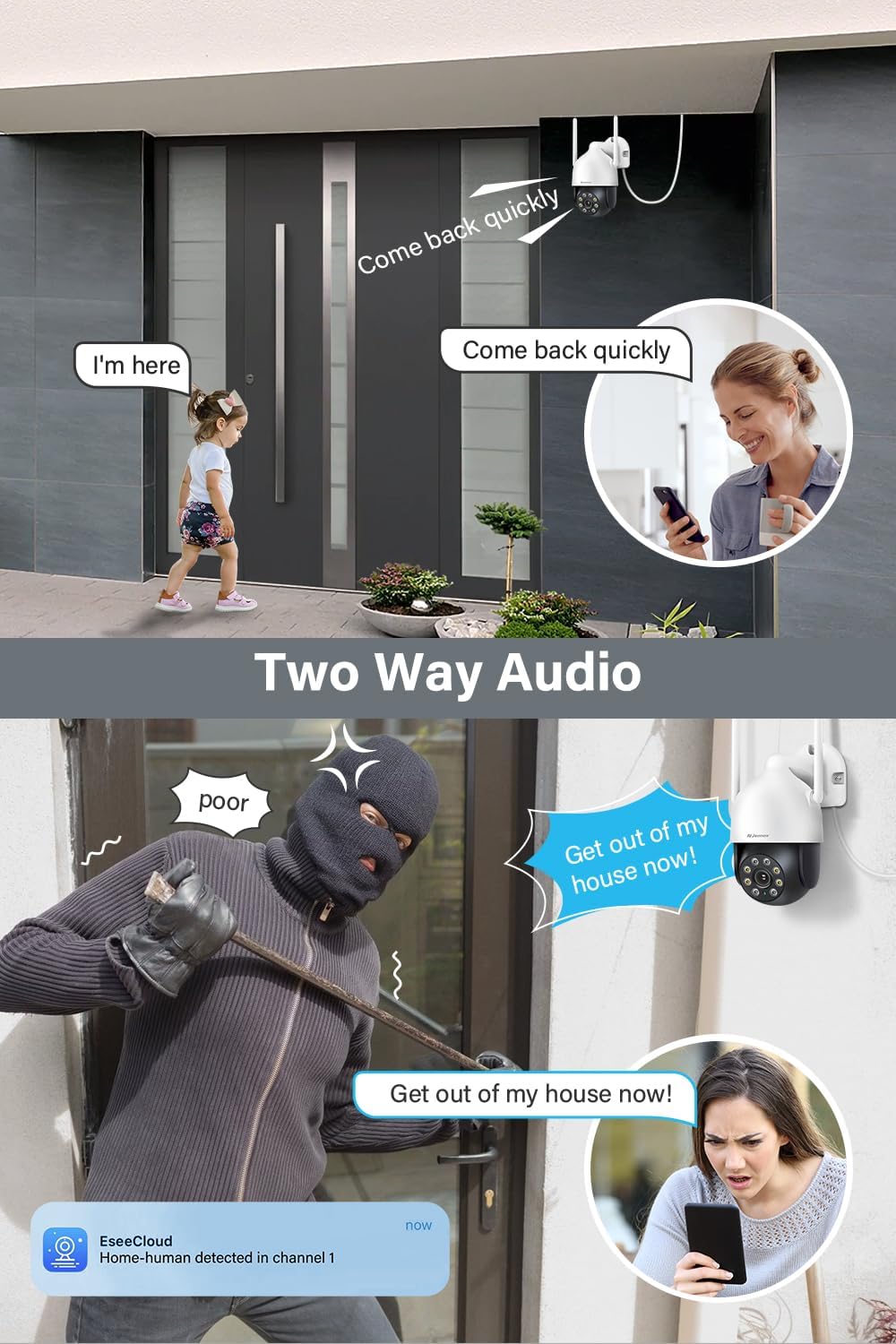
Figura 8: Esamples of two-way audio use cases.
Cuntrollu PTZ (Pan, Tilt, Zoom)
The camera's pan (355°) and tilt (90°) functions can be controlled remotely via the EseeCloud app, allowing you to adjust the viewl'angolo in quantu necessariu.
- Cuntrollu Manuale: Swipe in u live view in the app to move the camera.
- Posizioni preset: Set and recall specific viewing angles for quick access.

Figure 9: Remote control of pan and tilt functions via the app.
Mantenimentu
- Pulizia regulare: Pulite periodicamente l'obiettivo è l'alloghju di a camera cù un pannu dolce èamp pannu per caccià a polvera è a terra. Ùn aduprate micca prudutti chimichi aggressivi.
- Actualizazioni di firmware: Check for and install firmware updates for your NVR and camera through the EseeCloud app or NVR interface to ensure optimal performance and security.
- Verificazione di l'alimentazione: Assicuratevi chì l'adattatore di corrente è u cavu sianu in bonu statu è senza danni.
- Position de l'antenne : Verify that the antennas are securely attached and positioned for optimal signal reception.
Risoluzione di prublemi
| Issue | Causa Possibile | Soluzione |
|---|---|---|
| A camera ùn si accende | No power, faulty adapter/cable | Check power connection, test outlet, replace adapter if necessary. |
| No video feed on NVR/App | Not paired with NVR, weak WiFi signal, NVR issue | Ensure camera is paired, check WiFi signal strength, restart NVR and camera. |
| Scarsa qualità d'imagine | Dirty lens, low light, network bandwidth | Clean lens, ensure adequate lighting or proper night vision mode, check network speed. |
| A rilevazione di u muvimentu ùn funziona | Feature disabled, incorrect sensitivity, obstructions | Enable human detection in settings, adjust sensitivity, clear camera's field of view. |
| Prublemi audio bidirezionali | Microphone/speaker blocked, app volume low, network delay | Ensure clear path for audio, check app volume, verify stable network connection. |
Specificazioni
| Feature | Detail |
|---|---|
| Numero di mudellu | JS7016 |
| U fabricatore | Shenzhen Dianchen Industrial Co.,Ltd |
| Dimensioni (L x W x H) | 15 x 12 x 18 cm |
| Pesu | 620 grammi |
| Tipu di putenza | Cavu Elettricu |
| Voltage | 12 Volts |
| Cunsumu d'energia | 12 Watt |
| Tecnulugia di cunnessione | Wireless (WiFi) |
| Risoluzione Video Recording | 5 MP (2.7K) |
| Funzioni spiciali | Siren Alarm, Two-Way Audio, PTZ Control, Human Detection |
| Cumpunenti inclusi | EseeCloud (software) |
| Capacità di almacenamiento di memoria | 256 GB (referring to NVR compatibility, not camera internal storage) |
| Sistema upirativu | Linux-based or proprietary operating system |
| Dispositivi compatibles | Smartphones, Tablets, Computers (via EseeCloud app/software) |
Garanzia è Supportu
For warranty information, technical support, or service inquiries, please refer to the documentation included with your Jennov NVR system or visit the official Jennov websitu. Conservate a vostra ricevuta d'acquistu cum'è prova d'acquistu per e richieste di garanzia.


