Introduzione
This manual provides detailed instructions for the SKYLOONG GK104 Wired Mechanical Keyboard. Please read this manual thoroughly before using the product to ensure proper operation and maintenance. This keyboard features a full-size layout, a programmable knob, RGB lighting, and hot-swappable switches, designed for both gaming and office use across Windows and Mac systems.

Image: The SKYLOONG GK104 Wired Mechanical Keyboard, showcasing its full layout and integrated digital screen.
Chì ci hè in u Box
The SKYLOONG GK104 keyboard package includes the following items:
- Wired Mechanical Keyboard (GK104)
- Cavu USB (USB-C à USB-A)
- Estrattore Keycap
- Stabilizer x1
- Silver Switches x3 (spare)
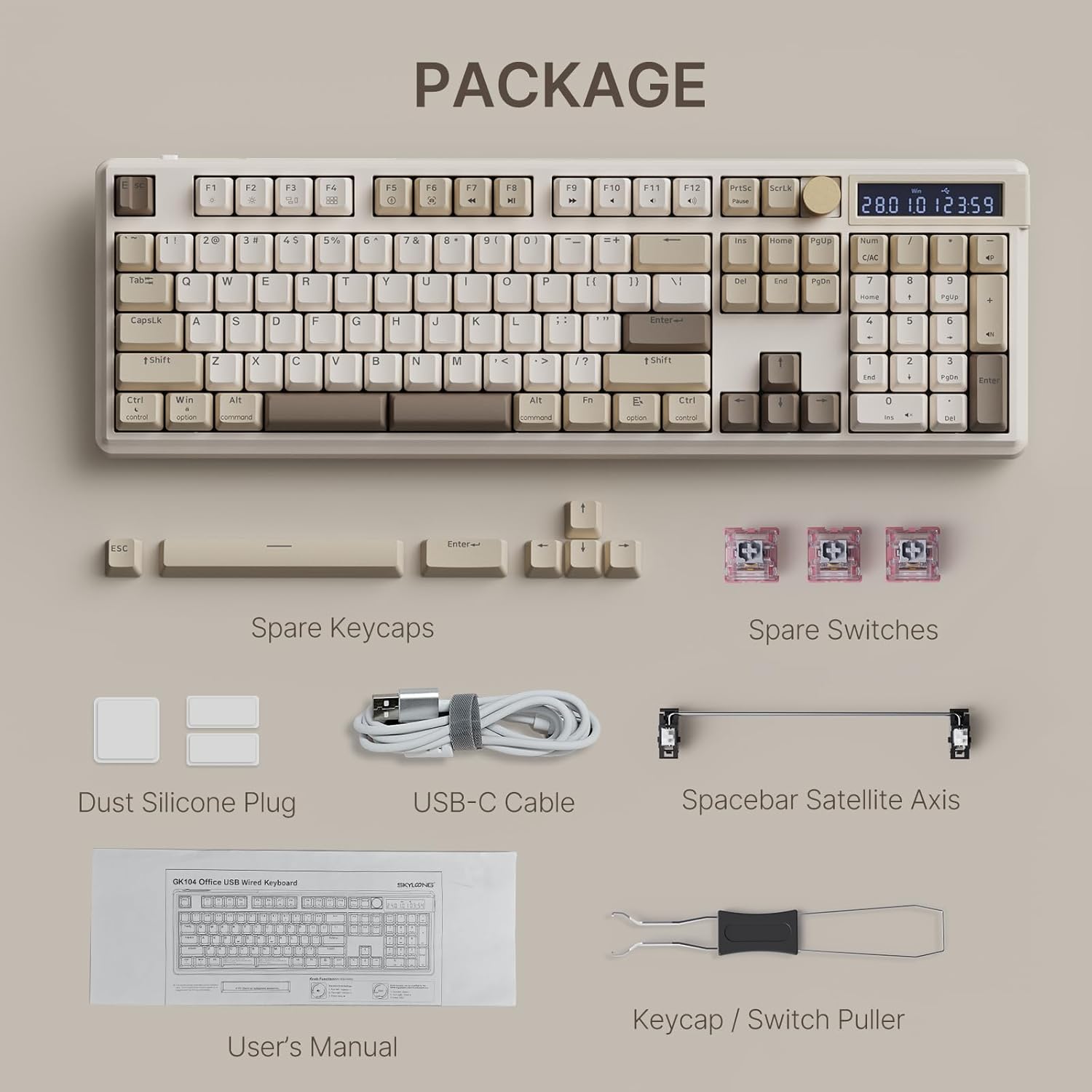
Image: All components included in the SKYLOONG GK104 keyboard package, laid out clearly.
Istituisci
Cunnettendu u Tastiera
- Connect the USB-C end of the provided cable to the USB-C port on the keyboard.
- Connect the USB-A end of the cable to an available USB port on your computer (Windows or Mac).
- The keyboard will be automatically recognized by your operating system and ready for use.

Image: The SKYLOONG GK104 keyboard connected via its USB-C cable to a laptop, illustrating a typical setup.
Istruzzioni di funziunamentu
Usu di Tastiera di Basu
The SKYLOONG GK104 is a full-size 104-key mechanical keyboard. All standard key functions operate as expected for typing and general computer use.
Funzioni di a manopola programmabile
The metal knob located in the upper right corner of the keyboard provides quick access to various functions. By default, the knob controls volume:
- Girate à manca: Volume -
- Girate à diritta: Volume +
- Press: Mutu
The knob's functions can be customized via the dedicated software to control backlight brightness, speed, or RGB mode switching.

Imagine: Un primu pianu view of the programmable metal knob, highlighting its design and position on the keyboard.

Image: A diagram illustrating the default volume control functions of the programmable knob.
RGB Backlight Settings
The keyboard features colorful RGB backlighting with light-through keycaps. Control backlight effects using the following FN key combinations:
| Cumminazione di chjave | Funzione |
|---|---|
| FN + 9 | Retroilluminazione ON / OFF |
| FN + 0 | Light effect pause / play |
| FN + - | Modu di retroilluminazione 1-5 |
| FN + = | Modu di retroilluminazione 6-8 |
| FN + ↓ | Backlight brightness - |
| FN + ↑ | Luminosità di retroilluminazione + |
| FN + ← | Backlight effect speed - |
| FN + → | Backlight effect speed + |
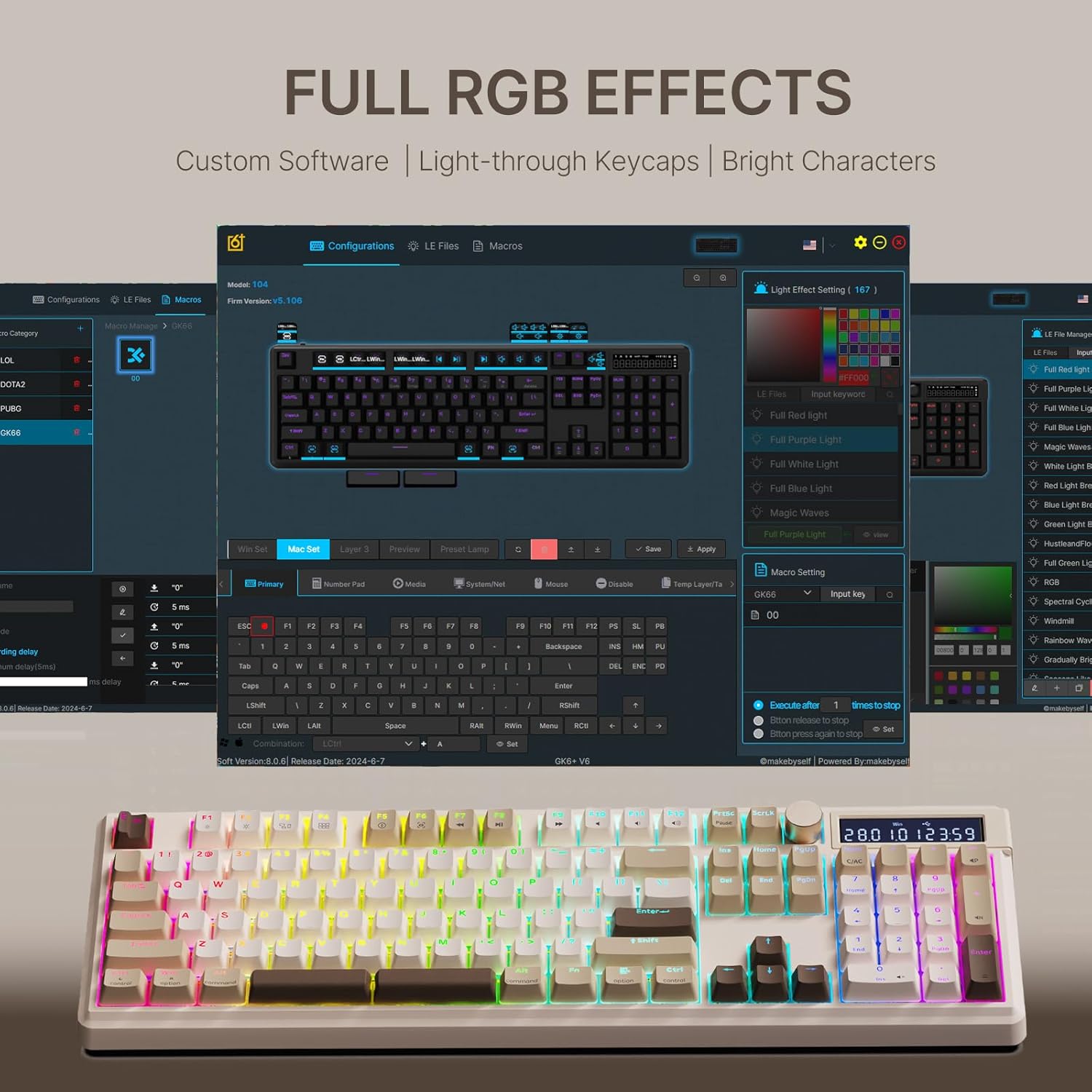
Image: The SKYLOONG GK104 keyboard displaying its vibrant full RGB lighting effects.

Image: A visual guide to the backlight settings and their corresponding key combinations.
Funzione di calculatrice
The number pad area can function as a voice calculator. To switch modes, use the side switch near the number pad:
- Press 'I': Enter calculator mode.
- Press 'O': Activate numeric keypad (normal mode).
Sound Effect Settings (in calculator mode):
- FN + O: Emissione di voce
- FN + +: Next set of sound effects
- FN + -: Previous set of sound effects

Image: The keyboard's number pad area, illustrating its dual functionality as a calculator with sound effects.

Image: A close-up showing the side switch used to toggle between normal number pad and calculator modes.
Compatibility & Mode Switching (Win/Mac)
The keyboard is compatible with both Windows and Mac systems. Use the one-click switch on the top of the keyboard to change modes.
- FN + Win: Lock / Unlock Win Key
- FN + Backspace: Del
Backlight and sleep time settings: The flashing light of F1 means sleeping within 5 minutes. F2 means 10 minutes, F9 means 45 minutes, and F10 does not sleep.

Image: Diagram showing the USB-C port and the Win/Mac mode switch on the keyboard.

Image: An illustration of the F-key functions and their compatibility with Mac and Windows systems.
Interruttori Hot-Swappable
The GK104 features a hot-swappable PCB, allowing easy replacement of 3-pin/5-pin mechanical switches without soldering. The keyboard comes with linear silver switches, providing fast triggering and quick response.

Image: A close-up of the hot-swappable PCB sockets, showing how switches can be easily removed and replaced.

Image: A diagram illustrating the force and travel characteristics of the linear silver switches.
Customizing Space Keys
The 6.25U space bar can be customized with two modes:
- Modu 1: Normal Spacebar function.
- Modu 2: Tap-Hold Options composite function.
In Mode 2:
- Pressione corta: Spaziu
- Pressu longu: FN1/Ctrl/AltShift etc. (configurable via software)

Image: A diagram explaining the customizable functions of the space bar, including normal and tap-hold options.
Mantenimentu
Pulizia
Regularly clean the keyboard with a soft, dry cloth. For deeper cleaning, use the provided keycap puller to remove keycaps and clean dust or debris with compressed air. Avoid using harsh chemicals or abrasive materials.
Storage
Store the keyboard in a cool, dry place away from direct sunlight and extreme temperatures. When not in use for extended periods, it is recommended to disconnect the keyboard from your computer.
Risoluzione di prublemi
Tastiera ùn risponde micca
- Assicuratevi chì u cavu USB sia cunnessu currettamente à a tastiera è à l'urdinatore.
- Pruvate à cunnette a tastiera à un altru portu USB di u vostru urdinatore.
- Pruvate a tastiera nantu à un altru urdinatore per escludere prublemi specifichi di u sistema.
- Restart u vostru urdinatore.
Retroilluminazione ùn funziona micca
- Ensure the backlight is turned on using the FN + 9 key combination.
- Check backlight brightness settings using FN + ↑/↓.
- If issues persist, try resetting the keyboard (refer to software instructions if available).
Calculator Function Issues
- Ensure the side switch is correctly set to 'I' for calculator mode.
- Check sound effect settings using the appropriate FN key combinations.
Specificazioni
| Feature | Detail |
|---|---|
| Dimensioni di u produttu | 17.52 x 5.52 x 1 inch |
| Pesu di l'articulu | 2.64 liri |
| U fabricatore | SKYLOONG |
| Dispositivi compatibles | Cunsola di ghjocu, Laptop, PC |
| Tecnulugia di cunnessione | USB-C |
| Descrizzione di tastiera | Full Size Mechanical Keyboard with Volume Knob |
| Usi cunsigliati | Business, Education, Everyday Use, Gaming, Personal, Programming, Student |
| Funzione speciale | Backlit, Ergonomic, Hot-Swappable, Programmable Keys, Volume Roller |
| Culore | Biancu |
| Numero di Chjavi | 104 |
| Retroilluminazione di a tastiera | RGB |
| Stile | Classicu |
Garanzia è Supportu
For warranty information and technical support, please refer to the official SKYLOONG website or contact their customer service directly. Keep your purchase receipt for warranty claims. Product registration may be required for full warranty coverage.


