1. Introduzione
This manual provides detailed instructions for the MESWAO 15.6 Inch Android 14 Tablet, model MES-B3. It covers essential information regarding product features, setup, operation, maintenance, and troubleshooting to ensure optimal performance and user experience. Please read this manual thoroughly before using your device.
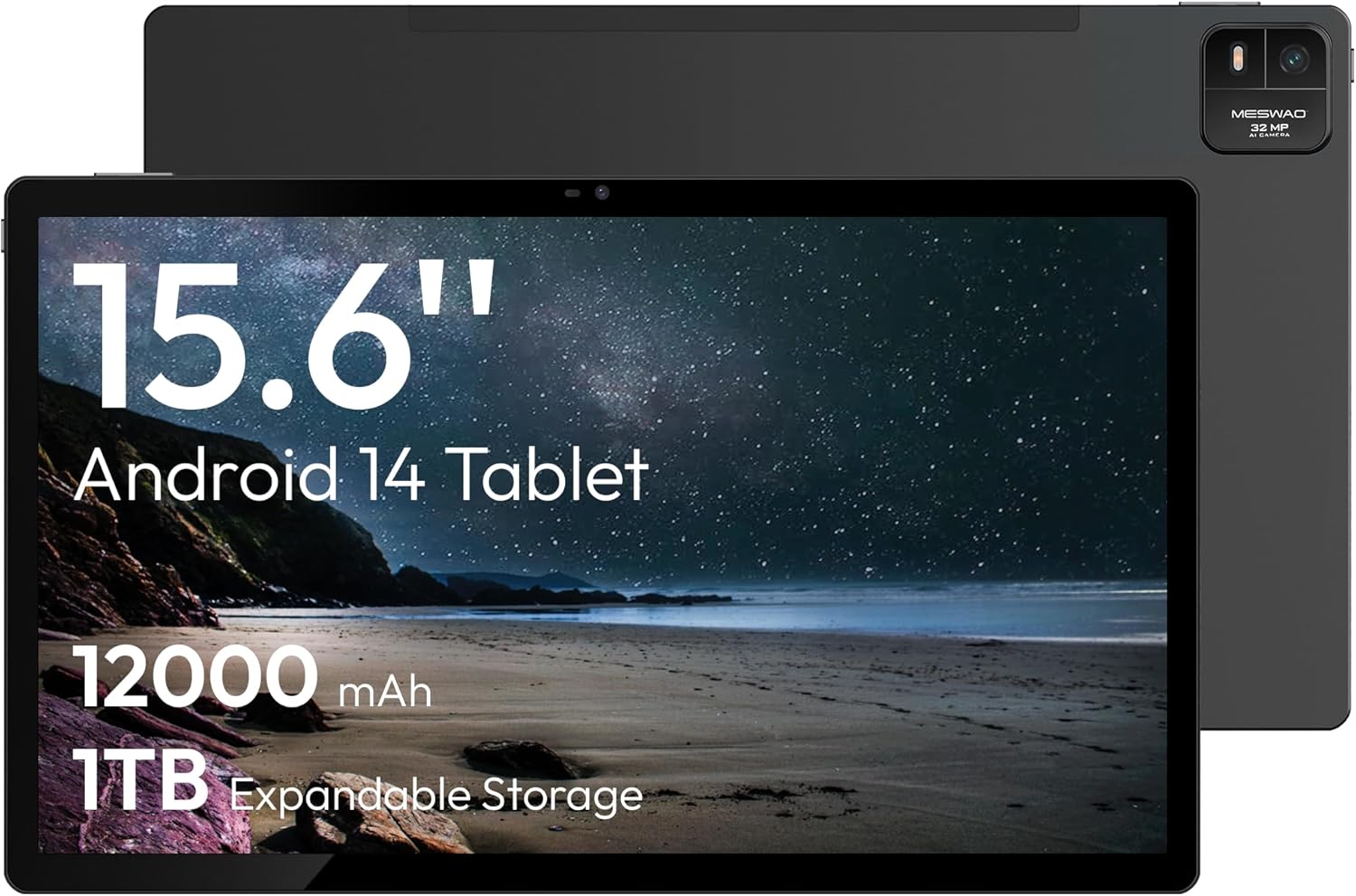
Figure 1.1: MESWAO 15.6 Inch Android 14 Tablet. This image displays the front and back view of the tablet, highlighting its large screen and rear camera module.
2. Informazioni di sicurezza
To prevent damage to your device or injury to yourself or others, please observe the following precautions:
- Ùn espone micca a tableta à temperature estreme, luce solare diretta o alta umidità.
- Evitate di lascià cascà o di sottumette a tableta à impatti severi.
- Aduprate solu caricabatterie è accessori appruvati.
- Do not attempt to disassemble or repair the tablet yourself.
- Mantene a tableta luntanu da l'acqua è altri liquidi.
- Observe all local regulations regarding the use of electronic devices.
3. Cuntenutu di u pacchettu
Verificate chì tutti l'articuli sò presenti in u pacchettu:
- 15.6-inch Tablet x1
- 15W Charger x1
- Type-C to 3.5mm Adapter x1
- USB-A to Type-C Adapter x1
- Stuck Pin x1 (for SIM/TF card tray)
4. Dispositivu Finituview
Familiarize yourself with the physical components of your MESWAO tablet.
4.1. Caratteristiche fisiche
- Camera frontale: Located at the top center of the screen when held horizontally.
- Camera posteriore cù Flash: Located on the back, typically in a corner.
- Pulsante di putenza: Usually on the side, used to power on/off or wake/sleep the device.
- Pulsanti di volume: Ajustà i livelli audio.
- Portu USB-C: Per carica è trasferimentu di dati.
- Slot per Carta TF: Per un almacenamentu espansibile.
- Oratori: Quad speakers with 8 sound chambers for audio output.

Figura 4.1: Overview of MESWAO Tablet's physical features. This image illustrates the location of stereo speakers, power and volume buttons, front camera, rear camera with flashlight, Type-C port, and TF card slot.
5. Setup
5.1. Carica iniziale
Before first use, fully charge the tablet using the provided 15W charger and USB-C cable. Connect the charger to the USB-C port on the tablet and plug it into a power outlet. The battery indicator on the screen will show charging progress.

Figure 5.1: Tablet charging illustration. This image shows the tablet connected to a charger, displaying a charging icon and indicating 100% charge in 3.5 hours.
5.2. Powering On / Off
- Per accende: Press and hold the Power button until the MESWAO logo appears.
- Per spegne: Tenite premutu u buttone d'accensione finu à chì appare u menu di l'opzioni di alimentazione, dopu selezziunate "Spegne".
- Per dorme/svegliarsi: Appughjà brevemente u buttone Power.
5.3. Configurazione iniziale
À a prima accensione, seguitate l'istruzzioni nantu à u screnu per cunfigurà a vostra tableta:
- Sceglite a vostra lingua preferita.
- Cunnette vi à una reta Wi-Fi.
- Cunnettatevi cù u vostru contu Google o create un novu.
- Review è accettate i termini è e cundizioni.
- Cunfigurà u bloccu di u screnu (PIN, mudellu, o password).
5.4. Inserimentu di una carta TF
To expand storage, insert a TF (microSD) card:
- Truvate a fessura di a carta TF nant'à u latu di a tableta.
- Use the provided stuck pin to gently eject the card tray.
- Place the TF card into the tray with the gold contacts facing down.
- Rimette cù cura u vassoio in a tableta.

Figure 5.2: Tablet storage capabilities. This image highlights the 128GB ROM and support for up to 1TB expandable storage via TF card.
6. Operating Instructions
6.1. Navigazione basica
The MESWAO tablet uses Android 14, offering intuitive touch-based navigation:
- Tap: Selezziunate un articulu o aprite una applicazione.
- Swipe: Scorri trà schermi o liste.
- Pizzicà per Zoomà: Ingrandisce o riduce u cuntenutu nantu à u screnu.
- Pressa Longa: Accede à i menu cuntestuali o move l'icone.

Figure 6.1: Android 14 operating system interface. This image displays various application icons and highlights features like smooth multitasking, parental control, and enhanced privacy.
6.2. Connecting à Wi-Fi
- Andà à Settings > Rete è Internet > Wi-Fi.
- Attivà/disattivà u Wi-Fi On.
- Selezziunate a rete desiderata da a lista.
- Inserite a password se vi hè dumandatu, dopu toccate Cunnette.
6.3. Gestione di l'applicazioni
- Installa Apps: Download from the Google Play Store.
- Disinstalla l'applicazioni: Long-press an app icon, then drag it to "Uninstall" or go to Settings > Apps.
- Chjude l'applicazioni: Swipe up from the bottom of the screen and swipe away the app card.
6.4. Camera Usage
The tablet features a 32MP rear camera with flash and a 5MP front camera.
- Aprite u Camera applicazione.
- Toccate u buttone di l'otturatore per piglià una foto.
- Cambiate trà e camere anteriori è posteriori aduprendu l'icona di cambiamentu di camera.
- Access settings for flash, modes, and other options.
6.5. Gestione di batterie
A batteria di 12000 mAh permette un usu prolongatu. Per ottimizà a durata di a batteria:
- Aghjustate a luminosità di u screnu.
- Chiudi l'applicazioni micca aduprate.
- Attivà a modalità di risparmiu di batteria in Settings > Batteria.
6.6. Connectivity
- Bluetooth: Pair with wireless headphones, speakers, or other devices via Settings > Dispositivi cunnessi > Bluetooth.
- USB-C: Cunnette si à un urdinatore per file transfer or use with compatible USB-C accessories.
- Trasmissione di schermu senza filu: Share your tablet's screen to a compatible smart TV or monitor. Access this feature from the Quick Settings panel or Settings > Dispositivi cunnessi > Cast.
6.7. Impostazioni di u sonu
Adjust volume and audio output options:
- Use the physical volume buttons on the side of the tablet.
- Access detailed settings in Settings > Sonu è vibrazione.
- The tablet supports multiple audio options, including USB-C audio and 3.5mm via the provided adapter.
7. Mantenimentu
7.1. Pulizia di a vostra tableta
Per pulisce a tableta, aduprate un pannu dolce è senza pelu. Per e macchie ostinate, asciugate leggermente.ampLavate u pannu cù acqua o un detergente per schermi cuncepitu per l'elettronica. Evitate prudutti chimichi aggressivi o materiali abrasivi.
7.2. Updates Software
Verificate è installate regularmente l'aghjurnamenti di u software per assicurà prestazioni ottimali, sicurezza è accessu à e nuove funzionalità. Andate à Settings > Sistema > Actualizazione di u sistema.
7.3. Storage Management
To maintain performance, periodically manage your tablet's storage:
- Sguassà l'applicazioni inutili è files.
- Move in grande files to the TF card or cloud storage.
- Sguassà i dati di a cache per l'applicazioni in Settings > Apps > [Nome di l'applicazione] > Archiviazione è cache.
8. Risoluzione di prublemi
Riferitevi à i seguenti prublemi è suluzioni cumuni:
| Prublemu | Soluzione |
|---|---|
| A tableta ùn s'accende micca. | Assicuratevi chì a batteria sia carica. Cunnette u caricatore è aspettate uni pochi di minuti prima di pruvà à accende di novu. |
| Ùn pò micca cunnette à Wi-Fi. | Check if Wi-Fi is enabled. Verify the Wi-Fi password. Restart your router and the tablet. |
| L'applicazioni si bloccanu o si bloccanu. | Close background apps. Clear the app's cache. Restart the tablet. Ensure the app is updated. |
| Prestazione lenta. | Free up storage space. Close unused apps. Restart the tablet. |
| A batteria si scarica rapidamente. | Reduce screen brightness. Disable unused features like Bluetooth or GPS. Close background apps. Check battery usage in settings. |
9. Specificazioni
Key technical specifications for the MESWAO 15.6 Inch Android 14 Tablet (MES-B3):
| Feature | Detail |
|---|---|
| Marca | MESWAO |
| Nome di mudellu | MES-B3 |
| Sistema upirativu | Android 14 |
| Size Screen | 15.6 inch |
| Risoluzione di u screnu | 1920 x 1080 Pixel (IPS HD) |
| Processore | Octa-Core (MediaTek Helio G99, up to 2.2 GHz) |
| Coprocessore graficu | Mali-G57 |
| RAM (Memory Storage Capacity) | 6GB (DDR3 SDRAM) |
| Internal Storage (Flash Memory Size) | 128 GB |
| Storage espansibile | Finu à 1 TB via carta TF |
| Risoluzione di a camera posteriore | 32 MP |
| Risoluzione Camera Front | 5 MP |
| Capacità batterie | 12000 mAh |
| A vita media di a bateria | 12 Ore |
| Tipu wireless | 802.11a/b/g/n/ac (Wi-Fi 5) |
| Culore | Grisgiu |
| Pesu di l'articulu | 2.35 liri |
| Dimensioni di u produttu (LxWxH) | 14.53 x 8.78 x 0.43 inch |

Figure 9.1: Processor and performance details. This image highlights the Helio G99 Octa-Core chipset, 6nm process, 950MHz GPU, and smooth gaming/streaming capabilities.
10. Garanzia è Support
10.1. Garanzia infurmazione
The MESWAO 15.6 Inch Android 14 Tablet comes with a guaranzia di 12 mesi chì copre i difetti di fabricazione. Per piacè cunservate a vostra prova d'acquistu per e richieste di garanzia.
10.2. Assistenza Clienti
For technical assistance, troubleshooting, or warranty inquiries, please contact MESWAO customer support. They offer Assistenza clienti 24 ore è avè local service centers in the US, EU, and Japan.
- Metudu di cuntattu: Refer to the contact information provided with your product packaging or visit the official MESWAO websitu.
- Risoluzione di u prublema: Issues reported are typically responded to within 24 hours, with problems resolved or replaced according to policy.

Figure 10.1: MESWAO customer support and warranty details. This image highlights the 12-month warranty, 24-hour customer support, local after-sales centers, and quick response flow.


