1. Introduzione
This manual provides detailed instructions for the WUUK Baby 2K Video Baby Monitor, Model BA530 BAP01. This system is designed to help you monitor your baby with advanced features including 2K video resolution, a 5.5-inch display, 360-degree pan/tilt/zoom, 135-degree wide-angle viewing, night vision, and smart alerts. Please read this manual thoroughly before using the product to ensure proper operation and safety.
2. Cuntenutu di u pacchettu
Verificate chì tutti l'articuli sò presenti in u vostru pacchettu:
- Camera per Bebè (x1)
- Monitor Display (x1)
- USB Power Adapter (x2)
- 1.5M Type-C Power Cable (x2)
- Thermometer Hygrometer (x1)
- Manuale d'uso (x1)
- Mount Plate & Mounting Screw Pack (x1)
3. Produttu Finituview
The WUUK Baby 2K Video Baby Monitor system consists of a camera unit and a portable monitor display, with optional smartphone app connectivity.

Figure 3.1: WUUK Baby 2K Video Baby Monitor system showing the camera, 5.5-inch monitor, and smartphone app interface.
3.1 Camera Unit
- Risoluzione 2K QHD: Provides clear video feed.
- 360-degree Pan & 110-degree Tilt: Allows comprehensive room coverage.
- 135-degree Wide-Angle Lens: Captures a broader view di l'ambiente.
- Visione notturna infrarossa: Enables clear monitoring in low-light conditions.
- Audio bidirezionale: For communication with your baby.
- Sensore di temperatura è umidità: Monitors nursery conditions.
- Cry & Motion Detection: Alerts for baby's activity.
- Copertura di privacy fisica: Lens can be moved upwards to block view.
3.2 Monitor Display
- Display di culore di 5.5 inch: For live video feed.
- Batteria ricaricabile 3700mAh: Up to 10 hours of continuous streaming.
- Cuntrolli: Buttons for pan/tilt, zoom, two-way talk, menu, and volume.
- SUB 1G Wireless Technology: For extended range connectivity.
4. Setup
4.1 Piazzamentu di a camera
Place the camera on a flat surface such as a dresser or shelf, or mount it to a wall or ceiling using the provided mounting kit. Ensure the camera has a clear, unobstructed view of the baby's crib or play area. Position it at a safe distance from the baby, out of reach of small hands and cords.
4.2 Accensione
- Connect one USB power adapter to the camera unit using a Type-C power cable. Plug the adapter into a power outlet.
- Connect the second USB power adapter to the monitor display using the other Type-C power cable. Plug the adapter into a power outlet.
- Press and hold the power button on the monitor display to turn it on. The camera and monitor should automatically pair.
4.3 App Installation and Pairing (Optional)
Per a distanza viewing and additional features, download the WUUK app on your smartphone.
- Download the 'WUUK' app from your device's app store (iOS or Android).
- Crea un contu o accede.
- Follow the in-app instructions to add your WUUK Baby Monitor. This typically involves scanning a QR code on the camera or monitor, or following a guided pairing process.
5. Operating Instructions
5.1 Live View
Once powered on and paired, the live video feed from the camera will automatically display on the 5.5-inch monitor. You can also view the live feed through the WUUK app on your smartphone.
5.2 Panoramica, Inclinazione è Zoom (PTZ)
Use the directional buttons on the monitor display or the controls within the WUUK app to remotely adjust the camera's viewing angle. The camera supports 355-degree pan and 110-degree tilt. Use the zoom function to get a closer look at your baby.

Figure 5.1: Simultaneous viewing on monitor and smartphone app.
5.3 Audio bidirezionale
Press and hold the microphone button on the monitor display or the talk button in the app to speak through the camera to your baby. Release the button to listen.
5.4 Visione notturna
The camera automatically activates infrared night vision in low-light conditions, providing a clear black and white image on the monitor and app.
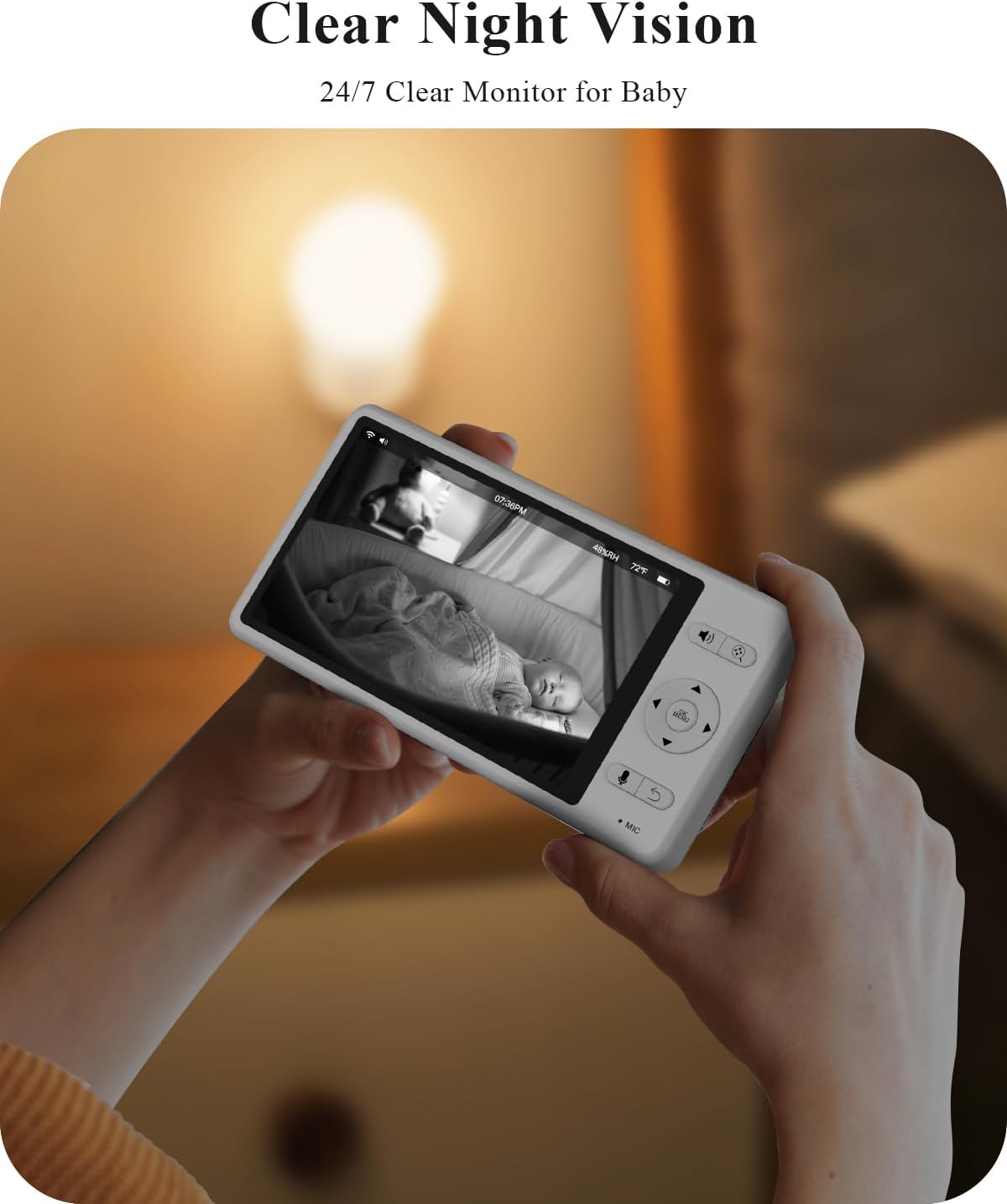
Figure 5.2: Clear night vision display.
5.5 Smart Alerts (Motion, Cry, Sound)
The monitor can detect motion, crying, and other sounds. Configure alert sensitivity and notification preferences in the monitor's menu or the WUUK app. When an alert is triggered, the monitor screen may light up, and an audible alarm may sound.

Figure 5.3: Smart alerts for baby's activity and environment.
5.6 Temperature & Humidity Monitoring
The integrated thermometer and hygrometer provide real-time temperature and humidity readings of the nursery, displayed on the monitor. Set custom alert ranges in the settings to be notified if conditions fall outside the desired parameters.
5.7 Lullabies and White Noise
Access the menu on the monitor or app to select and play from a variety of pre-loaded lullabies or white noise sounds to soothe your baby.
5.8 Modu di privacy
For enhanced privacy, the camera features a physical lens cover. You can manually move the lens upwards to completely block the camera's view when monitoring is not required, such as during feeding or diaper changes.

Figure 5.4: Physical privacy lens cover.
6. Mantenimentu
- Pulizia: Use a soft, dry cloth to clean the camera lens and monitor screen. Do not use liquid cleaners or aerosols.
- Cura di a batteria: To prolong battery life, avoid fully discharging the monitor's battery frequently. Charge it regularly.
- Conservazione: Sè vo almacenate u dispusitivu per un periodu prolongatu, assicuratevi ch'ellu sia cumpletamente caricatu è almacenatu in un locu frescu è asciuttu.
7. Risoluzione di prublemi
- No Signal/Disconnected: Ensure both the camera and monitor are powered on and within range. If using the app, check your Wi-Fi connection. Try restarting both devices.
- U monitor ùn si accende micca: Verify the monitor is charged or connected to a power source. If the issue persists, try a different power adapter or cable.
- Qualità Video Povera: Ensure the camera lens is clean and free from obstructions. Check for adequate lighting (night vision will activate in low light).
- Problemi audio: Check volume settings on the monitor and your smartphone. Ensure no objects are blocking the microphone or speaker on either unit.
- Problemi di cunnessione di l'app: Ensure your smartphone has a stable internet connection. Restart the app and try pairing again. Check if your router is operating on a compatible frequency (e.g., 2.4GHz for some Wi-Fi connections).
8. Specificazioni
| Feature | Specificazione |
|---|---|
| Numero di mudellu | BA530 BAP01 |
| Risoluzione Video Capture | 2K (1296p) |
| Monitor Display Size | 5.5 inch |
| Viewing Angulu | 135 gradi |
| Gamma Pan / Tilt | 355 Degrees Pan, 110 Degrees Tilt |
| Capacità di a batteria (Monitor) | 3700 mAh Lithium Ion |
| Gamma di Visione Notturna | Finu à 33 Piedi |
| Tecnulugia di cunnessione | SUB 1G Wireless Technology, Wi-Fi |
| Opzioni di almacenamiento | Up to 256GB SD card (not included), Optional Cloud Storage |
| Dimensioni (Camera) | 2 x 2 x 3.5 inch |
| Pesu di l'articulu | 2.49 libbre (pacchettu tutale) |
9. Garanzia è Support
For warranty information, technical support, or service inquiries, please refer to the warranty card included in your package or visit the official WUUK website. You can also contact WUUK customer service directly through the contact information provided on their websitu.