1. Introduzione
Thank you for choosing the Shimbol M5 5.5-inch On-Camera Field Monitor. This professional monitor is designed to enhance your filming experience with its high-resolution touchscreen, advanced monitoring tools, and robust aluminum construction. This manual will guide you through the setup, operation, and maintenance of your new device, ensuring optimal performance and longevity.
2. Ciò chì hè in a scatula
Verificate u cuntenutu di u vostru pacchettu per assicurà chì tutti l'articuli sò presenti:
- Shimbol 5.5" On-camera Field Monitor x1
- Carry Case x1
- Tempered Screen Protector x1
- Cavu HDMI x1
- Micro HDMI Cable x1
- Hot Shoe Mount x1
- Manuale d'uso x1
- Color Box x1

Figure 1: Included accessories and components in the Shimbol M5 package.
3. Caratteristiche di u produttu
The Shimbol M5 monitor offers a range of features designed for professional video production:
- Touchscreen à alta risoluzione: A 5.5-inch 1920x1080 IPS touchscreen with 1200 nits brightness ensures clear visibility even under direct sunlight.
- Calibrazione prufessiunale di u culore: Achieves 100% REC 709 color calibration with a low Delta E of 0.6 for accurate color reproduction.
- Custom 3D LUTs: Built-in 8 original De-log LUTs and support for loading up to 99 custom LUTs via USB.
- Cuncepimentu in aluminiu durevule: Constructed from aviation-grade aluminum, offering a lightweight (278g) yet robust body with a fanless, passively cooled design for quiet operation.
- Strumenti di Monitoraghju Avanzati: Includes Focus Peaking, False Color, Exposure, Check Fields, RGB Adjustments, Histogram, Vectorscope, Anamorphic Ratio, and Mask functions.
- Intuitive UI: Features a new icon-based user interface for easy touch control and quick access to functions.
3.1 Display and Color Accuracy
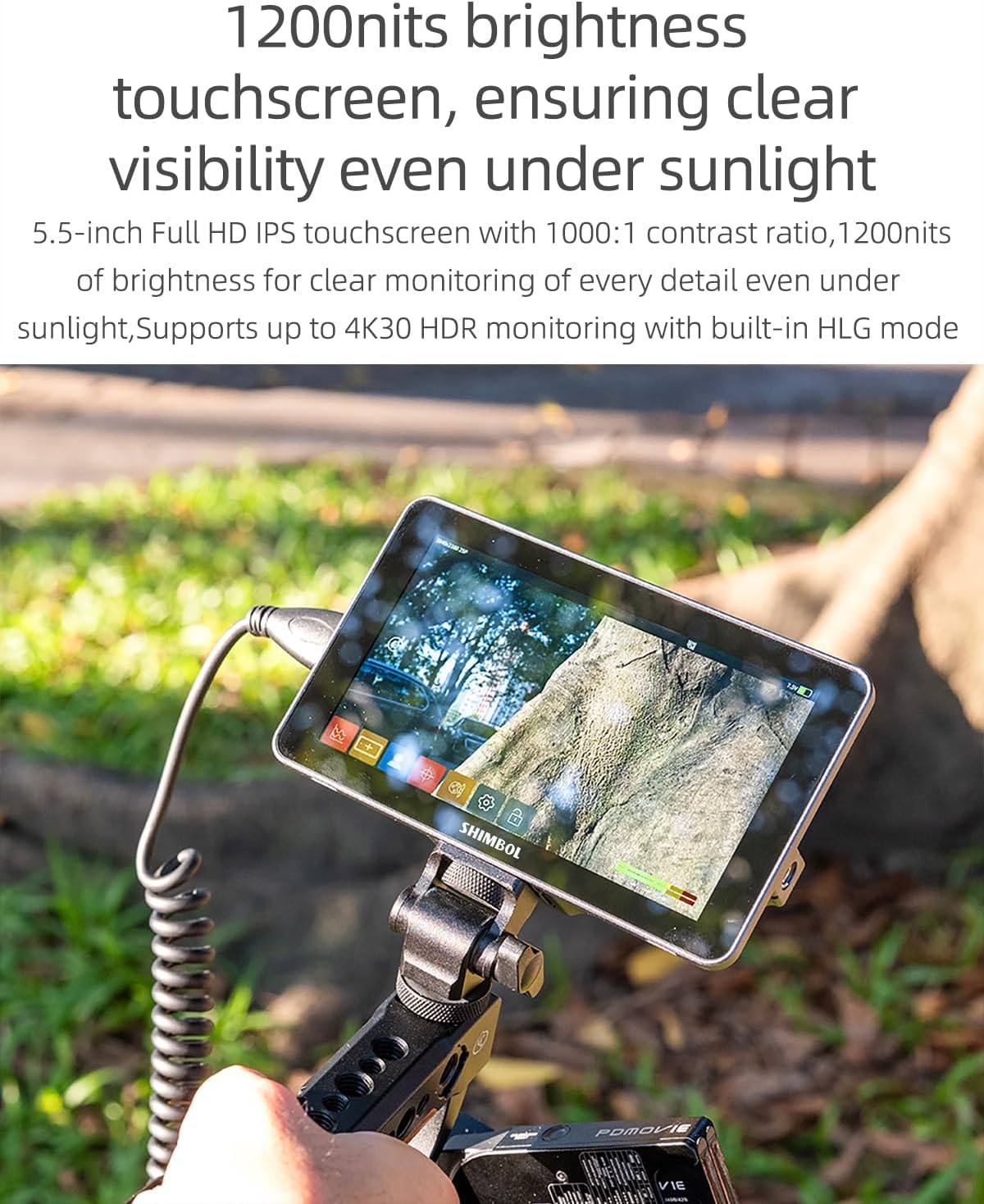
Figure 2: The 1200 nits bright touchscreen ensures excellent visibility even in bright outdoor conditions.

Figure 3: Professional color calibration ensures accurate and true-to-life color reproduction.
3.2 Robust and Lightweight Design

Figure 4: The monitor's aviation aluminum design provides durability while maintaining a slim and lightweight profile.
4. Setup
4.1 Alimentazione di u Monitor
The Shimbol M5 monitor can be powered using either an NPF battery (not included) or a DC power source. Insert a fully charged NPF battery into the battery slot on the rear of the monitor, or connect a compatible DC power adapter to the DC input port.
4.2 Muntatura di u Monitor
The monitor features a 1/4"-20 thread at the bottom for versatile mounting options. Use the included hot shoe adapter to mount it directly onto your camera's hot shoe, or attach it to a tripod or gimbal setup.
4.3 Cunnessione à una camera
Connect your camera or video source to the monitor using the provided HDMI or Micro HDMI cables. The monitor supports HDMI input for video signals up to 4K 30p. For audio monitoring, connect headphones to the 3.5mm stereo headphone jack.
5. Operating Instructions
5.1 Interfaccia utente è navigazione
The Shimbol M5 features an intuitive, icon-based touchscreen interface. Tap on icons to access various functions and settings. Swipe gestures may also be used for quick navigation.

Figure 5: The new UI design offers easy touch and quick access to desired functions for a smooth shooting experience.
5.2 Utilizà i LUT 3D
The monitor comes with 8 built-in De-log LUTs. You can also load up to 99 custom 3D LUTs via the USB port. To access and apply LUTs, navigate to the LUT menu on the touchscreen. Select a preset LUT or import your custom LUT files.
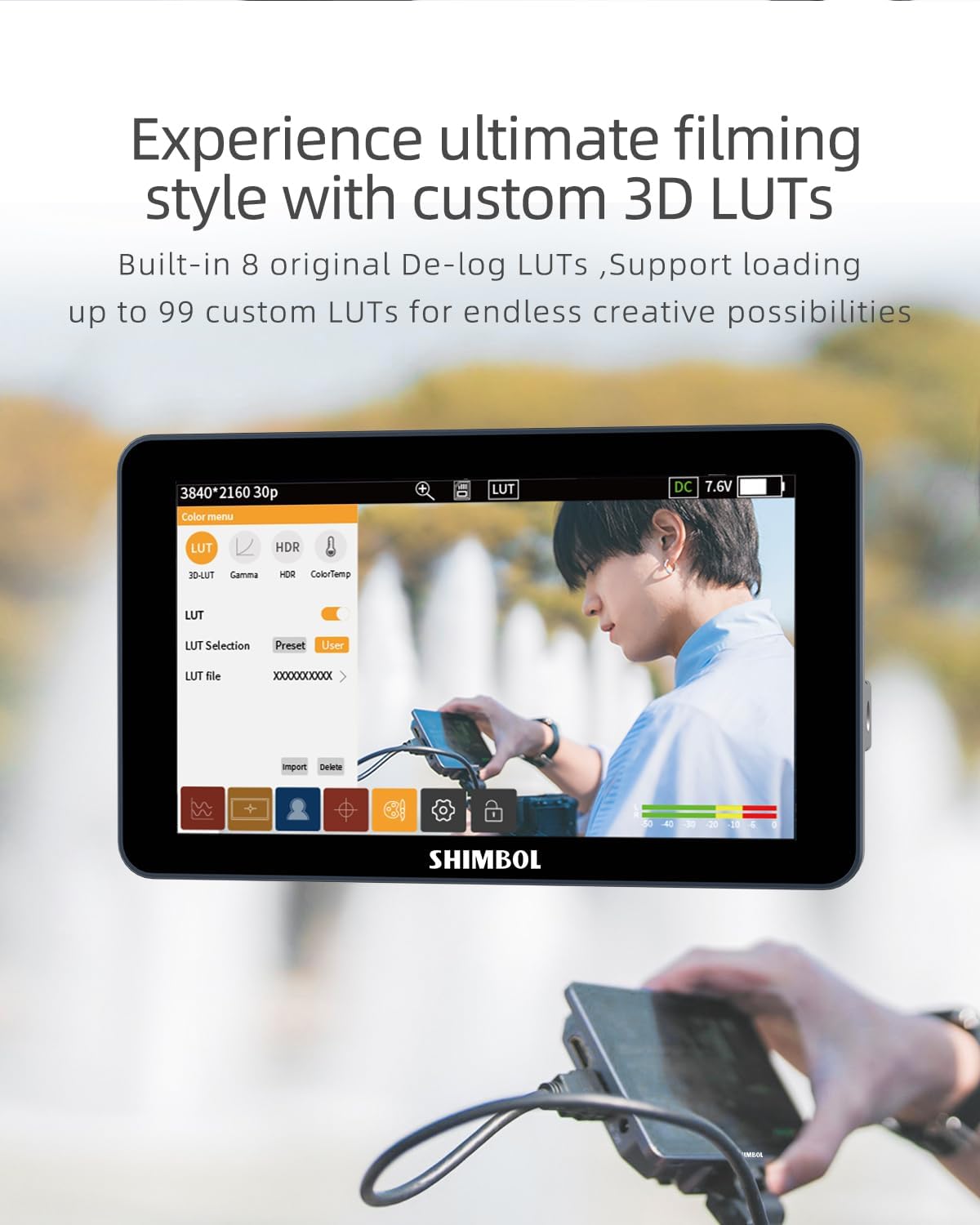
Figure 6: The monitor's interface for selecting and managing 3D LUTs, offering creative possibilities.
5.3 Advanced Monitoring Tools
Utilize the professional monitoring tools for precise exposure and focus:
- Focus Peaking: Highlights in-focus areas to assist with critical focus.
- False Culore: Mostra i livelli di esposizione utilizendu un spettru di culori.
- Espusizioni: Provides tools to evaluate image brightness.
- Check Fields: Helps with color calibration and consistency.
- RGB Adjustments: Fine-tune individual color channels.
- Istogramma: Graphical representation of tonal distribution.
- Vectorscope: Mostra a saturazione di u culore è a tonalità.
- Anamorphic Ratio: De-squeezes anamorficu footage.
- Mascara: Applies various aspect ratio masks.

Figura 7: Esamples of professional monitoring tools available on the Shimbol M5, including RGB settings, oscillogram, false color, and mask.
6. Mantenimentu
6.1 Pulizia
To clean the monitor screen, use a soft, lint-free cloth, preferably the dusting cloth included in the package. For stubborn smudges, lightly dampen the cloth with water or a screen-safe cleaning solution. Avoid using harsh chemicals or abrasive materials that could damage the screen or casing.
6.2 Storage
When not in use, store the monitor in its carry case to protect it from dust, scratches, and impacts. Keep the monitor in a cool, dry place away from direct sunlight and extreme temperatures.
7. Risoluzione di prublemi
7.1 Nisun putere
- Ensure the NPF battery is fully charged and correctly inserted, or that the DC power adapter is securely connected and providing power.
- Check the power button to ensure it is pressed.
7.2 Nisun signale video
- Verify that the HDMI or Micro HDMI cable is securely connected to both the camera and the monitor.
- Confirm that the camera is outputting a video signal and is set to the correct output resolution.
- Pruvate un altru cavu HDMI per escludere i prublemi di cavu.
7.3 Schermu tattile chì ùn risponde micca
- Restart the monitor by powering it off and on again.
- Assicuratevi chì u schermu sia pulitu è senza detriti.
- If a screen protector is installed, ensure it is properly applied and not interfering with touch functionality.
8. Specificazioni
| Feature | Specificazione |
|---|---|
| Size Screen | 5.5 inch |
| Risoluzione | 1920 x 1080 (FHD 1080p) |
| Luminosità di l'imagine | 1200 nits |
| Rapportu d'aspettu | 16: 9 |
| Descrizzione di a superficia di u schermu | Glossy |
| Calibrazione di u culore | 100% REC 709 / Delta-E 0.6 |
| Cunsumu d'energia | 3.5 à 6.5 W |
| Metudu di alimentazione | NPF / DC |
| Pesu di l'articulu | 1.98 libbre (circa 0.9 kg) |
| Dimensioni di u pacchettu | 5.91 x 3.94 x 2.36 inch |
| U fabricatore | Shimbolu |
| Numero di mudellu | 7c9556cb-fe50-4264-9122-566fb21640d5 |
9. Garanzia è Support
For warranty information or technical support, please refer to the official Shimbol websitu o cuntattate direttamente u so serviziu clienti. Cunservate a vostra ricevuta d'acquistu cum'è prova d'acquistu per qualsiasi reclamu di garanzia.
Shimbol ufficiale Websitu: Visit the Shimbol Store on Amazon


