1. Introduzione
The SALCAR Smart WiFi Radiator Thermostat (Model RV21) is designed to provide intelligent control over your home heating system. This device allows you to manage room temperature efficiently, offering comfort and potential energy savings. It integrates seamlessly with your 2.4G WiFi network and can be controlled via a smartphone application or voice commands through Amazon Alexa and Google Assistant. This manual provides comprehensive instructions for installation, setup, operation, and maintenance of your thermostat.
2. Informazioni di sicurezza
- Leghjite attentamente tutte l'istruzzioni prima di l'installazione è l'usu.
- Ùn pruvate micca di smuntà o riparà u dispusitivu da per voi. Cuntattate un persunale qualificatu per l'assistenza.
- Mantene u dispusitivu luntanu da l'acqua, l'umidità è e temperature estreme.
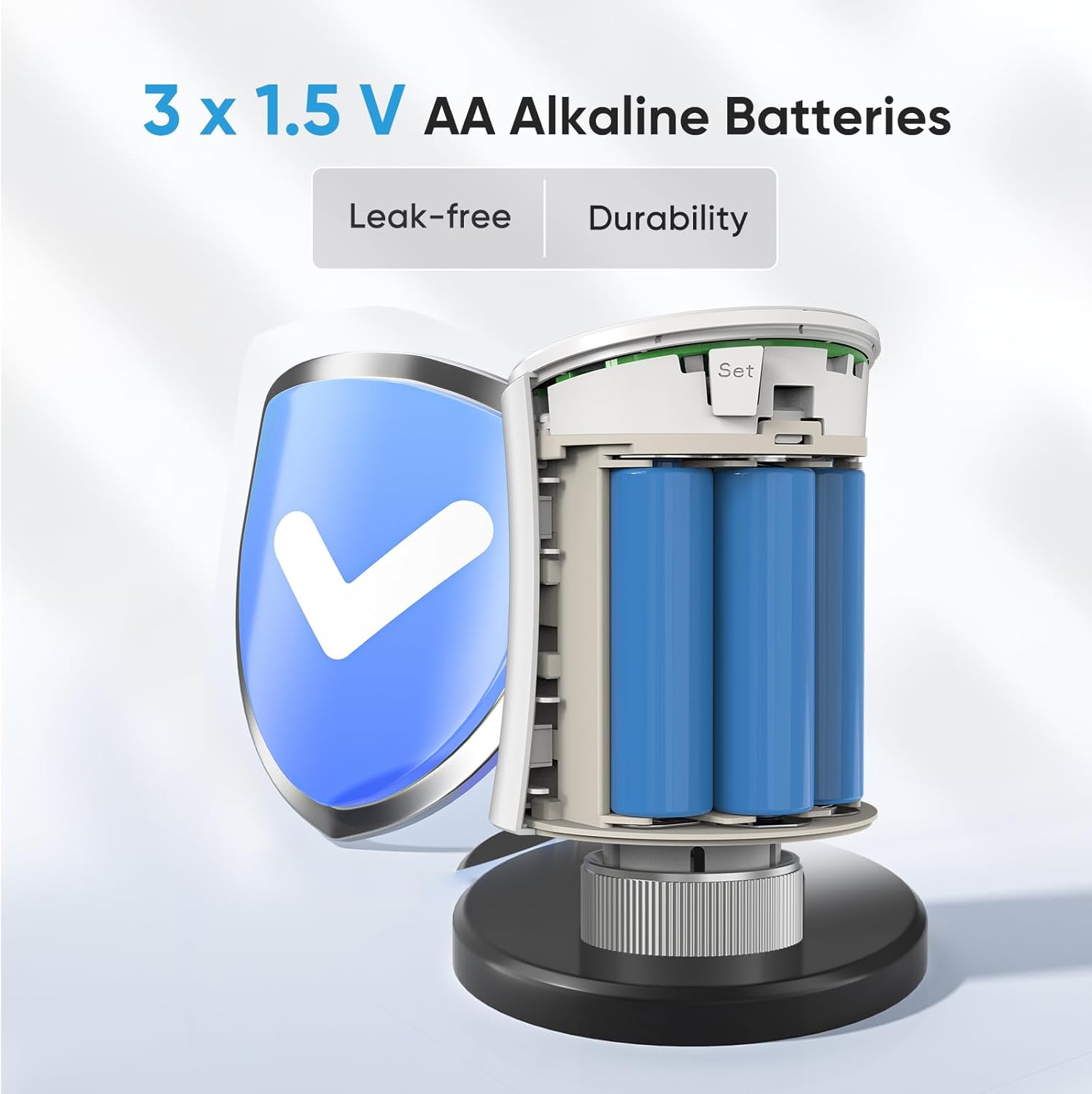
- Use only the specified battery type (3 x 1.5V AA alkaline batteries). Ensure correct polarity during installation.
- Eliminate e batterie usate secondu a regulazione lucali.
- Ensure the device is securely mounted to prevent accidental detachment.
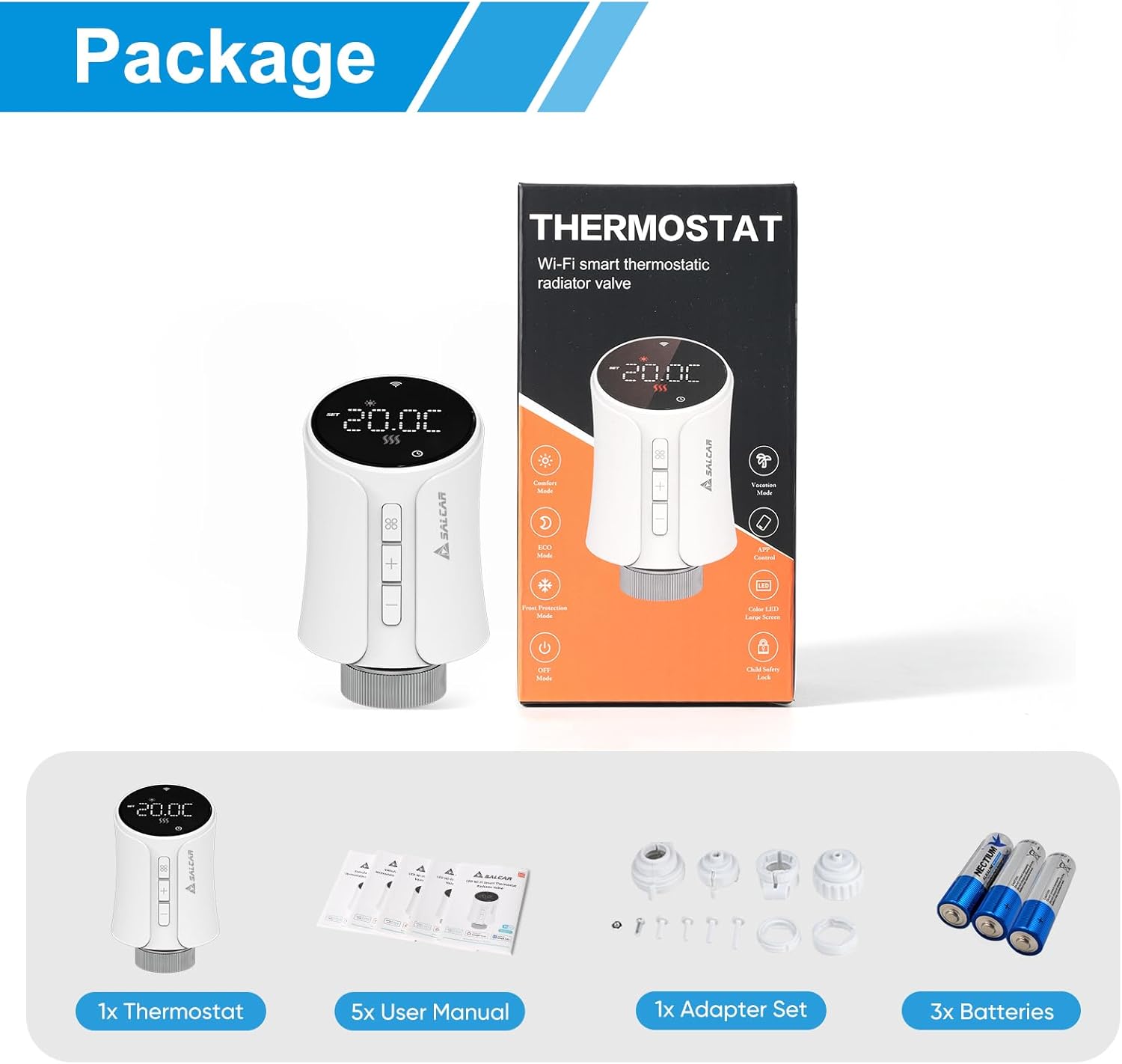
3. Cuntenutu di u pacchettu
Verificate chì tutti l'articuli sò presenti in u pacchettu:
- 1 x SALCAR Smart Radiator Thermostat (Model RV21)
- 5 x User Manuals (various languages)
- 1 x Adapter Set (RA, RAV, RAVL, Canleffi, Giacomini & M28)
- 3 batterie alcaline AA da 1.5 V
- 3 x Adapter Screws
4. Produttu Finituview
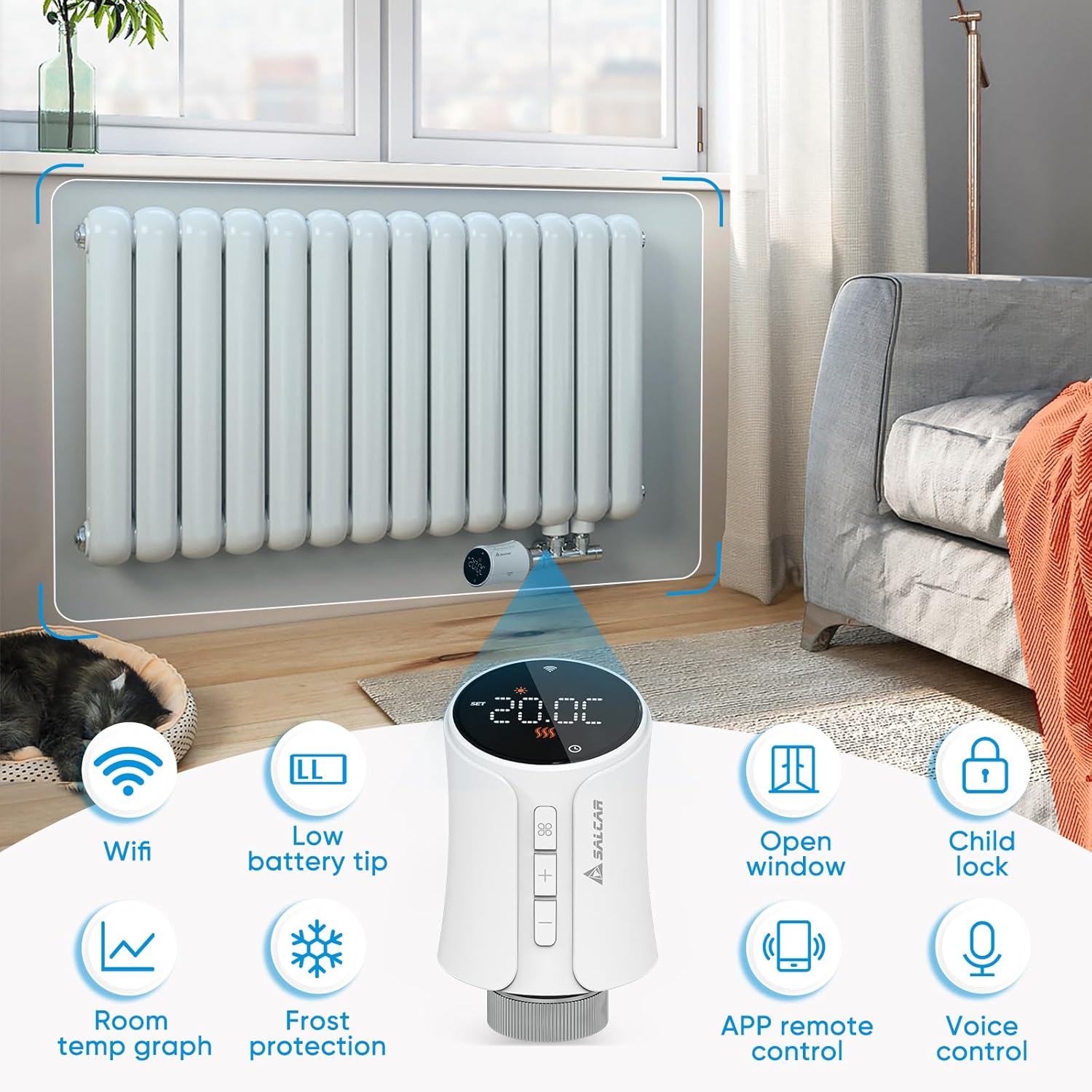
The SALCAR Smart WiFi Radiator Thermostat features a clear LED display and intuitive controls. It offers various smart functions to enhance your heating experience.
Funzioni chjave:
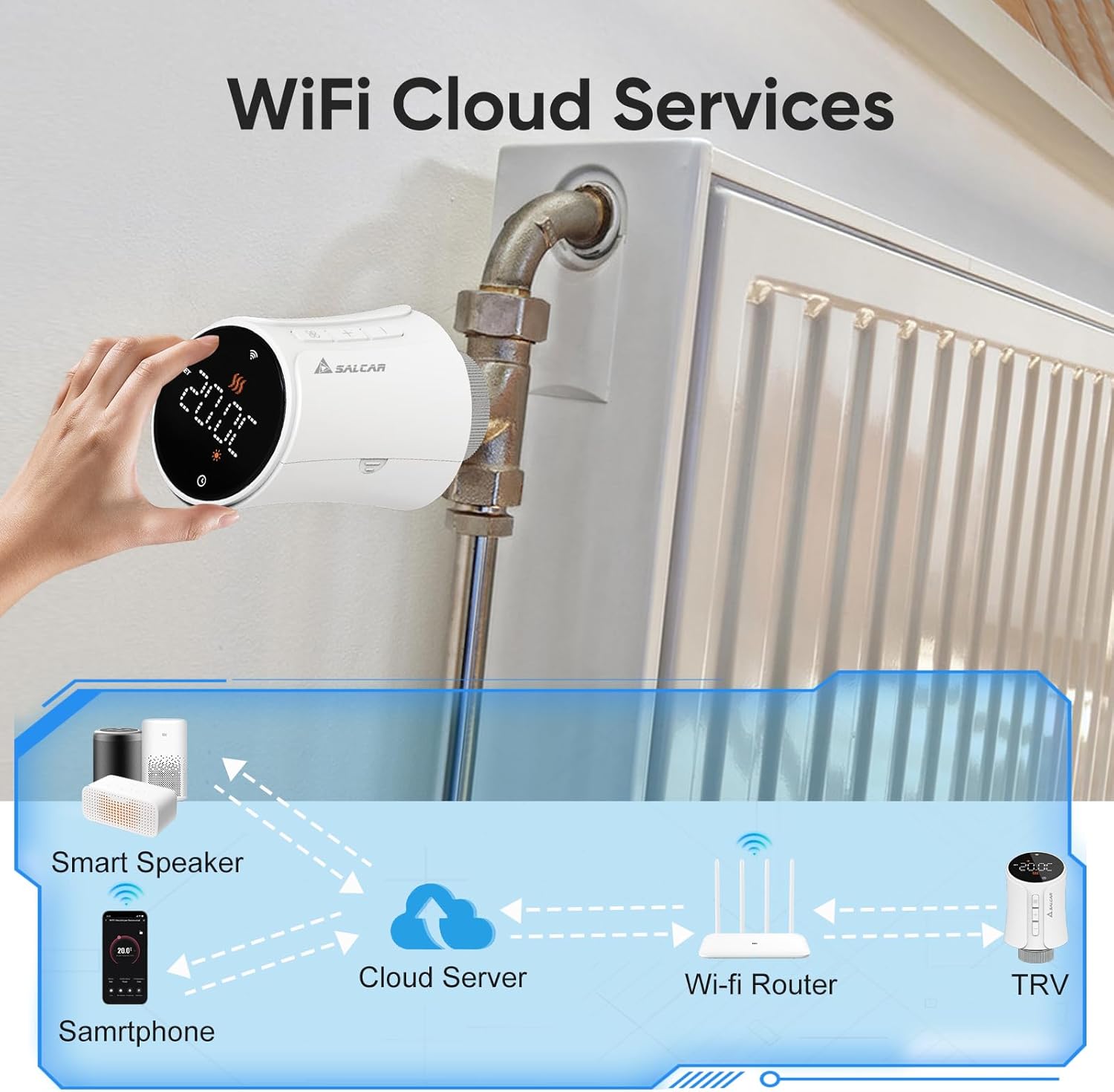
- Connettività WiFi: Connects directly to your 2.4G WiFi network without a separate gateway.
- Low Battery Tip: Indica quandu e batterie anu bisognu di rimpiazzamentu.
- Rilevazione di a finestra aperta: Automatically reduces heating when an open window is detected to save energy.
- Serratura per i zitelli: Impedisce cambiamenti micca autorizati à i paràmetri.
- Graficu di a temperatura ambiente: View temperature history via the app.
- Prutezzione di Frost: Maintains a minimum temperature to prevent pipes from freezing.
- Control remoto APP: Full control via the Tuya Smart Life app.
- Controlu di voce: Compatibile cù Amazon Alexa è Google Assistant.
5. Setup
5.1 Installazione di batterie
- Gently twist and pull the top cover of the thermostat to open the battery compartment.
- Insert three 1.5V AA alkaline batteries, ensuring correct polarity (+/-).
- Close the battery compartment by aligning the cover and twisting it back into place.
5.2 Mounting on Radiator
The thermostat is designed to replace existing thermostatic radiator valves (TRVs). Use the appropriate adapter from the provided set if your radiator valve is not M30 x 1.5mm.
- Eliminate a testa termostatica esistente da a valvula di u radiatore.
- If necessary, select the correct adapter (RA, RAV, RAVL, Canleffi, Giacomini, or M28) that fits your radiator valve.
- Attach the chosen adapter to the radiator valve.
- Screw the SALCAR Smart Radiator Thermostat onto the adapter or directly onto the M30 x 1.5mm valve until it is secure. Do not overtighten.
5.3 App Installation (Tuya Smart Life)
- Scaricate u Tuya Smart Life l'app da l'App Store (iOS) o da Google Play Store (Android).
- Registratevi per un novu contu o cunnettatevi cù unu esistente.
5.4 Accoppiamentu di Dispositivi (Cunnessione WiFi)
Ensure your smartphone is connected to a 2.4GHz WiFi network. The thermostat does not require a separate gateway.
- On the thermostat, press and hold the pairing button (usually indicated by a WiFi icon or similar) until the WiFi indicator on the display starts flashing rapidly. This indicates pairing mode.
- Open the Tuya Smart Life app, tap the "+" icon to add a device.
- Select "Small Home Appliance" > "Thermostat" or search for "Radiator Thermostat".
- Follow the on-screen instructions in the app to connect the thermostat to your WiFi network. You will need to enter your WiFi password.
- Once connected, the WiFi indicator on the thermostat will stop flashing and remain solid.
6. Operating Instructions
6.1 Control manuale
You can adjust the temperature directly on the thermostat using the physical buttons:
- Press u + or - buttons to increase or decrease the target temperature.
- The display will show the current temperature and the set target temperature.
6.2 App Control (Tuya Smart Life)
The Tuya Smart Life app provides comprehensive control over your thermostat from anywhere.

Modi operativi:
- Modu automaticu: Follows the programmed heating schedule.
- Modu manuale: Mantene una temperatura costante impostata da l'utente, annullendu u calendariu.
- Modu di cunfortu: Sets the temperature to a predefined comfortable level.
- Modu di risparmiu energeticu: Sets the temperature to a predefined energy-efficient level.
6.3 Calendari di prugrammazione
Use the Tuya Smart Life app to create custom heating schedules for each day of the week. You can set different temperatures for various time periods (e.g., morning, day, evening, night) to match your lifestyle and optimize energy consumption.
6.4 Voice Control (Amazon Alexa & Google Assistant)
After connecting your Tuya Smart Life account to Amazon Alexa or Google Home, you can control your thermostat using voice commands.
- Ensure your thermostat is successfully paired with the Tuya Smart Life app.
- Aprite l'app Amazon Alexa o l'app Google Home.
- Navigate to "Skills & Games" (Alexa) or "Works with Google" (Google Home) and search for "Smart Life".
- Enable the Smart Life skill/service and link your Smart Life account.
- Discover devices. Your thermostat should now appear and be controllable via voice.

Example Comandi vocali:
- "Alexa, mette [Nome di u termostatu] à 22 gradi."
- "Hey Google, what is the temperature in [Room Name]?"
- "Alexa, accende [Nome di u termostatu]."
6.5 Serratura di i zitelli
Activate the child lock feature via the Tuya Smart Life app to prevent accidental or unauthorized changes to the thermostat settings by pressing the physical buttons.
6.6 Rilevazione di a finestra aperta
The thermostat can detect a sudden drop in temperature, indicating an open window. When detected, it will temporarily pause heating to save energy. Heating will resume automatically after a set period or when the temperature stabilizes.
6.7 Prutezzione Frost
This feature ensures that the room temperature does not fall below a predefined minimum (e.g., 5°C) to protect pipes from freezing, especially useful during colder months or when you are away.
7. Mantenimentu
7.1 Sustituzione di batterie
When the low battery indicator appears on the display or in the app, replace the batteries promptly to ensure continuous operation. Follow the steps in Section 5.1 for battery installation.
7.2 Pulizia
Wipe the thermostat with a soft, dry cloth. Do not use abrasive cleaners or solvents, as these can damage the device's surface or internal components.
8. Risoluzione di prublemi
| Prublemu | Causa Possibile | Soluzione |
|---|---|---|
| U termostatu ùn si accende | E batterie sò morte o installate incorrectamente. | Replace batteries with new 1.5V AA alkaline batteries, ensuring correct polarity. |
| Ùn si pò micca cunnette à WiFi | Incorrect WiFi password; thermostat too far from router; router is 5GHz only; thermostat not in pairing mode. | Verify WiFi password; move thermostat closer to router; ensure router supports 2.4GHz; put thermostat into pairing mode (flashing WiFi icon). |
| No heating despite high setting | Radiator valve stuck; thermostat not properly mounted; open window detection active. | Check radiator valve for proper function; re-mount thermostat securely; close windows/doors; check app for active open window detection. |
| U cuntrollu di voce ùn funziona micca | Smart Life account not linked to Alexa/Google; incorrect device name; internet connection issue. | Ensure Smart Life skill/service is enabled and linked; verify device name in Alexa/Google app; check internet connection. |
9. Specificazioni
| Feature | Specificazione |
|---|---|
| Numero di mudellu | RV21 |
| Marca | SALCAR |
| Tecnulugia di cunnessione | Wi-Fi (2.4 GHz) |
| Fonte d'energia | 3 batterie alcaline AA da 1.5 V |
| Tipu di cuntrollu | Tuya Smart Life App, Amazon Alexa, Google Assistant |
| Tipu di cuntrollu di temperatura | Programmable, Smart/Remote |
| Materiale | Plastica |
| Culore | Biancu |
| Dimensioni di u produttu (L x W x H) | 5.97 x 5.97 x 9.53 cm |
| Pesu di l'articulu | 320 grammi |
| Cunnessione di a valvula | M30 x 1.5mm (with various adapters included) |

10. Garanzia è Support
For warranty information and technical support, please refer to the documentation provided with your purchase or contact SALCAR customer service. You can typically find contact details on the manufacturer's official websitu web o per mezu di u vostru rivenditore.
Manufacturer: SALCAR GmbH
Address: An der Hebemärchte 6, 04316 Leipzig, Germany
E-mail: info@salcar.de
Tel: 0341 25257850


