Introduzione
This manual provides essential information for the setup, operation, maintenance, and troubleshooting of your Pro-Ject Debut EVO 2 Audiophile Turntable. Please read these instructions carefully before using the turntable to ensure proper function and longevity of the product.
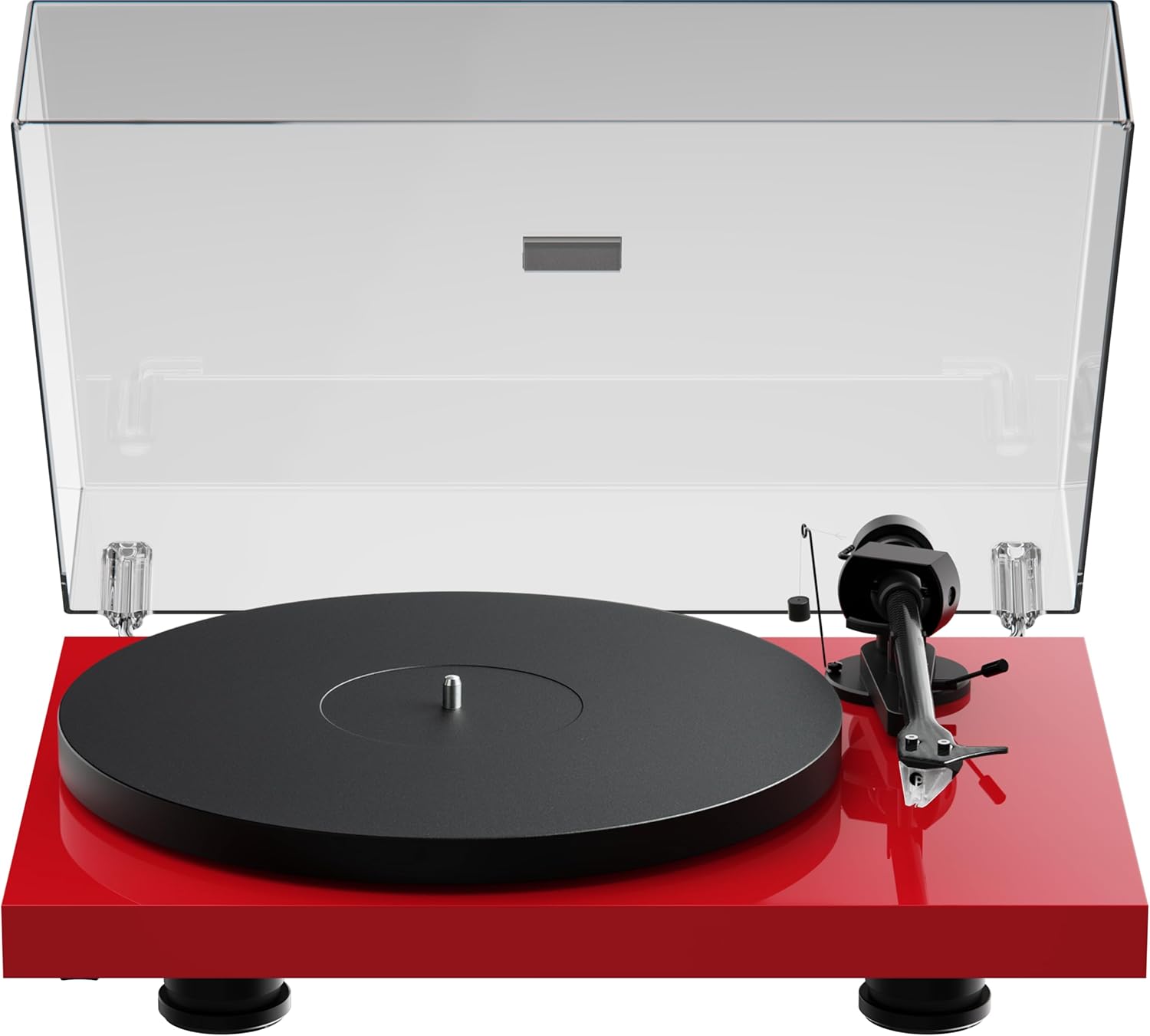
Image: The Pro-Ject Debut EVO 2 turntable in High Gloss Red, featuring a clear dust cover, platter, and tonearm.
Istruzzioni di sicurità
- Always disconnect the turntable from the power supply before cleaning or maintenance.
- Ùn toccu u cable d'alimentazione cù e mani bagnate.
- Avoid placing the turntable near water or excessive moisture.
- Ensure the turntable is placed on a stable, level surface to prevent vibrations and ensure proper operation.
- Keep packaging materials, especially plastic bags, away from children.
Chì ci hè in u Box
Carefully unpack all items from the packaging. Please ensure all components listed below are present and undamaged.
- Giradischi Pro-Ject Debut EVO 2
- Transparent Dustcover
- Connection Cable (RCA)
- Adattatore di putenza
- Protractor di allineamentu
- Single Adapter (for 45 RPM records with large center holes)
- Piattu
- Cintura di trasmissione
- Contrappesu
- Pesu anti-skating
- Pick it MM EVO Cartridge (pre-mounted)
Istituisci
1. Piazzamentu
Place the turntable on a firm, level surface, away from direct sunlight, heat sources, and excessive vibration. Ensure adequate ventilation around the unit.
2. Installazione di u piattu è di a cintura
- Place the main platter onto the sub-platter spindle.
- Carefully loop the drive belt around the sub-platter and the motor pulley. Ensure the belt is not twisted.

Imagine: Un dettagliu view of the turntable's belt drive system, showing the belt wrapped around the sub-platter and motor pulley.
3. Tonearm Balance and Tracking Force
The Pick it MM EVO cartridge is pre-mounted. Follow these steps to set the tracking force:
- Eliminate u protettore di u stylus.
- Place the counterweight onto the rear of the tonearm.
- Adjust the counterweight until the tonearm floats freely and is perfectly balanced horizontally.
- Rotate the tracking force dial (the numbered ring on the counterweight) to '0' without moving the counterweight itself.
- Rotate the entire counterweight counter-clockwise until the desired tracking force is set. Refer to the cartridge specifications for the recommended tracking force (typically 1.8g for the Pick it MM EVO).
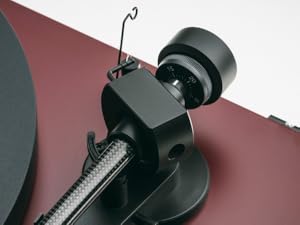
Image: A close-up of the carbon fiber tonearm, illustrating its construction and connection points.
4. Ajustamentu anti-pattinaggio
The anti-skating mechanism counteracts the inward force on the tonearm. Attach the anti-skating weight's thread to the second groove of the anti-skating stub for the recommended tracking force.

Image: The anti-skating weight hanging from its thread, attached to the tonearm's anti-skating stub.
5. Cunnessione à un Amppiù vivu
Connect the turntable's RCA output cables to the 'Phono' input of your amplificatore. Se u vostru amplifier does not have a dedicated 'Phono' input, you will need an external phono preamppiù vivu.
Image: The rear panel of the turntable, displaying the RCA output jacks for audio connection and the power input.
6. Installazione di a copertura antipolvere
Insert the hinges of the transparent dust cover into the designated slots at the rear of the turntable plinth.
Operazione
1. Power On / Off
Connect the power adapter to the turntable and a wall outlet. The turntable is powered on by pressing the power button, usually located on the underside or side of the plinth.
2. Selezzione Speed
The Debut EVO 2 features electronic speed selection. Use the speed selector switch (often a button on the plinth) to switch between 33 1/3 RPM and 45 RPM. For 78 RPM records, a special belt and stylus may be required (not included).
3. Ghjucà un Record
- Mettite un discu nantu à u platu.
- Select the correct playback speed.
- Alzate u bracciu aduprendu a leva di cueing.
- Pusiziunate u bracciu sopra à u solcu iniziale desideratu di u discu.
- Gently lower the tonearm using the cueing lever. The stylus will begin playing the record.
4. Stopping Playback
At the end of a record, or when you wish to stop playback:
- Alzate u bracciu aduprendu a leva di cueing.
- Rimettite u bracciu in u so riposu.
- Lower the cueing lever.
- Turn off the turntable if not playing another record.
Mantenimentu
1. Pulizia
- Turntable Plinth and Dust Cover: Use a soft, lint-free cloth to wipe surfaces. For stubborn marks, a slightly damp cloth can be used, followed by a dry one. Avoid abrasive cleaners.
- Plateau : Clean the platter surface with a soft, dry cloth.
2. Cura di u Stilu
- Regularly clean the stylus using a dedicated stylus cleaning brush, brushing gently from back to front.
- Evitate di toccà u stylus cù e dite.
- Replace the stylus when signs of wear are apparent (e.g., distorted sound, increased surface noise). The Pick it MM EVO cartridge is designed for easy stylus replacement.

Imagine: Un dettagliu view of the Pick it MM EVO cartridge mounted on the tonearm, highlighting its design.
3. Rimpiazzamentu di a cintura
The drive belt may stretch or degrade over time. If you notice inconsistent speed or reduced torque, the belt may need replacement. Contact Pro-Ject support or an authorized dealer for a replacement belt.
Risoluzione di prublemi
If you encounter issues with your turntable, consult the following table before contacting support.
| Prublemu | Causa Possibile | Soluzione |
|---|---|---|
| Nisun putere | Cavu d'alimentazione micca cunnessu; Presa di corrente difettosa | Verificate e cunnessione di l'alimentazione; Pruvate una presa diversa |
| Nisun sonu o pocu volume | Input incorrectu selezziunatu u amplifier; Cables loose; Stylus protector still on; Amplifier not set to 'Phono' input | Select correct input; Check all cable connections; Remove stylus protector; Use a phono preamplifier se necessariu |
| Sonu distortu | Incorrect tracking force; Damaged stylus; Dirty stylus; Incorrect anti-skating setting | Adjust tracking force; Inspect/clean/replace stylus; Adjust anti-skating |
| Velocità inconsistente | Drive belt worn or loose; Motor pulley dirty | Replace drive belt; Clean motor pulley |
| Rumore di ronzio | Ground wire not connected; Interference from other electronics | Ensure ground wire is connected; Move turntable away from other electronics |
Specificazioni
- Nome di mudellu: Debut EVO 2
- Marca: Prughjettu
- Numero di mudellu di l'articulu: 9120129864930
- Dimensioni di u pruduttu: 16.4 x 12.6 x 4.5 inch (41.6 x 32 x 11.4 cm)
- Pesu di l'articulu: 13.2 liri (6 chilògrammi)
- Materiale: Carbon Fiber (tonearm)
- Tipu di Motore: Belt-Drive
- Formatu di Signal: Fonò
- Cumpunenti inclusi: Turntable, transparent dustcover, connection cable, power adapter, alignment protractor, single adapter
- Dispositivi cumpatibili: Amplifier, parlante
- Produttore: Sistemi Audio Pro-Ject
Garanzia
Pro-Ject Audio Systems offers a warranty for this product. Please refer to the warranty card included with your purchase or visit the official Pro-Ject websitu per i termini è e cundizioni di garanzia dettagliate. Conservate a vostra prova d'acquistu per e richieste di garanzia.
Key Warranty Feature: 25-year spare parts availability guarantee, ensuring long-term support for your turntable.
Supportu
For further assistance, technical support, or spare parts, please contact your authorized Pro-Ject dealer or visit the official Pro-Ject Audio Systems websitu:
- Pro-Ject Store: Visit the Pro-Ject Store on Amazon
- Produttore: Sistemi Audio Pro-Ject


