1. Introduzione
This manual provides detailed instructions for the safe and efficient operation of your VGKE Mini Projector, model TS-6. Please read this manual thoroughly before using the projector and retain it for future reference.
The VGKE Mini Projector TS-6 is a portable Full HD projector designed for home entertainment, offering versatile connectivity options including WiFi and Bluetooth for seamless integration with various devices.
2. Produttu Finituview
2.1 Funzioni chjave
- Full HD 1080p Native Resolution (Supports 4K Sources)
- Built-in WiFi 6 for fast wireless connectivity
- Bluetooth 5.2 for external audio devices
- Portable design with a retractable stand
- 90-degree flip adjustment for ceiling projection
- Electric Focus and Keystone Correction (Auto Keystone 15° Vertical Only, 4-Direction, 4-Point Correction)
- 60-100% Zoom function
- Wide compatibility with Android, iOS, Laptops, TV Sticks, HDMI, and USB devices

Figure 1: VGKE Mini Projector TS-6. This image displays the compact and portable design of the projector.

Figure 2: Key features of the VGKE Mini Projector, including high brightness, Full HD resolution, 4K source support, and a retractable stand.
2.2 Cuntenuti di u pacchettu
Verificate u pacchettu per i seguenti elementi:
- VGKE Mini Projector TS-6
- Adattatore di putenza
- Control remoto
- Manuale d'usu
- Cavu HDMI (pò varià secondu a regione / u pacchettu)
3. Setup
3.1 Placement
Position the projector on a stable, flat surface. Ensure adequate ventilation around the device. The projector features a 90-degree flip adjustment, allowing for flexible placement, including ceiling projection.

Figure 3: Projector demonstrating 90-degree flip adjustment for versatile projection angles, including ceiling projection.
3.2 Cunnessione di putenza
- Cunnette l'adattatore di corrente à u portu d'entrata di alimentazione di u prughjettore.
- Inserite l'adattatore di corrente in una presa murale.
- Pulsà u buttone di putenza nantu à u projector o u telecomando per accende u dispusitivu.
3.3 Initial Focus and Keystone Adjustment
Upon initial power-on, adjust the focus and keystone to achieve a clear, rectangular image.
- Focus elettricu: Use the remote control to adjust the focus until the image is sharp.
- Correzione Keystone: The projector supports auto 15° vertical keystone correction. Manual 4-direction and 4-point correction are also available via the settings menu for precise image alignment.

Figure 4: Illustration of the Electric Focus and various Keystone Correction options available on the projector.
4. Operating Instructions
4.1 Dispositivi di cunnessione
U pruiettore offre parechje opzioni di cunnessione:
- HDMI: Connect laptops, TV sticks, gaming consoles (Switch/PS5), or TV boxes via the HDMI ports.
- USB: Insert USB sticks or external storage devices into the USB ports for media playback.
- Portu Audio: Cunnette cuffie o parlanti esterni.
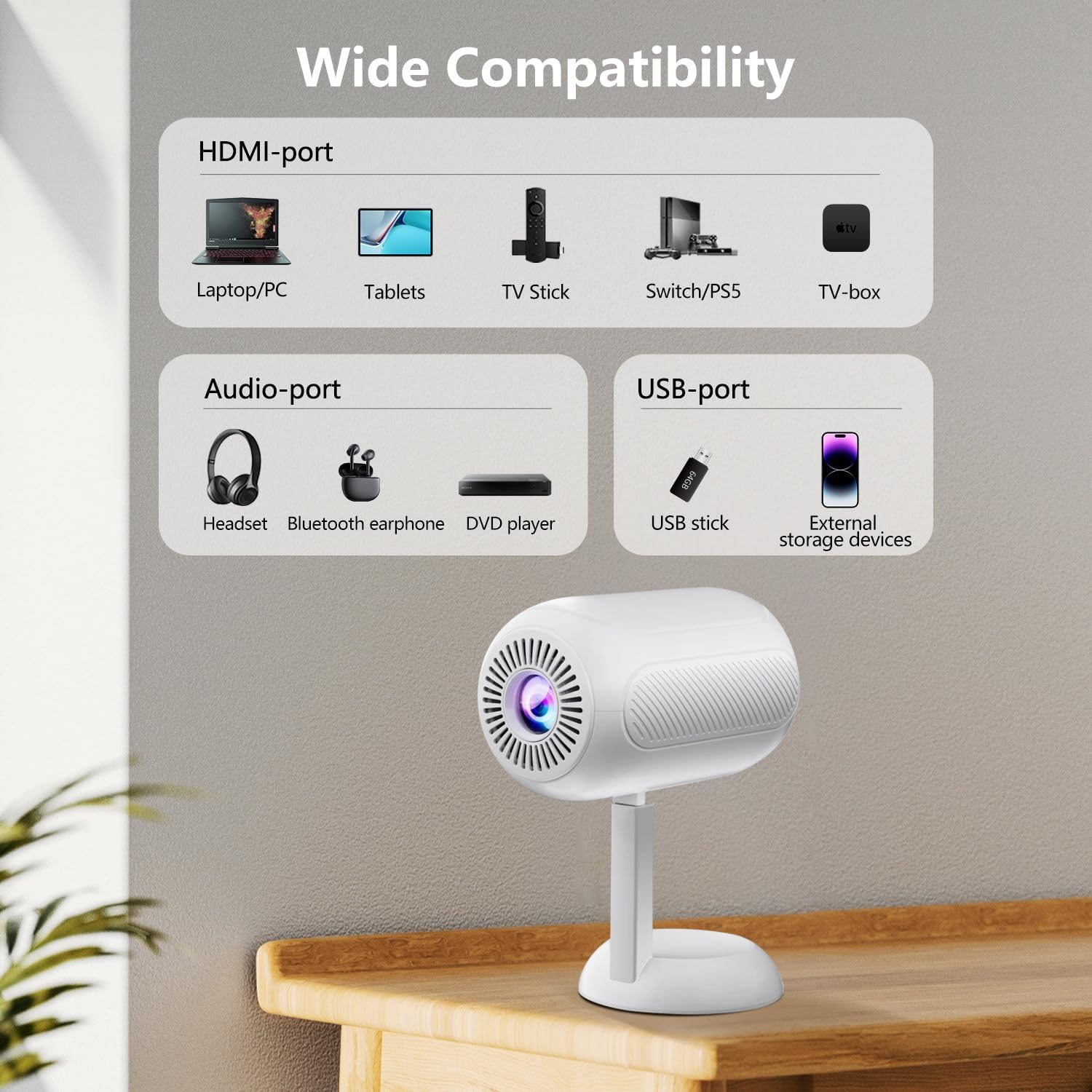
Figura 5: Overview of the projector's connectivity ports, including HDMI, USB, and Audio ports.
4.2 Cunnessione senza filu (WiFi è Bluetooth)
The projector supports WiFi 6 and Bluetooth 5.2 for wireless connections.
- Cunnessione WiFi:
- Navigate à u menu di paràmetri di u prughjettore.
- Selezziunate "Rete" o "Impostazioni WiFi".
- Choose your desired WiFi network and enter the password.
- Once connected, you can use screen mirroring features.
- Cunnessione Bluetooth:
- Andate à u menu di paràmetri di u prughjettore.
- Select "Bluetooth Settings".
- Attivate Bluetooth è cercate i dispositi dispunibili.
- Select your Bluetooth speaker or headphones to pair.

Figure 6: The projector connected wirelessly via WiFi and Bluetooth, demonstrating compatibility with iOS, Android, and Windows devices.
4.3 Screen Mirroring
The projector supports screen mirroring from Android, iOS, and Windows devices. Ensure your device and the projector are connected to the same WiFi network.
- Per Dispositivi iOS:
- On the projector, select the "iOS Cast" or "Screen Mirroring" option.
- On your iOS device, open Control Center and tap "Screen Mirroring".
- Selezziunate u pruiettore da a lista di dispusitivi dispunibili.
- Per i dispositi Android:
- On the projector, select the "Android Cast" or "Screen Mirroring" option.
- On your Android device, enable "Wireless Display," "Smart View," or "Cast" (names may vary by device).
- Selezziunate u pruiettore da a lista di dispusitivi dispunibili.
Nota: Due to HDCP copyright protocols, certain streaming services (e.g., Netflix, Disney+, Prime Video, Hulu) may not support direct screen mirroring. For these services, it is recommended to use a TV Stick (e.g., Amazon Fire Stick, Roku) connected via HDMI.
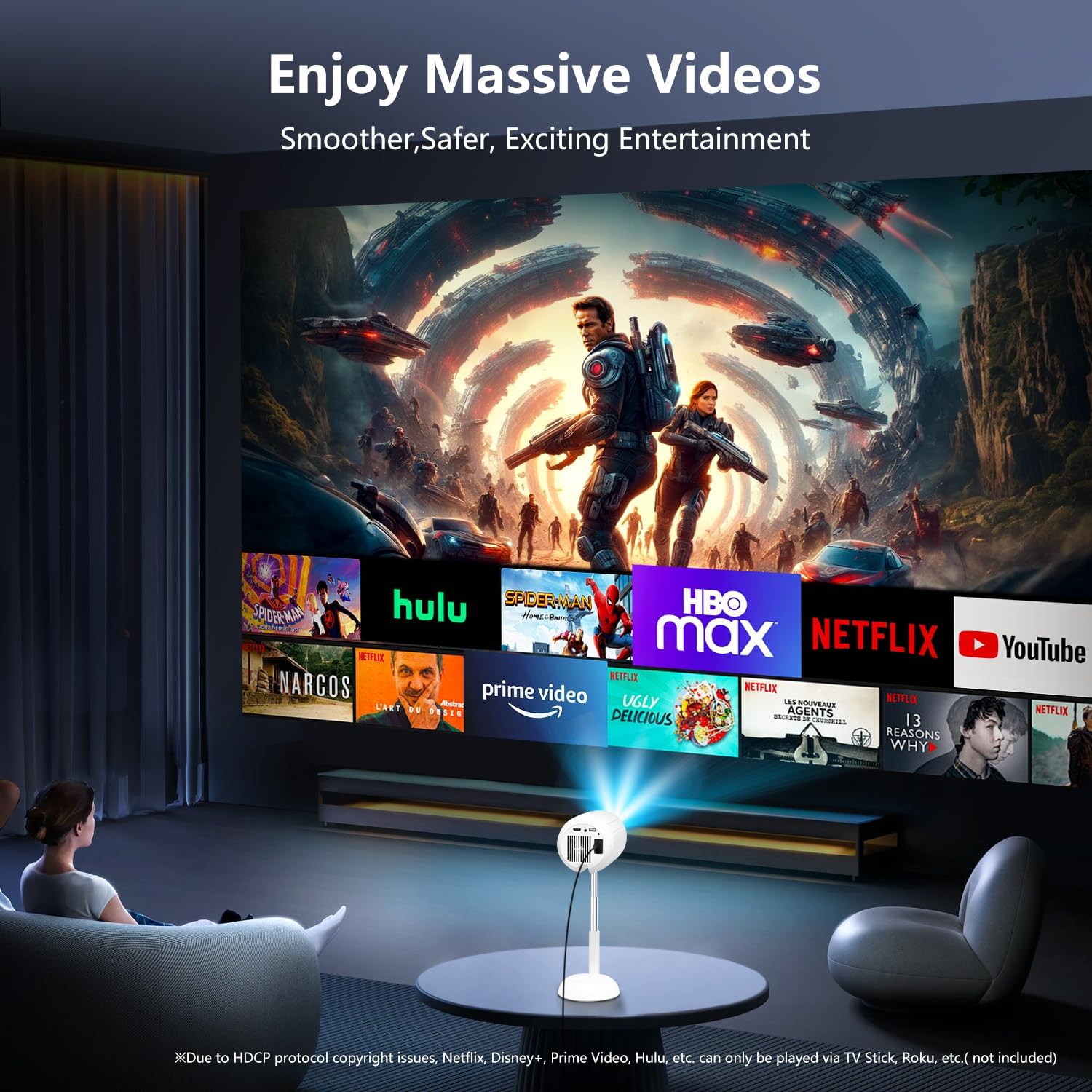
Figure 7: The projector displaying content from various streaming services, highlighting the use of external devices for copyrighted content.
5. Mantenimentu
5.1 Pulizia di a lente
Use a soft, lint-free cloth specifically designed for optical lenses to gently wipe the projector lens. Avoid using abrasive cleaners or excessive force, as this can scratch the lens.
5.2 Pulizia di u corpu di u pruiettore
Wipe the exterior of the projector with a soft, dry cloth. Do not use liquid cleaners or solvents, as they may damage the finish.
5.3 Ventilazione
Assicuratevi chì l'aperture di ventilazione sianu libere da polvere è ostruzioni per impedisce u surriscaldamentu. Ùn bluccate micca e prese d'aria durante u funziunamentu.
6. Risoluzione di prublemi
| Prublemu | Causa Possibile | Soluzione |
|---|---|---|
| Nisuna imagine mostrata | Power cable disconnected; incorrect input source; device not connected properly. | Check power connection; select correct input source (HDMI, USB, etc.); ensure cables are securely connected. |
| Immagine sfocata | Out of focus; incorrect keystone adjustment. | Adjust electric focus using the remote; perform keystone correction. |
| Nisun sonu | Volume too low; external audio device not connected/paired; projector muted. | Increase volume; connect/pair Bluetooth device; unmute projector. |
| U mirroring di u screnu ùn funziona | Devices not on same WiFi network; HDCP restrictions; WiFi signal weak. | Ensure both devices are on the same WiFi; use HDMI for restricted content; check WiFi signal strength. |
7. Specificazioni
| Feature | Detail |
|---|---|
| Marca | VGKE |
| Numero di mudellu | TS-6 |
| Risoluzione di visualizazione | 1920 x 1080 (Full HD) |
| Tecnulugia di cunnessione | Bluetooth, HDMI, USB, Wi-Fi |
| Funzioni spiciali | Built-In Wi-Fi, Bluetooth |
| Dimensioni di u produttu | 4.93 x 4.93 x 8.45 inch |
| Pesu di l'articulu | 2.88 liri |
| Usi cunsigliati | Home Cinema |
8. Garanzia è Support
For warranty information and technical support, please refer to the contact details provided on the VGKE official websitu o a vostra ducumentazione d'acquistu. Cunservate a vostra prova d'acquistu per e richieste di garanzia.
For further assistance, you may contact VGKE customer service through their official channels.


