1. Introduzione
This manual provides essential information for using your new Samsung Galaxy A36 5G smartphone. Please read it carefully to ensure proper operation and to maximize your device's features. Keep this manual for future reference.
The Samsung Galaxy A36 5G is a powerful and versatile smartphone designed to keep you connected and productive. It features a vibrant 6.7-inch display, 5G connectivity, and runs on Android 14.
2. Produttu Finituview
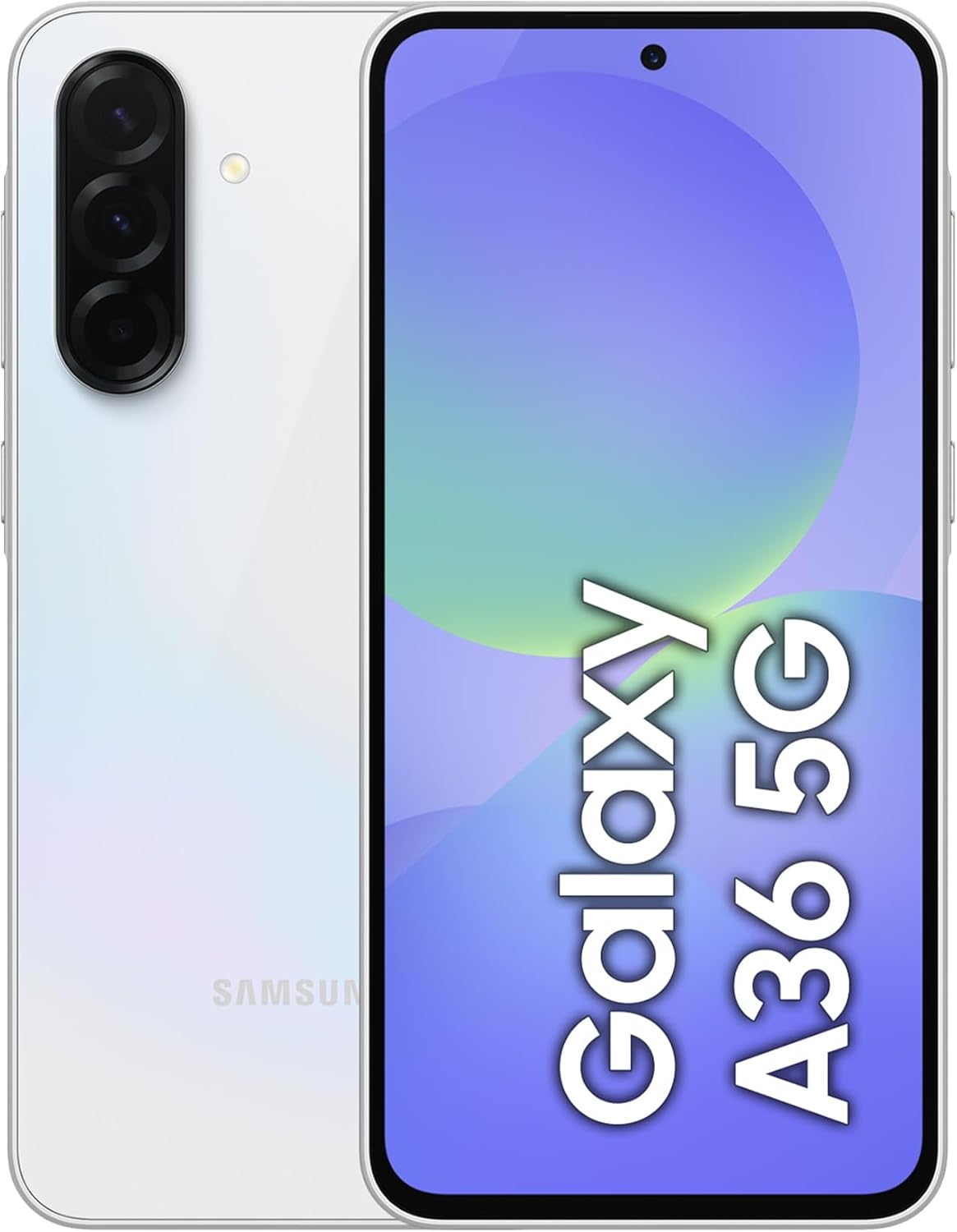
Imagine: Davanti è daretu view of the Samsung Galaxy A36 5G in Awesome White. The front displays a screen with 'Galaxy A36 5G' text, and the rear shows a triple camera setup with a flash.
Familiarizatevi cù i cumpunenti fisichi di u vostru dispusitivu.
- Camera frontale: Per selfie è videochiamate.
- Display: 6.7-inch touchscreen for interaction.
- Pulsanti di volume: Ajustà i livelli audio.
- Tastu d'accensione/laterale: Turn on/off, lock/unlock screen, access Bixby or power menu.
- Portu USB-C: Per carica è trasferimentu di dati.
- Speaker: Output audio.
- Micrufonu: Per chjamate è cumandamenti vocali.
- Vassoio di carta SIM/microSD: Insert SIM cards and optional microSD card.
- Fotocamere posteriori: Multiple lenses for high-quality photography.
- Flash: Provides illumination for photos and acts as a flashlight.
3. Setup iniziale
3.1. Disimballaggio è cuntenutu
Upon opening your Samsung Galaxy A36 5G package, ensure all standard components are present. Typically, this includes the smartphone, a USB-C cable, and a SIM ejection tool. A power adapter may be sold separately depending on your region.
3.2. Inserimentu di a(e) carta(e) SIM
- Truvate u cassettu di a carta SIM à u latu di u vostru dispositivu.
- Insert the SIM ejection tool into the small hole next to the tray and push gently until the tray pops out.
- Place your Nano-SIM card(s) into the tray with the gold contacts facing down. This device supports dual SIM functionality.
- Rimette cù cura u cassettu in u telefunu.
3.3. Charging the Battery
Before first use, it is recommended to fully charge your device. Connect the USB-C cable to the phone's charging port and the other end to a compatible power adapter (sold separately) or a computer's USB port. The charging indicator will appear on the screen.
3.4. Accensione è cunfigurazione iniziale
Press and hold the Power/Side Key until the Samsung logo appears. Follow the on-screen instructions to select your language, connect to Wi-Fi, sign in to your Google account, and set up security features.
4. Funzionamentu Basic
4.1. Navigazione touchscreen
- Tap: Selezziunate un articulu o aprite una applicazione.
- Tocca è tene premutu: Accede à i menu cuntestuali o move elementi.
- Swipe: Scorri trà schermi o liste.
- Pizzicà: Zoom avanti o indietro nantu à e foto è web pagine.
4.2. Fà chjame è mandà missaghji
Tap the Phone icon to make calls. Tap the Messages icon to send and receive text messages. Ensure your SIM card is active and has network coverage.
4.3. Connecting to Networks
Wi-Fi: Andà à Impostazioni > Cunnessione > Wi-Fi, attivate u Wi-Fi è selezziunate a rete desiderata. Inserite a password se hè necessaria.
Dati mobili (5G): Andà à Settings> Cunnessioni> usu di dati and ensure Mobile data is enabled. Your device supports 5G connectivity for faster speeds where available.
4.4. Utilizendu a Camera
Open the Camera app. Tap the shutter button to take a photo. Swipe left or right to switch between different camera modes (e.g., Photo, Video, Portrait). Tap the camera switch icon to toggle between front and rear cameras.
5. Mantenimentu è Cura
5.1. Pulizia di u vostru dispositivu
Use a soft, lint-free cloth to clean the screen and body of your phone. Avoid using harsh chemicals or abrasive materials. Do not submerge the device in water.
5.2. Updates Software
Verificate regularmente l'aghjurnamenti di u software per assicurà chì u vostru dispositivu abbia l'ultime funzionalità è patch di sicurezza. Andate à Impostazioni > Aghjurnamentu di u software > Scaricamentu è installazione.
5.3. Cura di batterie
To prolong battery life, avoid extreme temperatures. Do not leave the device charging for extended periods after it reaches 100%. Use only Samsung-approved chargers and cables.
5.4. Storage Management
Your device comes with 128GB of internal storage. To manage storage, go to Impostazioni > Cura di a batteria è di u dispusitivu > Archiviazione. You can clear unnecessary files, uninstall apps, or move media to cloud storage.
6. Risoluzione di prublemi
6.1. U dispusitivu ùn si accende micca
Ensure the battery is charged. Connect the charger and wait a few minutes before attempting to power on again. If the issue persists, perform a forced restart by holding the Power/Side Key and Volume Down button simultaneously for about 7-10 seconds.
6.2. Problemi di cunnessione di rete
Verificate se u modu aereo hè disattivatu (Settings> Cunnessioni). Restart your device. Verify your SIM card is properly inserted. If using mobile data, ensure it's enabled and you have a valid plan. For Wi-Fi, try forgetting the network and reconnecting.
6.3. L'applicazioni si bloccanu o si congelanu
Chjude è riapre l'applicazione. Svuota a cache di l'applicazione (Impostazioni > Applicazioni > [Nome di l'applicazione] > Archiviazione > Svuota a cache). If the problem continues, try uninstalling and reinstalling the app. Ensure your device software is up to date.
6.4. Factory Reset Dati
As a last resort, you can perform a factory data reset. This will erase all data on your device. Backup your data before proceeding. Andà à Impostazioni > Gestione generale > Reset > Reset di i dati di fabbrica.
7. Specificazioni
| Marca | Samsung |
| Nome di mudellu | Galaxy A36 5G |
| Numero di mudellu | A366B/Ds (8806095984285) |
| Sistema upirativu | Android 14 |
| Memoria RAM | 6 GB |
| Capacità di almacenamiento | 128 GB |
| Size Screen | 6.7 inch |
| Tecnulugia cellulare | 5G |
| Pesu di l'articulu | 11.3 once |
| Batterie | 1 Batteria micca standard necessaria |
8. Garanzia è Support
Your Samsung Galaxy A36 5G comes with a standard manufacturer's warranty. For detailed warranty terms and conditions, please refer to the warranty card included with your product or visit the official Samsung support websitu.
For technical assistance, troubleshooting guides, software downloads, and service center locations, please visit the official Samsung support websitu web o cuntattate u serviziu clienti Samsung.
Supportu in ligna: www.samsung.com/support/
Negoziu di marca: Samsung Store nant'à Amazon


