Introduzione
This is a bundle of 'Hollywood Choirs', 'Symphonic Choirs Expansion Bundle', and 'Hollywood Fantasy Voices', representing leading choir sound sources. Hollywood Choirs: HOLLYWOOD CHOIRS opens up a new dimension of possibilities for choir instruments with powerful, cinematic vocal sounds that possess unprecedented dynamism and shocking realism. With the latest improved WordBuilder plugin, users can type any word in any language and have it sung by the full choir or by individual male or female sections. HOLLYWOOD CHOIRS Diamond Edition includes 13 user-controllable microphone setups (including a Neumann dummy head) designed to achieve surround sound and virtual reality (VR), making it especially suitable for film, TV, and game composers. Symphonic Choirs Expansion Bundle: Symphonic Choirs is an ambitious and powerful virtual instrument that can reproduce the sound of a real choir with incredible realism. By inputting words into the computer in any language and performing them live with a keyboard controller, a world-class symphonic choir will sing those words. To achieve the feel of a live concert hall performance, each instrument and section was recorded with three microphone positions: Close, Stage (conductor's position), and Hall. Hollywood Fantasy Voices: Hollywood Fantasy Voices delivers the majestic vocals of singer Merethe Soltvedt and a full male and female choir. When ethereal, floating vocals are needed to express the essence of battles, lost kingdoms, or passionate trials, Merethe's voice will add atmosphere to your desktop production environment. Merethe infused this library with the same power and grace she brought as the lead vocalist for 'Two Steps from Hell', a monumental unit in trailer music. All words she recorded for the Hollywood Fantasy Voices library are directly taken from Tolkien's Elvish language, which will surely make your scores more fantastical!

Un sopraview of the three virtual instrument interfaces included in the EastWest CHOIRS BUNDLE: Hollywood Choirs, Symphonic Choirs, and Hollywood Fantasy Voices, demonstrating their distinct visual designs and control layouts.
Guida di installazione
This section provides instructions for setting up your EastWest CHOIRS BUNDLE.
Requisiti di u sistema
- Compatible Operating System: Windows 7+ or macOS 10.13+
- Minimum RAM: 8 GB (16 GB recommended)
- Processor: Quad-core Intel or AMD processor
- Disk Space: Varies per library (e.g., Hollywood Choirs requires significant space)
- iLok Account and License Manager
- High-speed internet connection for download and activation
Passi di stallazione
- Scaricate u Software: Access your EastWest account and download the OPUS software installer and the individual library installers (Hollywood Choirs, Symphonic Choirs Expansion Bundle, Hollywood Fantasy Voices).
- Install OPUS: Run the OPUS installer and follow the on-screen prompts. Ensure OPUS is installed in a location accessible by your Digital Audio Workstation (DAW).
- Installà e biblioteche: Use the OPUS software to download and install the choir libraries. Select a dedicated drive with ample space for optimal performance.
- Attivà a licenza: Open the iLok License Manager, sign in to your iLok account, and activate your product license to your iLok USB key or computer.
- DAW Integration: Launch your DAW and scan for new VST/AU/AAX plugins. OPUS should appear as an available instrument.
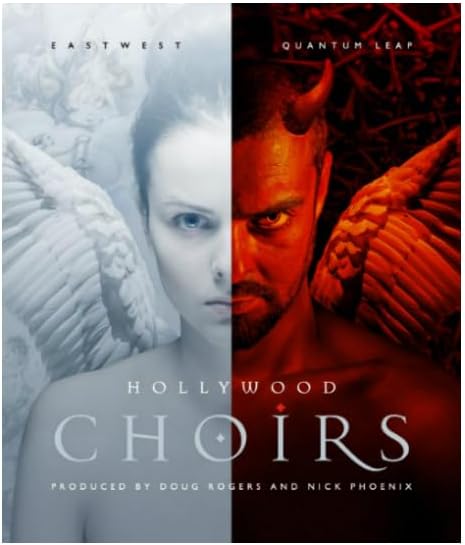
Image showing the EastWest Hollywood Choirs software interface, featuring controls for vocal performance and sound manipulation.
Istruzzioni di funziunamentu
This section details how to use the EastWest CHOIRS BUNDLE within your Digital Audio Workstation (DAW).
Loading a Choir Instrument
- Open OPUS: Insert the OPUS plugin onto an instrument track in your DAW.
- Browse Libraries: In the OPUS interface, navigate to the "Browser" tab. Select "Hollywood Choirs," "Symphonic Choirs," or "Hollywood Fantasy Voices" from the library list.
- Load Patch: Browse through the available patches (e.g., "Full Choir," "Sopranos," "Basses," "WordBuilder") and double-click to load the desired instrument.
Using WordBuilder (Hollywood Choirs & Symphonic Choirs)
The WordBuilder feature allows you to type in any word or phrase, and the choir will sing it.
- Activate WordBuilder: Load a WordBuilder-enabled patch. The WordBuilder interface will appear within OPUS.
- Inserite u testu: Type your desired text into the WordBuilder text field. You can use phonetic spelling for more precise pronunciation.
- Aghjustate i paràmetri: Utilize the controls for dynamics, vibrato, release, and other parameters to shape the vocal performance.
- Ghjucà: Play notes on your MIDI keyboard. The choir will articulate the entered text.
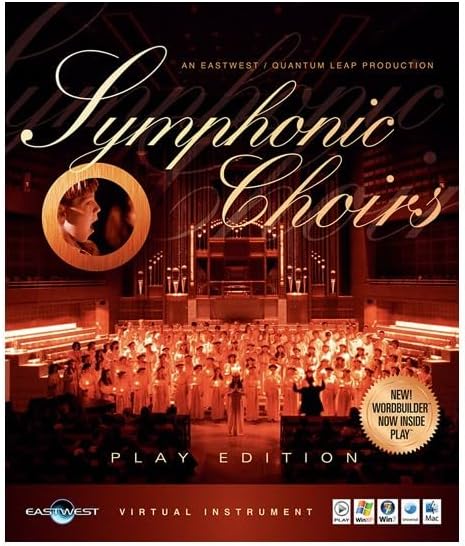
Image displaying the EastWest Symphonic Choirs interface, highlighting the WordBuilder feature and various microphone positions.
Microphone Positions (Diamond Edition)
For Diamond Edition users, multiple microphone positions are available for enhanced spatial control.
- Chiudi: Intimate, detailed sound.
- Stage: Captures the sound from the conductor's perspective.
- Sala: Provides the natural room ambiance.
- Surround (Hollywood Choirs Diamond): Offers immersive soundscapes with 13 user-controllable microphone setups.
Adjust the faders for each microphone position to blend them and achieve your desired sound.

Image illustrating the EastWest Hollywood Fantasy Voices interface, showcasing the solo vocalist and full choir sections.
Mantenimentu
Regular maintenance ensures optimal performance and longevity of your EastWest CHOIRS BUNDLE.
- Actualizazioni di u software: Periodically check your EastWest account or the OPUS software for available updates. Install updates to benefit from new features, bug fixes, and performance improvements.
- Gestione di u spaziu di discu: Ensure the drive where your libraries are installed has sufficient free space. Large sample libraries perform best on fast drives (SSD recommended) with plenty of headroom.
- Backup Licenses: Regularly back up your iLok licenses.
- Ottimizazione di u Sistema: For best performance, ensure your operating system and DAW are optimized for audio production. This may include disabling unnecessary background processes and optimizing power settings.
Risoluzione di prublemi
This section addresses common issues you might encounter with the EastWest CHOIRS BUNDLE.
Problemi cumuni è Soluzioni
- Nisun sonu:
- Verify your iLok license is active and connected.
- Check if the correct audio output is selected in your DAW and OPUS.
- Ensure the instrument track is armed for recording and MIDI input is active.
- Confirm the library samples are correctly installed and located by OPUS.
- Crashing/Freezing:
- Ensure your system meets the minimum requirements (RAM, CPU).
- Update OPUS and your DAW to the latest versions.
- Increase your DAW's audio buffer size.
- Try loading smaller patches or fewer instances of OPUS.
- WordBuilder Pronunciation Issues:
- Experiment with phonetic spelling for difficult words.
- Adjust the "Speed" and "Attack" parameters within WordBuilder.
- Consult the EastWest WordBuilder manual for advanced techniques.
If issues persist, refer to the official EastWest support resources or contact their technical support team.
Specificazioni
| Feature | Detail |
|---|---|
| Tipu di pruduttu | Virtual Instrument Software (Choir Libraries) |
| Included Libraries | Hollywood Choirs, Symphonic Choirs Expansion Bundle, Hollywood Fantasy Voices |
| Mutore | EastWest OPUS Engine |
| Cumpatibilità | VST, AU, AAX (64-bit) |
| Requisiti di u sistema | Windows 7+ / macOS 10.13+, 8GB RAM (16GB recommended), Quad-core CPU, iLok account |
| Required Disk Space | Varies per library (e.g., Hollywood Choirs Diamond approx. 58GB) |
Garanzia è Supportu
EastWest provides support for its products. Please refer to the official EastWest websitu per l'infurmazioni di garanzia è e risorse di supportu più recenti.
Assistenza tecnica
For technical assistance, installation issues, or product-related inquiries, please visit the EastWest Support Center:
- Supportu in ligna: www.soundsonline.com/support
- Base di cunniscenza: Access FAQs, tutorials, and troubleshooting guides.
- Forum di a cumunità: Engage with other users and EastWest staff.
Registrazione di u produttu
Register your product on the EastWest website to ensure access to updates, support, and any applicable warranty services.


