1. Getting Started
1.1. Ciò chì hè in a scatula
Verificate u cuntenutu di u pacchettu quandu apre a scatula:
- 1 x artfone G6 Mobile Phone
- 1 batterie da 1300 mAh
- 1 x Cavu di carica USB
- 1 x Dock di ricarica
- 1 x Manuale d'utilizatore
1.2. Installazione di batterie
Per installà a batteria:
- Eliminate a tappa posteriore di u telefunu.
- Allineate i cuntatti di a batteria cù i terminali di u telefunu.
- Appughjà delicatamente a batteria in u so postu.
- Rimpiazzate u coperchio posteriore, assicurendusi chì clicchi bè.
1.3. Installazione di a carta SIM
The artfone G6 supports Nano SIM cards (2G, 3G, or 4G). To install your SIM card:
- Assicuratevi chì u telefunu hè spento.
- Eliminate a tappa posteriore è a bateria.
- Locate the SIM card slot(s). The phone supports dual SIM.
- Insert the Nano SIM card(s) into the slot(s) with the gold contacts facing down, following the diagram near the slot.
- Rimette a batteria è u coperchio posteriore.
1.4. Charging the Phone
Before first use, fully charge the phone battery.
- Usendu u Dock di Ricarica: Place the phone into the charging dock. Connect the USB charging cable to the dock and then to a power adapter.
- Caricamentu direttu USB-C: Connect the USB-C cable directly to the phone's USB-C port and then to a power adapter.
The charging indicator will show the charging status. A full charge typically takes a few hours.
1.5. Powering On / Off
- Per accende: Press and hold the red 'End Call' button until the screen lights up.
- Per spegne: Press and hold the red 'End Call' button until the power off options appear, then select 'Power Off'.
2. Operazioni basi
2.1. Tastiera sopraview
The artfone G6 features a large, backlit keypad for easy dialing and navigation, especially in low-light conditions.

Image: The artfone G6 phone open, displaying its large, easy-to-read keypad.
2.2. Dual Display Functionality
The phone features a 2.4-inch main HD screen and a 1.8-inch external display. The external screen allows you to quickly check the time, date, battery status, and incoming call notifications without opening the phone.

Image: The artfone G6 demonstrating its dual display feature, showing the external screen and the internal screen.
2.3. Fà è riceve Call
- Per fà una Chjama: Open the phone, dial the number using the keypad, and press the green 'Call' button.
- Per riceve una chjama: When the phone rings, open the phone and press the green 'Call' button. You can also answer by opening the flip.
- Per finisce una chjama: Press the red 'End Call' button or close the flip.
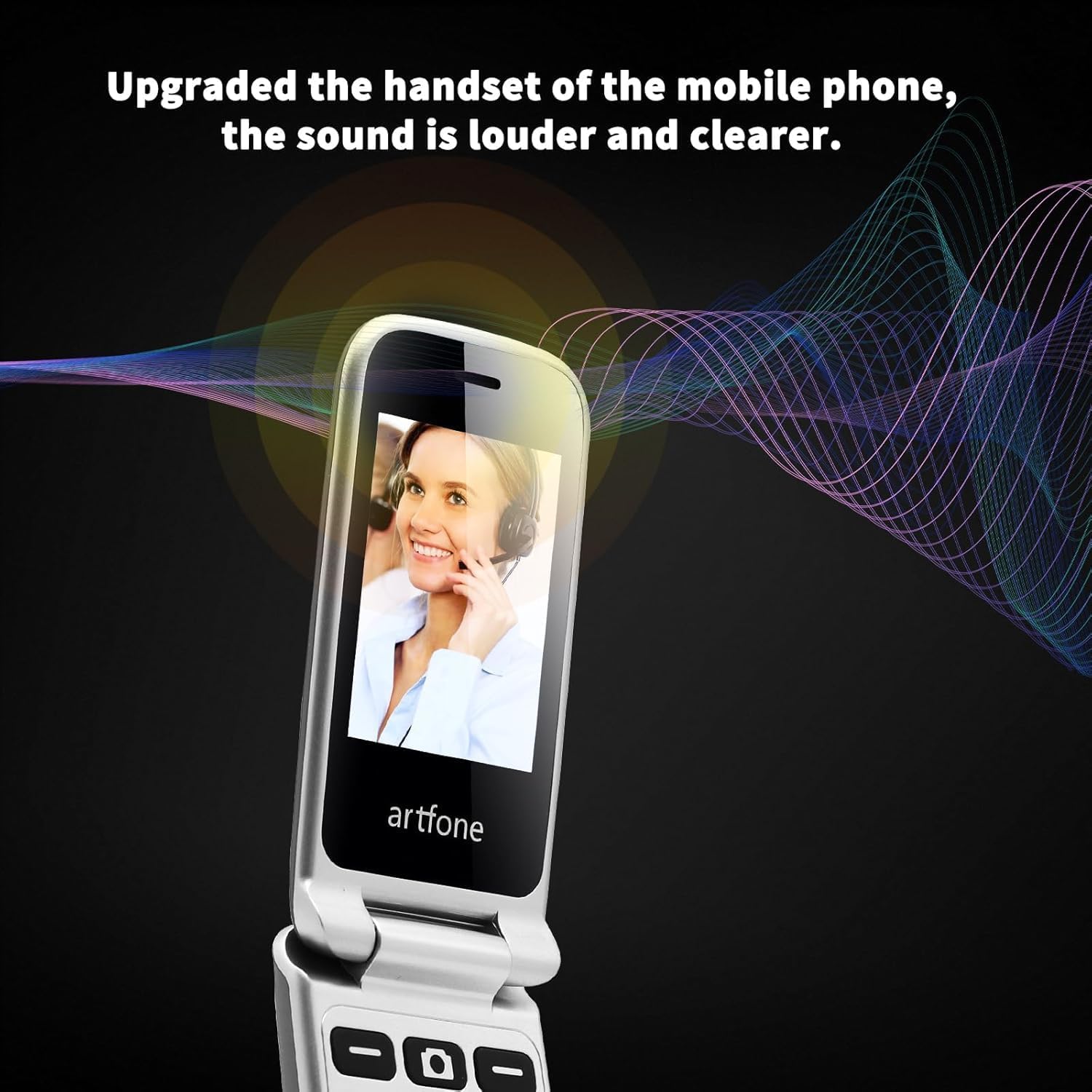
Image: The artfone G6 in use during a call, highlighting its clear audio quality.
2.4. Mandà è riceve missaghji
Navigate to the 'Messages' menu to compose new messages or read incoming ones. Use the keypad to type your message.
2.5. Utilizendu a Selezzione Rapida
The artfone G6 allows you to set up speed dial contacts for quick access to important numbers.
- Go to 'Settings' or 'Contacts' to assign numbers to speed dial keys (e.g., keys 2-9, A, B).
- To use, simply press and hold the assigned speed dial key.
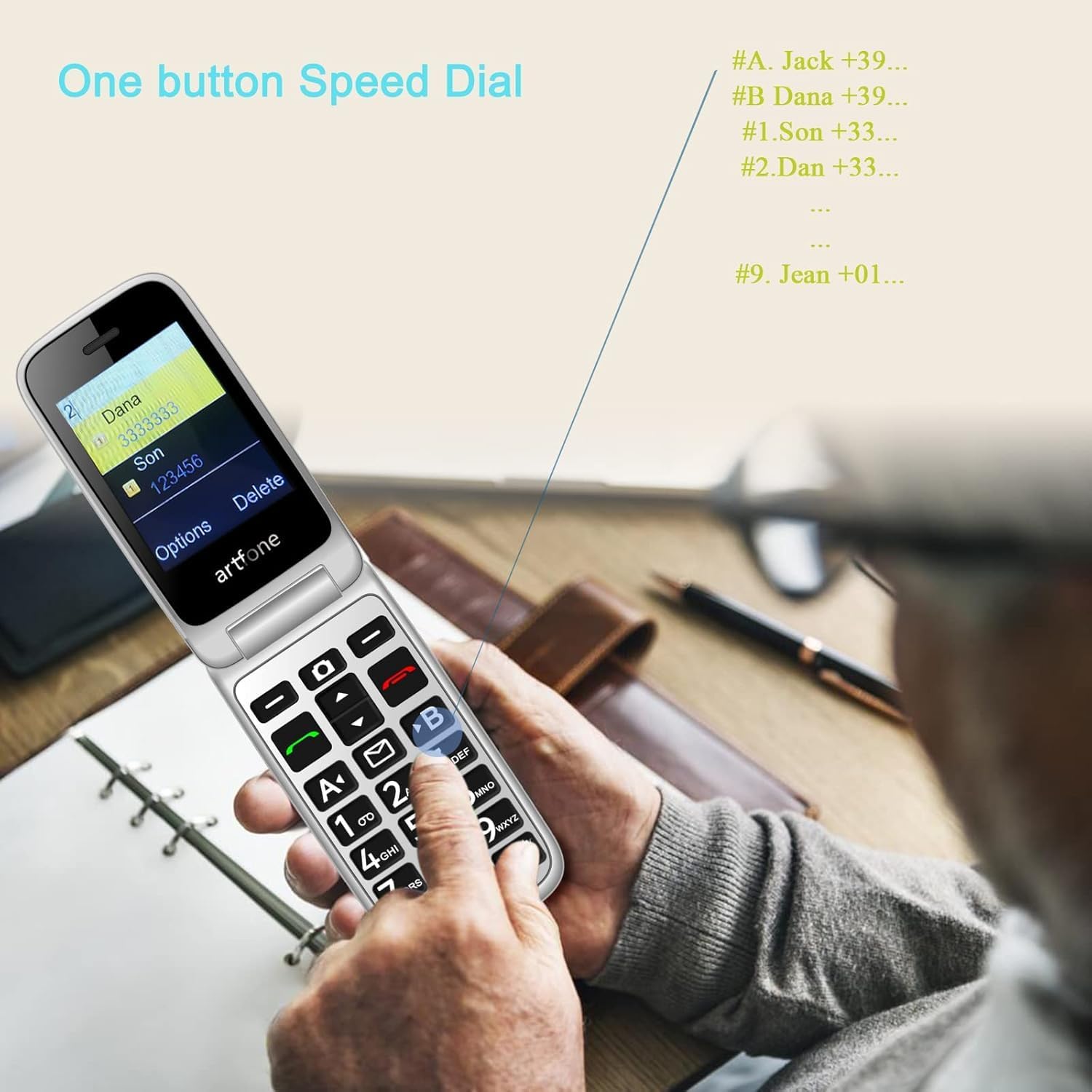
Image: A user activating the speed dial feature on the artfone G6.
2.6. Pulsante d'emergenza SOS
For enhanced safety, the artfone G6 includes a dedicated SOS button.
- Istituisci: In the 'SOS Settings' menu, you can configure up to five emergency contacts.
- usu: In an emergency, press and hold the SOS button on the back of the phone. The phone will automatically call these numbers in sequence until one answers. It will also send an emergency SMS to these contacts.

Imagine: A parte posteriore view of the artfone G6, showing the SOS emergency button and side controls.
2.7. Time Reporting Feature
The phone offers a multilingual voice time announcement feature, beneficial for users with visual impairments.
- Press the dedicated time reporting button (often located on the side or keypad) to hear the current time announced aloud.

Image: Activating the time reporting feature on the artfone G6.
2.8. Ajusting Volume
Use the dedicated volume buttons located on the side of the phone to adjust call volume, ringtone volume, and media volume.
2.9. Blacklist Feature
To block unwanted calls, the artfone G6 includes a blacklist feature. You can add up to 50 numbers to this list, preventing them from contacting you.
- Navigate to 'Call Settings' or 'Security Settings' to access and manage the blacklist.
3. Mantenimentu
3.1. Cura generale
- Mantene u telefunu asciuttu. L'umidità pò dannà i circuiti elettronichi.
- Evitate e temperature estreme. E temperature elevate ponu accurtà a vita di i dispositivi elettronichi è dannà e batterie.
- Ùn lasciate micca cascà, ùn culpite micca è ùn scuzzulate micca u telefunu. Una manipulazione brusca pò rompe i circuiti stampati interni.
- Ùn aduprate micca chimichi duri, solventi di pulizia, o detergenti forti per pulizziari u telefunu.
3.2. Pulizia
Use a soft, dry cloth to wipe the phone's surface. For stubborn dirt, a slightly damp si pò aduprà un pannu, assicurendusi chì nisun liquidu ùn entre in l'aperture.
3.3. Cura di batterie
The 1300 mAh battery provides extended talk and standby times. To maximize battery life:
- Evitate a sovraccarica; scollegate u caricatore una volta chì a batteria hè piena.
- If not using the phone for an extended period, store it with a partial charge (around 50%).
4. Risoluzione di prublemi
If you encounter issues with your artfone G6, please refer to the following common problems and solutions:
| Prublemu | Soluzione Possibile |
|---|---|
| U telefunu ùn s'accende micca | Ensure the battery is correctly installed and charged. Try charging the phone for at least 30 minutes. |
| Ùn possu fà o riceve chjamate | Check if the SIM card is properly inserted and activated. Ensure you have network coverage. Verify that the number is not on the blacklist. |
| Povera qualità di chjama | Move to an area with better network reception. Check the volume settings. |
| A batteria ùn hè micca carica | Check the charging cable and adapter for damage. Ensure the phone is correctly placed in the charging dock or the USB-C cable is fully inserted. |
| U buttone SOS ùn funziona micca | Verify that emergency contacts are correctly set up in the SOS settings. |
Sè u prublema persiste, cuntattate l'assistenza clienti.
5. Specificazioni
Detailed technical specifications for the artfone G6:
| Feature | Detail |
|---|---|
| Marca | artfone |
| Nome di mudellu | G6 |
| Sistema upirativu | artfone Mocor RTOS |
| Dimensione di u schermu principale | 2.4 inch |
| External Screen Size | 1.8 inch |
| Risoluzione di u screnu | 480 x 320 |
| RAM | 48 MB |
| Capacità di almacenamiento | 128 MB |
| U mudellu CPU | MTK 8121 |
| A velocità di CPU | 1000 MHz |
| Capacità batterie | 1300 mAh |
| Connettività | Bluetooth, USB Type C, 3.5 mm Jack |
| Funzioni spiciali | Dual SIM, Dual Display, SOS Button, Speed Dial, Blacklist |
6. Garanzia infurmazione
The artfone G6 comes with a manufacturer's warranty of 2 anniPer piacè cunservate a vostra prova d'acquistu per e richieste di garanzia. A garanzia copre i difetti di materiali è di fabbricazione in cundizioni d'usu nurmale.
For specific terms and conditions, please refer to the warranty card included in your product packaging or contact artfone customer service.
7. Supportu
For further assistance, technical support, or inquiries regarding your artfone G6 phone, please visit the official artfone websitu o cuntattate u so serviziu clienti. I dettagli di cuntattu si trovanu generalmente nantu à u situ di u fabricatore. websitu o in l'imballu di u produttu.
Always ensure you have your product model number (G6) and purchase details ready when contacting support.


