1. Introduzione
Grazie per l'acquistuasing the Jazmm Model 213 Portable Multi-Band Radio. This device is designed to provide versatile audio entertainment and essential weather information. It features AM, FM, Shortwave (SW), and NOAA Weather Band (WB) reception, Bluetooth 5.4 connectivity, TF card playback, a powerful 5W speaker, and a built-in rechargeable battery with flashlight functionality. This manual provides detailed instructions for the proper use and maintenance of your radio.
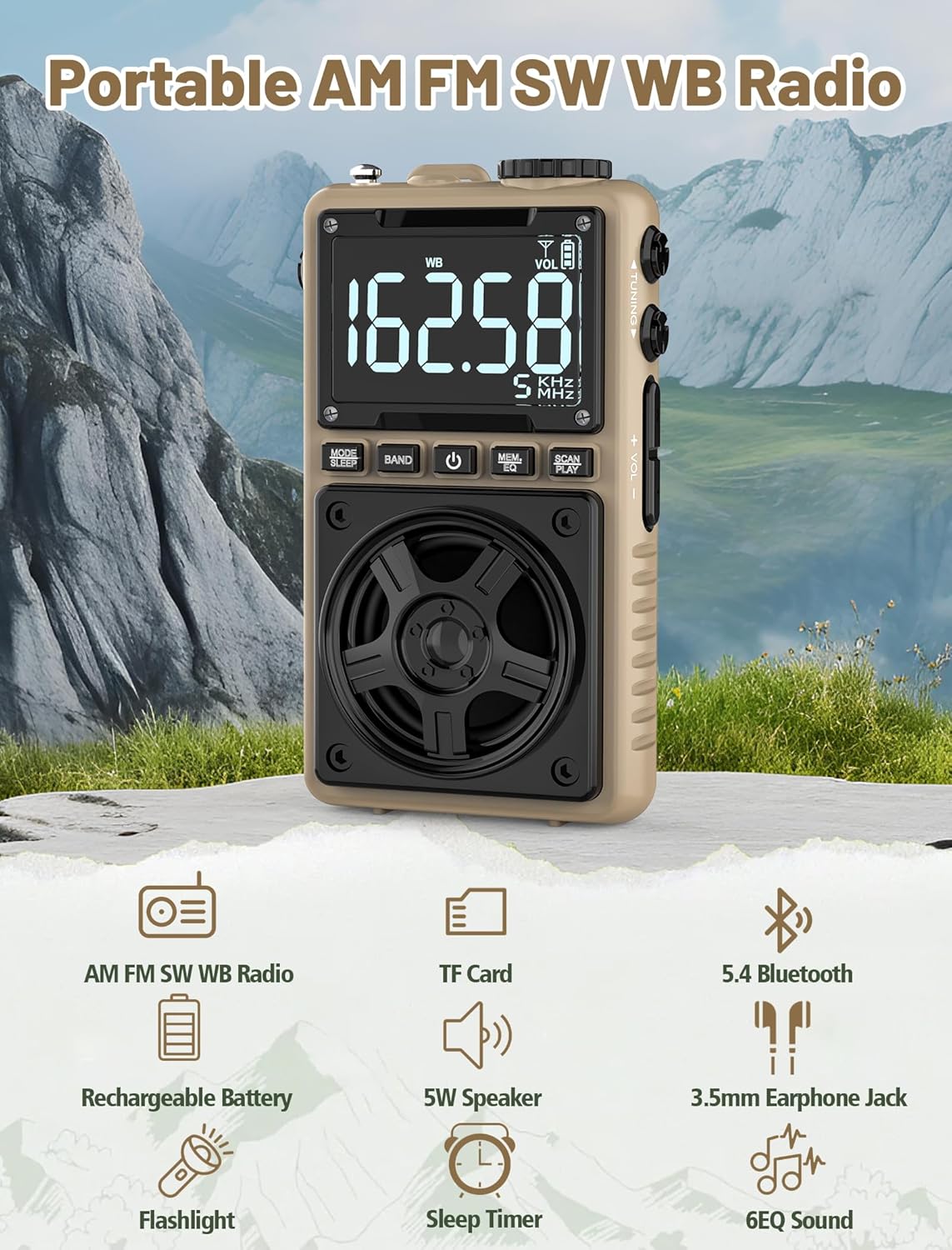
Image 1.1: The Jazmm Model 213 Portable Multi-Band Radio highlighting its key features including AM/FM/SW/WB radio, TF card support, Bluetooth 5.4, 5W speaker, rechargeable battery, flashlight, sleep timer, and 6 EQ sound effects.
2. Informazioni di sicurezza
Leghjite è capite tutte l'istruzzioni di sicurezza prima di utilizà stu pruduttu. Cunservate queste istruzioni per riferimenti futuri.
- Ùn espone micca u dispusitivu à temperature estreme, à a luce diretta di u sole o à alta umidità.
- Evite di abbandunà o sottumette u dispusitivu à forti impatti.
- Ùn smuntate, ùn riparate o ùn mudificate micca l'apparechju da per voi. Affidate tutta a manutenzione à persunale qualificatu.
- Mantene u dispusitivu luntanu da l'acqua è altri liquidi.
- Aduprate solu u cavu di carica furnitu o un cavu Type-C certificatu per a carica.
- Smaltite a batteria secondu e regulazioni lucali. Ùn incenerite micca.
- L'ascolta prulungata à livelli di vulume elevati pò causà danni à l'audizione. Ajustate u vulume à un livellu moderatu.
3. Cuntenutu di u pacchettu
Verificate chì tutti l'articuli sò presenti in u pacchettu:
- Jazmm Model 213 AM FM SW WB Radio
- Manuale di u pruprietariu (questu documentu)
- Cavo di alimentazione USB Type-C
4. Produttu Finituview
Familiarizatevi cù i cumpunenti è i cuntrolli di a radio.

Imagine 4.1: Fronte è laterale view of the Jazmm Model 213 radio. The front features a large digital display, speaker, and control buttons (MODE/SLEEP, BAND, Power, MEM/EQ, SCAN/PLAY). The side shows the LOCK/LIGHT switch, TF card slot, DC 5V Type-C charging port, and a 1250mAh battery indicator.
Cuntrolli è porti:
- Display Digitale: Shows frequency, band, volume, battery level, and other indicators.
- Speaker: 5W output for clear audio.
- MODE/SLEEP Button: Switches between modes (Radio, Bluetooth, TF Card) and activates sleep timer.
- Pulsante BAND: Selects radio bands (FM, AM, SW, WB).
- Pulsante di putenza: Accende / spegne a radio.
- MEM/EQ Button: Accesses memory functions and cycles through EQ sound effects.
- SCAN/PLAY Button: Initiates auto-scan for radio stations or plays/pauses in Bluetooth/TF card mode.
- Manopola di sintonia: Ajusta a frequenza.
- Buttoni di vulume +/-: Ajusta u vulume di l'audio.
- LOCK/LIGHT Switch: Locks buttons or activates the flashlight.
- Slot per Carta TF: Per a lettura di carte Micro SD (finu à 128 GB).
- DC 5V Type-C Charging Port: Per carica a batteria interna.
- Jack per cuffie da 3.5 mm: Per l'ascolta privata.
- Antenna telescopica: Per una migliore ricezione radio.
- Back Clip & Wrist Strap: For portability and secure carrying.
5. Setup
5.1 Carica iniziale
Before first use, fully charge the radio's internal 1250mAh lithium polymer battery. Connect the provided USB Type-C power cord to the DC 5V charging port on the side of the radio and plug the other end into a compatible USB power adapter (not included) or a computer USB port. The charging indicator on the display will show charging status. A full charge typically takes approximately 1.5 hours and provides 10-12 hours of usage.

Image 5.1: The Jazmm Model 213 radio connected to a power adapter via its Type-C charging port, illustrating the charging process for its 1250mAh rechargeable battery.
5.2 Ajustamentu di l'antenna
For optimal radio reception, extend the telescopic antenna fully when listening to FM, SW, or WB bands. For AM reception, the internal antenna is generally sufficient, but adjusting the radio's orientation may improve signal strength.
6. Operating Instructions
6.1 Power On/Off
Appughjà è tene premutu Pulsante di putenza ( ) for approximately 2 seconds to turn the radio on or off.
6.2 Selezzione Mode
Press u MODE/SLEEP Button to cycle through available modes: Radio (FM/AM/SW/WB), Bluetooth, and TF Card (if a card is inserted).
6.3 Radio Band Selection and Tuning
In modu Radio, appughjà u buttone Pulsante BAND to switch between FM, AM, Shortwave (SW), and NOAA Weather Band (WB).
- FM: 87-108 MHz
- À : 520-1710 kHz
- SW: 4.75-21.85 MHz
- WB: 162.400-162.550 MHz

Image 6.1: The radio displaying different frequencies across FM, AM, SW, and WB bands, illustrating its multi-band reception capability with an extended antenna.
Tuning Manuale:
Girate u Manopola di Accordu on the side of the radio to manually adjust the frequency.
Scansione automatica:
Press u SCAN/PLAY Button to automatically scan for and save available stations. The radio can store up to 100 preset stations.
6.4 Stazioni Preset
After an automatic scan, use the Manopola di Accordu o lu MEM/EQ Button to navigate through saved preset stations. Refer to the display for preset numbers (e.g., P01, P02).

Image 6.2: The radio positioned on a nightstand, illustrating the sleep timer function and the display of preset station numbers (P01, P05, P19, etc.).
6.5 Volume Control
Aduprà u Volume +/- Buttoni on the side of the radio to increase or decrease the audio output.
6.6 Modu Bluetooth
Switch to Bluetooth mode using the MODE/SLEEP Button. The radio will enter pairing mode, indicated by a blinking Bluetooth icon on the display. On your smartphone, tablet, or laptop, search for Bluetooth devices and select "Jazmm 213" to connect. The radio acts as a Bluetooth speaker. Note: This radio does not support connection to Bluetooth earphones.
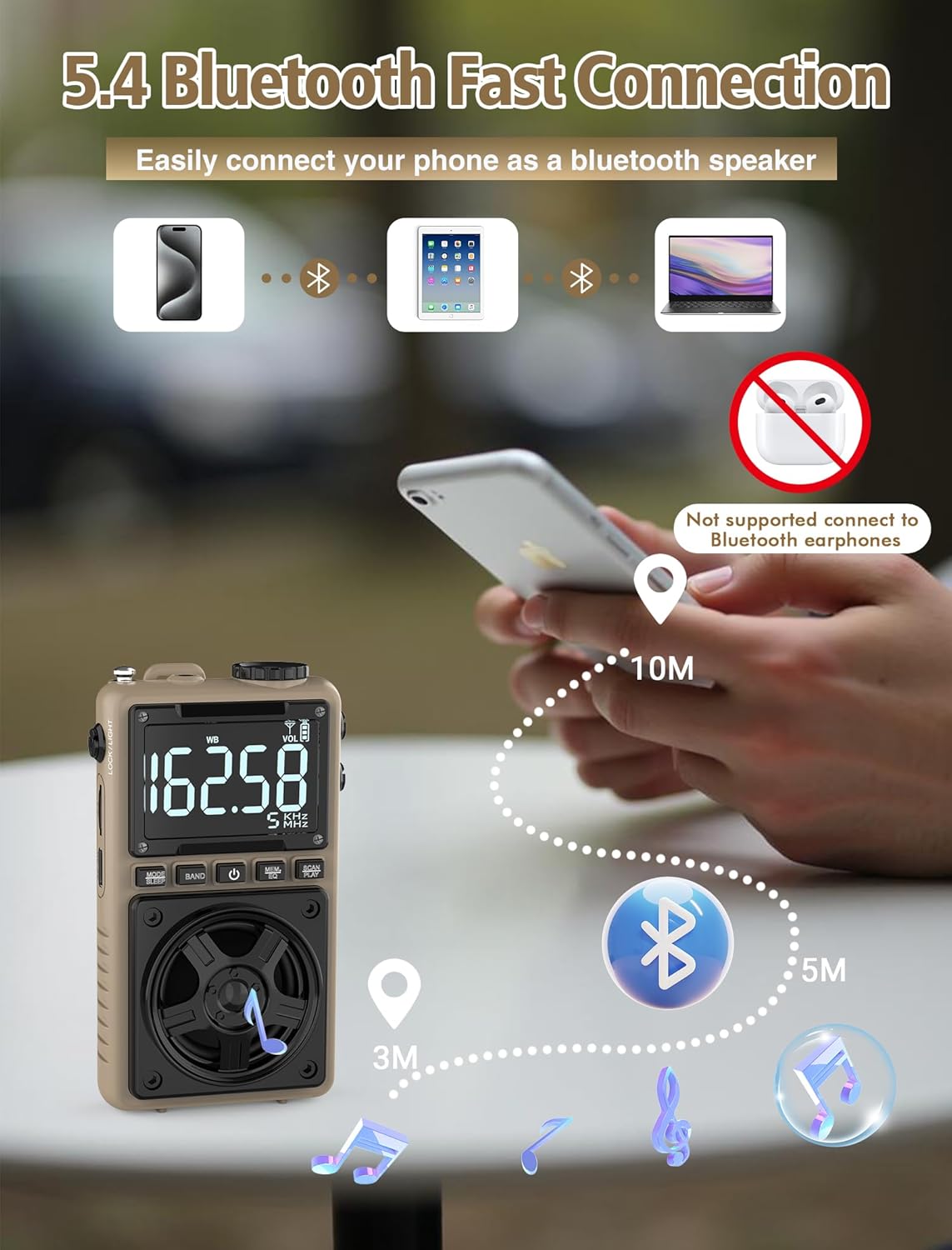
Image 6.3: A visual representation of the Jazmm Model 213 radio establishing a Bluetooth connection with various devices like smartphones, tablets, and laptops, functioning as a Bluetooth speaker.
6.7 TF Card Playback (MP3 Player)
Insert a Micro SD card (up to 128GB) with MP3 audio files in lu Slot per carta TF. Switch to TF Card mode using the MODE/SLEEP Button. The radio will automatically begin playing music from the card. Use the SCAN/PLAY Button to play/pause and the Manopola di Accordu per saltà e tracce.

Image 6.4: A user enjoying music through headphones connected to the Jazmm Model 213 radio, with an inset showing the TF card slot for Micro SD card insertion.
6.8 Usu di e cuffie
Plug standard 3.5mm headphones into the Jack per cuffie da 3.5 mm for private listening. The radio's speaker will automatically mute when headphones are connected.
6.9 Allerta Meteo NOAA
In WB (Weather Band) mode, the radio is capable of receiving real-time weather alerts and updates from the National Oceanic and Atmospheric Administration. This feature helps you prepare for potential weather hazards. Ensure the antenna is extended for best reception.

Image 6.5: The radio displaying a NOAA weather alert, with a flashlight beam illuminating the foreground and a stormy sky in the background, emphasizing its emergency preparedness features.
6.10 Funzione di a torcia
Slide u LOCK/LIGHT Switch to activate the built-in LED flashlight. This can be useful in low-light conditions or emergencies.
6.11 Timer di sonnu
Appughjà è tene premutu MODE/SLEEP Button to activate the sleep timer. Repeated presses will cycle through available durations (e.g., 10, 60, 90, 120 minutes). The radio will automatically turn off after the selected time.
6.12 Lock Key
Slide u LOCK/LIGHT Switch to the 'LOCK' position to prevent accidental button presses. This is useful when carrying the radio in a pocket or bag.
6.13 EQ Sound Effects
Press u MEM/EQ Button (short press) to cycle through 6 preset EQ sound effects: Normal, Rock, Pop, Jazz, Class, and Village. Select the effect that best suits your audio preference.

Image 6.6: The radio's 5W speaker is highlighted, surrounded by icons representing the six available EQ stereo sound effects: Normal, Rock, Pop, Jazz, Class, and Village.
7. Specificazioni
| Feature | Detail |
|---|---|
| Numero di mudellu | 213 |
| Dimensioni di u produttu | 2.3 x 4 x 1.3 inch (5.84 x 10.16 x 3.3 cm) |
| Pesu di l'articulu | 4.6 ounces (130 grammi) |
| Bandi di Radio Supportate | FM (87-108MHz), AM (520-1710KHz), SW (4.75-21.85MHz), WB (162.400-162.550MHz) |
| Tecnulugia di cunnessione | Bluetooth 5.4 |
| Output Speaker | 5W |
| Batteria | 1250mAh Lithium Polymer (Rechargeable, included) |
| Portu di carica | USB Type-C (DC 5V) |
| Tempu di carica | Circa. 1.5 ore |
| U tempu d'usu | Circa 10-12 ore (secondu l'usu) |
| Supportu per a carta di memoria | Micro SD (TF Card) up to 128GB |
| Funzioni spiciali | NOAA Weather Alert, Built-In Flashlight, SOS Alarm, Sleep Timer, 100 Preset Stations, Digital Backlight Screen, Back Clip, Wrist Strap |
8. Risoluzione di prublemi
| Prublemu | Possibile Causa / Soluzione |
|---|---|
| A radio ùn s'accende micca. |
|
| Pessima ricezione radio. |
|
| Bluetooth ùn si cunnetta micca. |
|
| A carta TF ùn funziona micca. |
|
| Nisun sonu da l'altoparlante/cuffie. |
|
9. Mantenimentu
- Pulizia: Aduprate un pannu dolce è asciuttu per pulisce l'esternu di a radio. Ùn aduprate micca detergenti abrasivi o solventi.
- Conservazione: Quandu ùn hè micca aduprata per periodi prolungati, cunservate a radio in un locu frescu è asciuttu.
- Cura di a batteria: To prolong battery life, avoid fully discharging the battery frequently. Recharge the radio periodically even if not in use.
- Antenna: Handle the telescopic antenna gently to prevent bending or breaking. Retract it when not in use.
10. Garanzia è Support
Jazmm products are designed for reliability and performance. For warranty information, please refer to the documentation provided at the time of purchase or contact your retailer. If you encounter any issues or require technical assistance, please contact Jazmm customer support through the retailer's platform or the official Jazmm websitu.
Per piacè, tenete pronti u numeru di mudellu di u vostru pruduttu (213) è i dettagli di compra quandu cuntattate l'assistenza.


