1. Introduzione
This manual provides detailed instructions for the setup, operation, and maintenance of your TUINYO WH-819 Wireless Over-Ear Bluetooth Headphones. Please read this manual thoroughly before using the product to ensure proper function and longevity.
2. Produttu Finituview
The TUINYO WH-819 headphones offer high-fidelity stereo sound, comfortable over-ear design, and versatile connectivity options. They are designed for extended listening periods, featuring a long-lasting battery and a foldable structure for portability.
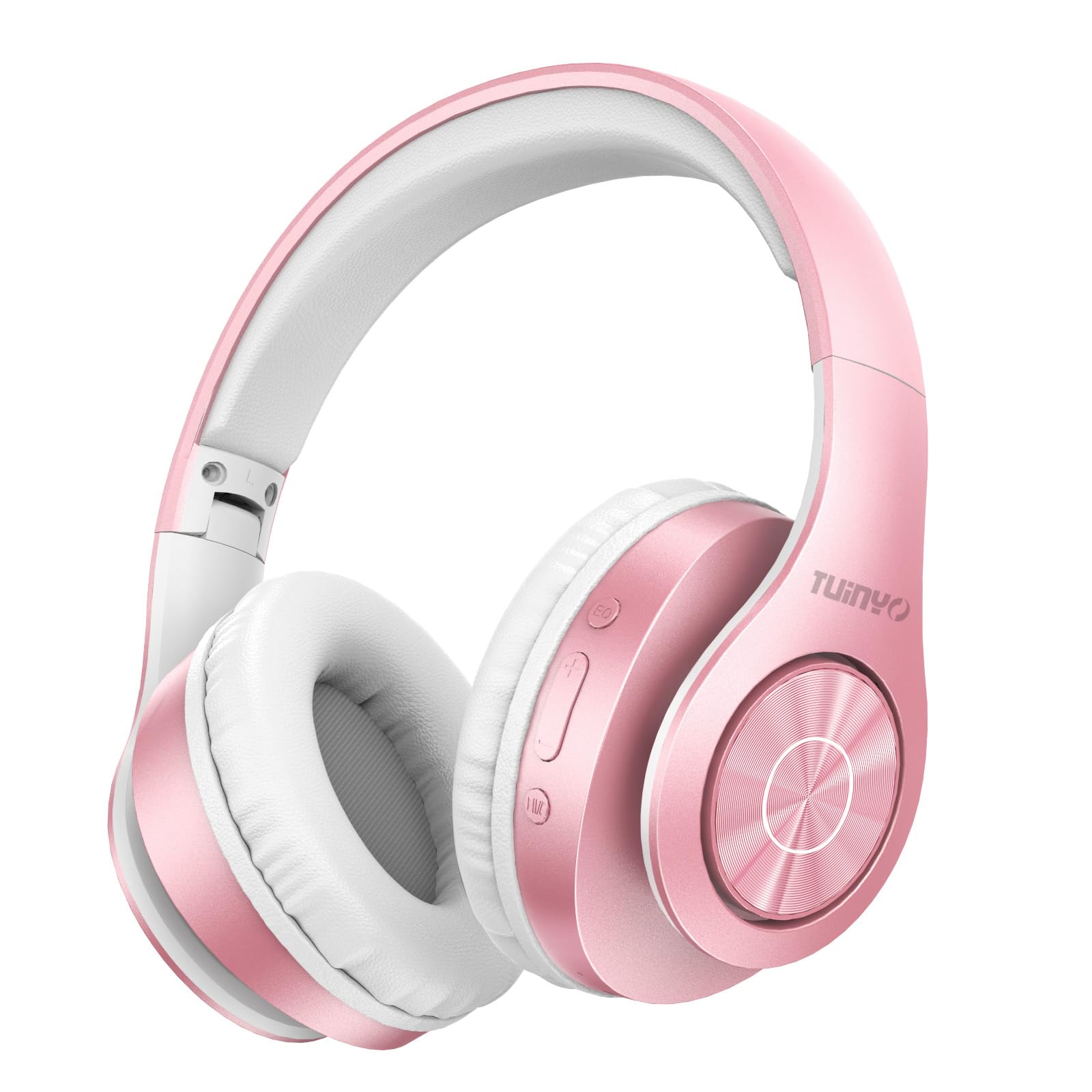
Figure 2.1: TUINYO WH-819 Rose Gold Wireless Over-Ear Bluetooth Headphones.
Video 2.1: Un overview of the TUINYO wireless Bluetooth headphones, highlighting their design and features.
3. Cuntenutu di u pacchettu
Assicuratevi chì tutti l'articuli sianu presenti in u pacchettu:
- TUINYO WH-819 Wireless Over-Ear Bluetooth Headphones
- Cavu di carica USB
- Cavo audio da 3.5 mm
- Protective Premium Case
- Manuale d'usu

Figure 3.1: Included accessories with the TUINYO WH-819 headphones.
4. Cuntrolli è Porte
Familiarize yourself with the headphone controls and ports:
- Pulsante di putenza: Long press to power on/off. Short press to play/pause music or answer/end calls.
- Buttone di vulume su / traccia successiva: Appughjà brevemente per aumentà u vulume. Appughjà longu per a prossima traccia.
- Buttone di calata di u vulume/traccia precedente: Appughjà brevemente per calà u vulume. Appughjà longu per a traccia precedente.
- Buttone EQ: Press to cycle through different equalizer modes (Normal, Rock, Pop, Classic, Jazz, Country).
- Jack audio da 3.5 mm: Per cunnessione cablata.
- Portu di Ricarica USB: Per carica l'auriculare.
- Slot per Schede MicroSD: For direct music playback from a MicroSD card.

Figura 4.1: Detailed view of headphone controls and features.
Video 4.1: A demonstration of the TUINYO headphones' folding mechanism and button controls.
5. Setup
5.1 Caricamentu di l'auricolari
- Connect the USB charging cable to the headphone's charging port.
- Cunnette l'altra estremità di u cavu USB à una fonte d'alimentazione USB cumpatibile (per esempiu, urdinatore, adattatore murale).
- L'indicatore LED mostrerà u statu di carica (per esempiu, rossu per a carica, blu per una carica cumpleta).
- Una carica completa dura generalmente 2-2.5 ore.
5.2 Accoppiamentu Bluetooth
- Assicuratevi chì l'auricolari sianu cumpletamente cariche.
- Long press the Power button until the LED indicator flashes blue and red, indicating pairing mode.
- Nant'à u vostru apparechju (smartphone, tableta, laptop), attivate Bluetooth è cercate l'apparechji dispunibili.
- Select "WH-819" from the list of devices.
- Once connected, the LED indicator will flash blue slowly, and a voice prompt will confirm successful pairing.
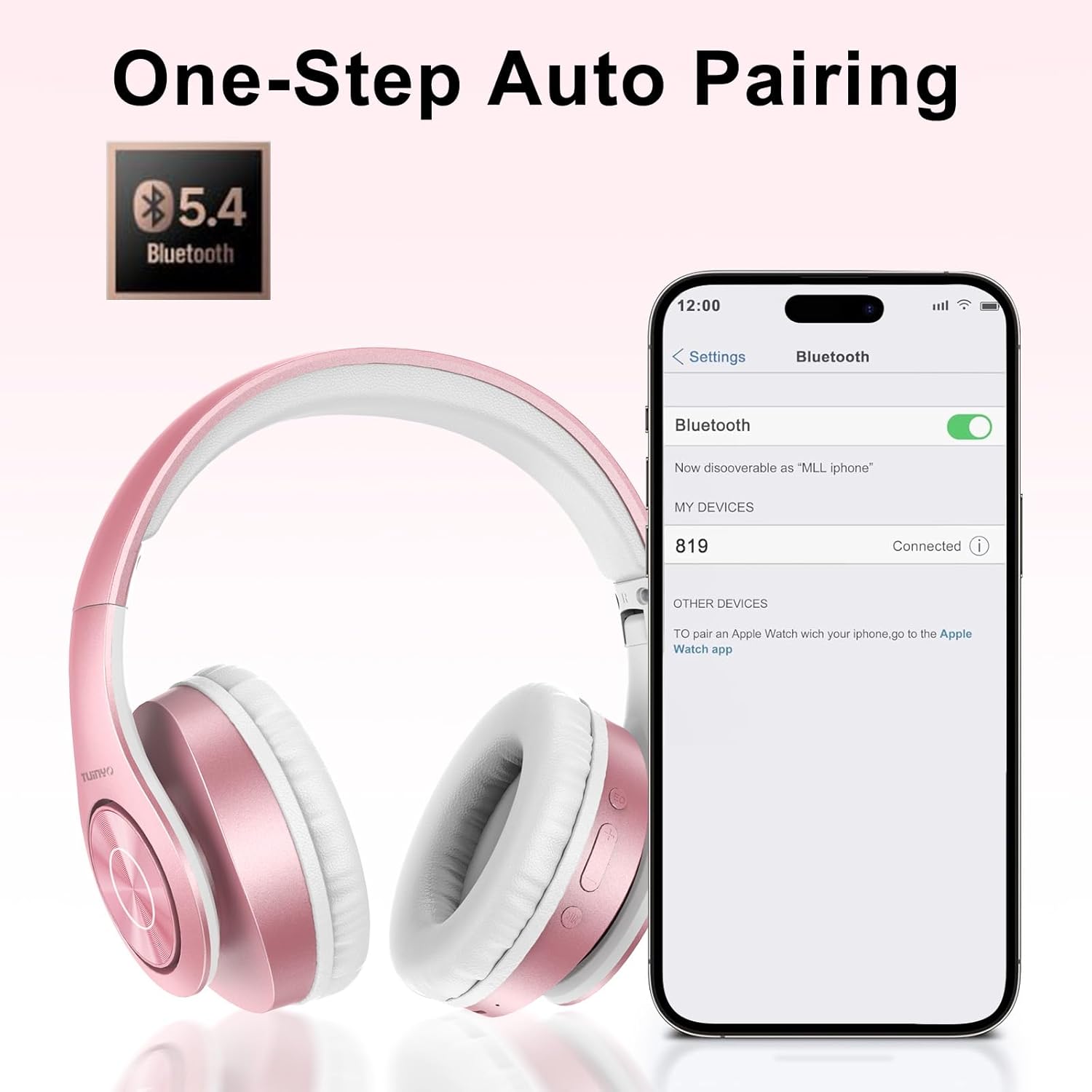
Figure 5.1: Bluetooth pairing process on a smartphone.
6. Operating Instructions
6.1 Power On/Off
- Power On: Long press the Power button until the LED indicator lights up blue.
- Spegnimentu: Long press the Power button until the LED indicator turns off.
6.2 Riproduzione musicale
- Play/Pause: Appughjà breve u buttone Power.
- Prussima pista: Appughjà longu u buttone Volume Up.
- Pista Precedente: Appughjà longu u buttone Volume Down.
- Ajuste di u voluminu: Appughjà brevemente i buttoni Volume Up o Volume Down.
6.3 Gestione di e chjame
- Rispondi / Finisce a chjama: Appughjà breve u buttone Power.
- Reject Call: Appughjà longu u buttone di accensione.
6.4 EQ Mode
- Press the EQ button to switch between different sound equalizer modes (Normal, Rock, Pop, Classic, Jazz, Country) to optimize your listening experience.
6.5 Modu cablatu
- Insert the 3.5mm audio cable into the headphone's audio jack and the other end into your audio device.
- The headphones will automatically switch to wired mode, and Bluetooth functionality will be disabled.
6.6 Riproduzione di a carta MicroSD
- Insert a MicroSD card with MP3 audio files into the MicroSD card slot.
- The headphones will automatically detect the card and begin playing music.
- Use the music playback controls (Play/Pause, Next/Previous Track, Volume) to manage your audio.
7. Mantenimentu
- Pulite l'auricolari regularmente cù un pannu dolce è asciuttu.
- Evite l'usu di detergenti abrasivi o solventi.
- Conservate l'auricolari in a so custodia protettiva quandu ùn sò micca in usu per impedisce danni.
- Tenir à l'écart des températures extrêmes et de l'humidité.
8. Risoluzione di prublemi
| Prublemu | Soluzione |
|---|---|
| L'auricolari ùn s'accendenu micca. | Assicuratevi chì l'auricolari sianu cariche. Cunnetteli à una fonte di alimentazione è pruvate torna. |
| Ùn si pò micca accoppià via Bluetooth. | Ensure headphones are in pairing mode (LED flashing blue/red). Turn off and on Bluetooth on your device. Move closer to the device. |
| Nisun sonu in modu Bluetooth. | Check volume levels on both headphones and connected device. Ensure headphones are successfully paired. |
| Nisun sonu in modalità cablata. | Ensure the 3.5mm audio cable is fully inserted into both the headphones and the audio device. Check the audio source. |
| A carta MicroSD ùn ghjoca micca. | Ensure the MicroSD card is inserted correctly and contains compatible MP3 audio files. |
9. Specificazioni
| Feature | Detail |
|---|---|
| Nome di mudellu | WH-819 |
| Tecnulugia di cunnessione | Senza filu (Bluetooth), Cablatu (Jack 3.5 mm) |
| Tecnulugia di cumunicazione wireless | Bluetooth 4.0 |
| Tipu di Driver Audio | Dynamic Driver (40mm neodymium) |
| A vita di a batteria | Up to 40 hours of music time (800mAh battery) |
| Tempu di carica | 2-2.5 ore |
| Forma di l'auriculare | Over-Ear |
| Materiale | Plastic, Memory-Protein Earmuffs |
| Pesu | 13.4 once |
| Dimensioni | 8.5 x 6.22 x 4.25 pollici (Pacchettu) |
| Dispositivi compatibles | Tablets, Laptops, Desktops, Smartphones, Bluetooth-enabled devices |
| Livellu di resistenza à l'acqua | Ùn hè resistente à l'acqua |
10. Garanzia è Support
Your TUINYO WH-819 headphones are covered by a 30-day warranty from the date of purchase. For any product inquiries, technical support, or warranty claims, please refer to the contact information provided with your purchase or visit the official TUINYO websitu.


