Introduzione
The Technoline WT175 is a compact and versatile quartz alarm clock designed for convenience and portability. It features a clear digital display and offers multiple functions including time, date, temperature, humidity, and various alarm settings. Its magnetic casing makes it suitable for travel and everyday use.

Figura 1: Fronte view of the Technoline WT175 Mini Travel Alarm Clock, displaying the time and control buttons.
Funzioni chjave
- Visualizazione di l'ora di 12/24 ore
- Display di data
- Temperature display (in Celsius)
- Display di umidità
- Alarma cù funzione snooze
- Configurable alarm settings: Weekday, Weekend, or Daily
- Timer with countdown and stop function
- Indicatore di batteria bassa
- Magneticu casing for versatile placement
Cuntenutu di u pacchettu
- Technoline WT175 Mini Travel Alarm Clock
- Manuale d'uso (stu documentu)
- Nota: E batterie ùn sò micca incluse è devenu esse acquistate separatamente.

Figura 2: Product packaging for the Technoline WT175, detailing specifications and features.
Istituisci
1. Installazione di batterie
- Truvate u compartimentu di a batteria nant'à u spinu di a sveglia.
- Aprite a tappa di u compartimentu di a batteria.
- Insert 1x AAA Micro LR03 battery, ensuring correct polarity (+/-).
- Chiudere in modu sicuru u coperchiu di u compartimentu di a batteria.
2. Accensione iniziale
Upon successful battery installation, the display will activate. You may need to press the SET button to begin initial time and date configuration.
Istruzzioni di funziunamentu
The Technoline WT175 features several control buttons: SET, START/STOP/RESET, ZZ (Snooze/Light), AL SET ON-OFF, +, è MODE.
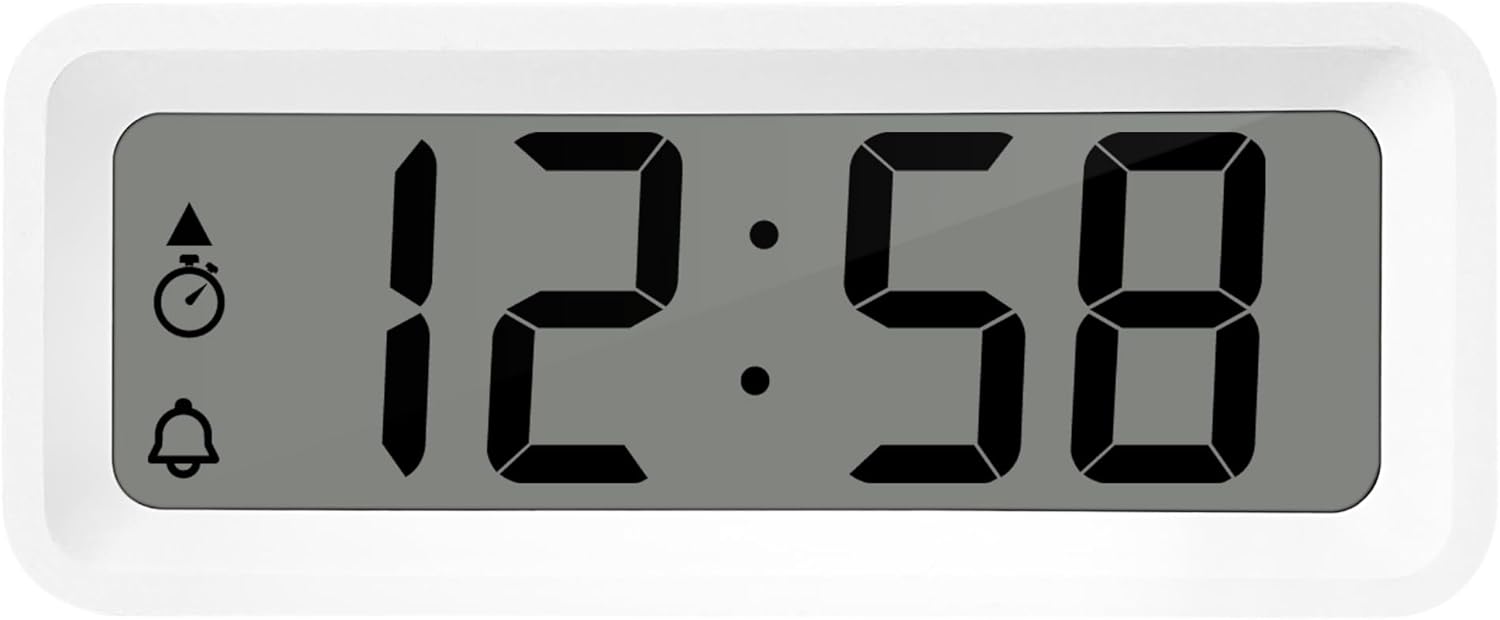
Figura 3: Detailed view of the alarm clock's display and control buttons.
1. Setting Time and Date
- Appughjà è tene premutu SET buttone finu à chì l'indicazione di u tempu cumencia à lampeggià.
- Aduprà u + or - buttoni per aghjustà l'ora.
- Press SET torna per cunfirmà l'ora è passà à i minuti.
- Aduprà + or - per aghjustà i minuti.
- Cuntinuà pressendu SET to cycle through and set the year, month, and day using the + or - i buttoni.
- Press SET un'ultima volta per sorte da a modalità di impostazione.
2. Selezzione di furmatu 12/24 ore
Mentre site in modu di visualizazione di l'ora nurmale, appughjà u buttone MODE button to toggle between 12-hour and 24-hour time formats.
3. Piazzà l'alarma
- Press u AL SET ON-OFF button once to enter alarm setting mode. The alarm time will flash.
- Aduprà u + or - buttone per aghjustà l'ora di l'alarma.
- Press AL SET ON-OFF again to confirm the hour and move to alarm minutes.
- Aduprà + or - per aghjustà i minuti di l'alarma.
- Press AL SET ON-OFF torna per cunfirmà è esce da a modalità di impostazione di l'allarme.
4. Activating/Deactivating Alarm and Snooze
- To turn the alarm ON or OFF, appughjà u AL SET ON-OFF button while in normal time display mode. An alarm icon will appear/disappear on the display.
- Quandu sona l'alarma, preme u ZZ (Snooze) button to activate the snooze function. The alarm will temporarily stop and sound again after a few minutes.
- Per fermà cumpletamente l'alarma, appughjà qualsiasi altru buttone (per esempiu, SET or MODE).
5. Weekday/Weekend/Daily Alarm Settings
The WT175 allows for flexible alarm scheduling. While in alarm setting mode (after pressing AL SET ON-OFF), you can cycle through alarm types by pressing the + or - buttons after setting the alarm time. Look for indicators on the display for:
- Alarma di ogni ghjornu: L'alarma sona ogni ghjornu.
- Weekday Alarm: L'alarma sona da u luni à u venneri.
- Weekend Alarm: L'alarma sona sabbatu è dumenica.
6. Timer and Countdown Function
- Press u MODE button repeatedly until the timer display appears (often indicated by a stopwatch icon).
- To set the countdown timer, press and hold SET. Aduprà + or - to set the desired hours, minutes, and seconds. Press SET to confirm each segment.
- Press START/STOP/RESET per cumincià u cuntu à u rughjone.
- Press START/STOP/RESET di novu per mette in pausa / ripiglià u contu à rebours.
- Per resettà u timer, appughjà è mantene premutu START/STOP/RESET.
7. Visualizzazione di a temperatura è di l'umidità
The Technoline WT175 continuously displays the current indoor temperature (in Celsius) and humidity levels. These readings are typically shown alongside the time and date on the main display.

Figura 4: The WT175 alarm clock displaying time, temperature, and humidity in a bedroom setting.
Mantenimentu
1. Sustituzione di batterie
When the low battery indicator appears on the display, it is time to replace the battery. Follow the battery installation steps outlined in the Istituisci section. Ensure to dispose of old batteries responsibly according to local regulations.
2. Pulizia
To clean the alarm clock, use a soft, dry cloth. Do not use abrasive cleaners, solvents, or immerse the device in water. Avoid spraying cleaning solutions directly onto the unit.
Risoluzione di prublemi
- U display hè viotu o scuru:
- Check if the battery is correctly installed.
- Sustituisce a bateria cù una nova.
- L'alarma ùn sona micca:
- Ensure the alarm is activated (alarm icon visible on display).
- Verify the alarm time is set correctly.
- Check the alarm type (Daily, Weekday, Weekend) matches your desired schedule.
- Data o ora sbagliata:
- Re-enter the time and date following the instructions in the Istruzzioni di funziunamentu sezione.
- Ensure the 12/24 hour format is set as desired.
- I buttoni ùn rispundenu micca:
- Eliminate è inserite torna a batteria per fà un reset software.
- Ensure the device is not in a specific setting mode that locks other buttons.
Specificazioni
| Feature | Detail |
|---|---|
| Mudellu | WT175 |
| Marca | Tecnoline |
| Dimensioni (L x W x H) | 8.8 x 3.81 x 3.7 cm |
| Pesu | 120 grammi |
| Fonte d'energia | 1x AAA Micro LR03 Battery (not included) |
| Tipu di visualizazione | Digitale |
| Funzioni spiciali | Alarm, Snooze, Temperature, Humidity, Date, Timer, Countdown, Magnetic Casing, Low Battery Indicator |
| Culore | White (as per current product variant) |
| Usu Indoor / Outdoor | Internu |

Figura 5: Dimensions of the Technoline WT175 alarm clock.
Garanzia è Supportu
For warranty information or technical support regarding your Technoline WT175 Mini Travel Alarm Clock, please refer to the warranty card included with your purchase or visit the official Technoline websitu.
Official Technoline Websitu: http://www.technoline.de


