Introduzione
This manual provides detailed instructions for the operation and maintenance of your Casio WS-1400H Series digital watch. Please read this manual carefully to ensure proper use and to fully utilize all features of your watch.
The Casio WS-1400H is designed for active individuals, featuring a 60-lap memory stopwatch, 100-meter water resistance, and a long-lasting 10-year battery.
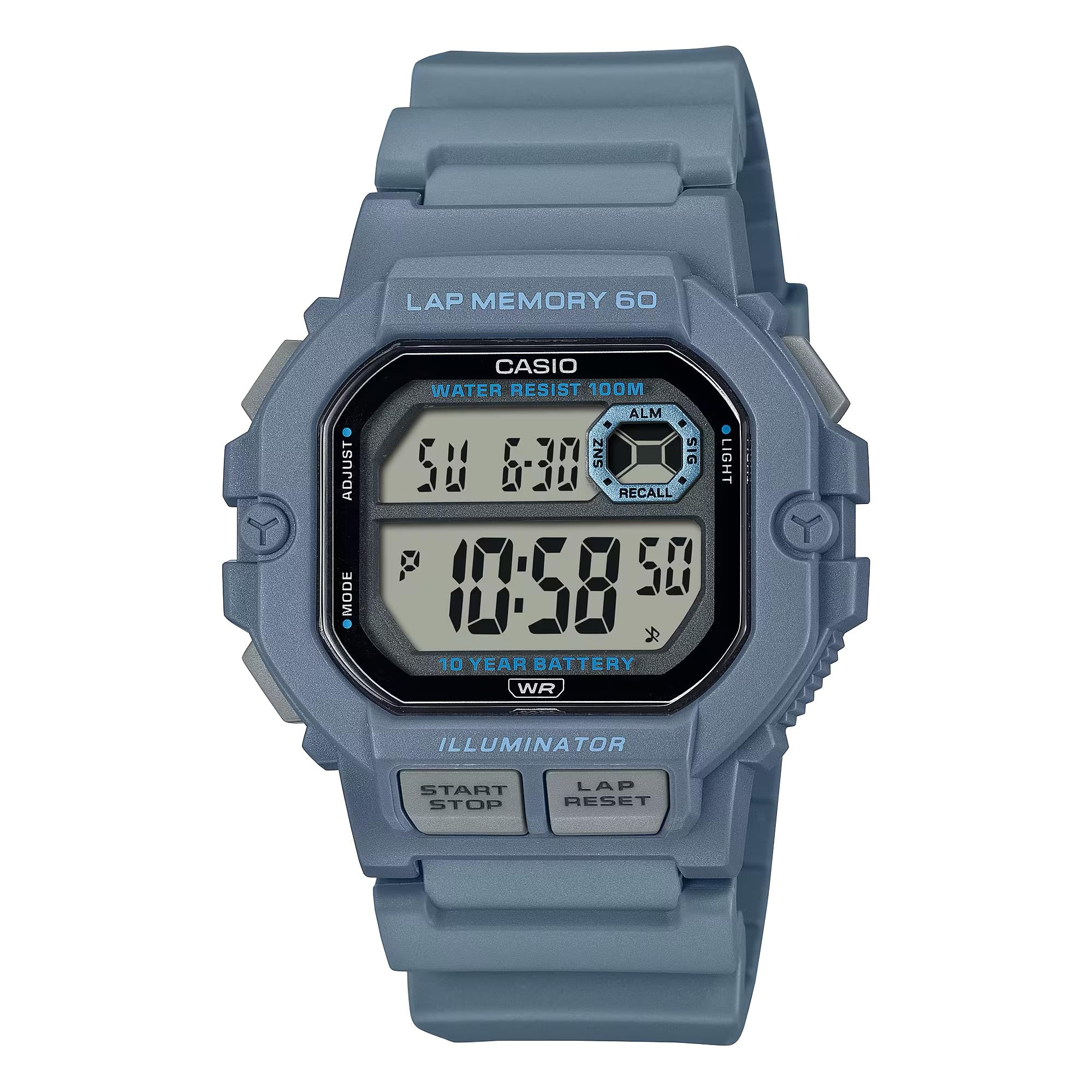
Image: Casio WS-1400H Series Digital Watch, showcasing u so design è a visualizazione digitale.
Istituisci
Impostazione iniziale di a data è di l'ora
- In u modu di misurazione di l'ora, tene premutu è tene premutu u buttone ADJUST button (usually top-left) until the seconds begin to flash, indicating the setting screen.
- Press u MODE button (usually bottom-left) to cycle through the settings: Seconds → Hour → Minute → Year → Month → Day.
- Aduprà u START/STOP button (usually top-right) to increase the flashing value, or the LAP / RESET button (usually bottom-right) to decrease it.
- Una volta chì tutti i paràmetri sò curretti, appughjà u buttone ADJUST buttone per sorte da a schermata di paràmetri.
Informazioni batterie
Your Casio WS-1400H watch is powered by a CR2025 battery, providing approximately 10 years of operation. When the display becomes dim or functions become unreliable, it is time to replace the battery. It is recommended to have battery replacement performed by a qualified watch technician to ensure proper sealing and water resistance.
Modi di funziunamentu
The watch features several modes accessible by pressing the MODE buttone.
Modu Cronometru
Mostra l'ora attuale (ora, minutu, secondu), u ghjornu di a settimana è a data. Questu hè u modu predefinitu.
Modu Cronometru
The stopwatch measures elapsed time, split times, and two finishes. It has a 60-lap memory function.
- To enter Stopwatch Mode: Press the MODE button until 'STW' or 'STOPWATCH' appears.
- To start/stop: Press the START/STOP button (front button).
- To record a lap/split time: Press the LAP / RESET button while the stopwatch is running.
- To reset: With the stopwatch stopped, press the LAP / RESET buttone.
- À view lap memory: In Stopwatch Mode, press the ADJUST button to cycle through recorded lap times.
Modu di Timer à Conta Risposta
The countdown timer can be set for a specific duration and will alert you when the time expires.
- To enter Timer Mode: Press the MODE button until 'TMR' or 'TIMER' appears.
- To set the timer: Press and hold the ADJUST button until the hour/minute digits flash. Use START/STOP è LAP / RESET per aghjustà i valori, è MODE to move between hours and minutes. Press ADJUST per cunfirmà.
- To start/stop the timer: Press the START/STOP buttone.
- To reset the timer: With the timer stopped, press the LAP / RESET buttone.
Modu d'alarma
L'orologio hà parechje sveglie di ogni ghjornu è un orariu.urly signali di tempu.
- To enter Alarm Mode: Press the MODE buttone finu à chì appare "ALM" o "ALARM".
- To set an alarm: Press and hold the ADJUST buttone finu à chì e cifre di l'ore lampeghjanu. Aduprate START/STOP è LAP / RESET per aghjustà i valori, è MODE to move between hours and minutes. Press ADJUST per cunfirmà.
- To turn alarms ON/OFF: In Alarm Mode, press the START/STOP button to toggle through alarms and the hourly signali di tempu.
Modu Dual Time
Allows you to keep track of a second time zone.
- To enter Dual Time Mode: Press the MODE button until 'DT' or 'DUAL TIME' appears.
- To set dual time: Press and hold the ADJUST buttone finu à chì e cifre di l'ore lampeghjanu. Aduprate START/STOP è LAP / RESET per aghjustà i valori, è MODE to move between hours and minutes. Press ADJUST per cunfirmà.
LED retroilluminazione
The watch features an LED backlight for illumination in low-light conditions.
- To activate: Press the LUCE button (usually top-right or a dedicated button).
- Afterglow duration: The backlight can be set to illuminate for 1.5 seconds or 3 seconds. This setting is typically adjusted in Timekeeping Mode's setting screen, cycling through options with the MODE button after setting time.
Mantenimentu
Resistenza à l'acqua
Your watch is rated for 100-meter water resistance. This means it is suitable for swimming, showering, and snorkeling. However, it is not suitable for scuba diving. Ùn azionate micca i buttoni mentre l'orologio hè bagnatu o immersu.
Pulizia
Wipe the watch regularly with a soft, dry cloth to remove dirt and moisture. For stubborn dirt, use a soft cloth dampSciacquate cù acqua è un detergente neutru delicatu, poi asciugate.
Sustituzione di batterie
As mentioned, the CR2025 battery has a 10-year life. When replacement is needed, it is strongly recommended to take the watch to an authorized Casio service center or a professional watch repair shop. This ensures the watch's water resistance is maintained after the battery compartment is opened.
Risoluzione di prublemi
- U display hè viotu o scuru: A batteria pò esse bassa o scarica. Rimpiazzà a batteria.
- L'ora hè sbagliata: Re-adjust the time and date settings as described in the Setup section. Ensure the correct AM/PM setting is selected.
- I buttoni ùn rispundenu micca: Ensure the watch is not in a frozen state due to extreme cold. If the issue persists, a battery reset (AC reset) might be required by a professional.
- Acqua in l'orologio: Purtate subitu l'orologio à un centru di assistenza autorizatu. Ùn pruvate micca à apre l'orologio voi stessu.
Specificazioni
| Numero di mudellu | WS-1400H-2AVCF |
| U fabricatore | Casio |
| Dimensioni di u produttu | 5 x 7 x 5 inch; 5.26 uncesi |
| Batterie | 1 LR44 battery (CR2025 equivalent), included |
| Resistenza à l'acqua | 100 Metri (10 ATM) |
| A vita di a batteria | Circa 10 anni |
| Stopwatch Memory | 60 giri |
Garanzia è Supportu
For warranty information, service, and support, please refer to the official Casio website or contact Casio customer service directly. Keep your proof of purchase for warranty claims.
Casio ufficiale Websitu: www.casio.com