Introduzione
The MCHOSE V9 PRO Wireless Gaming Headset delivers an immersive audio experience with 7.1 surround sound, low-latency wireless connectivity, and an AI noise-canceling microphone. This manual provides detailed instructions for setup, operation, and maintenance to ensure optimal performance.
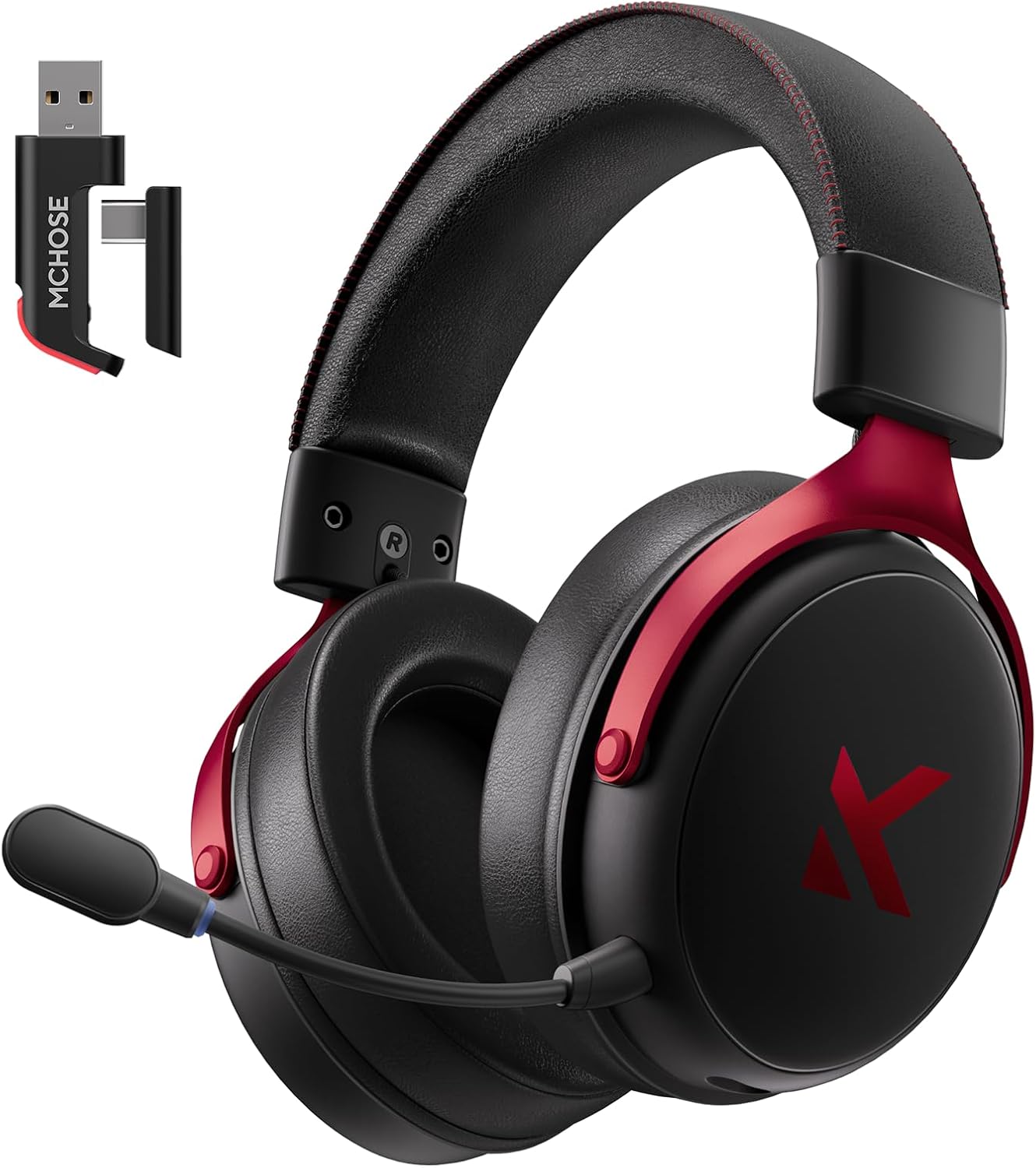
Image: MCHOSE V9 PRO Wireless Gaming Headset with its 2.4GHz USB receiver.
Cuntenutu di u pacchettu
Verificate chì tutti l'articuli elencati quì sottu sò inclusi in u vostru pacchettu:
- Cuffie di ghjocu senza filu MCHOSE V9 PRO
- 2.5GHz Receiver (USB-A & Type-C compatible)
- Cavu di carica USB-C
- Microfonu staccabile
- Foam Windscreen (pre-installed on microphone)
- Manuale d'usu

Image: Diagram illustrating the headset, receiver, cables, microphone, and user manual.
Product Overview
Cuntrolli è indicatori

Image: Handy guide showing the location and function of buttons and indicator lights on the headset.
- Pulsante di putenza: Long press for approximately 3 seconds to power on/off.
- Cambia di modu di cunnessione: Double-click the power button to switch between 2.4GHz wireless, Bluetooth, and wired modes.
- Cambia di modalità di ghjocu / musica: Triple-click the power button to switch between Game Mode 1, Game Mode 2, and Music Mode.
- Play/Pause: Cliccate unicu u buttone di putenza.
- Rispondi / Finisce a chjama: Cliccate unicu u buttone di putenza.
- Reject Call: Appughjà longu u buttone di accensione per circa 1.5 secondi.
- Pulsante di microfonu: Un clic per accende / disattiva u microfonu.
- Rota di volume: Slide upwards to increase volume, slide downwards to decrease volume.
Indicatori luminosi
- Bluetooth (BT) Waiting for Connection: Luci rosse è blu lampeggianu alternativamente.
- 2.4G Waiting for Connection: Red and green lights flash alternately.
- Carica: A luce rossa resta accesa.
- Completamente carica: A luce blu ferma accesa.
- 2.4G Mode Active: Luce verde.
- Bluetooth Mode Active: Luce blu.
- Microphone Active: Blue light on microphone tip.
Configurazione è Cunnessione
2.4GHz Wireless Connection (PC, PS5, PS4, Switch)
- Remove the 2.4GHz USB receiver from its storage slot on the headset.
- Plug the 2.4GHz receiver into an available USB-A port on your computer or gaming console. For devices with only USB-C ports, detach the USB-A adapter from the receiver and plug in the USB-C end.
- Press and hold the power button on the headset for approximately 3 seconds to power it on.
- Double-click the power button to ensure the headset is in 2.4GHz wireless mode (indicated by a green light). The headset should automatically connect to the receiver.
Bluetooth Wireless Connection (Mobile Phone, Tablet, PC, Switch)
- Press and hold the power button on the headset for approximately 3 seconds to power it on.
- Double-click the power button to switch the headset to Bluetooth mode (indicated by a blue light flashing alternately with red).
- On your device (phone, tablet, PC, Switch), navigate to Bluetooth settings and search for "MCHOSE V9 PRO".
- Select the headset to pair. Once connected, the blue light will remain steady.
Wired Connection (PC, PS5, PS4, Switch, Mobile Phone, Tablet)
The headset supports a wired connection via the included USB-C cable. This mode is primarily for charging and can also be used for audio if wireless options are not preferred or available.
- Connect the USB-C cable to the headset's charging port.
- Connect the other end of the USB-C cable to your device.
- The headset will function as a wired device.
Configurazione di u microfonu
- Plug the detachable microphone into the designated port on the left earcup of the headset. Ensure it is securely inserted.
- Ajustate a pusizione di u microfonu per una ripresa ottimale di a voce.
- Single-click the microphone button on the headset to toggle the microphone on or off. A blue light on the microphone tip indicates it is active.
Video: This video demonstrates the initial setup of the MCHOSE V9 PRO Wireless Gaming Headset, including connecting the 2.4GHz receiver, powering on, switching modes, and attaching the microphone.
Software Installation and Customization (MCHOSE HUB)
The MCHOSE HUB software allows for advanced customization of your headset's audio settings. It is compatible with Windows 10 and above.
Passi di stallazione
- Visit the official MCHOSE websitu (mchose.store).
- Navigate to the 'Support' section and click on 'Drivers & Firmwares'.
- Locate the 'V9 / V9 Pro Driver' and download the desktop driver.
- Before installing the driver, ensure the 2.4GHz receiver is plugged into your computer.
- Install the downloaded driver and follow the on-screen instructions.
- Once installed, open the MCHOSE HUB application. You can switch the application language to English from the settings.
Video: This video guides you through the process of connecting and installing the MCHOSE desktop driver for your headset.
Audio Equalizer Customization
The MCHOSE HUB features a customizable equalizer to fine-tune your audio output.
- In the MCHOSE HUB, right-click on 'Speakers' and select 'Equalizer'.
- Enable the equalizer.
- Adjust the frequency bands as needed to create your desired sound profile.
- You can save your custom settings as a preset or choose from official presets like Dance, Rap, Metal, Jazz, etc.
- You can also restore the default equalizer settings.

Image: Screenshot of the MCHOSE HUB software interface displaying the audio equalizer settings.
7.1 Sonu surround
Enable 7.1 surround sound for enhanced spatial awareness in games and movies.
- In the MCHOSE HUB, right-click on 'Speakers' and select 'Xear Surround Headphone'.
- Enable Xear Surround.
- Choose between 'Music/Gaming mode' or 'Movie mode' based on your content.
- Adjust the 'Room Size' for optimal effect.

Image: Visual representation of 7.1 surround sound technology with the MCHOSE V9 PRO headset.
Voice Effects (Magic Voice)
The software includes various voice effects for fun or specific communication needs.
- In the MCHOSE HUB, right-click on 'Mic' and select 'Xear Magic Voice'.
- Enable 'Magic Voice' and choose from different voice effects.
AI Noise Reduction for Microphone
Enhance microphone clarity by enabling AI noise reduction.
- In the MCHOSE HUB, right-click on 'Mic' and select 'AI NoiseReduction'.
- Enable 'AI NoiseReduction' to filter out background noise.
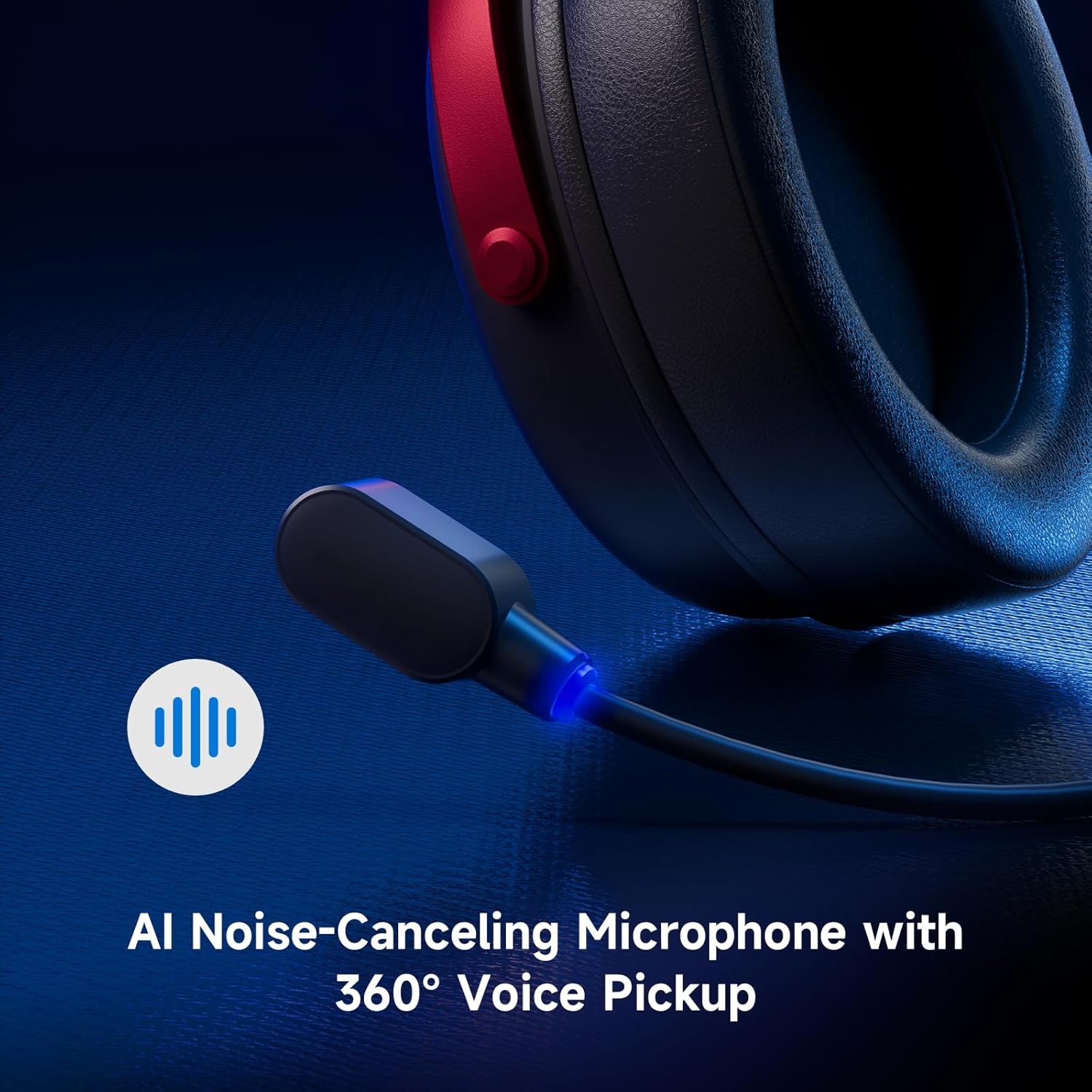
Image: Close-up of the AI Noise-Canceling Microphone on the MCHOSE V9 PRO headset.
Istruzzioni di funziunamentu
Power On/Off
To power on the headset, press and hold the power button for approximately 3 seconds. To power off, repeat the action.
Modi di cambià
Double-click the power button to cycle through 2.4GHz wireless, Bluetooth, and wired connection modes. The indicator light color will change accordingly (Green for 2.4GHz, Blue for Bluetooth).
Triple-click the power button to switch between Game Mode 1, Game Mode 2, and Music Mode, optimizing audio profiles for different content.
Volume Control
Use the volume wheel located on the earcup to adjust the audio output level. Slide up to increase volume, slide down to decrease volume.
Mute microfonu
Single-click the microphone button to mute or unmute the microphone. The blue light on the microphone tip indicates its active status.
Mantenimentu
- Pulizia: Aduprate un pannu dolce è asciuttu per pulisce l'auriculare. Evitate l'usu di prudutti chimichi aggressivi o materiali abrasivi.
- Conservazione: Conservate l'auriculare in un locu frescu è asciuttu, luntanu da a luce diretta di u sole è da temperature estreme.
- Cura di a batteria: Per una durata ottimale di a batteria, evitate di scaricà cumpletamente l'auriculare spessu. Caricatelu regularmente.
- Micrufonu: Handle the detachable microphone carefully. Ensure the foam windscreen is properly seated.
Risoluzione di prublemi
- Nisun sonu / Volume bassu:
- Check headset volume wheel and device volume settings.
- Ensure the headset is correctly connected (2.4GHz receiver, Bluetooth, or wired).
- Verificate chì u dispusitivu di surtita audio currettu sia sceltu in i paràmetri di sonu di u vostru urdinatore.
- U microfonu ùn funziona micca:
- Ensure the microphone is securely plugged into the headset.
- Check if the microphone is muted (blue light on tip should be on).
- Verificate chì u dispusitivu d'entrata di u microfonu currettu sia sceltu in i paràmetri di sonu di u vostru dispusitivu.
- If using MCHOSE HUB, check AI Noise Reduction settings.
- Prublemi di cunnessione (2.4GHz/Bluetooth):
- Ensure the headset is in the correct connection mode (green light for 2.4GHz, blue for Bluetooth).
- For 2.4GHz, try plugging the receiver into a different USB port.
- For Bluetooth, try unpairing and re-pairing the headset with your device.
- Assicuratevi chì l'auriculare hè carica.
- Software Not Detecting Headset:
- Ensure the 2.4GHz receiver is plugged into the computer before launching the MCHOSE HUB.
- Restart the MCHOSE HUB application and/or your computer.
Specificazioni
| Nome di mudellu | V9 Pro |
| Marca | MCHOSE |
| Tecnulugia di cunnessione | 2.4GHz Wireless, Bluetooth (BT 5.1), Wired |
| Drivers audio | 53mm Neodymium Drivers with Bio-cellulose Diaphragm |
| Son surround | 7.1 Sonu surround |
| Micrufonu | AI Noise-Canceling Microphone with 360° Voice Pickup |
| Latenza senza filu | 15ms (TOPSPEED 2.4GHz) |
| A vita di a batteria | Finu à 250 Hours Playtime |
| Versione Bluetooth | 5.1 |
| Gamma Bluetooth | Finu à 40 metri |
| Dispositivi compatibles | PC, Laptop, Switch, PS5, PS4, Mobile Phone, Tablet |
| Pesu | 0.60 lbs (circa 275 g) |
| Materiale | Metal, Plastic, Polyurethane (PU) |
| Posizionamentu di l'arechja | Over Ear |
Garanzia è Supportu
MCHOSE products are designed for quality and reliability. For warranty information, technical support, or to contact customer service, please visit the official MCHOSE websitu à mchose.store. You can find detailed warranty policies and support contact information in the 'Support' section of the websitu.


