1. Introduzione
Grazie per l'acquistuasing the ELECOM LBT-ECOWS01MBK Open-Ear Bluetooth 5.4 Wireless Headphones. These headphones are designed to allow you to enjoy audio content while remaining aware of your surroundings. This manual provides essential information for the safe and effective use of your new device.

Image: The ELECOM LBT-ECOWS01MBK open-ear wireless headphones and their transparent charging case.
2. Cuntenutu di u pacchettu
- ELECOM LBT-ECOWS01MBK Open-Ear Wireless Headphones (Left and Right)
- Casu di carica
- USB Charging Cable (USB-A to USB Type-C™)
- Guida Quick Start
3. Caratteristiche di u produttu
- Design à l'orechja aperta: Listen to music or videos while simultaneously hearing ambient sounds, ensuring awareness of your surroundings.
- Cunfortu Leggeru: Each earbud weighs approximately 9.8g, providing a comfortable fit for extended wear without pressure or stuffiness.
- Audio di alta qualità: Equipped with a large 16mm diameter driver for clear sound and supports AAC codec for high-quality audio on compatible devices like iPhones.
- Modu Vucale: Optimizes audio frequencies to make human voices clearer, ideal for radio, audiobooks, and conversations.
- Modu di bassa latenza: Reduces audio-visual delay, enhancing the experience for videos and games.
- Riproduzione estesa: Up to 10 hours of continuous playback on a single charge, and up to 25 hours with the charging case.
- Cuntrolli di Sensor Touch: Conveniently manage music playback, volume, and calls directly from the earbuds.
- Supportu di l'assistente vocale: Compatible with Siri and Google Assistant for hands-free control.
- Usu di un solu auriculare: Ogni auriculare pò esse usatu indipindente.
- USB Type-C™ Charging: The charging case features a USB Type-C™ port for convenient charging.

Image: A man wearing the open-ear headphones, demonstrating the ability to hear ambient sounds while enjoying media.
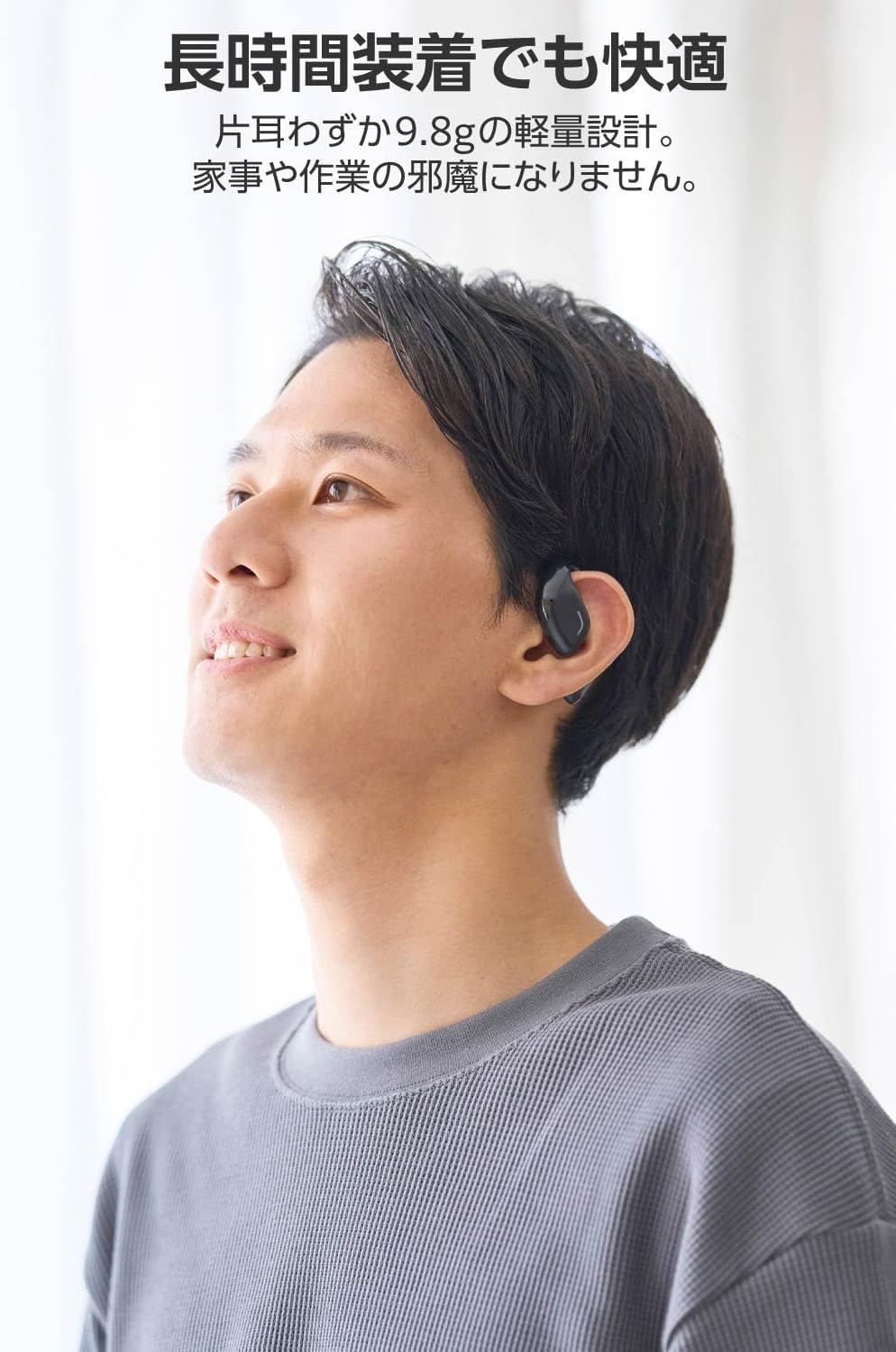
Image: A man wearing the lightweight open-ear headphones, highlighting their comfortable design for long-term use.
4. Setup
4.1. Caricamentu di l'auricolari è di a custodia
Prima di u primu usu, caricate cumpletamente l'auricolari è a custodia di ricarica.
- Pone i dui auriculari in u casu di carica.
- Connect the supplied USB Type-C™ cable to the charging port on the case and a USB power adapter (not included).
- L'indicatore LED nantu à a custodia di carica mostrerà u statu di carica.
Tempu di carica:
- Headphones: Approximately 1.5 hours
- Custodia di ricarica: Circa 1.5 ore

Image: Illustration of the charging process for the headphones and case, showing the USB-C port and LED indicators.
4.2. Pairing cù un aparechju Bluetooth
- Assicuratevi chì e cuffie sò caricate.
- Open the charging case. The headphones will automatically enter pairing mode. The LED indicator on the earbuds will flash.
- On your device (smartphone, PC, tablet), enable Bluetooth and search for available devices.
- Select "LBT-ECOWS01MBK" from the list of found devices.
- Una volta cunnessu, l'indicatore LED nantu à l'auricolari smetterà di lampeggià.
- After initial pairing, the headphones will automatically connect to the last paired device when removed from the case.
4.3. Purtà l'auricolari
The headphones are designed to hook over your ears.
- Identificà l'auricolari sinistro (L) è destro (R).
- With the LED facing outwards, hook the earbud over the top of your ear.
- Adjust the earbud for a comfortable and secure fit.

Image: Step-by-step guide on correctly wearing the open-ear headphones.
5. Operating Instructions
5.1. Cuntrolli di u sensore tattile
The headphones feature touch sensors on each earbud for various functions.
| Funzione | Azzione | Auriculare |
|---|---|---|
| Play / Pausa | Tap unicu | L o R |
| Next Track | Doppiu toccu | R |
| Pista Precedente | Doppiu toccu | L |
| Volume Up | Pressu longu (circa 2 secondi) | R |
| Volume Down | Pressu longu (circa 2 secondi) | L |
| Rispondi / Fine Call | Tap unicu | L o R |
| Reject Call | Pressu longu | L o R |
| Attivà l'Assistente Vocale | Triple tap | L o R |

Image: Visual representation of the touch sensor areas and corresponding music and volume controls.
5.2. Switching Audio Modes
The headphones offer three distinct audio modes:
- Modu normale: Standard audio playback.
- Modu di bassa latenza: Reduces audio-visual delay, suitable for watching videos or playing games.
- Modu Vucale: Enhances human voice frequencies for clearer dialogue, ideal for audiobooks, podcasts, or calls.
To switch between modes, refer to the quick start guide or the official product page for specific touch gestures, as these can sometimes be customized.

Imagine: Un sopraview of the three available audio modes and their recommended uses.
5.3. Usu di un solu auriculare
You can use either the left or right earbud independently. When using only one earbud, ensure the other earbud is powered off or stored in the charging case.
6. Mantenimentu
Per assicurà a longevità è e prestazioni ottimali di e vostre cuffie:
- Pulite l'auricolari è a custodia di ricarica regularmente cù un pannu dolce è asciuttu.
- Ùn aduprate micca detergenti abrasivi o solventi.
- Evitate d'espone l'auricolari à temperature estreme, umidità o luce solare diretta.
- Mantene i cuntatti di carica nantu à l'auricolari è in l'internu di a custodia puliti è senza detriti.
- Conservate l'auricolari in a so custodia di ricarica quandu ùn sò micca in usu per prutegeli è manteneli carichi.
7. Risoluzione di prublemi
Sè avete prublemi cù e vostre cuffie, cunsultate e seguenti suluzioni cumuni:
- Nisun sonu:
- Assicuratevi chì e cuffie sò caricate.
- Check that the headphones are properly paired and connected to your device.
- Ajustate u vulume sia di l'auricolari sia di u vostru dispositivu cunnessu.
- Ùn si pò micca accoppià:
- Ensure the headphones are in pairing mode (LED flashing).
- Disattivate u Bluetooth nant'à altri dispusitivi vicini chì puderanu esse cunnessi prima.
- Riavvia u vostru dispositivu è pruvate à pairing di novu.
- Cunnessione intermittente:
- Ensure there are no obstacles between the headphones and your device.
- Move closer to your device (maximum communication distance is approximately 10m).
- Evitate l'ambienti cù forti interferenze elettromagnetiche.
- Cuntrolli Touch ùn Rispundenu:
- Assicuratevi chì e vostre dite sianu pulite è asciutte.
- Try restarting the headphones by placing them in the case and then taking them out again.
- Low Battery Voice Prompt: If you hear a repeated "Low Battery, please charge" prompt, place the earbuds in the charging case immediately.
If the issue persists, please refer to the official ELECOM support websitu per più assistenza.
8. Specificazioni
| Feature | Specificazione |
|---|---|
| Nome di mudellu | LBT-ECOWS01MBK |
| Tecnulugia di cunnessione | Wireless (Bluetooth® Version 5.4) |
| Bluetooth Profiles | A2DP, AVRCP, HFP |
| Codecs supportati | AAC, SBC |
| Distanza massima di cumunicazione | Approx. 10m (without obstacles) |
| Frequency Response (A2DP) | 20-20,000 Hz |
| U tempu di riproduzione cuntinuu | Approx. 10 hours (Approx. 25 hours with charging case) |
| Tempu di carica (cuffie) | Circa. 1.5 ore |
| Tempu di carica (casu) | Circa. 1.5 ore |
| Tipu di microfonu | tippu MEMS |
| Unità Driver | φ16mm Full Range |
| Pesu (per auricolare) | Circa. 9.8 g |
| Pesu (casu di carica) | Circa. 59.0 g |
| Culore | Matte Black |
| Resistenza à l'acqua | Non-impermeabile |
| Temperature di funziunamentu | 5 ℃ à 35 ℃ |
| Umidità operativa | 20% à 80% (senza condensazione) |
9. Garanzia è Support
9.1. Garanzia infurmazione
Stu pruduttu vene cun a 1 anni di garanzia from the date of purchase. Please retain your proof of purchase for warranty claims. The warranty covers manufacturing defects but does not cover damage caused by misuse, accidents, unauthorized modifications, or normal wear and tear.
9.2. Assistenza Clienti
For further assistance, technical support, or detailed product information, please visit the official ELECOM websitu:
You may also find additional FAQs and troubleshooting tips on the product support pages.