1. Introduzione
Thank you for choosing the FLEXISPOT L-Shaped Electric Standing Desk. This manual provides essential information for the safe assembly, operation, and maintenance of your new desk. Please read it thoroughly before use and retain it for future reference.
The FLEXISPOT L-Shaped Electric Standing Desk offers a spacious 63.0" x 55.1" work surface with electric height adjustment, allowing seamless transitions between sitting and standing positions. It features a robust 3-legged frame, a preset controller for personalized height settings, and a versatile orientation to fit various office layouts.
2. Informazioni di sicurezza
Always ensure the desk is properly assembled and anchored to the floor to prevent tipping. Do not exceed the maximum weight capacity of 220 lbs (100 kg) to maintain stability. Be cautious when adjusting the desk height to avoid injury. Keep children and pets away from the desk during operation. Ensure all cables are managed to prevent tripping hazards or damage during height adjustments.
3. Cuntenutu di u pacchettu
Your FLEXISPOT L-Shaped Electric Standing Desk ships in two separate packages, which may arrive on different days. Please verify all components against the included packing list before beginning assembly. If any parts are missing or damaged, contact FLEXISPOT customer support immediately.
4. Setup è Assemblea
Assembly of the FLEXISPOT L-Shaped Electric Standing Desk requires careful attention to detail. It is recommended to have two people for certain steps, especially when handling the desktop and flipping the assembled unit. The desk features a flexible design, allowing the wider desktop section to be positioned on either the left or right side to best suit your workspace.
4.1 Disimballaggio è preparazione
- Carefully unpack all components from both boxes.
- Lay out all parts on a clean, soft surface (e.g., a blanket or carpet) to prevent scratches.
- Identify all components using the provided parts list.
4.2 Assemblea Frame
Follow the detailed instructions in the separate assembly guide provided with your desk. Ensure all screws are tightened securely. The robust industrial-grade steel frame provides stability for your workstation.
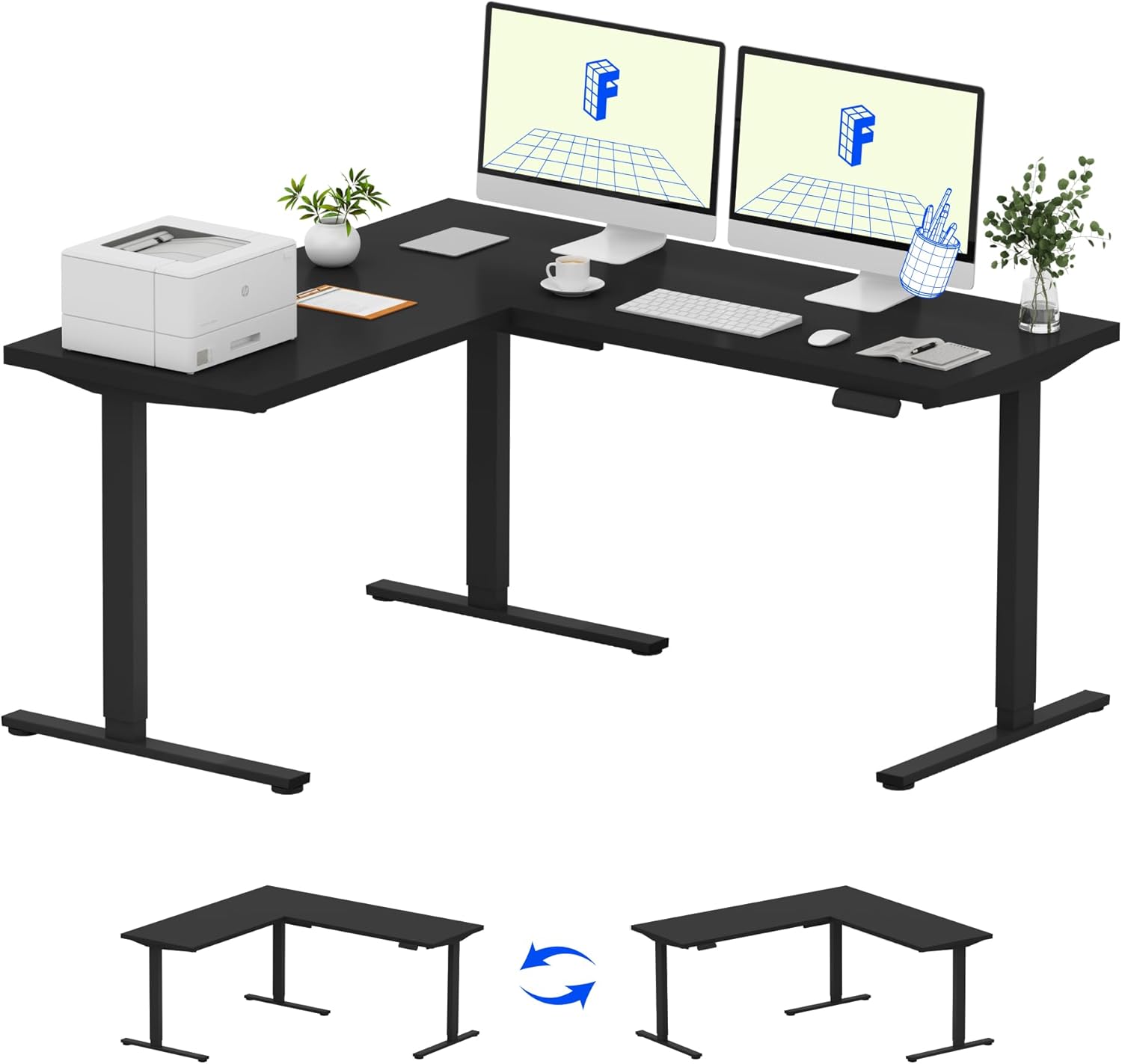
Image: Assembled FLEXISPOT L-Shaped Electric Standing Desk.
4.3 Desktop Attachment and Orientation
The expansive L-shaped desktop can be configured for either a left-hand or right-hand setup. Decide on your preferred orientation before attaching the desktop to the frame. The desktop is crafted from environmentally sourced splice board, measuring 63.0" x 55.1".

Image: Flexible right/left orientation options for the L-shaped desk.
4.4 Gestione di Cable
Utilize the included cable management tools to keep your workspace tidy and prevent cables from interfering with the desk's movement.

Image: The desk ships in two packages and has a 220 lbs weight capacity.
5. Operating Instructions
Your FLEXISPOT L-Shaped Electric Standing Desk is equipped with an intuitive LED control panel for easy height adjustments and memory presets.
5.1 Aghjustà l'altezza di u scrivania
- Aduprà u Su (▲) è Giù (▼) i buttoni nantu à u pannellu di cuntrollu per aghjustà manualmente u scrivanu à l'altezza desiderata.
- The desk offers a large adjustable range, from a minimum height of 28.3 inches to a maximum height of 45.9 inches.

Image: Large adjustable height range of the desk.
5.2 Usendu i Preset di Memoria
The LED control panel allows you to save up to four preferred height settings for quick transitions.
- Ajustate u scrivanu à l'altezza desiderata aduprendu i buttoni Su/Giù.
- Press u M button (Memory) followed by one of the numbered preset buttons (1, 2, 3 o 4) per salvà l'altezza attuale.
- Per richiamà una altezza salvata, basta à appughjà u buttone preimpostatu numeratu currispundente.

Image: Smart LED control panel with memory presets.
5.3 Funzione Anticollisione
The desk is equipped with an anti-collision system. If the desk encounters an obstacle during height adjustment, it will automatically stop and rebound slightly to prevent damage or injury.

Image: Anti-collision feature in action.
6. Mantenimentu
Una manutenzione regulare assicura a longevità è e prestazioni ottimali di u vostru scrivania in piedi.
- Pulizia: Asciugate u scrivania è a cornice cù un pannu dolce èamp pannu. Evitate i prudutti chimichi aggressivi o i detergenti abrasivi chì puderanu dannà a finitura.
- Ispezioni: Verificate periodicamente tutte e viti è i bulloni per assicurassi ch'elli sianu ben stretti. Stringhjiteli di novu se necessariu.
- Gestione di Cable: Ensure power cords and other cables are not pinched or tangled, especially during height adjustments.
- Capacità di pesu: Do not exceed the maximum weight capacity of 220 lbs to prevent strain on the motor and frame.
7. Risoluzione di prublemi
If you encounter issues with your FLEXISPOT L-Shaped Electric Standing Desk, refer to the following common troubleshooting steps:
- Scrivania ùn si move micca:
- Check if the power cord is securely plugged into both the desk and a working power outlet.
- Assicuratevi chì nisun ughjettu ùn impedisca u muvimentu di u scrivania.
- Try resetting the desk by unplugging it for 30 seconds and then plugging it back in.
- Muvimentu irregulare / Oscillazione:
- Verificate chì tutte e viti di montaggio sò strette.
- Assicuratevi chì u scrivanu sia nantu à una superficia piana. Aggiustate i pedi di livellamentu se necessariu.
- Confirm that the weight distribution on the desktop is balanced and within the maximum capacity.
- U pannellu di cuntrollu ùn risponde micca:
- Perform a power cycle (unplug and replug).
- Check for any visible damage to the control panel or its cable.
If these steps do not resolve the issue, please contact FLEXISPOT customer support.
8. Specificazioni
| Marca | FLEXISPOT |
| Mudellu | B0DV54QLX4 |
| Dimensioni di u produttu | 55.1 "D x 63" W x 45.9 "H |
| Culore | Cornice nera + Parte superiore nera |
| Stile | Moderna |
| Materiale di basa | Alloy Steel |
| Tipu di materiale superiore | Legnu |
| Spessore Tabletop | 1 inch |
| Altezza minima | 28 inch |
| Altezza massima | 45.9 inch |
| Cunsigliu Massimu di Pesu | 220 liri |
| Funzione speciale | Corded, Preset Controller, Anti-collision |
| Assemblea necessaria | Iè |
| UPC | 840460438384 |
9. Garanzia è Support
9.1 Garanzia infurmazione
FLEXISPOT provides the following warranty coverage for your L-Shaped Electric Standing Desk:
- Cupertura di 5 annu: Si applica à a struttura di u scrivanu è à u mutore.
- Prutezzione di 2 anni: S'applica à u pannellu di cuntrollu è à l'elettronica.
Please retain your proof of purchase for warranty claims. The warranty covers manufacturing defects under normal use.
9.2 Assistenza Clienti
For any questions, assistance with assembly, troubleshooting, or warranty inquiries, please contact FLEXISPOT customer support. You can find contact information on the official FLEXISPOT websitu o per mezu di a vostra piattaforma di compra.


