Introduzione
The PNI P16UV is a portable dual-band VHF/UHF radio station designed for reliable communication across various environments. It features 999 programmable channels, dual-band transmission, and 6-band reception, along with functions like VOX, scanning, FM radio, and weather channels. This manual provides detailed instructions for the proper setup, operation, and maintenance of your PNI P16UV radio.
Cuntenutu di u pacchettu
Verificate chì tutti l'articuli elencati quì sottu sò inclusi in u vostru pacchettu:
- Portable UHF/VHF Radio (PNI P16UV)
- Antenna
- Li-Ion Battery (2600mAh)
- Caricatore di scrivania
- Cuffie cù microfonu
- Cordino
- Manuale d'usu
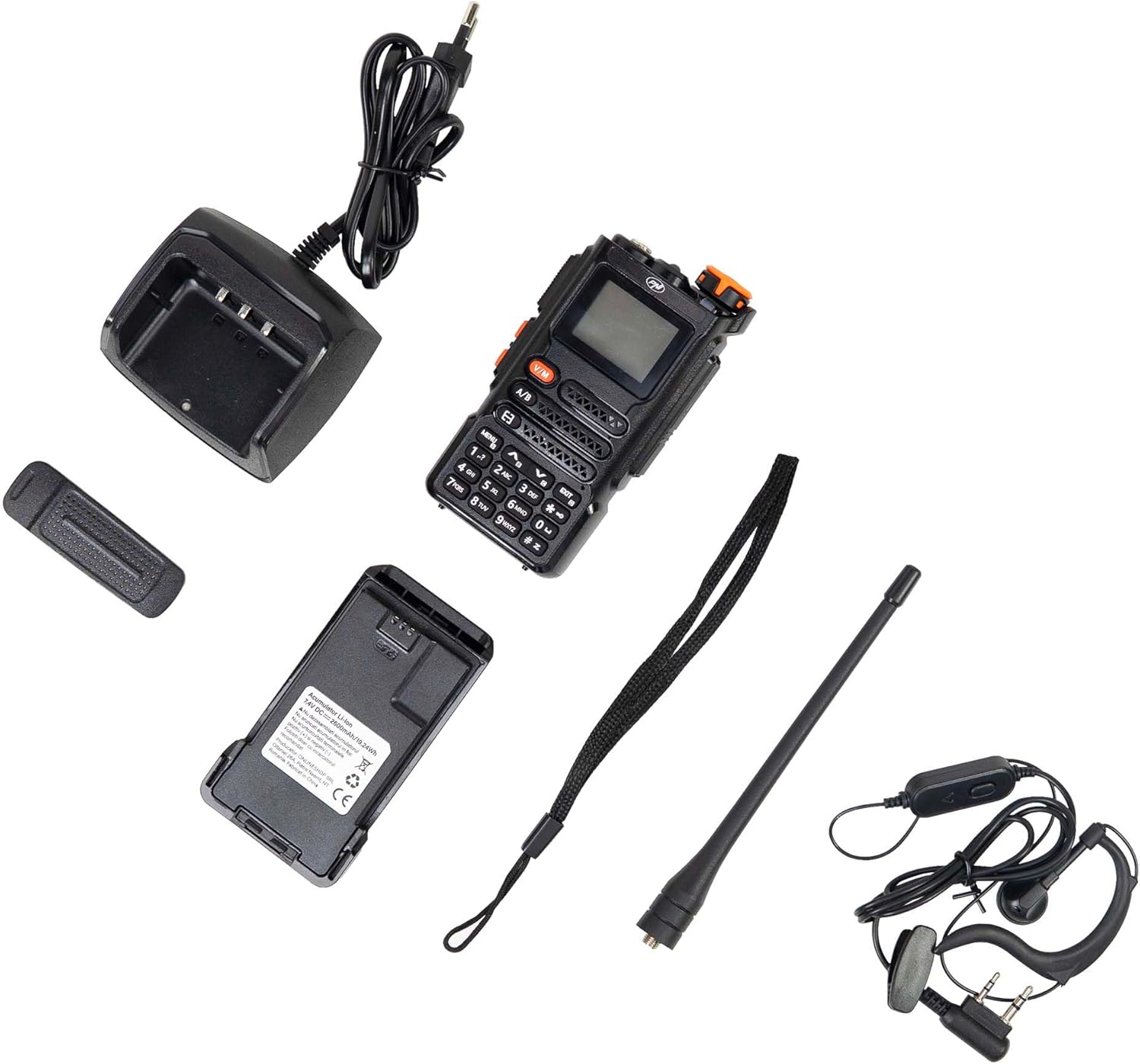
Figure 1: PNI P16UV Package Contents. This image displays the radio unit, antenna, 2600mAh Li-Ion battery, desk charger, headset with microphone, and lanyard, which are all included in the product package.
Product Overview
The PNI P16UV radio is equipped with a range of features to enhance your communication experience. Key features include:
- Dual-Band Transmission: Operates on both VHF (136-174 MHz) and UHF (400-470 MHz) frequencies.
- 6-Band Reception: Extends listening capabilities beyond standard transmission bands.
- 999 canali: Ampu almacenamentu per diverse frequenze è paràmetri.
- Putenza regulabile: Selectable transmission power (5W High, 1W Low) for efficiency.
- Funzione VOX: Trasmissione attivata da a voce per un funziunamentu à mani libere.
- Funzione di scansione: Automatically scans channels for activity.
- Radio FM: Ricevitore radio FM integratu (87.5-108 MHz).
- Canali Meteo: Access to weather information.
- Batteria Li-Ion: Batteria d'alta capacità di 2600 mAh per un usu prolongatu.
- torcia: Integrated LED flashlight for convenience.
- Chjave Serratura: Impedisce a pressione accidentale di i buttoni.
- Chjama d'urgenza: Dedicated function for urgent situations.
- DTMF: Segnalazione multifrequenza à dui toni.
- Squelch: Adjustable noise reduction.
- Dual Watch: Monitors two channels simultaneously.
- BCL (Bloccu di u Canale Occupatu): Impedisce a trasmissione nantu à un canale occupatu.
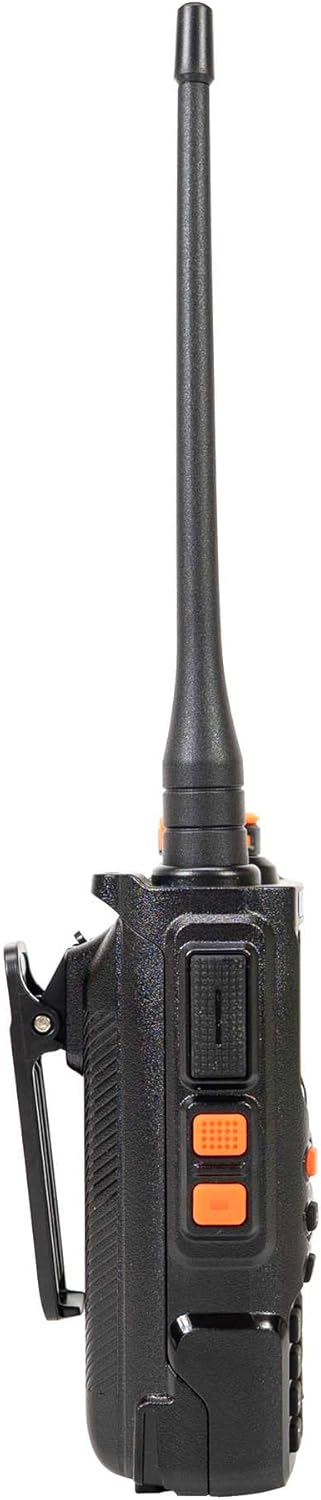
Figure 2: Main Features of PNI P16UV. This graphic highlights key functionalities such as FM Radio (87.5-108 MHz), 10 Preset Weather Channels, 1750Hz Tone Burst, Repeater Function, Type-C charging, VOX, DW (Dual Watch), TOT (Time Out Timer), CTCSS/DCS, BCL (Busy Channel Lockout), Keypad lock, SQ (Squelch), Scan, and DTMF.
Istituisci
1. Installazione di batterie
To install the Li-Ion battery:
- Assicuratevi chì a radio sia spenta.
- Allineate u pacchettu di batterie cù e scanalature nantu à u spinu di a radio.
- Fate scorrere a batteria versu l'altu finu à chì si sente un clic in u so postu saldamente.
- Per caccià, appughjà u linguettu di sganciu (s'ellu hè prisente) è fà scorrere a batteria versu u bassu.

Figure 3: Battery Installation. This image shows the radio and its battery pack separated, demonstrating how the battery slides into the back of the unit.
2. Attaccu di l'antenna
Avvitate l'antenna in sensu orariu in u cunnettore in cima à a radio finu à ch'ella sia stretta cù e dite. Ùn stringhjite micca troppu.
3. Charging the Battery
Before first use, fully charge the battery. Place the radio (with battery installed) into the desk charger. The charger indicator light will typically show red during charging and turn green when fully charged. A full charge can take several hours.

Figure 4: PNI P16UV Radio Ready for Use. This image shows the complete radio unit with the antenna attached and battery installed, displaying its front panel and screen.
Istruzzioni di funziunamentu
1. Accensione/Spegnimentu è Cuntrollu di u Volume
Rotate the top-right knob clockwise to power on the radio and increase volume. Rotate counter-clockwise to decrease volume and power off.
2. Selezzione di u canali
Use the up/down arrow buttons on the keypad to navigate through the 999 available channels. Alternatively, you can directly input channel numbers using the numeric keypad.
3. Dual-Band Operation (VHF/UHF)
The PNI P16UV supports both VHF and UHF bands. Use the A/B button to switch between the primary (A) and secondary (B) frequency displays. The radio can transmit on one band while monitoring another (Dual Watch).
4. VOX Transmission
The Voice Operated Exchange (VOX) function allows for hands-free transmission. When VOX is enabled, the radio will automatically transmit when it detects your voice. Adjust VOX sensitivity in the menu to prevent accidental transmissions or missed voice activation.
5. Funzione Scan
Activate the scan function to automatically search for active signals across programmed channels. The radio will pause on an active channel and resume scanning after a set period of inactivity.
6. FM Radio and Weather Channels
The radio includes an FM broadcast receiver and dedicated weather channels. Consult the full user manual for specific instructions on accessing and tuning these features.
7. Chjave Serratura
To prevent accidental changes to settings or transmissions, activate the keypad lock function. Refer to the radio's on-screen menu or dedicated button for this feature.
8. Emergency Call
The emergency call function, typically activated by a dedicated button, transmits an alert signal on a pre-programmed emergency frequency. Familiarize yourself with its operation for critical situations.
Mantenimentu
1. Cura di batterie
- Caricate a batteria cumpletamente prima di u primu usu.
- Evite sovraccaricare o drenà completamente a bateria per allargà a so vita.
- Conservate a batteria in un locu frescu è asciuttu quandu ùn hè micca in usu per periodi prolungati.
2. Pulizia
Asciugate l'esternu di a radio cù un pannu dolce èamp cloth. Do not use harsh chemicals or abrasive cleaners. Ensure the radio is powered off and dry before use.
3. Storage
When storing the radio for a long time, remove the battery. Store the radio and battery in a dry, temperature-controlled environment, away from direct sunlight and extreme temperatures.
Risoluzione di prublemi
| Prublemu | Causa Possibile | Soluzione |
|---|---|---|
| A radio ùn s'accende micca. | A batteria ùn hè micca stallata currettamente o hè scarica. | Assicuratevi chì a batteria sia installata currettamente. Caricate cumpletamente a batteria. |
| Ùn pò micca trasmette o riceve. | Incorrect frequency/channel, antenna not attached, low battery, or squelch too high. | Verify frequency/channel. Attach antenna securely. Charge battery. Adjust squelch level. |
| Qualità audio povera. | Weak signal, antenna issue, or squelch setting. | Spostatevi in una zona cù un signale megliu. Verificate a cunnessione di l'antenna. Aggiustate u squelch. |
| A tastiera ùn risponde micca. | A funzione di bloccu di i tasti hè attiva. | Deactivate the key lock function (refer to your radio's specific key lock combination). |
Specificazioni
| Feature | Detail |
|---|---|
| Mudellu | PNI-P16UV |
| Banda di Frequency | VHF (136-174 MHz), UHF (400-470 MHz), Commercial FM |
| Canali | 999 canali |
| Forza di trasmissione | 5W (Hi), 1W (Lo) |
| Batteria | 2600 mAh Li-Ion |
| Autonumia | Finu à 22 ore |
| Dimensioni (cù antenna) | 60 x 40 x 110 mm (radio body), 265 mm (with antenna) |
| Pesu | 250 gr (radio body), 439 g (packaged) |
| Temperature di funziunamentu | -26 ° C ~ + 80 ° C |
| Connettore di Antenna | SMA |
| Pin di l'accessori audio | 2 PNI-K pins |
| Funzioni spiciali | VOX, Scan, FM Radio, Weather Channels, Flashlight, Key Lock, Emergency Call, DTMF, Dual Watch, Squelch, Time out Timer (TOT), Talk Around, BCL (Busy Channel Lockout) |
Garanzia è Supportu
Per infurmazioni nantu à a garanzia, assistenza tecnica o dumande di serviziu, cuntattate u fabricatore:
- Produttore: NEGOZIU IN LIGNA SRL
- Indirizzu: Olteniei 26A, Piatra Neamt, Neamt, 610206, Romania
- E-mail: comenzi@pni.ro
- Websitu: www.pni.ro
Per piacè cunservate a vostra prova d'acquistu per qualsiasi reclamu di garanzia.

Figure 5: Manufacturer Information. This image displays the back of the product packaging, detailing the manufacturer (ONLINESHOP SRL), address, email (comenzi@pni.ro), and website (pni.ro).