Introduzione
This manual provides essential instructions for the safe and efficient use of your Philips TAT5000 True Wireless Bluetooth Earbuds. Please read this guide thoroughly before operating the device and retain it for future reference. These earbuds feature Adaptive Noise Canceling Pro, 6-mic call technology, and Bluetooth 5.4 multipoint connectivity, designed for a superior audio experience.
Chì ci hè in u Box
- Philips TAT5000 True Wireless Earbuds (Left and Right)
- Casu di carica
- Cavu di carica USB-C
- Eartips (Small, Medium, Large)
- Manuale d'usu

Image: Philips TAT5000 True Wireless Earbuds shown inside their open charging case, ready for use.
Istituisci
1. Caricamentu di l'auricolari è di a custodia
Before first use, fully charge the earbuds and charging case. Connect the USB-C charging cable to the charging port on the case and to a power source. The charging indicators on the case will show the charging status. A full charge provides up to 40 hours of total playtime (10 hours from earbuds + 30 hours from case with ANC off). A 15-minute quick charge provides approximately 3 hours of playtime.

Image: The Philips TAT5000 charging case, closed, displaying its USB-C charging port on the front.
2. Accoppiamentu cù u vostru dispositivu
- Assicuratevi chì l'auricolari sianu caricati è piazzati in a custodia di ricarica.
- Aprite a custodia di carica. L'auricolari entreranu automaticamente in modalità di accoppiamentu.
- Nant'à u vostru apparechju (smartphone, tableta, laptop), attivate Bluetooth è cercate novi apparechji.
- Select "Philips TAT5000" from the list of available devices to connect.
- For Android devices, Google Fast Pair allows for instant connection. For Windows devices, Microsoft Swift Pair offers quick pairing.
- The earbuds support Bluetooth 5.4 multipoint connectivity, allowing connection to two devices simultaneously.
3. Sceglie i tappi per l'arechje adatti
Choose the soft silicone eartips (S/M/L) that provide the most comfortable and secure fit for optimal sound quality and noise cancellation performance.
Istruzzioni di funziunamentu
1. Power On / Off
- Power On: Aprite u casu di carica, è l'auriculare si accende automaticamente.
- Spegnimentu: Rimettite l'auricolari in a custodia di carica è chjude u coperchio. Si spegneranu automaticamente.
2. Music Playback (Touch Controls)
- Play/Pause: Tap the touch panel on either earbud once.
- Prussima pista: Double-tap the touch panel on the right earbud.
- Pista Precedente: Double-tap the touch panel on the left earbud.
3. Call Management (Touch Controls)
- Rispondi / Finisce a chjama: Tap the touch panel on either earbud once.
- Reject Call: Press and hold the touch panel on either earbud for 2 seconds.
4. Modi di cuntrollu di u rumore
The earbuds feature Adaptive Noise Canceling Pro. Tap the touch panel (specific earbud/pattern may vary, refer to app for customization) to cycle through modes:
- Adaptive Noise Canceling (ANC): Riduce u rumore ambientale.
- Modu di sensibilizazione: Vi permette di sente ciò chì vi circonda.
- Quick Awareness: Amplifies voices for quick conversations without removing earbuds.
5. Philips Headphones App
Download the Philips Headphones App for additional features, including:
- Persunalizazione di i cuntrolli tattili.
- Adjusting Equalizer (EQ) settings.
- Managing ANC levels and modes.
- Riceve l'aghjurnamenti di firmware.
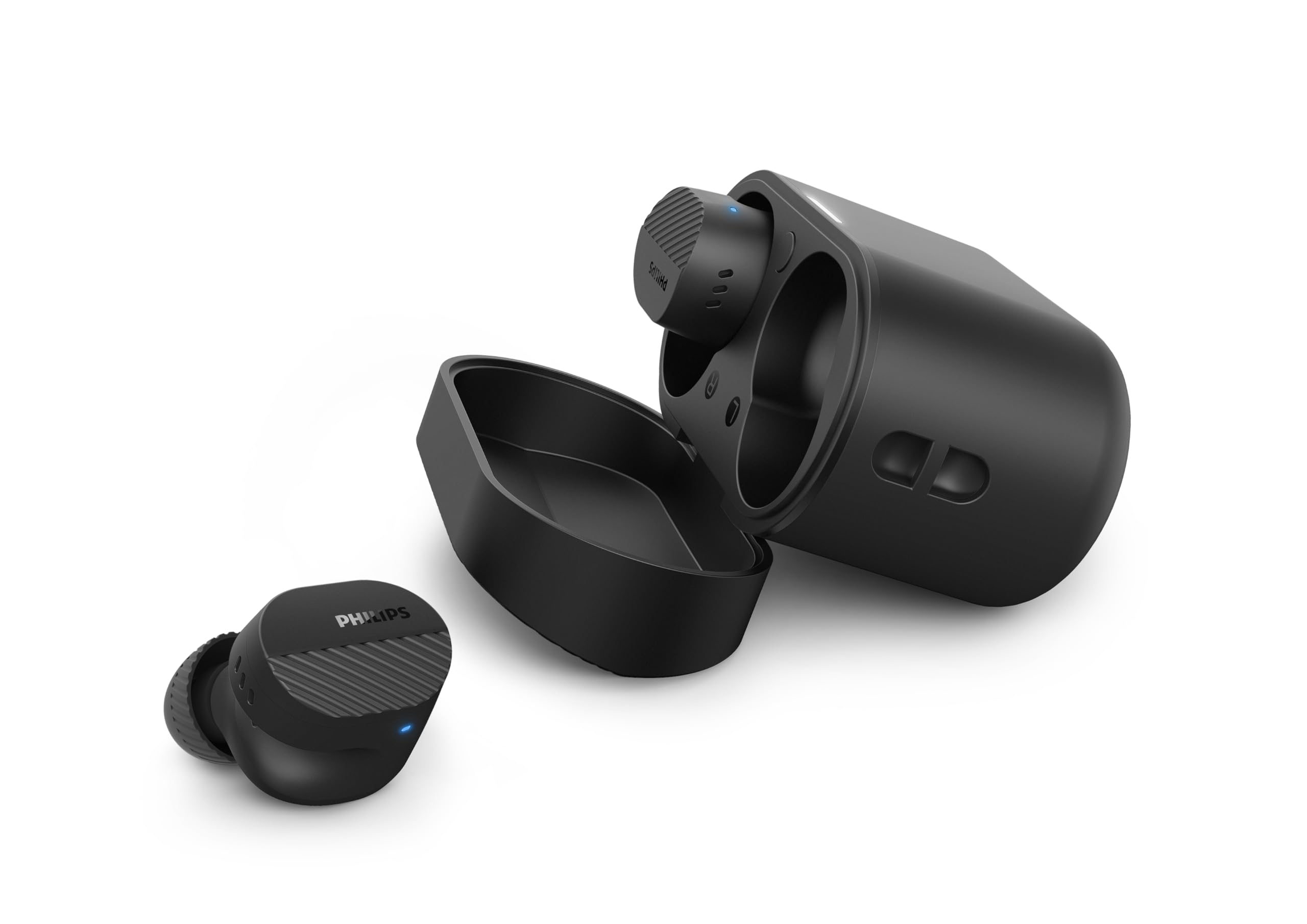
Image: A person holds the Philips TAT5000 earbuds in their charging case in one hand and a smartphone displaying the Philips Headphones app settings in the other, demonstrating app control.
Mantenimentu
Pulizia
- Asciugate delicatamente l'auricolari è a custodia di ricarica cù un pannu morbidu, asciuttu è senza pelu.
- Eliminate i tappi per l'arechje è puliteli cù acqua è sapone dolce, poi asciugateli accuratamente prima di riattaccalli.
- Ùn aduprate micca detergenti abrasivi, alcolu o solventi chimichi.
Resistenza à l'acqua
The earbuds are IPX5 water resistant, meaning they are protected against sweat and splashes of water. They are not designed for submersion in water. Ensure the charging port is dry before charging.
Storage
Store the earbuds in their charging case when not in use to protect them and conserve battery life. Avoid extreme temperatures.
Risoluzione di prublemi
| Prublemu | Causa Possibile | Soluzione |
|---|---|---|
| L'auriculare ùn si accende micca | Batteria bassa | Pone l'auricolari in a custodia di ricarica è caricali cumpletamente. |
| Ùn si pò micca accoppià cù u dispusitivu | Bluetooth off, earbuds not in pairing mode, or device too far | Ensure Bluetooth is enabled on your device. Open the charging case to activate pairing mode. Move device closer to earbuds. Try forgetting the device in Bluetooth settings and re-pairing. |
| Nisun sonu o mala qualità di sonu | Incorrect eartip size, low volume, or connection issue | Adjust eartips for a secure fit. Increase volume on your device. Reconnect earbuds to your device. |
| L'ANC ùn funziona micca bè | Improper fit, or ANC mode not active | Ensure earbuds are properly seated in your ears with the correct eartip size. Verify ANC is enabled via touch controls or the Philips Headphones App. |
| Casu di carica ùn hè micca carica | Cavu o fonte di energia difettu | Try a different USB-C cable and power adapter. Ensure the charging port is clean and dry. |
If issues persist, refer to the Philips Headphones App for further assistance or contact customer support.
Specificazioni
- Nome di mudellu: TAT5000BK/00
- Connettività: Bluetooth 5.4
- Drivers audio: 8mm Graphene-Coated Dynamic Driver
- Durata di a batteria: Up to 40 Hours Total (10 hours earbuds + 30 hours case, ANC off)
- Carica rapida: 15 minuti per 3 ore di ghjocu
- Resistenza à l'acqua: IPX5 (Resistente à u sudore è à l'acqua)
- Metudu di cuntrollu: Tocca
- Controlu di u rumore: Adaptive Noise Canceling Pro
- Pesu: Approximately 4.16 ounces (earbuds and case)
- Cumpunenti inclusi: Earbuds, Charging Case, USB-C Cable, Eartips, User Manual
Garanzia è Supportu
Your Philips TAT5000 True Wireless Bluetooth Earbuds are covered by a limited warranty. Please refer to the warranty card included in your product packaging or visit the official Philips websitu per i termini è e cundizioni di garanzia dettagliate specifiche per a vostra regione.
For technical support, product registration, or frequently asked questions, please visit the Philips support website or contact Philips customer service directly. Contact information can typically be found on the Philips websitu o in a ducumentazione di u vostru pruduttu.


