Introduzione
This manual provides detailed instructions for the assembly, operation, and maintenance of your FLEXISPOT Standing Desk with a 40x24 inch one-piece desktop. Please read this manual thoroughly before assembly and use to ensure proper function and safety.
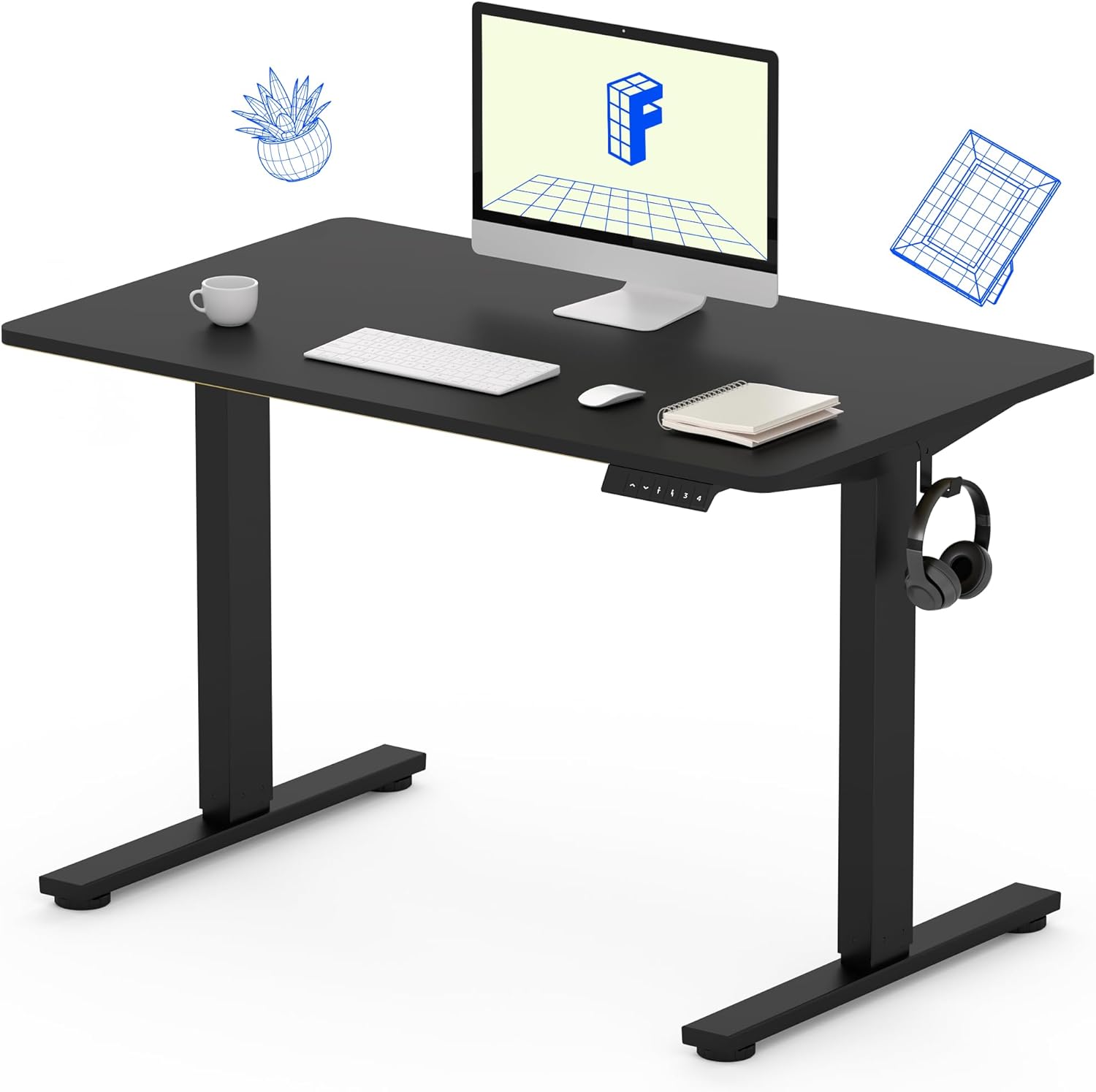
Image 1: The FLEXISPOT Standing Desk, showcasing its black desktop, black frame, and integrated control panel with a headphone hook.
Informazioni di sicurezza
ATTENZIONE:
- Always use caution when assembling the desk, especially when using a drill.
- Ùn superate micca u limitu di pesu massimu di 154 lbs (70 kg).
- Keep hands and body parts away from moving parts during height adjustment to prevent injury.
- Ensure all cables are properly managed to avoid entanglement during desk movement.
Cuntenutu di u pacchettu
Prima di principià u montaggio, verificate chì tutti i cumpunenti sò presenti è intatti. Sè qualchì parte manca o hè dannighjata, cuntattate l'assistenza clienti.
- One-Piece Desktop (40" x 24", Black)
- Desk Legs (Black Frame, Dual-Stage)
- Motore è scatula di cuntrollu
- Pannellu di cuntrollu cù presets di memoria
- Gancio per cuffie
- Ferramenta di montaggio (viti, chiave Allen)
- Cavu di putenza

Image 2: Illustration highlighting the seamless design of the FLEXISPOT one-piece desktop, contrasting it with multi-piece alternatives.
Setup è Assemblea
Assembly typically requires 30 minutes to an hour. It is recommended to have two people for assembly due to the weight of the package. A power drill (not included) may be needed for some steps.
- Unpack Components: Carefully remove all parts from the packaging. Inspect for any damage. Note that the packaging can be heavy.
- Assemblà a struttura di u scrivania: Attach the crossbar to the lifting columns (legs) using the provided hardware. Ensure all screws are tightened securely.
- Attaccà i pedi: Assicurate i pedi di u scrivania à u fondu di e colonne di sollevamentu.
- Muntà u Desktop: Carefully place the one-piece desktop upside down on a soft, clean surface. Position the assembled frame onto the desktop. Align the pre-drilled holes (if present) or mark positions for screws. Secure the frame to the desktop using the provided screws. A power drill may be helpful for this step.
- Install Control Box and Panel: Mount the control box and control panel to the underside of the desktop in the designated locations. Connect the motor cables and control panel cable to the control box.
- Attaccà l'accessori: Install the headphone hook to the side of the desktop as desired.
- Gestione di Cable: Route all cables neatly using cable ties or management clips (not included) to prevent interference with desk movement.
- Piazzamentu Finale: With assistance, carefully flip the desk upright and place it in its desired location. Ensure it is stable and level.

Image 3: The FLEXISPOT Standing Desk integrated into a home office setup, demonstrating its spacious desktop and functionality.
Istruzzioni di funziunamentu
Your FLEXISPOT Standing Desk features an electric motor for smooth height adjustments and a control panel with memory presets.
Ajustamentu di l'altezza
- Press u Su (▲) buttone per alzà u scrivania.
- Press u Giù (▼) buttone per calà u scrivania.
- The desk moves smoothly and quietly (under 50 dB) between 28.7 inches (73 cm) è 46.5 inches (118 cm).
Presets di memoria
U pannellu di cuntrollu vi permette di salvà finu à quattru paràmetri d'altezza preferiti.
- Definisce una altezza: Ajustate u scrivanu à l'altezza desiderata per pusà o stà in piedi cù i buttoni Su/Giù.
- Salvà Preset: Press u "M" button, then immediately press one of the numbered preset buttons (1, 2, 3 o 4). The display will show "S-" followed by the number, indicating the height is saved.
- Recall Preset: Press the corresponding numbered preset button (1, 2, 3 o 4) per spustà automaticamente u scrivanu à l'altezza salvata.

Image 4: Visual representation of the desk's adjustable height range, showing it at its lowest (29") and highest (46.6") positions.
Mantenimentu
- Pulizia: Asciugate u scrivania è a cornice cù un pannu dolce èamp pannu. Evitate i prudutti chimichi aggressivi o i detergenti abrasivi.
- Verificazione di u cable: Periodically inspect all cables for wear or damage. Ensure they are securely connected and not pinched.
- Strentezza di e viti: Occasionally check and tighten any loose screws on the frame or desktop connections.
Risoluzione di prublemi
| Prublemu | Causa Possibile | Soluzione |
|---|---|---|
| U scrivanu ùn si move micca. | Power cable disconnected, control box cable loose, overload. | Check power connection. Ensure all cables to the control box and motor are secure. Reduce weight on the desk if exceeding 154 lbs. |
| U scrivania si move in modu irregulare o face un rumore insolitu. | Loose connections, obstruction, uneven weight distribution. | Check all assembly screws. Ensure no objects are obstructing the legs. Distribute weight evenly on the desktop. |
| Control panel display shows an error code. | Cundizione d'errore specifica. | Refer to the specific error code in the full product manual (if available) or contact customer support. Often, a power cycle (unplug for 10 seconds, then plug back in) can resolve temporary errors. |
Specificazioni
| Feature | Detail |
|---|---|
| Marca | FLEXISPOT |
| Mudellu | B0F747SWWB |
| Dimensioni di u desktop (P x L) | 24" x 40" (One-Piece) |
| Gamma d'altezza | 28.7" - 46.5" (73 cm - 118 cm) |
| Capacità massima di pesu | 154 lbs (70 kg) |
| Livellu di rumore | Meno di 50 dB |
| Materiale di quadru | Alloy Steel |
| Top Material | Legnu d'ingegneria |
| Culore | Black Frame / Black Top |
| Assemblea Necessaria | Iè |

Image 5: Details of the desk's construction, including the dual-stage lifting columns and the convenient backpack/headphone hook.
Garanzia è Supportu
Your FLEXISPOT Standing Desk is backed by a comprehensive warranty:
- Telaio è Motore: Garanzia limitata di 5 anni.
- Elettronica: Garanzia limitata di 2 anni.
For warranty claims, technical assistance, or any questions regarding your product, please contact FLEXISPOT customer support through their official websitu o u rivenditore induve u pruduttu hè statu acquistatu.


