1. Produttu Finituview
The Amazon Basics Multi-Touch Trackpad is a wireless input device designed for Windows PCs, offering enhanced navigation and control through multi-touch gestures. It features dual device connectivity and a rechargeable battery for convenience.
Funzioni chjave:
- Gesti Multi-Touch: Supports up to four-finger gestures for intuitive control.
- Dual Device Control: Connects to two devices via Bluetooth with easy switching.
- Buttoni integrati: Built-in left and right mouse button functionality.
- Design slim: Portable and sleek with colored indicator lights for enhanced functionality.
- Batteria ricaricabile: Equipped with a lithium battery, rechargeable via USB-C.
- Cumpatibilità: Designed for Windows OS. Not compatible with macOS, Chrome OS, or Linux.

Imagine 1.1: In cima view of the Amazon Basics Multi-Touch Trackpad.
2. Setup è Installazione
2.1 Cuntenuti di u pacchettu
Assicuratevi chì tutti l'articuli sianu presenti:
- Amazon Basics Multi-Touch Trackpad
- Cavu di carica USB-C
- Manuale d'uso (stu documentu)
2.2 Caricamentu di u Trackpad
- Locate the USB-C port on the trackpad.
- Connect the provided USB-C cable to the trackpad and the other end to a USB power source (e.g., computer USB port, USB wall adapter).
- The indicator light will show charging status. A full charge typically takes [X] hours (Note: Specific charging time not provided in source data, user should refer to product packaging or quick start guide for exact duration).
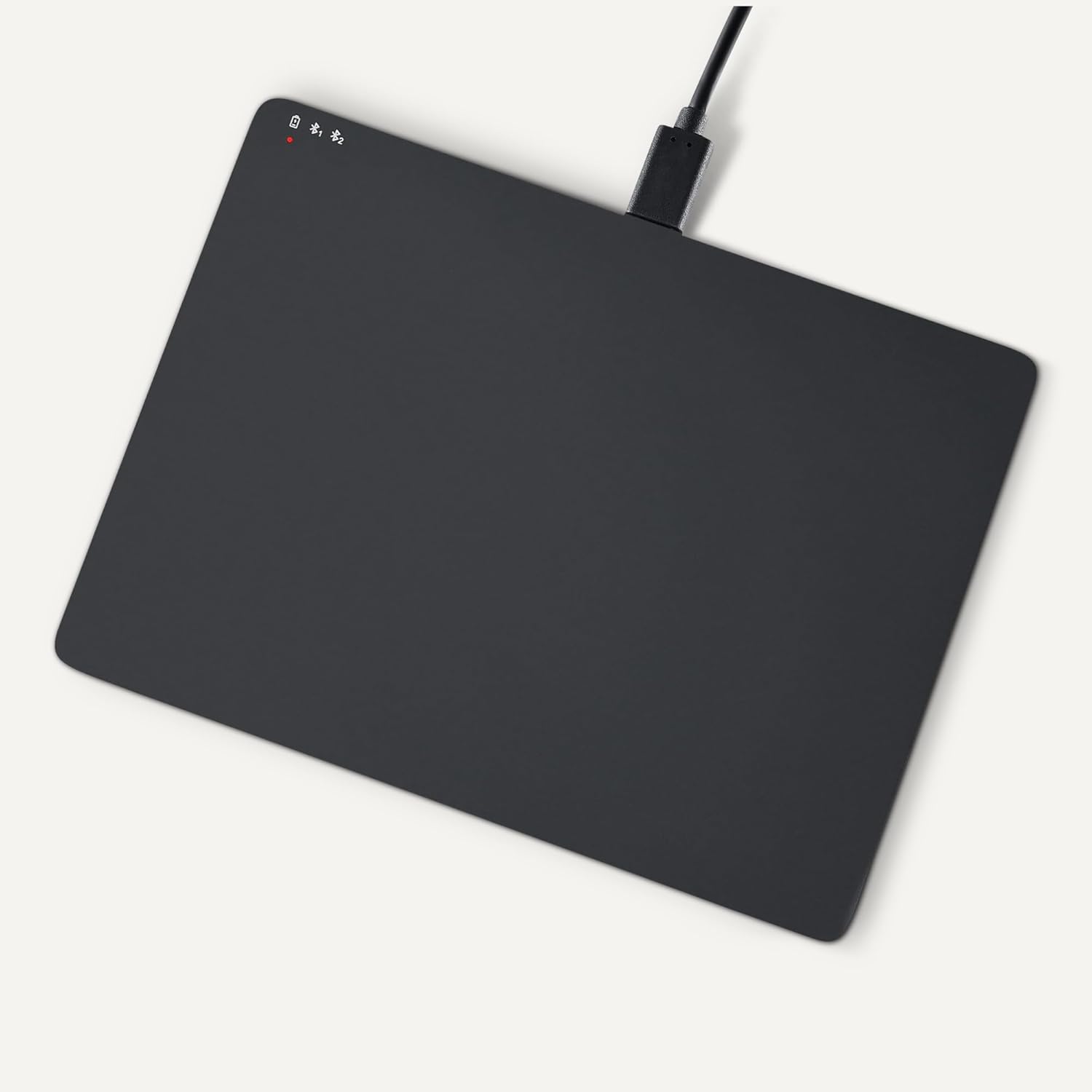
Image 2.1: Trackpad connected for charging via USB-C.
2.3 Accensione / spegnimentu
Locate the power switch on the side of the trackpad. Slide it to the "ON" position to power on, and "OFF" to power off.

Imagine 2.2: Latu view illustrating the power switch and USB-C port.
2.4 Accoppiamentu Bluetooth
- Assicuratevi chì u trackpad sia acceso.
- Nant'à u vostru PC Windows, navigate à Impostazioni > Dispositivi > Bluetooth è altri dispositivi.
- Turn on Bluetooth and click "Add Bluetooth or other device".
- Select "Bluetooth" from the options.
- The trackpad should appear in the list of available devices (e.g., "Amazon Basics Trackpad"). Select it to pair.
- Follow any on-screen prompts to complete the pairing process. The indicator light on the trackpad will confirm successful connection.
3. Operating the Trackpad
3.1 Navigazione basica
- Move u cursore: Slide one finger across the trackpad surface.
- Clicca sinistra: Press down on the lower-left area of the trackpad or tap with one finger.
- Clicca dritta: Press down on the lower-right area of the trackpad or tap with two fingers (if configured in Windows settings).
3.2 Multi-Touch Gestures (Windows OS)
The trackpad supports various multi-touch gestures for enhanced productivity. These gestures are typically configured within Windows settings (Impostazioni > Dispositivi > Touchpad).
- Scroll: Place two fingers on the trackpad and slide them up or down to scroll vertically, or left or right to scroll horizontally.
- Zoom In / Out: Place two fingers on the trackpad and pinch them together to zoom out, or spread them apart to zoom in.
- Show All Open Windows (Task View): Swipe three fingers upwards.
- Mostra Desktop: Swipe three fingers downwards.
- Switch Between Open Windows: Swipe three fingers left or right.
- Open Action Center: Tap with four fingers.
- Switch Desktops: Swipe four fingers left or right.
Note: Gesture functionality may vary based on your Windows version and specific settings. Refer to your Windows documentation for detailed customization options.
3.3 Dual Device Control
The trackpad can be paired with two different devices. To switch between connected devices:
- Ensure both devices are paired with the trackpad.
- Press the mode switch button located on the trackpad (refer to Image 2.2 for location).
- The indicator light will change to show which device is currently active.
4. Mantenimentu è Cura
- Pulizia: Use a soft, dry, lint-free cloth to clean the trackpad surface. For stubborn marks, slightly dampSciacquate u pannu cù acqua. Evitate prudutti chimichi aggressivi o materiali abrasivi.
- Conservazione: When not in use for extended periods, power off the trackpad to conserve battery life. Store in a cool, dry place.
- Cura di a batteria: To prolong battery life, avoid fully discharging the trackpad frequently. Recharge when the low battery indicator appears.
- Evite i liquidi: Keep the trackpad away from liquids and excessive moisture.
5. Risoluzione di prublemi
| Prublemu | Causa Possibile | Soluzione |
|---|---|---|
| Trackpad does not power on. | A batteria hè scaricata. | Charge the trackpad using the provided USB-C cable. |
| Trackpad does not connect via Bluetooth. |
|
|
| Gestures are not working or inconsistent. |
|
|
| Trackpad is unresponsive. |
|
|
Sè u prublema persiste dopu avè pruvatu ste suluzioni, per piacè riferitevi à a sezzione Garanzia è Assistenza.
6. Specificazioni
| Feature | Detail |
|---|---|
| Marca | Amazon Basics |
| Numero di mudellu | TK053 |
| Connettività | Bluetooth |
| Dimensioni (LxPxH) | 6.39 x 4.78 x 0.42 inch |
| Pesu di l'articulu | 9.2 once (261.2 grammi) |
| Culore | Neru |
| Batteria | 1 Batteria Lithium Ion (inclusa) |
| Portu di carica | USB-C |
| Cumpatibilità | Windows OS (Not compatible with macOS, Chrome OS, or Linux) |
| UPC | 840324434217 |
7. Garanzia è Support
For warranty information and customer support, please refer to the official Amazon Basics website or the documentation included with your purchase. You can typically find support resources, FAQs, and contact information on the product's dedicated page on Amazon.com.
Supportu in ligna: Visit the Amazon Basics Store


