1. Introduzione
This manual provides detailed instructions for the TECKNET Bluetooth Wireless Mouse (Model: TK-MS058). This versatile mouse offers dual-mode connectivity (Bluetooth 5.2/3.0 and 2.4G USB Receiver), adjustable DPI settings, silent clicks, and a comfortable ergonomic design, making it ideal for various computing environments.
2. Cuntenutu di u pacchettu
Upon unboxing your TECKNET Bluetooth Wireless Mouse, please ensure all the following items are included:
- TECKNET Bluetooth Wireless Mouse (Model: TK-MS058)
- Cavu di carica USB-C
- Ricevitore USB 2.4G (almacenatu in u mouse)
- Manuale d'usu
Video: Unboxing and initial overview of the TECKNET Silent Thin Bluetooth Mouse, showing package contents including the mouse, USB-C charging cable, and user manual.
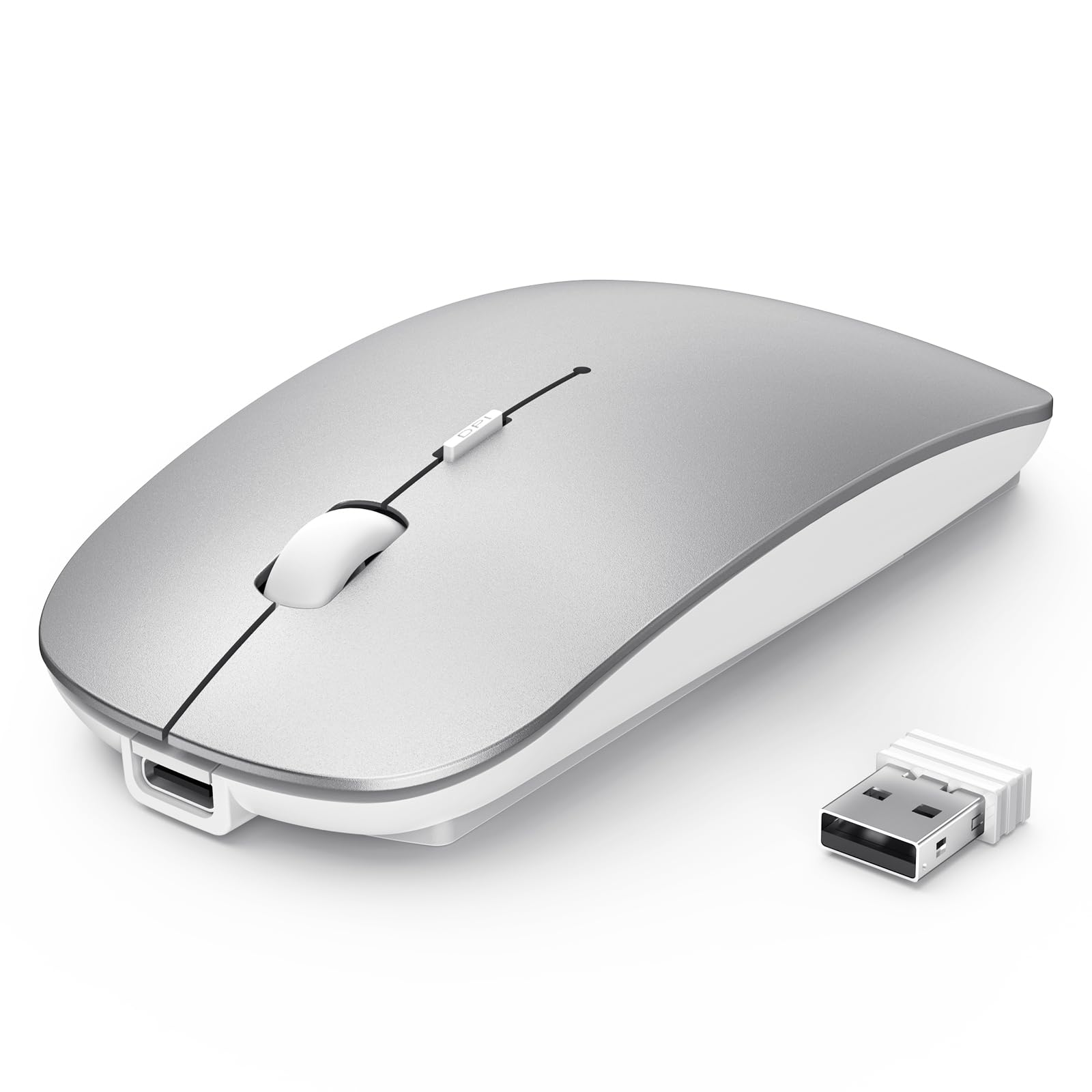
3. Produttu Finituview
Familiarize yourself with the components of your TECKNET Wireless Mouse:

- Buttuni di cliccà sinistra/destra: Standard mouse buttons.
- Scroll Wheel/Middle Button: For scrolling and middle-click functions.
- DPI/Low Battery Button: Located on the top, below the scroll wheel, for adjusting DPI and indicating low battery.
- Portu di carica Type-C: Per ricaricà u mouse.
- BT1/BT2 Indicators: Blue LEDs indicating Bluetooth connection status for two different devices.
- USB Channel Indicator: Green LED indicating 2.4G USB receiver connection status.
- Switch di Potenza: ON/OFF switch for the mouse.
- Switch Mode Button: Located on the bottom, for cycling between 2.4G, BT1, and BT2 modes.
- 2.4G USB Receiver: Stored in a compartment on the bottom of the mouse.
4. Setup
4.1 Caricamentu di u mouse
The mouse features a built-in 500mAh rechargeable battery. To charge:
- Connect the provided USB-C charging cable to the charging port on the front of the mouse.
- Inserite l'altra estremità di u cavu in una fonte di alimentazione USB (per esempiu, una porta USB di l'urdinatore, un adattatore USB da parete).
- A red light will illuminate on the scroll wheel area while charging.
- The mouse fully charges in approximately 2.5 hours, providing up to 60 days of use (based on 2 hours/day).
- The mouse has a 12-month standby time and an auto-sleep feature after 30 minutes of inactivity to conserve power.

Video: Demonstrates the charging process of the TECKNET Silent Wireless Mouse, showing the USB-C connection and the red indicator light during charging.
4.2 2.4G USB Receiver Connection
For devices with a standard USB-A port:
- Locate the 2.4G USB receiver in the compartment on the bottom of the mouse.
- Cunnette u ricevitore USB à una porta USB-A dispunibile nantu à u vostru urdinatore o dispusitivu.
- Turn on the mouse using the Power Switch on the bottom.
- Press the Switch Mode Button on the bottom until the green USB Channel Indicator light illuminates.
- The mouse should now be connected and ready for use.
4.3 Bluetooth Connection (BT1 & BT2)
The mouse supports two Bluetooth channels for connecting to multiple devices:
- Turn on the mouse using the Power Switch on the bottom.
- Press the Switch Mode Button on the bottom to select either BT1 or BT2. The corresponding blue indicator light (BT1 or BT2) will flash.
- On your device (laptop, iPad, MacBook, PC, Desktop, Android), go to Bluetooth settings.
- Cerca "TECKNET Mouse" or a similar device name and select it to pair.
- Once successfully paired, the blue indicator light will stop flashing and remain solid for a few seconds.
- Repeat these steps to connect to a second Bluetooth device using the other Bluetooth channel (BT1 or BT2).

Video: Demonstrates the multi-mode connection capabilities of the TECKNET Silent Thin Bluetooth Mouse, showing how to switch between 2.4G USB and Bluetooth connections for different devices.
5. Operating Instructions
5.1 Cambià trà i dispusitivi cunnessi
To switch between devices connected via 2.4G USB, Bluetooth 1, or Bluetooth 2, simply press the Switch Mode Button on the bottom of the mouse. The corresponding indicator light (green for 2.4G, blue for BT1/BT2) will confirm the active connection.
5.2 Aghjustà a sensibilità DPI
The mouse offers 6 adjustable DPI settings (800, 1200, 1600, 2400, 3200, 4800) for precise control. To change the DPI:
- Press the DPI button located on the top of the mouse, below the scroll wheel.
- Each press cycles through the available DPI settings.
- An indicator light on the bottom of the mouse will flash a certain number of times to indicate the current DPI level (e.g., 1 flash for 800 DPI, 6 flashes for 4800 DPI).

5.3 Silent Click Design
The mouse features a silent click design, reducing click noise by approximately 90%. This makes it suitable for quiet environments such as libraries, cafes, or shared workspaces.
5.4 Ergonomic and Portable Design
The ultra-thin and ergonomic design of the mouse ensures comfort during prolonged use and makes it highly portable, fitting easily into bags or pockets.


6. Mantenimentu
- Clean the mouse regularly with a soft, dry cloth. Avoid using harsh chemicals or abrasive materials.
- Keep the optical sensor clean to ensure accurate tracking.
- Conservate u mouse in un locu frescu è asciuttu, luntanu da a luce diretta di u sole è da e temperature estreme.
- Avoid dropping the mouse or subjecting it to strong impacts.
7. Risoluzione di prublemi
7.1 U mouse ùn risponde micca
- Assicuratevi chì u mouse hè alimentatu.
- Verificate u livellu di a batteria è caricate u mouse se necessariu.
- Verify the correct connection mode (2.4G, BT1, or BT2) is selected using the Switch Mode Button.
- Per una cunnessione 2.4G, assicuratevi chì u ricevitore USB sia ben cunnessu à u dispusitivu. Pruvate una porta USB diversa.
- Per a cunnessione Bluetooth, assicuratevi chì Bluetooth sia attivatu nant'à u vostru dispusitivu è chì u mouse sia assuciatu currettamente. Pruvate à assucià di novu u mouse.
- Riavviate u vostru urdinatore o dispusitivu.
7.2 Cunnessione intermittente
- Ensure the mouse is within the effective range (15m for 2.4G, 10m for Bluetooth).
- Minimizà l'interferenza da altri dispusitivi senza filu o oggetti metallichi di grande dimensione.
- Assicuratevi chì u mouse sia nantu à una superficia adatta per u seguimentu otticu.
7.3 DPI Adjustment Not Working
- Assicuratevi chì u mouse sia accesu è cunnessu.
- Press the DPI button firmly. Observe the indicator light on the bottom for flashes to confirm DPI changes.
8. Specificazioni
| Numero di mudellu: | TK-MS058 |
| Dimensioni di u pruduttu: | 4.48 x 2.26 x 0.93 inch |
| Pesu di l'articulu: | 3.2 once |
| Tecnulugia di cunnessione: | Bluetooth 5.2/3.0, 2.4G USB Wireless |
| Impostazioni DPI: | 800, 1200, 1600, 2400, 3200, 4800 |
| Batteria: | 500mAh Ricaricabile |
| Tempu di carica: | Circa. 2.5 ore |
| Durata di a batteria: | Up to 60 days (2 hours/day use) |
| Funzioni speciali: | Wireless, Ultra-slim, Silent, Rechargeable, Ergonomic, Lightweight, Portable |
| Tecnulugia di rilevazione di u muvimentu: | otticu |
| Cumpatibilità: | Windows, MacOS, Android, Linux, iOS, ChromeOS |
9. Garanzia è Supportu
TECKNET products are designed to provide reliable performance. For warranty information, technical support, or customer service inquiries, please refer to the contact details provided in the product packaging or visit the official TECKNET websitu.