Introduzione
This manual provides comprehensive instructions for the setup, operation, and maintenance of your V7 Dual Bay Docking Station USB 3.0. This device is designed to provide convenient access to 2.5-inch and 3.5-inch SATA hard disk drives (HDDs) and solid-state drives (SSDs), offering high-speed data transfer and a standalone cloning function.
Leghjite attentamente stu manuale prima di utilizà u pruduttu per assicurà un funziunamentu currettu è per prevene danni.
Cuntenutu di u pacchettu

Image: The side of the V7 Dual Bay Docking Station packaging, detailing the included items.
Verificate chì tutti l'articuli elencati quì sottu sò presenti in u vostru pacchettu:
- 1x V7 Dual Bay Docking Station
- 1x USB 3.0 A to B Cable
- 1x DC 12V/3A Power Adapter
- 1x Manuale d'usu (stu documentu)
Product Overview
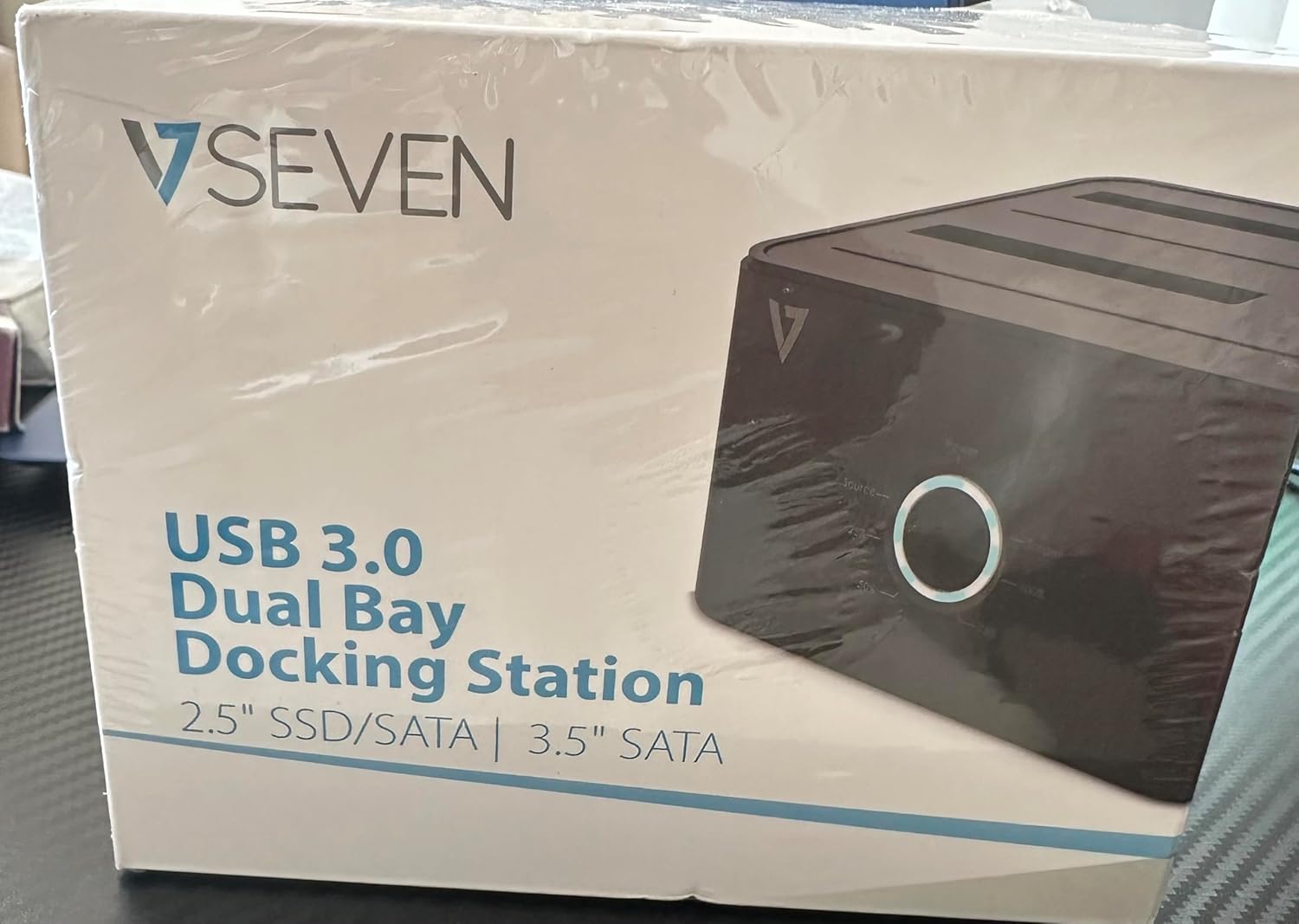
Image: The front of the V7 Dual Bay Docking Station packaging, displaying the product and its name.
The V7 Dual Bay Docking Station provides a versatile solution for managing your 2.5-inch and 3.5-inch SATA drives. Key features include:
- USB 3.0 Super-Speed Data Transfer: Achieves speeds up to 5 Gbps, significantly faster than USB 2.0.
- Cuncepimentu di doppia baia: Supports two SATA I/II/III HDDs or SSDs simultaneously.
- Standalone Clone Function: Allows direct cloning of one drive to another without requiring a computer.
- Display LED: Provides status indication during operation, especially for cloning.
- Materiali riciclati: Constructed with recycled materials, contributing to environmental sustainability.

Image: The back of the V7 Dual Bay Docking Station packaging, illustrating key features and benefits, including the use of recycled materials.
Porti è indicatori:
- USB-B Port (1x): Cunnetta a stazione di docking à u vostru urdinatore.
- SATA Drive Bays (2x): For inserting 2.5-inch or 3.5-inch SATA HDDs/SSDs.
- DC Power Input (1x): For connecting the 12V/3A power adapter.
- Power Button/LED: Controls power and indicates operational status.
- Clone Button/LEDs: Initiates the cloning process and indicates progress.
Istituisci
- Connect Power: Insert the DC 12V/3A power adapter into the "DC Power Input" port on the docking station, then plug the adapter into a wall outlet.
- Inserisce unità:
- Gently slide your 2.5-inch or 3.5-inch SATA HDD/SSD into the drive bay(s) until it is securely seated. Ensure the SATA connector aligns correctly.
- For cloning, insert the source drive into Bay 1 (Source) and the target drive into Bay 2 (Target). The target drive must be equal to or larger in capacity than the source drive.
- Connect to Computer (for data transfer): If you intend to use the docking station for data transfer with a computer, connect one end of the USB 3.0 A to B cable to the USB-B port on the docking station and the other end to an available USB 3.0 port on your computer.
- Power On: Press the power button on the docking station. The power LED should illuminate.
Istruzzioni di funziunamentu
A. Data Transfer Mode (Connected to Computer)
- Ensure the docking station is powered on and connected to your computer via the USB 3.0 cable.
- Insert one or two SATA drives into the bays.
- Your operating system should detect the drives as external storage. You may need to initialize and format new drives through Disk Management (Windows) or Disk Utility (macOS) before use.
- You can now access, read, and write data to the inserted drives as you would with any external storage device.
- Espulsate sempre in modu sicuru l'unità da u vostru sistema operativu prima di spegne a stazione di docking o di caccià l'unità.
B. Standalone Clone Function (Without Computer)
The clone function allows you to duplicate a source drive to a target drive without a computer connection. The target drive must have a capacity equal to or greater than the source drive.
- Preparazione:
- Assicuratevi chì a stazione di docking sia scollegata da qualsiasi urdinatore.
- Inserite u Source Drive (the drive you want to copy FROM) into Baia 1.
- Inserite u Target Drive (the drive you want to copy TO) into Baia 2.
- Warning: All data on the target drive will be erased during the cloning process. Back up any important data on the target drive before proceeding.
- Iniziate u clone:
- Accendete a stazione di docking.
- Press and hold the "Clone" button for approximately 3-5 seconds until the clone progress LEDs begin to flash.
- Cunfirmà a clonazione:
- Release the "Clone" button. The 25% progress LED should start blinking.
- Press the "Clone" button again briefly to confirm and start the cloning process.
- Monitorà u prugressu: The progress LEDs (25%, 50%, 75%, 100%) will illuminate sequentially to indicate the cloning status.
- Cumpiimentu: When the 100% LED remains solid, the cloning process is complete.
- Spegne è sguassate: Power off the docking station before removing the drives.
Mantenimentu
- Mantene a stazione di ricarica pulita è senza polvere. Aduprate un pannu dolce è asciuttu per a pulizia.
- Evite l'esposizione di u dispositivu à temperature estreme, umidità o luce diretta di u sole.
- Ùn pruvate micca di smuntà o riparà l'apparechju da per voi. Questu annullerà a garanzia.
- Assicuratevi una ventilazione adatta intornu à l'apparecchiu durante l'operazione.
Risoluzione di prublemi
| Prublemu | Causa Possibile | Soluzione |
|---|---|---|
| U dispositivu ùn accende micca. | L'adattatore di corrente ùn hè micca cunnessu o hè difettuosu. | Ensure the power adapter is securely connected to both the docking station and a working power outlet. Try a different outlet. |
| Drives not detected by computer. | USB cable not connected properly; drive not seated correctly; drive uninitialized/unformatted. | Check USB cable connection. Re-seat the drive(s). For new drives, initialize and format them via Disk Management (Windows) or Disk Utility (macOS). Try a different USB port on your computer. |
| Clone function not starting. | Incorrect drive placement; target drive too small; clone button not held long enough. | Ensure source drive is in Bay 1 and target drive in Bay 2. Verify target drive capacity is equal to or larger than source. Hold the clone button for 3-5 seconds until LEDs flash. |
| Velocità di trasferimentu di dati lente. | Connected to USB 2.0 port; faulty USB cable. | Ensure the docking station is connected to a USB 3.0 port on your computer. Try a different USB 3.0 cable. |
Specificazioni
- Mudellu: 9UDBBS-BLK
- Interfaccia hardware: USB 3.0 (compatibile cù USB 2.0)
- Velocità di trasferimentu di dati: Up to 5 Gbps (USB 3.0 Super-Speed)
- Cumpatibilità di Drive: 2.5" and 3.5" SATA I/II/III HDDs and SSDs
- Unità Bays: 2
- Porti: 1x USB-B (Host), 2x SATA (Internal), 1x DC Power Input
- Input di putenza: DC 12V/3A (12 Watts)
- UPC: 662919116557
- Produttore: Ingram Micro Inc.
- Materiale: Made from Recycled Materials
Garanzia è Supportu
For warranty information and technical support, please refer to the official V7 websitu o cuntattate u vostru rivenditore. Conservate a vostra prova d'acquistu per e richieste di garanzia.
Per più assistenza, visitate: www.v7world.com/support (Esampu ligame, u ligame attuale pò varià)