Introduzione
Thank you for choosing the boAt Aavante 2.1 1600D Soundbar. This manual provides essential information for setting up, operating, and maintaining your soundbar to ensure a high-quality audio experience. Please read these instructions carefully before use and retain them for future reference.
Chì ci hè in u Box
Quandu si disimballa, assicuratevi chì tutti l'articuli seguenti sianu presenti:
- Soundbar
- Subwoofer
- Cable (Power Cable, Audio Cables depending on model)
- Telecomandu (cù 2 batterie AA incluse)

Figura 1: Soundbar, remote control, and wall-mountable feature overview.
Istituisci
Placement
Place the soundbar centrally below your television. The wired subwoofer should be placed on the floor near the soundbar for optimal bass response. Ensure there is adequate ventilation around both units.
The soundbar is also wall-mountable. Refer to the included mounting template (if applicable) for proper installation.
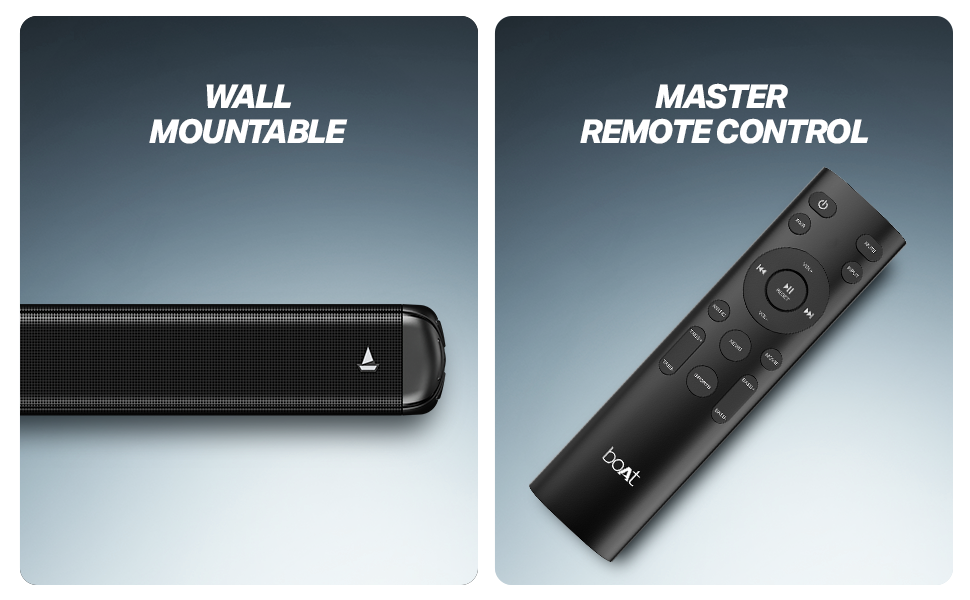
Figura 2: Recommended placement of the soundbar and subwoofer for an immersive audio experience.
Cunnessioni
- Cunnessione di putenza: Connect the power cable to the soundbar and subwoofer, then plug them into a wall outlet.
- Cunnessione subwoofer: Connect the wired subwoofer to the soundbar using the provided cable.
- Input audio: Sceglite unu di i seguenti metudi per cunnette a vostra fonte audio:
- HDMI (ARC): For the best audio quality and control, connect an HDMI cable from your TV's HDMI ARC port to the soundbar's HDMI ARC port.
- otticu: Cunnette un cavu otticu da l'uscita ottica di u vostru televisore à l'entrata ottica di a soundbar.
- AUX: Use a 3.5mm audio cable to connect your device to the soundbar's AUX input.
- USB: Inserite una unità USB cù audio files into the soundbar's USB port.
Istruzzioni di funziunamentu
Power On/Off
Appughjà u buttone d'accensione nantu à a barra sonora o u telecomandu per accende o spegne l'unità.
Selezzione di a fonte
Use the 'Input' or 'Source' button on the remote control to cycle through available input modes: Bluetooth, AUX, USB, Optical, and HDMI (ARC).
Volume Control
Adjust the volume using the 'Volume +' and 'Volume -' buttons on the remote control or the soundbar.
Abbinamentu Bluetooth
- Select Bluetooth mode on the soundbar. The LED indicator will flash.
- Attivate u Bluetooth nant'à u vostru dispusitivu (smartphone, tablet, ecc.).
- Cerca 'boAt Aavante 1600D' in your device's Bluetooth list and select it to pair.
- Una volta assuciatu, l'indicatore LED smetterà di lampeggià è resterà fissu.
Moduli EQ
The soundbar features multiple EQ modes to optimize audio for different content types. Use the dedicated buttons on the remote control to select:
- Musica: Enhanced for musical playback.
- Filmi: Optimized for cinematic soundscapes.
- Notizie: Clearer dialogue for news and spoken content.
- 3D: Creates a more immersive, spatial audio effect.
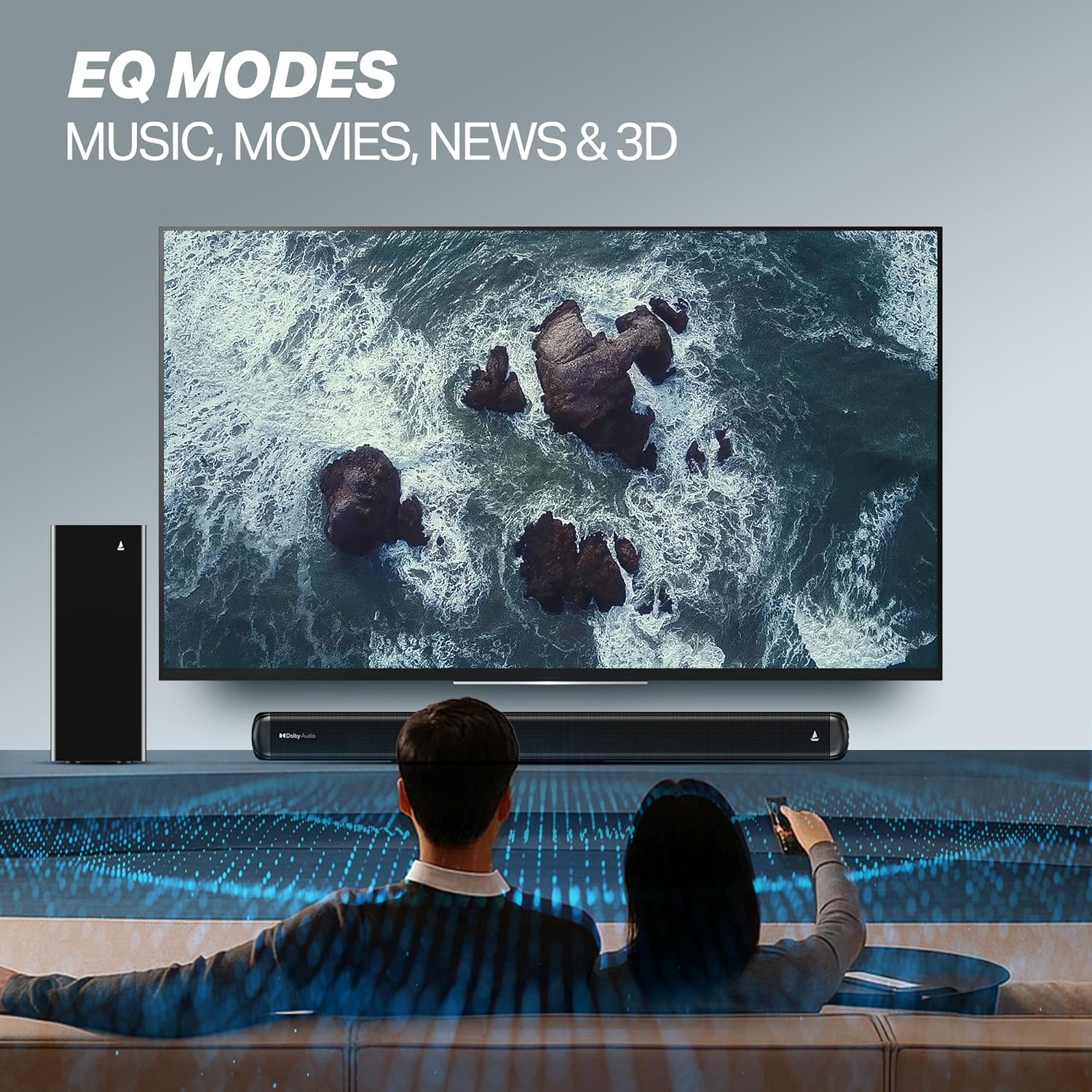
Figura 3: EQ Modes for various content types.
Mantenimentu
Pulizia
- Scollegate sempre a soundbar è u subwoofer da a presa di corrente prima di pulisce.
- Use a soft, dry cloth to wipe the surfaces.
- Ùn aduprate micca detergenti liquidi, aerosoli o materiali abrasivi, postu chì puderanu dannighjà a finitura.
Storage
Sè vo almacenate l'unità per un periodu prolongatu, assicuratevi ch'ella sia pulita, asciutta è almacenata in un locu frescu è ben ventilatu, luntanu da a luce diretta di u sole è da temperature estreme.
Risoluzione di prublemi
| Prublemu | Causa Possibile | Soluzione |
|---|---|---|
| Nisun putere | Cavu d'alimentazione micca cunnessu; A presa di corrente ùn funziona micca | Ensure power cables are securely connected; Try a different power outlet. |
| Nisun sonu | Incorrect input source; Volume too low; Mute activated; Audio cable not connected properly | Select the correct input source; Increase volume; Deactivate mute; Check audio cable connections. |
| Problemi di accoppiamentu Bluetooth | Apparatu troppu luntanu; A soundbar ùn hè micca in modu di accoppiamentu; Interferenza | Move device closer; Ensure soundbar is in Bluetooth pairing mode; Turn off other Bluetooth devices. |
| U cuntrollu remoto ùn funziona micca | Batterie scariche; Ostruzione trà u telecomandu è a soundbar | Rimpiazzà e batterie; Eliminate qualsiasi ostaculu. |
Specificazioni
| Nome di mudellu | Avanti |
| Numero di mudellu | HA0127 |
| Tipu di parlante | Soundbar |
| Modu Output Audio | 2.1 Canali |
| Potenza massima di output di Speaker | 160 Watt |
| Tecnulugia di cunnessione | Bluetooth v5.4, AUX, USB, Optical, HDMI (ARC) |
| Gamma Bluetooth | 10 metri |
| Cunfigurazione di u Canale Sonu Surround | 2.1 |
| Metudu di cuntrollu | Remote |
| Dimensioni di u produttu | 80P x 6.6L x 7.5A Centimetri |
| Pesu di l'articulu | 6 kg |
| Fonte d'energia | Wired |
| Batterie richieste (per u telecomandu) | 2 batterie AA (incluse) |
| U fabricatore | Imagine Marketing Ltd. |
| Paese d'origine | Cina |
Garanzia è Supportu
Infurmazioni di Garanzia
This product comes with a Limited Warranty. Please refer to the warranty card included in your package or visit the official boAt website for detailed terms and conditions regarding warranty coverage and claims.
Assistenza Clienti
For any technical assistance, product inquiries, or support, please visit the official boAt support page or contact their customer service. You can find contact details on the boAt websitu: boAt Official Store


