1. Introduzione
This manual provides detailed instructions for the Redragon K737 PRO Wireless 87 Keys Gasket Gaming Keyboard. Please read this manual thoroughly before using the product to ensure proper operation and to prevent damage.

Image: The Redragon K737 PRO Wireless Gaming Keyboard, showcasing its compact TKL design and RGB lighting.
2. Cuntenutu di u pacchettu
- Redragon K737 PRO Wireless Gaming Keyboard
- Cavo USB-C à USB-A
- Ricevitore wireless 2.4 GHz
- Estrattore Keycap
- Interruttore Puller
- Manuale d'usu
3. Setup
3.1 Caricamentu di a tastiera
Before first use, fully charge the keyboard using the provided USB-C cable. Connect the USB-C end to the keyboard and the USB-A end to a powered USB port (e.g., computer, wall adapter). The keyboard features a 4000mAh battery.

Image: The keyboard illustrating how to check the battery level using the FN+E key combination, showing different RGB patterns for 30%, 50%, and 100% charge.
3.2 Cunnessione di a tastiera
The K737 PRO supports three connection modes: USB-C wired, 2.4GHz wireless, and Bluetooth 3.0/5.0.
3.2.1 Cunnessione Fila
- Truvate u portu USB-C nantu à a tastiera.
- Cunnette u cavu USB-C furnitu à a tastiera è l'estremità USB-A à u vostru urdinatore.
- A tastiera serà automaticamente ricunnisciuta è pronta per l'usu.
3.2.2 Cunnessione senza filu 2.4GHz
- Truvate u ricevitore wireless 2.4GHz.
- Cunnette u ricevitore à una porta USB-A dispunibile di u vostru urdinatore.
- Turn on the keyboard using the switch located on the side or back of the keyboard.
- U teclatu deve cunnette automaticamente à u ricevitore.
3.2.3 Cunnessione Bluetooth
- Turn on the keyboard and switch to Bluetooth mode (refer to keyboard markings for mode switch).
- Nant'à u vostru urdinatore o dispusitivu, apre i paràmetri Bluetooth.
- Cerca new devices and select "Redragon K737 PRO" from the list.
- Segui tutti i suggerimenti nantu à u screnu per compie l'accoppiamentu.
4. Operating Instructions
4.1 Funzioni di i tasti basi
The K737 PRO features an 87-key Tenkeyless (TKL) layout. Standard alphanumeric and function keys operate as labeled. Many keys have secondary functions accessible via the Function (FN) key.
4.2 Tasti multimediali è di funzione
Use the FN key in combination with other keys (typically F1-F12 or other designated keys) to access multimedia controls, volume adjustments, and other system functions. Refer to the keycap legends for specific FN combinations.
4.3 Cuntrollu di l'illuminazione RGB
The keyboard features customizable RGB backlighting with south-facing LEDs and side-printed PBT keycaps. Lighting effects can be adjusted directly on the keyboard using FN key combinations or through the dedicated software.

Imagine: Un dettagliu view of the Contour Line side-printed PBT keycaps and the south-facing LED illumination on the Redragon K737 PRO keyboard.
4.4 Battery Level Check
To check the current battery level, press the FN + E keys simultaneously. The keyboard's RGB lighting will indicate the charge level as shown in the setup section.
4.5 Personalizazione di u Software
The Redragon K737 PRO is supported by professional software, allowing for advanced customization:
- Mudificazione di macro: Create and assign custom macros to keys.
- Retroilluminazione RGB: Design and apply custom lighting modes and effects.
- Key Redefinition: Remap keys for personalized layouts.
Download the latest software from the official Redragon websitu.
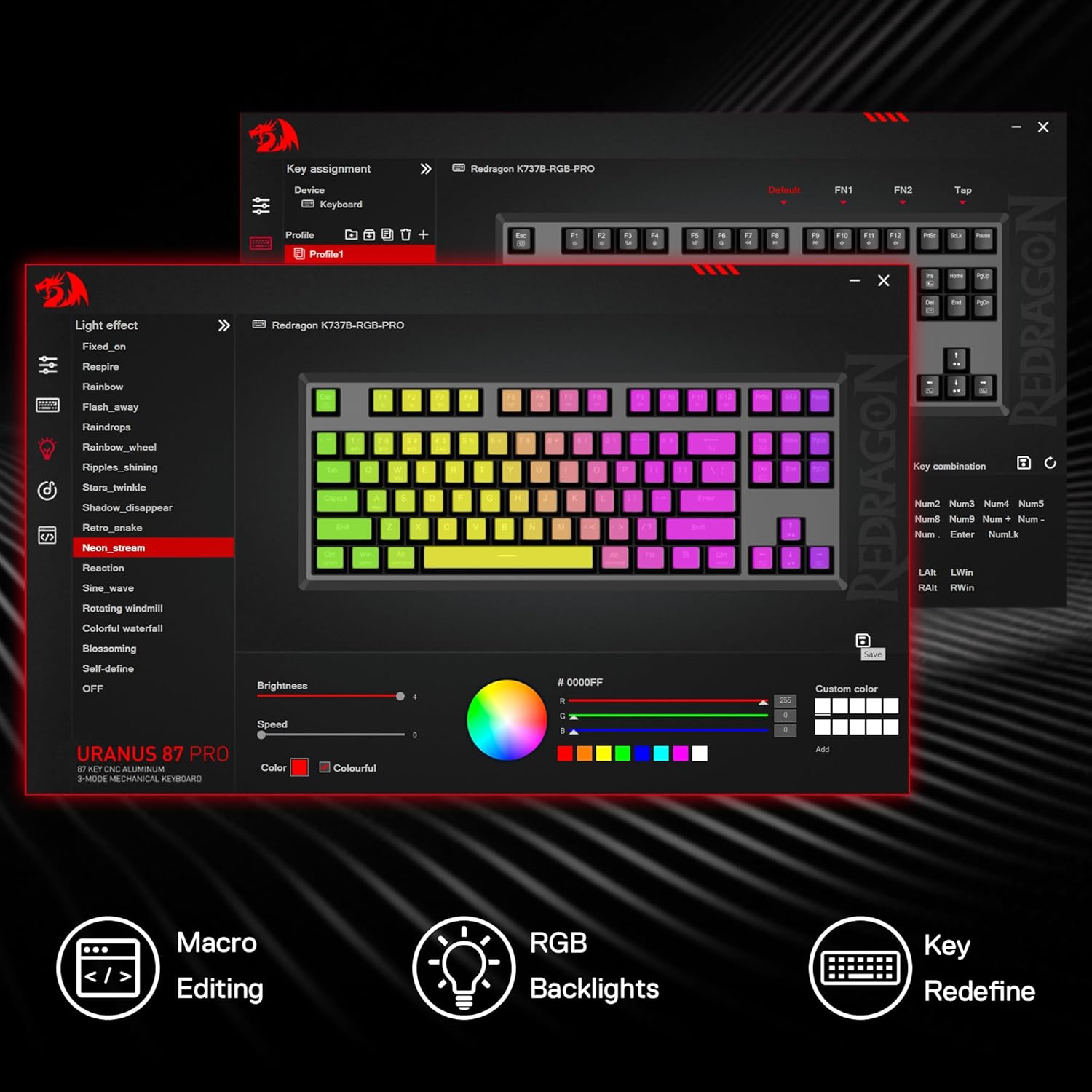
Image: A screenshot of the Redragon K737 PRO software, demonstrating options for macro editing, RGB backlight customization, and key redefinition.
4.6 Hot-Swap Switch Replacement
The K737 PRO features hot-swappable sockets, allowing you to change switches without soldering. It is compatible with both 3-pin and 5-pin mechanical switches.
- Use the provided switch puller to carefully remove the existing switch. Grip the switch firmly and pull straight up.
- Allineate i pin di u novu interruttore cù i fori di u PCB.
- Gently press the new switch into place until it clicks. Ensure it is seated properly and not bent.

Imagine: Un esplosu view illustrating the hot-swap stand-alone slotting sockets and the process of replacing a switch, along with a force curve diagram for the Custom Silky Frost Switch.
5. Mantenimentu
5.1 Pulizia di a tastiera
Regularly clean your keyboard to maintain performance and appearance. Use a soft, dry cloth to wipe the surface. For deeper cleaning, use a can of compressed air to remove dust and debris from between keycaps. Avoid using harsh chemicals or abrasive materials.
5.2 Keycap Removal and Installation
Use the provided keycap puller to remove keycaps. Gently pull straight up to avoid damaging the switch stem. When reinstalling, align the keycap with the switch stem and press down firmly until it snaps into place.
6. Risoluzione di prublemi
6.1 A tastiera ùn risponde micca
- Assicuratevi chì a tastiera sia carica.
- Check the connection mode (wired, 2.4GHz, Bluetooth) and ensure it matches your setup.
- Per una cunnessione cablata, pruvate una porta USB o un cavu differente.
- For 2.4GHz, ensure the receiver is securely plugged in and try a different USB port.
- For Bluetooth, re-pair the device or try connecting to a different Bluetooth-enabled device.
- Restart u vostru urdinatore.
6.2 Problemi di illuminazione RGB
- Ensure the lighting is not turned off via FN key combinations or software.
- Check software settings for any conflicting profiles or disabled lighting.
- Update keyboard firmware if available.
6.3 Chjavi chì ùn si registranu micca
- Remove the keycap and visually inspect the switch for any debris.
- If the switch is damaged, consider replacing it using the hot-swap feature.
- Assicuratevi chì u cappucciu di a chjave sia bè pusatu nantu à l'interruttore.
7. Specificazioni
| Mudellu | K737 PRO |
| Disposizione | 87-key Tenkeyless (TKL) |
| Modi di cunnessione | USB-C Wired, Bluetooth 3.0/5.0, 2.4GHz Wireless |
| Cambia | Custom Silky Frost (Hot-Swap, 3/5 pin compatible) |
| Tasti di tasti | PBT, Contour Line, Side-Printed |
| Custruzzione | CNC Aluminum Frame, Gasket Mount |
| rumore Dampening | 5-Layer (PO foam, IXPE switch foam, PET sound pad, bottom socket foam, bottom PET pad, silicone gasket) |
| Capacità batterie | 4000 mAh |
| Dimensioni | 42.09 x 19.61 x 7.49 cm |
| Pesu | Circa 2.02 kg |
| LED | RGB orientatu à u sudu |
| Supportu Software | Yes, for macros and lighting customization |

Imagine: Più diview of the Redragon K737 PRO highlighting key features such as 87 keys, CNC premium metal, Contour Line PBT keycaps, Silky Frost switches, 5-layer sound dampening, Pro software, 3-mode tech, and 4000mAh battery.

Image: An exploded diagram detailing the fully loaded gasket structure of the Redragon K737 PRO, showing layers like Silky Frost Switch, TPR Gasket, PC Slotting Positioning Board, 3.5mm PO Foam, IXPE Switch Foam, PET Sound Pad, PCB Board, Bottom Socket Foam, Silicone Dampener, and CNC Bottom Case.
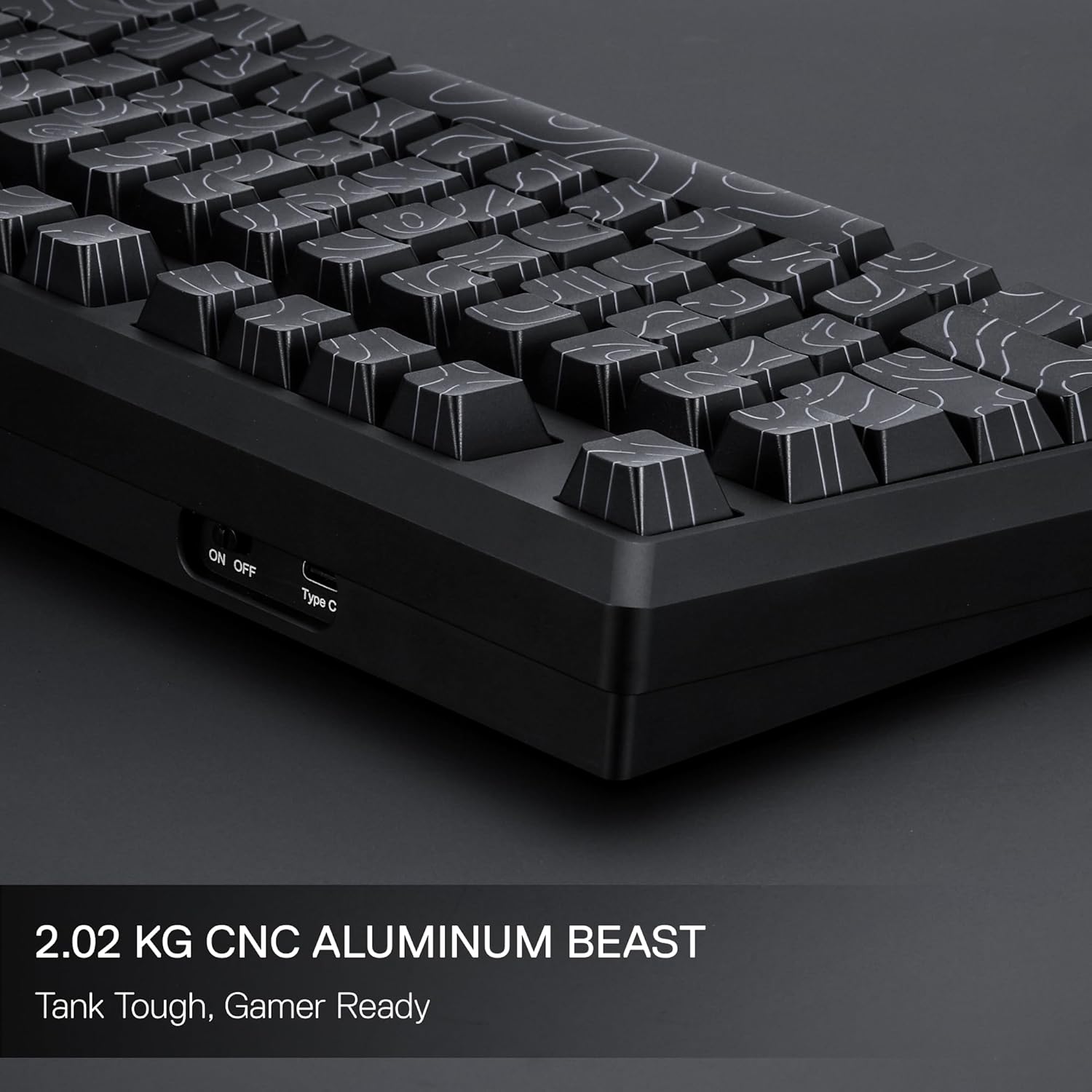
Imagine: Un prufessiunale lateralefile of the Redragon K737 PRO keyboard, emphasizing its 2.02 kg CNC aluminum construction and the power switch and USB-C port.
8. Garanzia è Support
Per infurmazioni nantu à a garanzia è l'assistenza tecnica, vi pregu di cunsultà a carta di garanzia inclusa cù u vostru pruduttu o visitate u situ ufficiale di Redragon. website. Contact Redragon customer service for assistance with product issues or inquiries.


