Introduzione
The GoveeLife Smart Air Quality Monitor (Model H5140) is designed to provide real-time monitoring of indoor air quality. It accurately measures Carbon Dioxide (CO2) levels, temperature, and humidity, offering valuable insights into your environment. This device helps you maintain a healthy and comfortable living or working space by alerting you to changes in air quality.
Chì ci hè in u Box
Disimballate cù cura u cuntenutu è assicuratevi chì tutti l'articuli sianu presenti:
- Smart CO2 Monitor x 1
- Power Cord (2m/6.5ft) x 1
- Adattatore di alimentazione x 1
- Manuale d'uso x 1

Image: Contents of the GoveeLife Smart Air Quality Monitor package.
Istituisci
- Cunnessione di putenza: Connect the provided Type-C cable to the monitor and plug the power adapter into a standard wall outlet. The device will power on automatically.
- App Download: Download the Govee Home app from your smartphone's app store (available for iOS and Android).
- Accoppiamentu di u dispositivu: Open the Govee Home app, create an account or log in, and follow the on-screen instructions to add your Smart Air Quality Monitor. Ensure your Wi-Fi network is 2.4GHz, as the device only supports this frequency.
- Placement: Place the monitor in a central location within the room you wish to monitor, away from direct airflow, windows, or heat sources for accurate readings.
Istruzzioni di funziunamentu
Display in tempu reale
The monitor features a clear LED digital tube display that shows four essential metrics simultaneously:
- CO2 Value: Displays the current Carbon Dioxide concentration in Parts Per Million (PPM).
- Temperature : Shows the ambient temperature in degrees Fahrenheit (°F) or Celsius (°C).
- umidità: Indicates the relative humidity (%RH).
- Clock in Tempo Reale: Displays the current time (requires connection to the Govee Home app for synchronization).
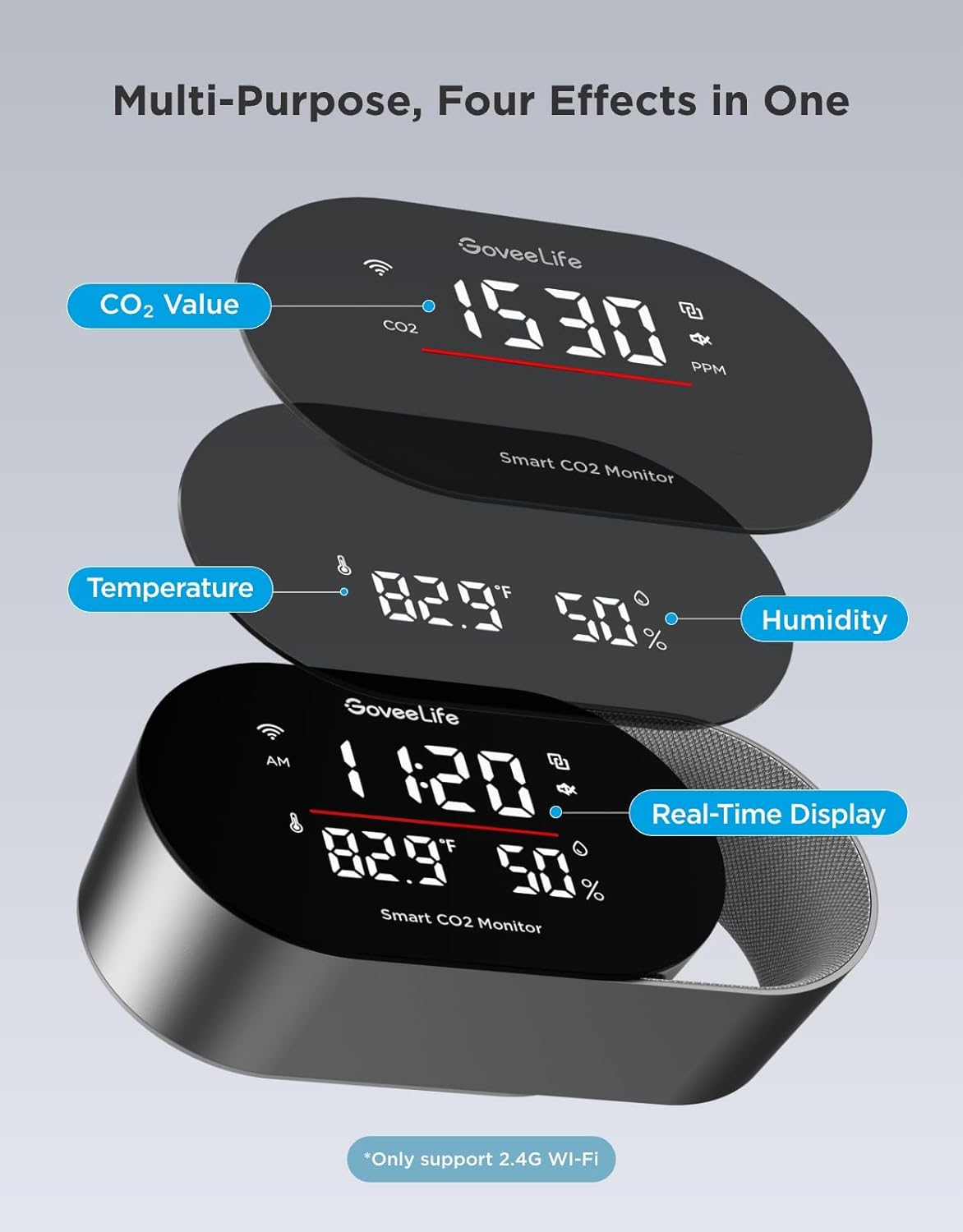
Image: Multi-purpose display showing CO2, temperature, humidity, and time.
Understanding CO2 Levels
The monitor provides an intuitive display of CO2 levels, often accompanied by a color-coded light bar for quick assessment:
- Bonu (Verde): 400-1000 PPM. Indicates healthy air quality.
- Moderate (Yellow): 1000-1400 PPM. Suggests ventilation may be beneficial.
- Poveru (Rossu): >1400 PPM. Indicates high CO2 levels, requiring immediate ventilation.
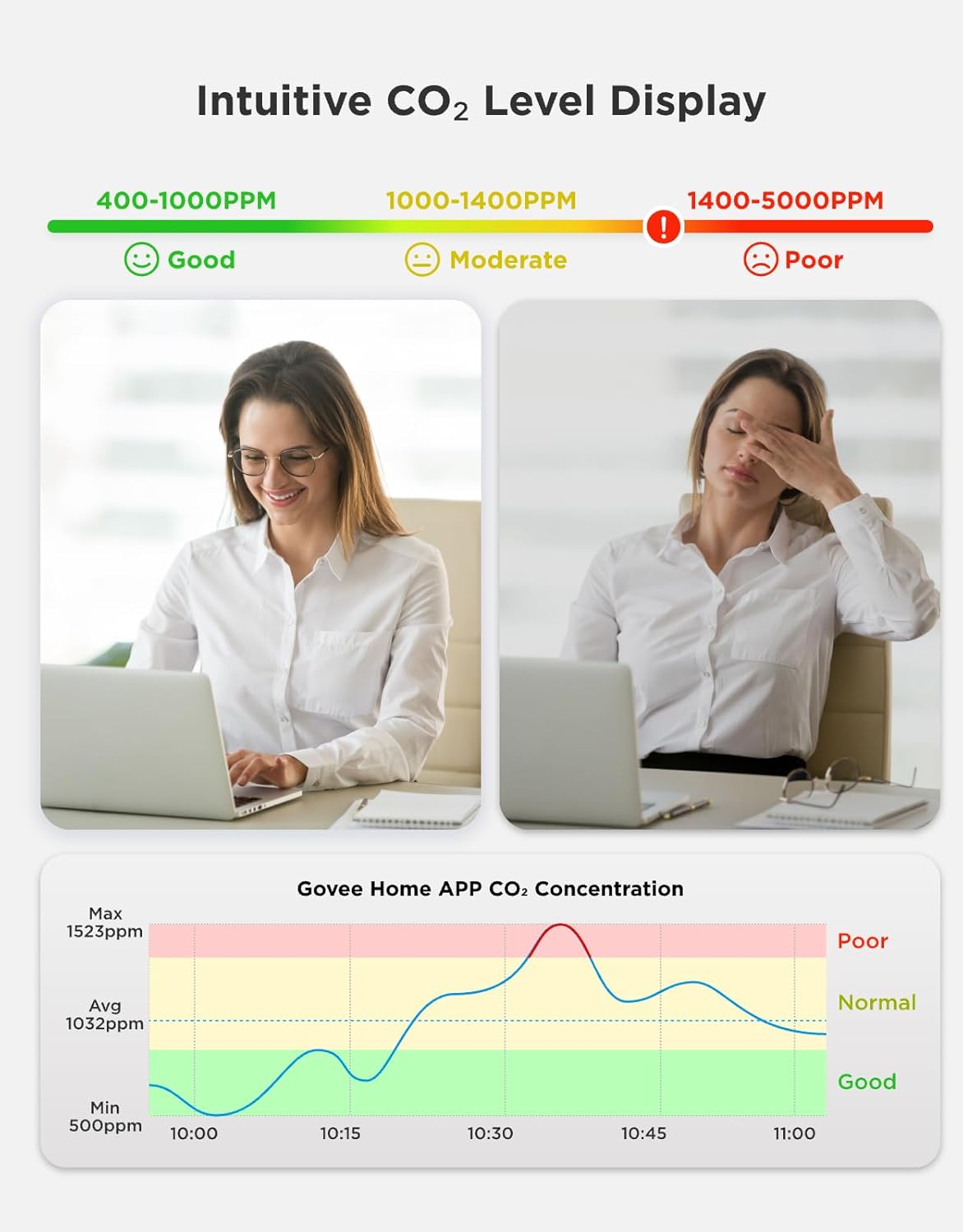
Image: Intuitive CO2 level display with good, moderate, and poor ranges.

Image: 3-Color Indicator Bar for CO2 levels.
Triple Alert System
The monitor provides comprehensive alerts when CO2 levels, temperature, or humidity exceed user-defined thresholds:
- Buzzer Alert: The device emits an audible alarm, and the screen flashes.
- Notificazioni di l'app: Instant alerts are sent to your smartphone via the Govee Home app.
- Email Reports: Detailed reports can be sent to your email address.

Image: Three types of alarms for different scenarios.
Display LED persunalizabile
Adjust the display settings to suit your preferences and environment:
- Programmable Screen: Customize what information is displayed on the screen via the Govee Home app.
- Ajustamentu di luminosità: Set custom day/night schedules for automatic brightness adjustment, ensuring clear visibility during the day and preventing light disturbance at night.

Image: LED digital tube display with customizable settings.
Data Tracking & Export
Monitor historical air quality data and export reports for analysis:
- Dati storichi: Track up to 20 days of data within the Govee Home app and access up to two years of cloud historical data.
- CSV Export: Export professional CSV reports for detailed analysis, useful for health consultations or optimizing energy efficiency.
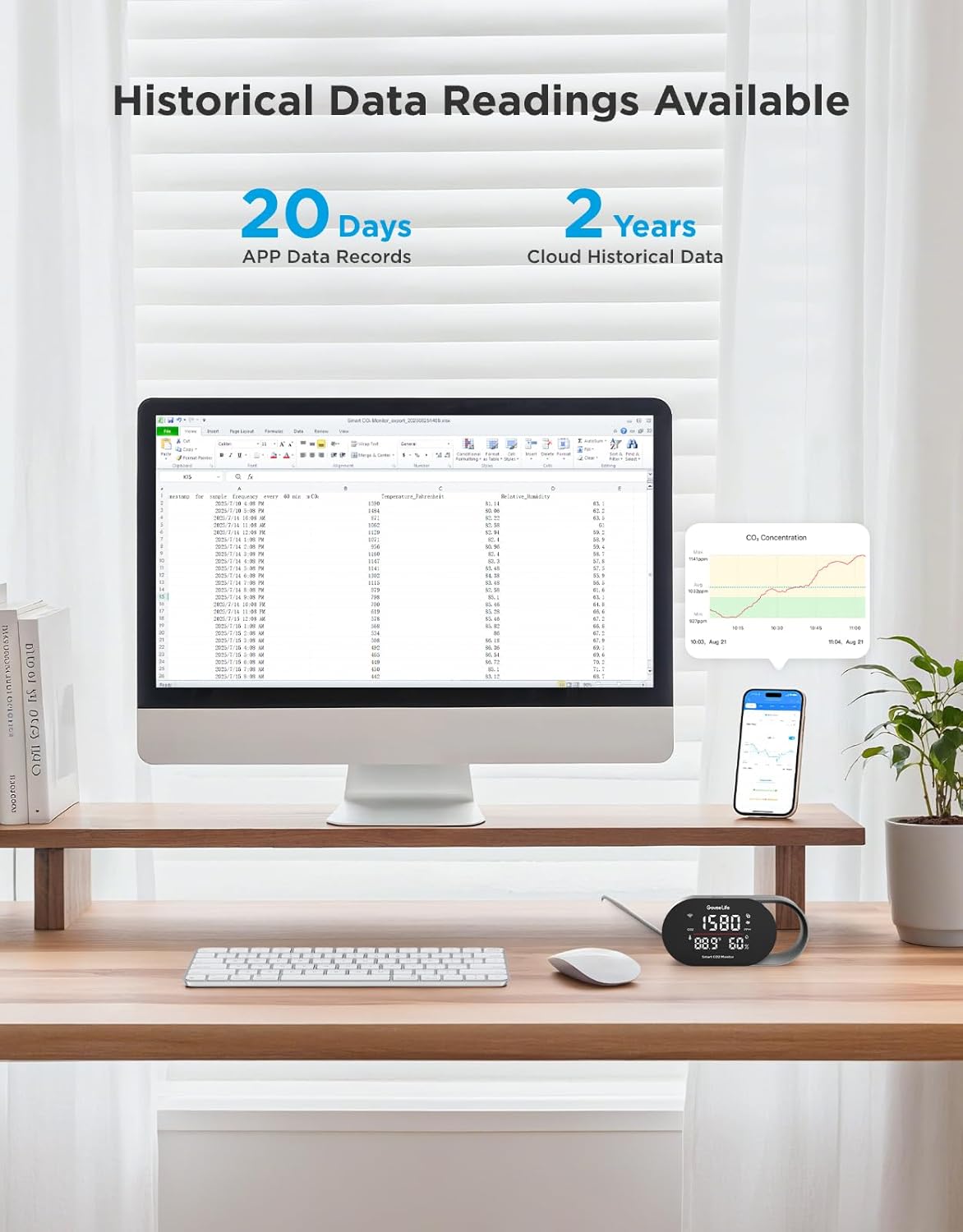
Image: Historical data readings available in app and for export.
Integrazione Smart Home
Integrate your monitor with smart home ecosystems for enhanced control:
- Controlu di voce: Query CO2 concentration using voice commands through Amazon Alexa or Google Assistant.
- Ecological Linkage: Connect with compatible smart humidifiers and tower fans to enable automatic adjustments based on air quality readings, transforming passive monitoring into active environmental management.
Specificazioni
Key technical specifications for the GoveeLife Smart Air Quality Monitor:
| Feature | Specificazione |
|---|---|
| Numero di mudellu | H5140 |
| CO2 Reading Accuracy | ±(40ppm + 5%) |
| CO2 Refresh Rate | 5 seconde |
| Precisione di a temperatura | ± 0.54 ° F |
| Accuratezza di l'umidità | ± 3% |
| Size Display | 4.82 inch |
| Connettività | Wi-Fi à 2.4 GHz |
| Materiale | PC + ABS |
| Culore | Neru |
| Dimensioni di u produttu | 14.2 x 6.81 x 7.59 cm |
| Pesu di l'articulu | 150 g |
| Dispositivi compatibles | Humidifier, Tower fan (via smart home integration) |

Image: Accuracy and high-speed performance specifications.
Mantenimentu
To ensure optimal performance and longevity of your GoveeLife Smart Air Quality Monitor, follow these maintenance guidelines:
- Pulizia: Gently wipe the device with a soft, dry cloth. Do not use liquid cleaners or abrasive materials, as they may damage the sensors or display.
- Placement: Avoid placing the monitor in areas with extreme temperatures, high humidity, or direct sunlight. Keep it away from sources of strong vibrations or electromagnetic interference.
- Ventilazione: Ensure the sensor vents are not obstructed to allow for accurate air sampling.
Risoluzione di prublemi
If you encounter issues with your GoveeLife Smart Air Quality Monitor, refer to the following common solutions:
- U dispositivu ùn si accende micca: Ensure the power cable is securely connected to both the monitor and a working power outlet. Try a different outlet or power adapter if available.
- Letture inaccurate: Verify the monitor is placed in an appropriate location, away from direct airflow, vents, or heat sources. Allow the device to stabilize for at least 10-15 minutes after initial power-on or relocation.
- Problemi di cunnessione di l'app: Ensure your smartphone's Bluetooth is enabled and the monitor is within range. Confirm your Wi-Fi network is 2.4GHz. Restart both the monitor and your smartphone, then try pairing again through the Govee Home app.
- Nisun avvisu: Check the alert settings within the Govee Home app to ensure thresholds are correctly set and notifications are enabled.
- Display ùn funziona micca: If the display is blank or unresponsive, try restarting the device by unplugging and re-plugging the power cable. If the issue persists, contact customer support.
Garanzia è Supportu
GoveeLife products are designed for reliability and performance. For warranty information, technical support, or any questions not covered in this manual, please visit the official GoveeLife websitu o cuntattate a so squadra di supportu à i clienti. Conservate a vostra ricevuta di compra per e richieste di garanzia.
GoveeLife Official Websitu: www.govee.com


