1. Produttu Finituview
The MECHEER Digital Timer Switch (Model JK-TM02-BL) is a programmable timer socket designed to automate the control of electrical devices. It allows you to set specific ON/OFF times for appliances, helping to save energy and enhance home security. This timer features a clear LCD display with backlight, up to 16 programmable settings, and a random mode for holiday security.
Funzioni chjave:
- Up to 16 programmable ON/OFF settings for daily or weekly schedules.
- 24-hour and weekly scheduling options (weekdays, weekends, specific days).
- Large, high-contrast LCD display with soft white backlight for easy readability.
- Random mode to simulate occupancy for enhanced home security during absences.
- Built-in battery to retain programmed settings during power outages.
- Constructed from durable, heat-resistant PC material.
- Manual override function for immediate control.
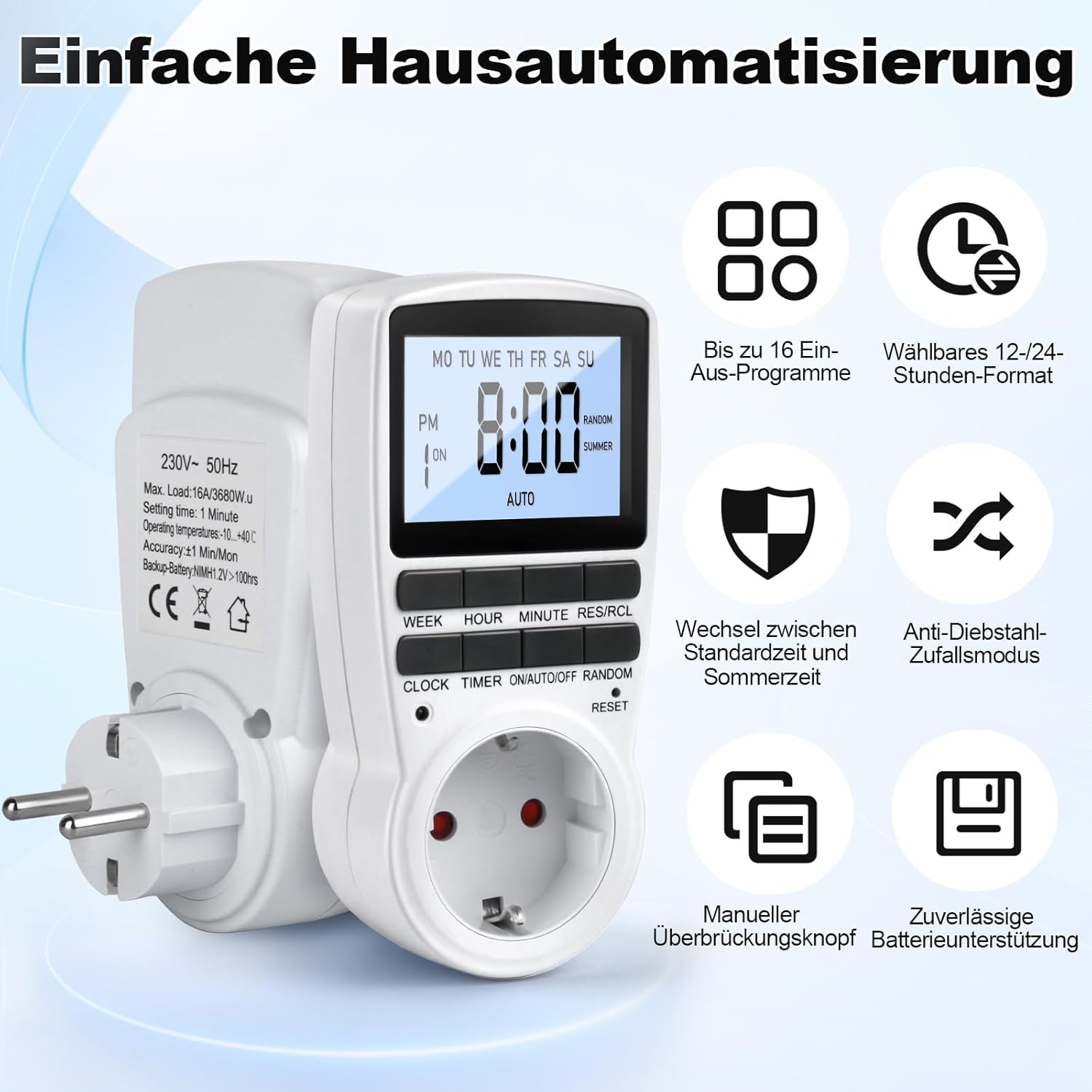
Figure 1: MECHEER Digital Timer Switch showing its display and control buttons, with icons illustrating key features like 16 programs and 12/24-hour format.
2. Istruzzioni di sicurità
- Ùn immerse micca u timer in acqua o qualsiasi altru liquidu.
- Do not connect any appliance that exceeds the maximum load rating of 16A/3680W.
- Assicuratevi chì u timer sia ben cunnessu à una presa cù messa à terra.
- Do not disassemble or attempt to repair the timer yourself. Contact qualified personnel for service.
- Mantene fora di a portata di i zitelli.
- Use indoors only. This timer is not suitable for outdoor use.
- Scollegate u timer da a presa murale prima di pulisce lu.
3. Cuntenutu di u pacchettu
- 1 x MECHEER Digital Timer Switch (Model JK-TM02-BL)
- 1 x Manuale d'utilizatore
4. Cumpunenti di u produttu
Familiarize yourself with the buttons and display of your digital timer switch.
- Display LCD: Shows current time, day, ON/OFF status, program number, and mode.
- WEEK Button: Imposta u ghjornu di a settimana.
- Buttone ORA: Imposta l'ora.
- MINUTE Button: Imposta i minuti.
- RES/RCL Button: Resetta o richiama i paràmetri di u prugramma.
- Buttone CLOCK: Exits programming mode and returns to clock display.
- Pulsante TIMER: Entra o esce da a modalità di impostazione di u prugramma.
- ON/AUTO/OFF Button: Selects operating mode (ON, AUTO, OFF).
- RANDOM Button: Activates or deactivates random mode.
- RESET Pinhole: Resetta u dispusitivu à i paràmetri di fabbrica.
Figura 2: Detailed view of the timer's LCD display and control buttons.
5. Setup
5.1 Cunfigurazione iniziale è carica
- Plug the timer into a standard wall outlet for at least 5-10 minutes to charge the internal backup battery. This battery retains your settings during power outages.
- After charging, use a pointed object (like a pen tip) to press the RESET pinhole button located above the socket. This clears all current settings and ensures proper operation.

Figure 3: Pressing the RESET button to restore factory settings.
5.2 Impostazione di l'ora attuale
- Appughjà è tene premutu CLOCK buttone.
- Mentre tene CLOCK, appughjà u SETTIMANA button repeatedly to set the current day of the week.
- Mentre tene CLOCK, appughjà u ORA button repeatedly to set the current hour (12-hour or 24-hour format).
- Mentre tene CLOCK, appughjà u MINUTU button repeatedly to set the current minute.
- Rilascia u CLOCK buttone. L'ora è u ghjornu attuali sò avà impostati.
- Per cambià trà u furmatu di 12 ore è di 24 ore, appughjà u buttone CLOCK è TIMER i buttoni simultaneamente.
6. Operating Instructions
6.1 Prugrammazione di l'orari ON/OFF
U timer permette finu à 16 prugrammi ON/OFF. Ogni prugramma hè custituitu da un tempu ON è un tempu OFF.
- Press u TIMER button once to enter program setting mode. The display will show "1 ON".
- Press u SETTIMANA button to select the desired day(s) for this program. Options include: every day, specific weekdays, weekends, or custom combinations.
- Press u ORA button to set the desired ON hour.
- Press u MINUTU button to set the desired ON minute.
- Press u TIMER di novu u buttone. U display mostrerà "1 OFF".
- Repeat steps 2-4 to set the desired OFF day(s), hour, and minute for the first program.
- Press u TIMER button to advance to the next program ("2 ON", "2 OFF", etc.) and repeat the process for up to 16 programs.
- Dopu avè cunfiguratu tutti i prugrammi desiderati, appughjà u buttone CLOCK button to exit program mode and return to the current time display.

Figura 4: Esample of 16 ON/OFF programs in action, automating devices like an aquarium light and a toaster.
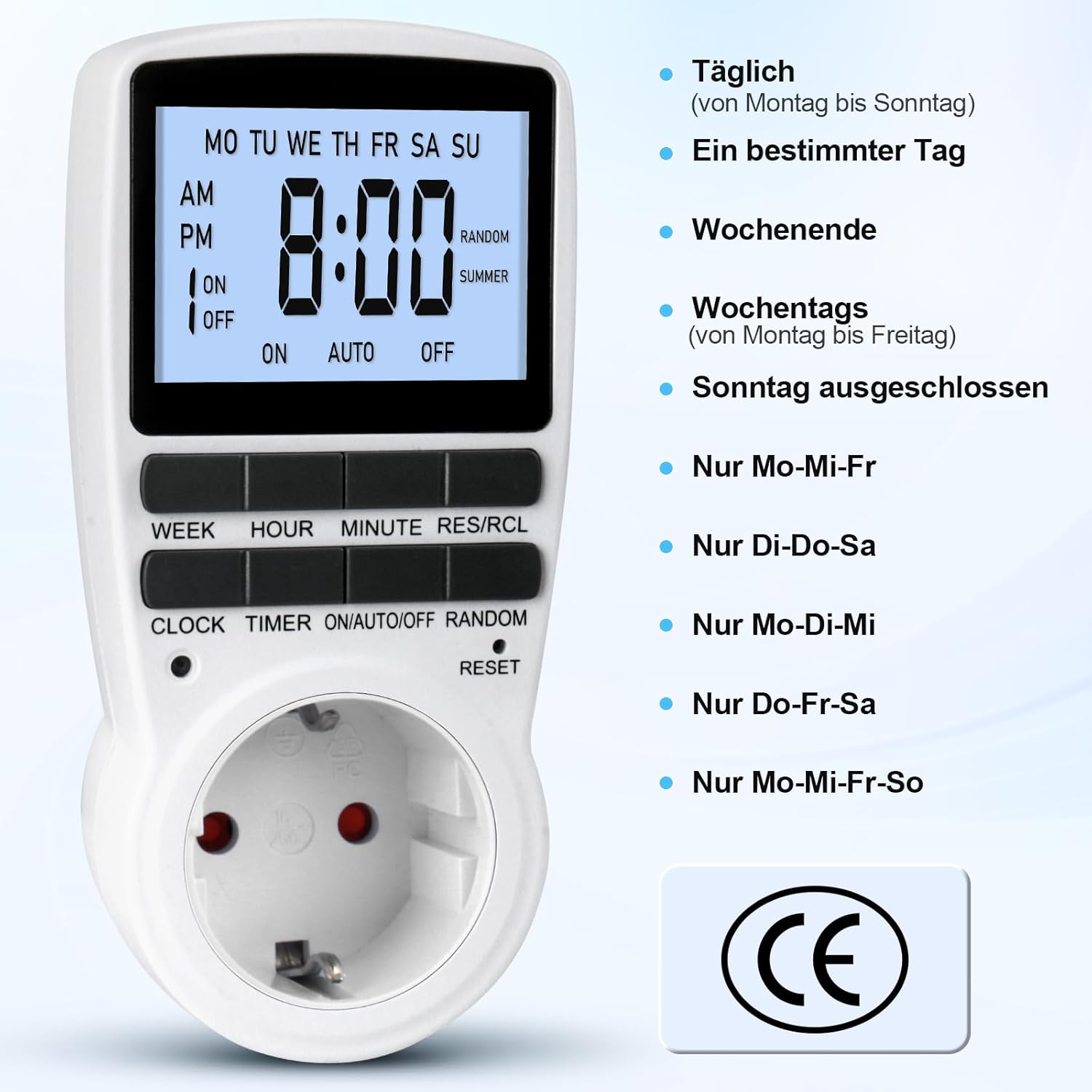
Figure 5: Different weekly programming options available, such as daily, specific days, weekends, or weekdays.
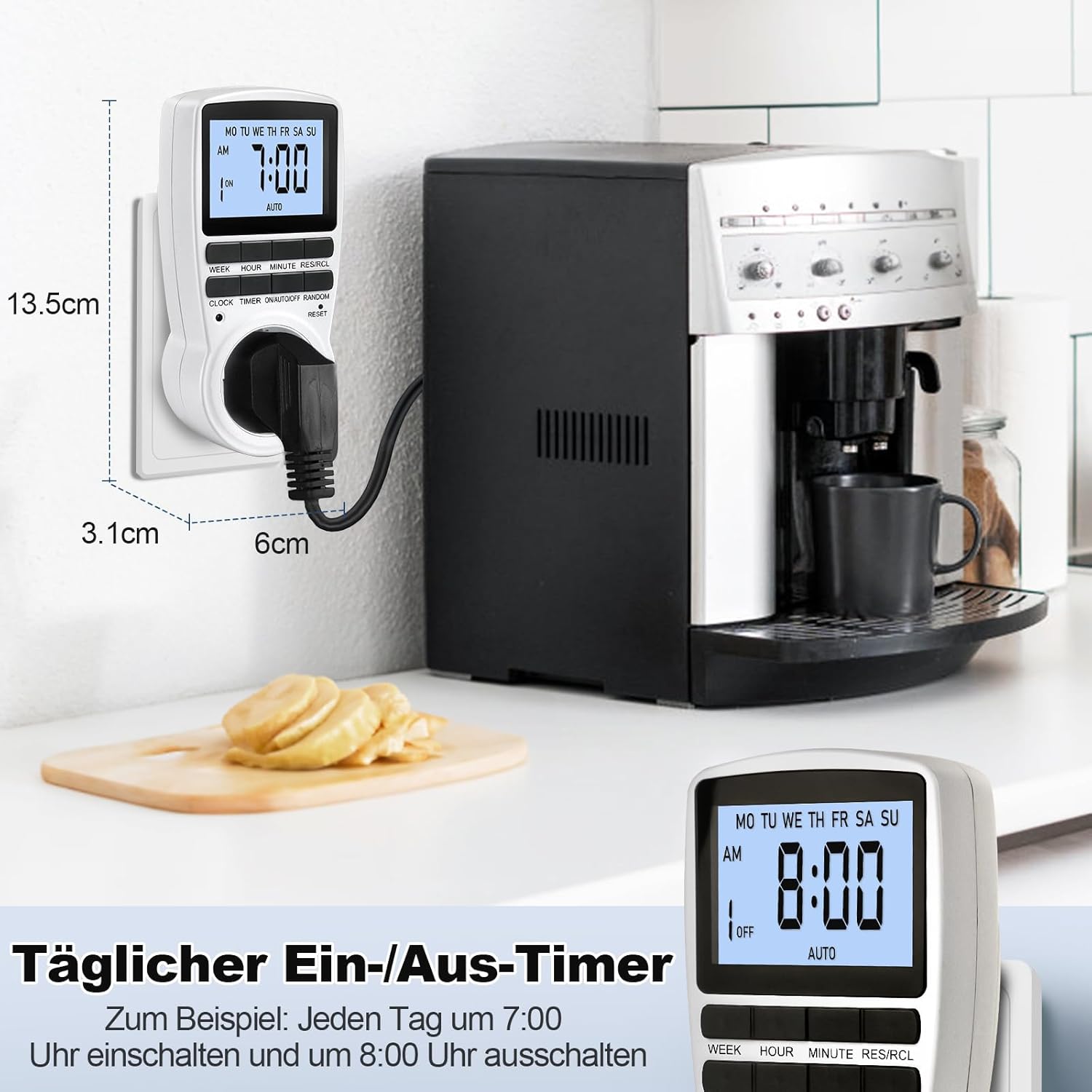
Figure 6: The timer in use, demonstrating a daily ON/OFF schedule and illustrating its compact dimensions.
6.2 Azionamentu manuale (ON/AUTO/OFF)
Press u ON/AUTO/OFF u buttone ripetutamente per passà da una modalità operativa à l'altra:
- ON: The connected appliance will remain ON, ignoring all programmed settings.
- AUTO: The connected appliance will operate according to the programmed ON/OFF times.
- OFF: The connected appliance will remain OFF, ignoring all programmed settings.
Per u funziunamentu automaticu, assicuratevi chì u timer sia impostu à AUTO modu.
6.3 Random Mode (Holiday Security)
The random mode is designed to deter potential intruders by making your home appear occupied when you are away. When activated, the timer will randomly turn ON and OFF connected lights or appliances within a set period.
- To activate Random Mode, press the RANDOM button. The "RANDOM" indicator will appear on the LCD.
- To deactivate Random Mode, press the RANDOM button again. The "RANDOM" indicator will disappear.

Figure 7: The timer in holiday mode, randomly switching lights to enhance home security.
6.4 Funzione di retroilluminazione
The LCD display features a soft white backlight for improved visibility in low-light conditions.
- The backlight activates automatically when any button is pressed.
- It will turn off automatically after approximately 30 seconds of inactivity to conserve energy.
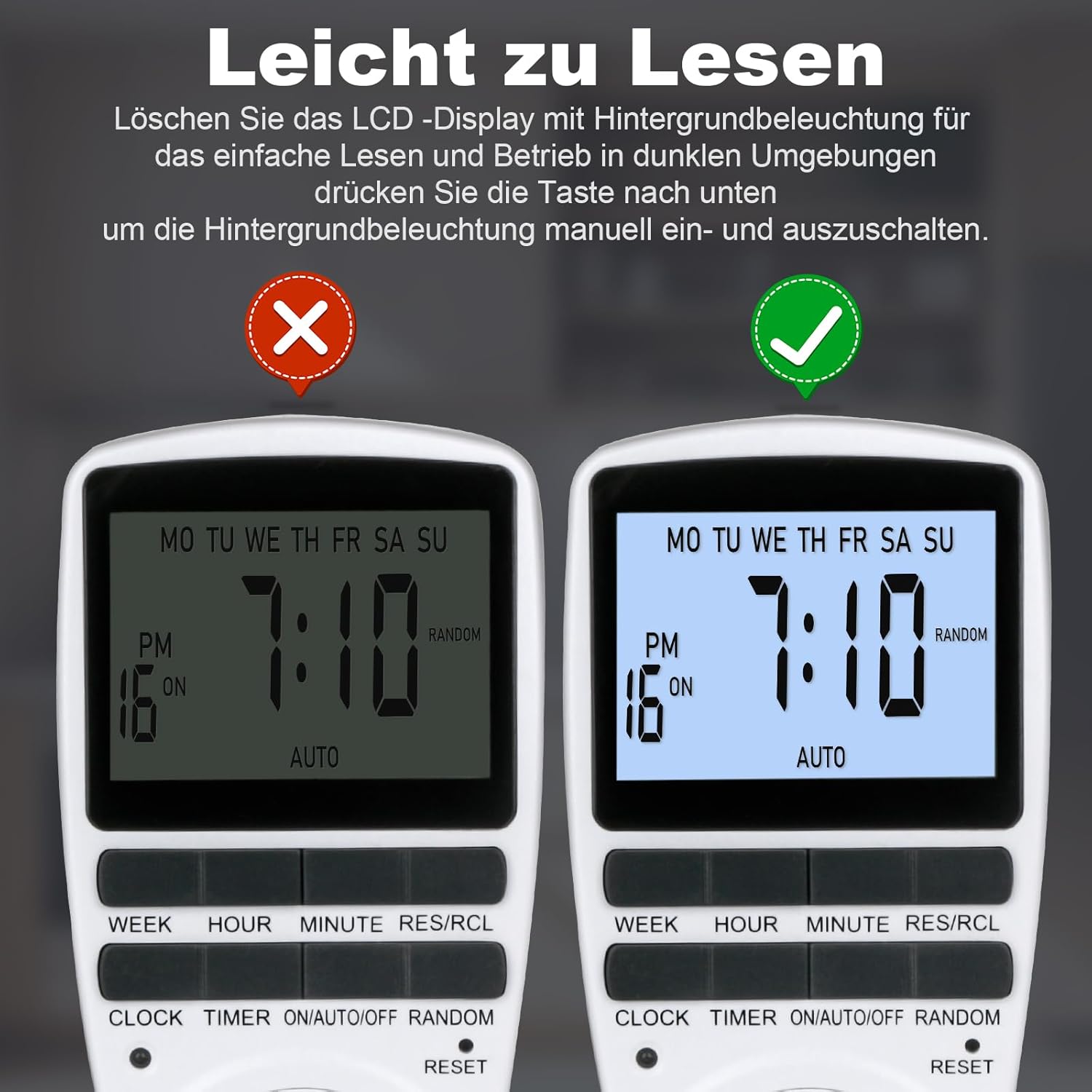
Figure 8: The timer's display with and without the backlight for clear readability.
6.5 Multi-functional Applications
The MECHEER Digital Timer Switch can be used to automate a wide range of household appliances and devices, helping to save energy and simplify your daily routine.

Figura 9: Esamples of how the timer switch can be used with various devices such as lamps, ovens, aquariums, air purifiers, and routers.
7. Mantenimentu
- Pulizia: Scollegate u timer da a presa di corrente prima di pulisce. Asciugate l'esternu cù un pannu dolce è asciuttu. Ùn aduprate micca detergenti liquidi o materiali abrasivi.
- Batteria: The timer has a built-in rechargeable battery that maintains settings during power outages. This battery is not user-replaceable. Ensure the timer is regularly plugged in to keep the battery charged.
- Conservazione: If storing the timer for an extended period, ensure it is fully charged and stored in a cool, dry place.
8. Risoluzione di prublemi
| Prublemu | Causa Possibile | Soluzione |
|---|---|---|
| U display hè viotu o scuru. | A batteria interna hè bassa o scarica. | Cunnette u timer à una presa elettrica per 5-10 minuti per carica a batteria. |
| Timer programs are not activating. | Timer is not in AUTO mode. Incorrect program settings. | Assicuratevi chì u timer sia impostu à AUTO mode. Review and correct your program settings. |
| Appliance remains ON/OFF constantly. | Timer is in ON or OFF mode, not AUTO. | Press u ON/AUTO/OFF buttone finu à chì "AUTO" sia visualizatu. |
| Timer is behaving erratically. | System glitch or interference. | Perform a full reset by pressing the RESET pinhole button. You will need to reprogram the time and settings. |
9. Specificazioni
| Feature | Detail |
|---|---|
| Numero di mudellu | JK-TM02-BL |
| Marca | MECHEER |
| Dimensioni di u produttu | 1.57"P x 1.97"L x 3.94"A (4 x 5 x 10 cm) |
| Pesu di l'articulu | 6.7 ounces (190 grammi) |
| Carica massima | 16 A / 3680 W |
| Setting Time | 1 minuti |
| Temperature di funziunamentu | -10 à +40 ° C |
| Accuratezza | ±1 Min/Mon |
| Batteria di salvezza | NiMH 1.2V >100hrs |
| Culore | Biancu |
10. Garanzia è Support
MECHEER products are designed for reliability and performance. For warranty information, technical support, or any questions regarding your Digital Timer Switch, please contact MECHEER customer service through the retailer where you purchased the product or visit the official MECHEER website. Please have your model number (JK-TM02-BL) and purchase details ready when contacting support.


