1. Introduzione
This user manual provides detailed instructions for the Bemi Cognita Tab 6+ E-Reader. Please read this manual carefully before using your device to ensure proper operation and to maximize your reading experience. Keep this manual for future reference.
1.1 Cuntenuti di u pacchettu
- Bemi Cognita Tab 6+ E-Reader
- Cavu di carica USB
Assicuratevi chì tutti l'articuli sianu presenti è in bonu statu à u mumentu di u disimballaggio.
2. Dispositivu Finituview
Familiarize yourself with the physical components of your Bemi Cognita Tab 6+ E-Reader.

Figura 2.1: Fronte view of the Bemi Cognita Tab 6+ E-Reader. The device features a 6-inch E-Ink display with the Bemi logo and model name visible. The screen is designed to mimic paper for a comfortable reading experience.

Figura 2.2: Fronte è daretu view of the Bemi Cognita Tab 6+ E-Reader. This image highlights the device's thin design and the textured back cover, which provides a secure grip.

Figura 2.3: Latu view of the Bemi Cognita Tab 6+ E-Reader, illustrating the location of the power button and a small LED indicator. This button is used for turning the device on/off and waking it from sleep.
2.1 Cumponenti chjave:
- 6-inch E-Ink Touchscreen: Glare-free display for comfortable reading.
- Pulsante di putenza: Located on the side for turning the device on/off and sleep/wake.
- Portu USB-C: Per carica è trasferimentu di dati.
- Slot per Schede MicroSD: Expandable storage up to 256GB.
- Buttoni di cuntrollu laterale: For page turning and navigation.
- SMARTlight: Adjustable front light for reading in various conditions.
3. Setup
3.1 Carica iniziale
Before first use, fully charge your Bemi Cognita Tab 6+ E-Reader. Connect the provided USB cable to the device's USB-C port and the other end to a compatible USB power adapter (not included) or a computer's USB port.
- Una carica cumpleta dura di solitu circa 2-3 ore.
- A luce indicatrice di carica mostrerà u statu di carica.
3.2 Accensione / spegnimentu
- Per accende: Press and hold the Power button (refer to Figure 2.3) for a few seconds until the screen activates.
- Per spegne: Press and hold the Power button until a power-off menu appears, then select "Power Off".
- Per dorme/svegliarsi: Appughjà brevemente u buttone di accensione per mette u dispusitivu in modalità di sonnu o svegliallu.
3.3 Cunnessione Wi-Fi
Connecting to Wi-Fi allows you to download books, transfer files, and access online services.
- From the home screen, tap the Settings icona.
- Selezziunà Wi-Fi.
- Attivà l'interruttore Wi-Fi à On.
- The device will scan for available networks. Select your desired network from the list.
- Inserite a password se vi hè dumandatu, dopu toccate Cunnette.
3.4 Configurazione iniziale
Upon first power-on, you may be guided through initial setup steps, including language selection and time zone settings. Follow the on-screen prompts.
4. Operating Instructions
4.1 Navigazione di l'interfaccia
The Bemi Cognita Tab 6+ features a touch-sensitive E-Ink screen and physical side buttons for navigation.
- Gesti di toccu: Tap to select, swipe to scroll, pinch to zoom (where supported).
- Bottoni laterali: Use the physical buttons on the side to turn pages forward or backward during reading.
- G-Sensor: The device automatically rotates the screen orientation based on how you hold it, accommodating both right and left-handed users.
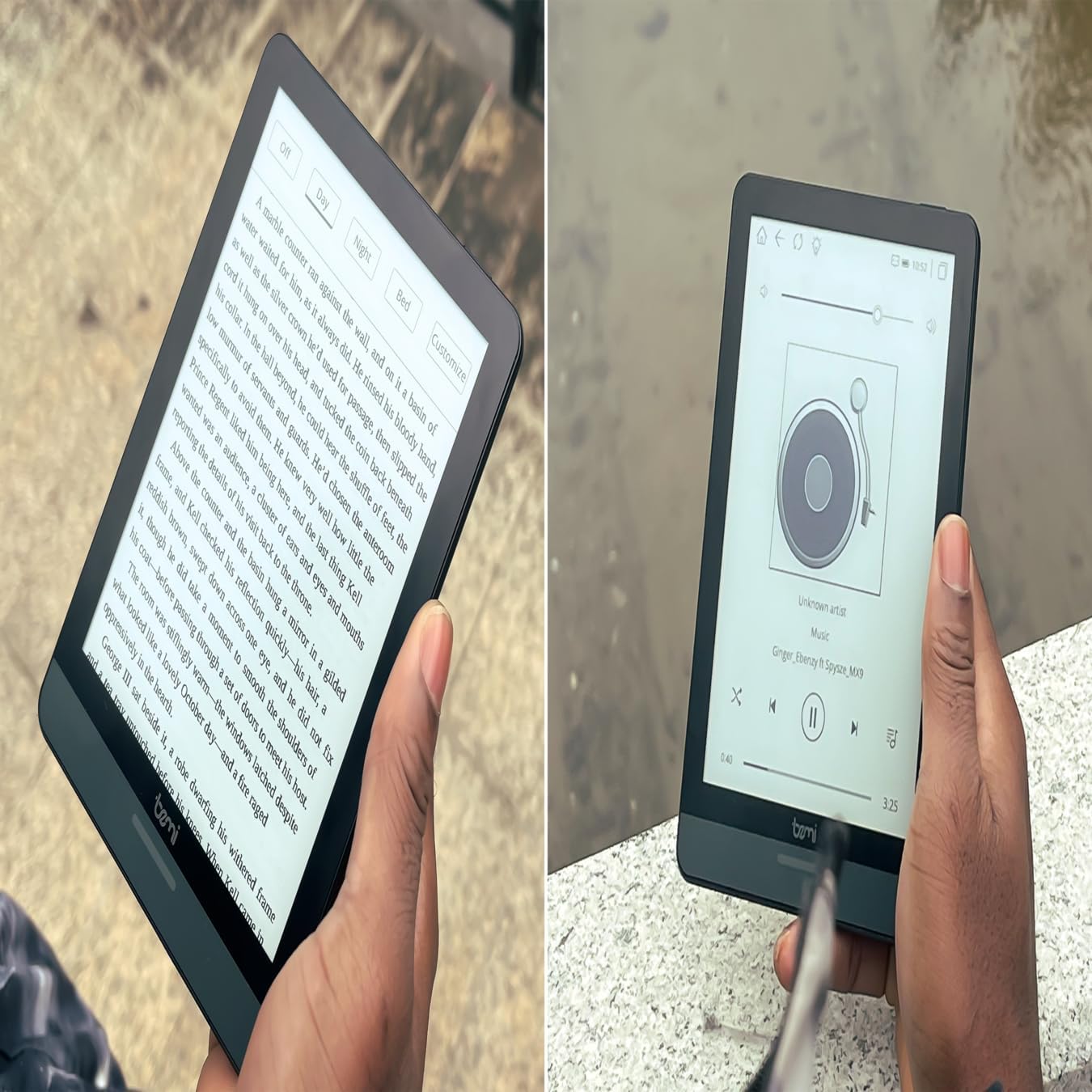
Figura 4.1: User holding the Bemi Cognita Tab 6+ E-Reader while reading. The image shows the clear text display on the E-Ink screen, highlighting the device's readability.
4.2 Lettura di Libri
Per apre è leghje un libru:
- From the home screen, tap on the Biblioteca or Libri icona.
- Browse your collection or use the search function to find a book.
- Tap on the book cover to open it.
- Use the touch screen or side buttons to turn pages.
4.3 Adjusting SMARTlight
The SMARTlight feature allows you to adjust both the brightness and color temperature of the screen's front light.
- During reading, tap the center of the screen to bring up the reading menu.
- Cercate u Luce or SMARTlight icona.
- Adjust the sliders for brightness (intensity) and color temperature (warm to cool) to your preference.
4.4 Trasferimentu Files
You can transfer e-books and other supported files to your device via Wi-Fi or USB cable.
- Via Wi-Fi: If your device supports cloud services or direct Wi-Fi transfer, follow the specific application instructions.
- Via USB Cable:
- Connect your E-Reader to a computer using the provided USB cable.
- The device will appear as a removable storage drive on your computer.
- Trascinate è lasciate u vostru desideratu files (e.g., EPUB, PDF, MOBI) into the appropriate folders on the E-Reader (e.g., "Books" folder).
- Espulsate in modu sicuru u dispusitivu da u vostru urdinatore prima di scollegà u cavu.
4.5 Usendu a carta MicroSD
To expand storage, insert a microSD card (up to 256GB) into the designated slot.
- Gently insert the microSD card with the gold contacts facing down until it clicks into place.
- Per caccià, spinghje delicatamente a carta versu l'internu finu à ch'ella spunti fora.
- Files on the microSD card will be accessible through the device's file manager or library.
5. Mantenimentu
5.1 Pulizia di u dispusitivu
- Use a soft, lint-free cloth to gently wipe the screen and body of the device.
- Per e macchie ostinate, leggermente dampLavate u pannu cù acqua o un pulitore di schermu specificamente cuncipitu per l'elettronica.
- Evitate l'usu di prudutti chimichi aggressivi, materiali abrasivi o umidità eccessiva.
5.2 Cura di a batteria
- Per prolongà a durata di a batteria, evitate di scaricà cumpletamente a batteria spessu.
- Conservate u dispusitivu in un locu frescu è asciuttu quandu ùn hè micca adupratu per periodi prolungati.
- Charge the device regularly, even if not used, to prevent deep discharge.
5.3 Storage
When not in use, store your E-Reader in a protective case to prevent scratches and damage to the screen.
6. Risoluzione di prublemi
If you encounter issues with your Bemi Cognita Tab 6+, refer to the following common solutions:
| Prublemu | Soluzione |
|---|---|
| U dispositivu ùn accende micca. | Ensure the battery is charged. Connect the device to a power source for at least 30 minutes. If it still doesn't turn on, try a hard reset by holding the power button for 10-15 seconds. |
| U schermu hè bluccatu o ùn risponde micca. | Perform a soft reset by holding the power button for 5-7 seconds until the device restarts. If the issue persists, try a hard reset. |
| Ùn pò micca cunnette à Wi-Fi. | Check if Wi-Fi is enabled in settings. Verify the Wi-Fi password. Restart your E-Reader and your Wi-Fi router. Ensure you are within range of the Wi-Fi signal. |
| Books are not appearing in the library. | Assicurà u files are in a supported format (e.g., EPUB, PDF). If transferred via USB, ensure they are in the correct folder. Try refreshing the library or restarting the device. |
| A batteria si scarica rapidamente. | Reduce screen brightness. Turn off Wi-Fi and Bluetooth when not in use. Close background applications. Ensure the device is not constantly searching for networks. |
7. Specificazioni
| Feature | Detail |
|---|---|
| Nome di mudellu | Bemi Cognita Tab 6+ |
| Size Screen | 6 Inches (E-Ink Carta, 1024x758, 212 ppi) |
| Memoria interna | 32 GB |
| Storage espansibile | Slot per carta MicroSD, finu à 256 GB |
| Connettività | Wi-Fi, Bluetooth |
| Sistema upirativu | Android 8.1 |
| Input di l'interfaccia umana | Touchscreen, Side Control Buttons |
| Funzioni spiciali | Adjustable SMARTlight, G-Sensor for auto-rotation, Glare-Free & Eye-Friendly E-Ink Display |
| Dimensioni (circa) | 7 mm di spessore |
| Cumpunenti inclusi | Cavu USB |
8. Garanzia è Support
8.1 Garanzia infurmazione
Your Bemi Cognita Tab 6+ E-Reader comes with a standard manufacturer's warranty. Please refer to the warranty card included in your product packaging or visit the official Bemi websitu per i termini è e cundizioni dettagliate riguardanti a copertura è a durata di a garanzia.
I piani di prutezzione opzionali ponu esse dispunibili per una copertura estesa. Per piacè verificate cù u vostru rivenditore per i dettagli.
8.2 Assistenza Clienti
For technical assistance, troubleshooting beyond this manual, or warranty claims, please contact Bemi customer support:
- Websitu: www.bemi-electronics.com
- E-mail: Refer to the Bemi websitu per email di cuntattu.
- Telefonu: Refer to the Bemi websitu per i numeri di telefonu di cuntattu.
When contacting support, please have your device model (Cognita Tab 6+) and purchase information ready.


