1. Introduzione
This manual provides comprehensive instructions for the safe and effective use of your HAYLOU S40 Noise Cancelling Headphones. Please read this manual thoroughly before using the product and retain it for future reference.
2. Informazioni di sicurezza
- Ùn espone micca l'auricolari à temperature estreme, umidità o ambienti corrosivi.
- Evitate di fà cascà o di sottumette l'auricolari à impatti forti.
- Ùn smuntate o mudificate micca l'auricolari. Questu pò annullà a garanzia è causà danni.
- Tenite l'auricolari luntanu da i zitelli è l'animali domestici.
- Use only the provided charging cable. Do not use the headphones while charging.
- L'ascolta prulungata à livelli di vulume elevati pò causà danni à l'audizione. Ajustate u vulume à un livellu sicuru.
3. Cuntenutu di u pacchettu
Verificate chì tutti l'articuli sò presenti in u vostru pacchettu:
- HAYLOU S40 Noise Cancelling Bluetooth Headphones
- Type-C 2-in-1 Cable (Charging & Audio)
- Microfonu staccabile
- Manuale d'uso (stu documentu)
4. Produttu Finituview
Familiarize yourself with the components of your HAYLOU S40 headphones.
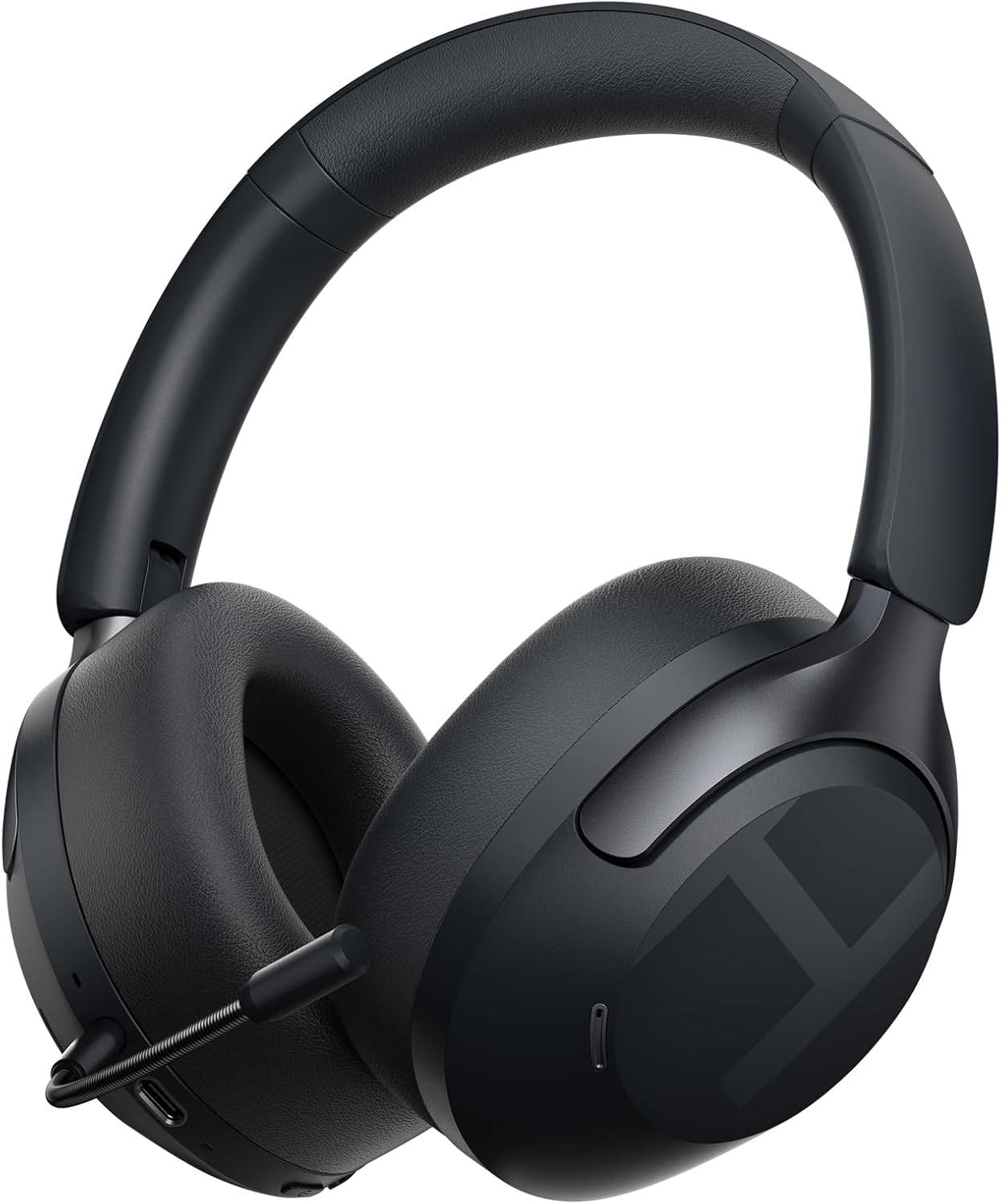
Image 4.1: HAYLOU S40 Noise Cancelling Headphones with the detachable microphone attached.
The headphones feature soft protein leather earcups for comfort, an adjustable headband, and foldable design for portability.
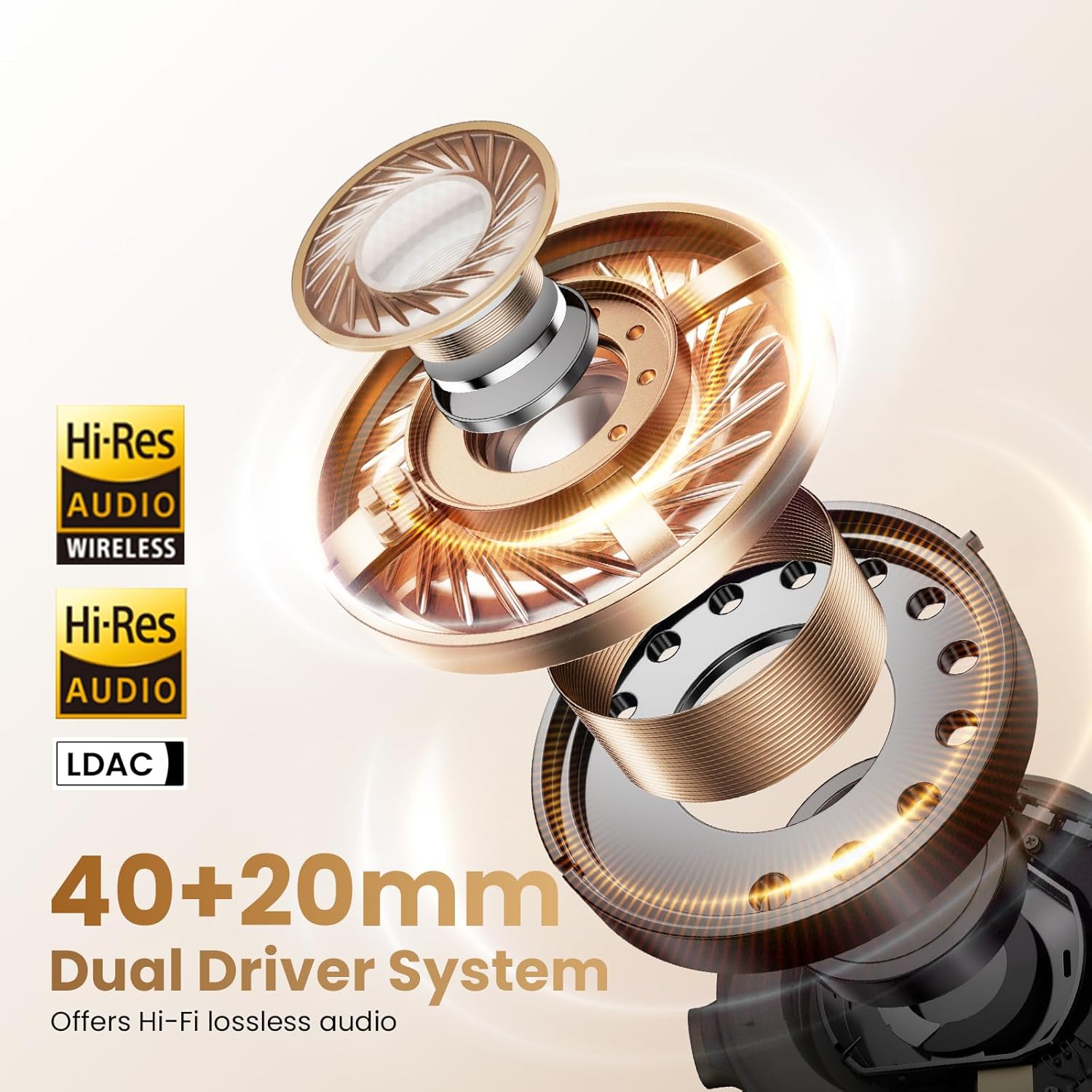
Image 4.2: The HAYLOU S40 headphones demonstrating their foldable design, soft earcups, and adjustable headband for comfortable wear and easy storage.
Cuntrolli è porti:

Image 4.3: Detailed diagram illustrating the location and function of buttons and touch controls on the HAYLOU S40 headphones.
- Pulsante di putenza: For power on/off and pairing mode.
- Buttoni di vulume (+/-): Adjust volume, next/previous track.
- Pulsante ANC: Cycle through Active Noise Cancellation modes.
- Zona di cuntrollu Touch: For quick conversation mode, answer/reject calls, play/pause music.
- Portu USB-C: Per a carica è a cunnessione audio cablata.
- Portu di microfonu: For attaching the detachable microphone.
5. Setup
5.1 Caricamentu di l'auricolari
Before first use, fully charge the headphones. Connect the provided Type-C cable to the headphone's USB-C port and a power source (e.g., computer USB port or wall adapter).
- Tempu di carica: Circa 2.5 ore per una carica completa.
- Carica rapida: 10 minuti di carica furniscenu circa 5 ore di riproduzione.
- Indicatore: The LED indicator will show charging status. Refer to the LED indicator section for details.
Note: Do not use the headphones while charging.

Image 5.1: Visual representation of the HAYLOU S40's battery life, indicating 90 hours with ANC off, 60 hours with ANC on, and 10 minutes of quick charging for 5 hours of playback.
5.2 Power On/Off
- Power On: Long appughjà u buttone Power per 2 seconde.
- Spegnimentu: Long appughjà u buttone Power per 2 seconde.
5.3 Accoppiamentu Bluetooth
- Assicuratevi chì l'auriculare sò spenti.
- Hold down the Power button for 5 seconds until the LED indicator flashes blue and red, indicating pairing mode.
- Nant'à u vostru apparechju (smartphone, tableta, urdinatore), attivate Bluetooth è cercate l'apparechji dispunibili.
- Select "HAYLOU S40" from the list of devices.
- Una volta cunnessu, l'indicatore LED diventerà blu solidu.
5.4 Connecting to the Haylou Sound App
For advanced features and customization, download the "Haylou Sound" app from your device's app store.
- Download and install the "Haylou Sound" app.
- Ensure your HAYLOU S40 headphones are powered on and connected via Bluetooth to your device.
- Open the Haylou Sound app. The app should automatically detect and prompt you to connect to your S40 headphones.
- Segui l'istruzzioni nantu à u screnu per compie a cunnessione.

Image 5.2: A smartphone screen displaying the Haylou Sound app interface, showing a prompt to connect to the Haylou S40 headphones.
The app allows for noise canceling depth controls, preset sound profiles, device renaming, and game mode activation.
5.5 Cunnessione Multipuntu
The HAYLOU S40 supports connecting to two devices simultaneously, allowing seamless switching between them.
- Connect the headphones to the first device via Bluetooth as described in section 5.3.
- Disconnect the headphones from the first device (do not unpair).
- Rimettite l'auricolari in modalità di accoppiamentu è cunnetteli à u secondu dispositivu.
- Reconnect the headphones to the first device from its Bluetooth settings. The headphones should now be connected to both devices.

Image 5.3: The HAYLOU S40 headphones demonstrating multipoint connection, simultaneously linked to a smartphone and a tablet, enabling seamless audio switching.
6. Operating Instructions
6.1 Cuntrolli basi
| Funzione | Azzione |
|---|---|
| Power On/Off | Long press Power button for 2s |
| Modu Accoppiamentu | Hold Power button for 5s (when device is off) |
| Volume Up | Click "+" button |
| Volume Down | Click "-" button |
| Next Track | Press and hold "+" button |
| Pista Precedente | Press and hold "-" button |
| ANC On/Off/Mode Cycle | Cliccate u buttone ANC |
| Quick Conversation Mode | Press and hold touch control area (release to turn off) |
| Rispondi/Ranpendete Chjama | Double click touch control area |
| Reject Call | Press and hold touch control area for 1s |
| Play/Pause Music | Double click touch control area |
6.2 Modi di Cancellazione Attiva di u Rumore (ANC)
The HAYLOU S40 features 50dB Hybrid ANC with multiple modes. Press the ANC button to cycle through the available modes:
- Deep ANC: Effectively blocks over 95% of noise, ideal for very noisy environments like airplanes or subways.
- Moderate ANC: Preserves some ambient sounds while reducing noise, suitable for offices or cafes.
- ANC adattatu: Intelligently adjusts noise reduction based on your surroundings.
- Modu di trasparenza: Allows you to hear your surroundings clearly without removing the headphones, useful for conversations or announcements.
- ANC Off: Disables active noise cancellation.
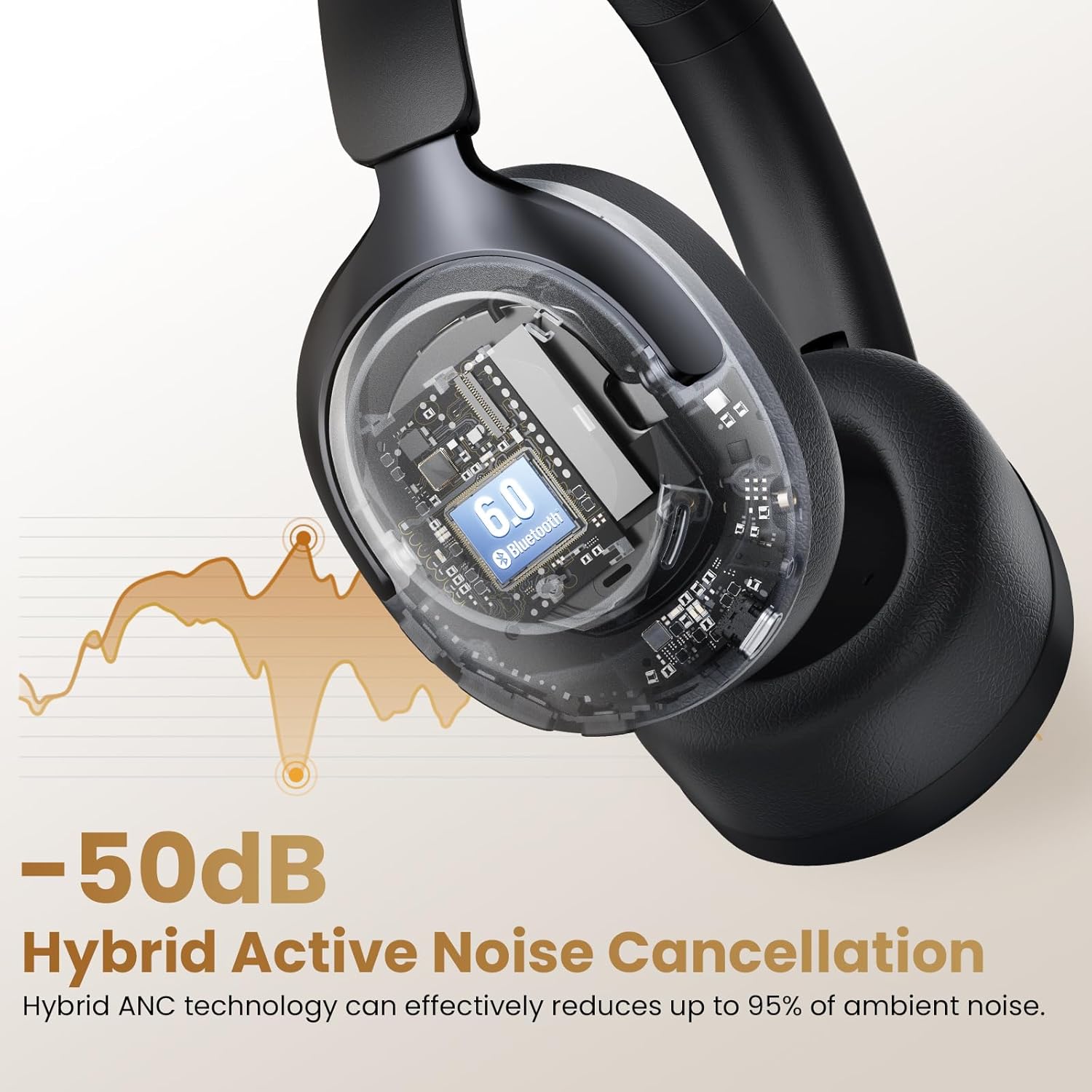
Image 6.1: An illustration depicting the 50dB Hybrid Active Noise Cancellation feature of the HAYLOU S40 headphones, showing how it reduces up to 95% of ambient noise.

Image 6.2: A collage illustrating the four distinct Active Noise Cancellation modes: Deep ANC for maximum noise blocking, Moderate ANC for balanced noise reduction, Adaptive ANC for intelligent adjustment, and Transparency Mode for hearing surroundings.
6.3 LDAC Hi-Res Audio Activation
The HAYLOU S40 supports LDAC for Hi-Res Wireless Audio. To enable LDAC, you must activate it within the Haylou Sound App.
- Ensure your headphones are connected to the Haylou Sound App (refer to section 5.4).
- Navigate to the audio settings within the app.
- Locate and enable the LDAC option.
Note: Disabling LDAC is recommended during Game Mode to avoid latency issues.
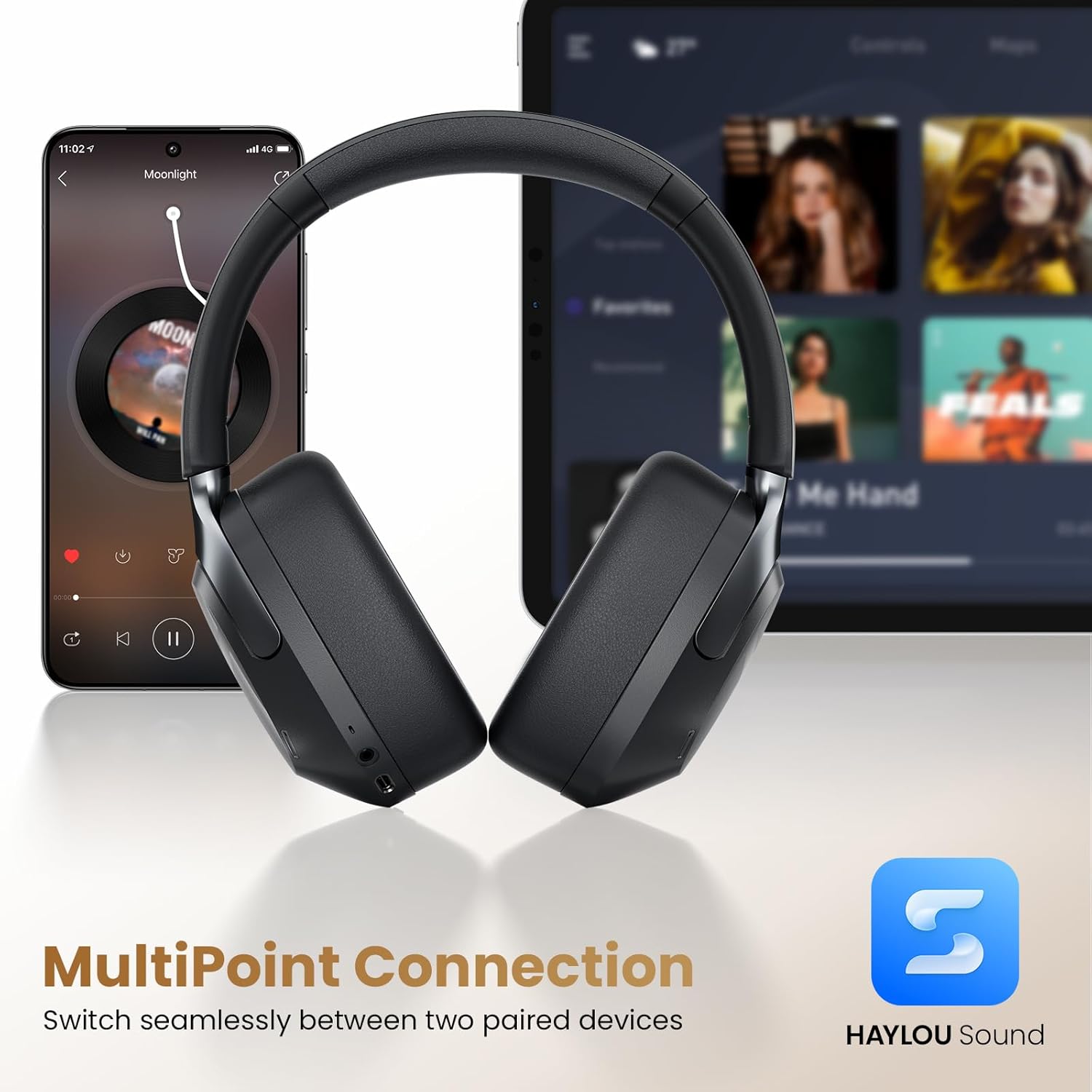
Image 6.3: Un esplosu view of the HAYLOU S40's 40mm+20mm dual driver system, highlighting its Hi-Res Audio and LDAC compatibility for lossless sound reproduction.
6.4 Detachable Microphone Usage
The HAYLOU S40 includes a detachable microphone for enhanced call clarity. Simply plug the microphone into the designated port on the headphones.
The headphones utilize five built-in microphones and the detachable microphone, combined with AI algorithms, to isolate your voice and suppress background noise during calls.

Image 6.4: The HAYLOU S40 headphones with the detachable microphone attached, illustrating its use for clear communication, particularly during gaming or calls.
6.5 Audio Spaziale
Experience immersive audio with 360° Surround Spatial Audio and Head Tracking. This feature can be configured via the Haylou Sound App.
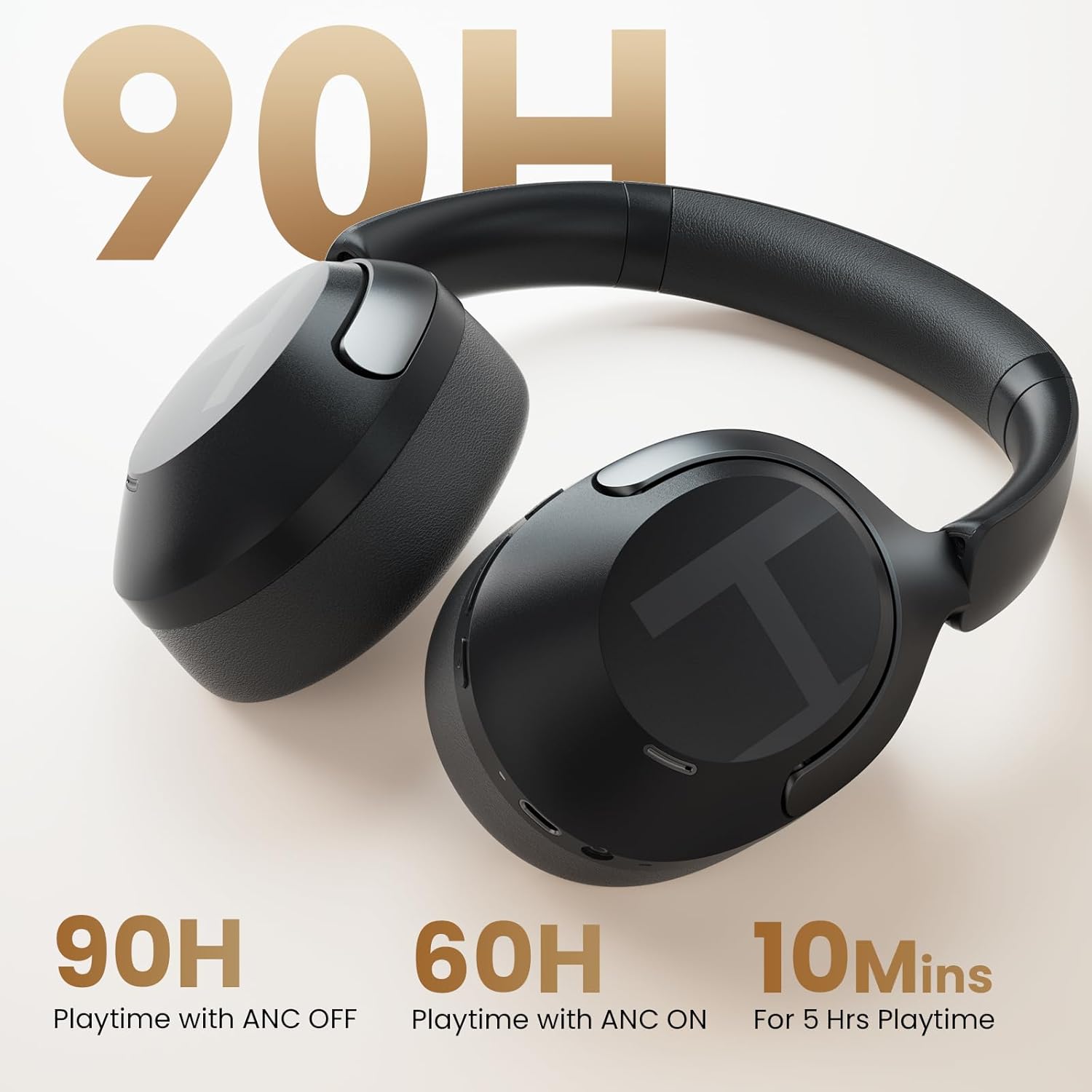
Image 6.5: A woman wearing the HAYLOU S40 headphones, depicted experiencing 360° surround spatial audio with head tracking for an immersive listening experience.
7. Mantenimentu
- Pulizia: Aduprate un pannu dolce è asciuttu per pulisce l'auricolari. Ùn aduprate micca prudutti chimichi aggressivi o materiali abrasivi.
- Conservazione: Quandu ùn sò micca in usu, cunservate l'auricolari in un locu frescu è asciuttu, luntanu da a luce diretta di u sole è da temperature estreme. U disignu pieghevole permette un almacenamentu compattu.
- Cura di a batteria: Per prulungà a durata di a batteria, evitate di scaricà cumpletamente l'auricolari spessu. Caricateli regularmente, ancu s'elli ùn sò micca in usu custante.
8. Risoluzione di prublemi
| Prublemu | Causa Possibile | Soluzione |
|---|---|---|
| L'auricolari ùn s'accendenu micca. | Batteria bassa. | Caricà l'auriculare cumplettamente. |
| Ùn si pò micca accoppià via Bluetooth. | Cuffie micca in modu di accoppiamentu; Bluetooth disattivatu nantu à u dispusitivu; interferenza. | Ensure headphones are in pairing mode (flashing blue/red LED). Turn Bluetooth on your device. Move closer to the device. Restart both devices. |
| Nisun sonu o un vulume bassu. | Vulume troppu bassu; cuffie micca cunnesse; uscita audio incorretta. | Adjust volume on headphones and device. Reconnect Bluetooth. Check device's audio output settings. |
| L'ANC ùn funziona micca bè. | Incorrect ANC mode; poor seal. | Cycle through ANC modes. Ensure earcups form a good seal around your ears. |
| U microfonu ùn funziona micca. | Detachable microphone not properly connected; device microphone settings. | Ensure the detachable microphone is securely plugged in. Check your device's microphone input settings. |
| LDAC audio quality issues or latency. | LDAC enabled during Game Mode; environmental interference. | Disable LDAC in the Haylou Sound App if using Game Mode. Reduce distance to device or move away from interference sources. |
9. Specificazioni
| Feature | Detail |
|---|---|
| Nome di mudellu | HAYLOU S40 |
| Controlu di u rumore | Adaptive Noise Cancellation (50dB Hybrid ANC) |
| Tipu di Driver Audio | Dynamic Driver (40mm + 20mm) |
| Supportu audio ad alta risoluzione | Yes (LDAC compatible) |
| Versione Bluetooth | 6.0 |
| Tecnulugia di cunnessione | Wired (USB-C), Wireless (Bluetooth) |
| Autonomia di a batteria (ANC disattivatu) | Finu à 90 ore |
| Autonomia di a batteria (ANC attivata) | Finu à 60 ore |
| Tempu di carica | Circa. 2.5 ore |
| Microfoni | 5 built-in + 1 detachable (AI algorithms for calls) |
| Cunnessione multipuntu | Yes (connects to two devices simultaneously) |
| Materiale | ABS, Faux Leather, PC |
| Pesu | 0.35 kilogrammi (12.3 ounces) |
| Dimensioni | 6.81 x 3.26 x 7.68 inch |
10. Garanzia è Support
HAYLOU products are covered by a limited warranty. For detailed warranty information, please refer to the warranty card included in your package or visit the official HAYLOU websitu.
For technical support, troubleshooting assistance, or to inquire about replacement parts, please contact HAYLOU customer service through their official channels. You can often find support contact information on the HAYLOU website or within the Haylou Sound App.
Risorse in linea:
- Official HAYLOU Websitu: www.corsica.com
- Haylou Sound App: Available on iOS App Store and Google Play Store.


