1. Introduzione
The KADAMS Pomodoro Cube Timer is a versatile visual timer designed to enhance productivity and time awareness. It features four preset countdown options (5, 10, 25, and 50 minutes) activated by simply flipping the cube. Additionally, it offers a customizable countdown, a stopwatch mode, and a silent mode, making it suitable for various tasks such as work, study, cooking, and exercise.

Image 1.1: The KADAMS Pomodoro Cube Timer in green, displaying a 25-minute countdown.
2. Setup
2.1. Charging the Timer
Before initial use, ensure the timer is fully charged. The timer is equipped with a Type-C charging port.
- Locate the Type-C charging port on the side of the timer.
- Connect the provided Type-C USB cable to the timer and a compatible USB power source.
- The display will indicate charging status. A full battery icon will appear when charging is complete.

Image 2.1: Charging port and ON/OFF switch location.
2.2. Power On / Off
The timer has a physical ON/OFF switch for power management.
- Trascinate l'interruttore à u ON position to power on the device.
- Trascinate l'interruttore à u OFF position to power off the device and conserve battery.
3. Operating Instructions
3.1. Preset Countdown Timers
The timer features four preset countdown durations: 5, 10, 25, and 50 minutes. To activate a preset timer:
- Ensure the timer is powered on.
- Place the timer with the desired minute value (5, 10, 25, or 50) facing upwards.
- U contu à rebours cumincierà automaticamente.
- The LED ring on the display will visually indicate the progress of the countdown.

Image 3.1: Flipping the timer to initiate a preset countdown.

Image 3.2: Visual LED ring display showing time progression.
3.2. Customizable Countdown Timer
You can set a custom countdown duration up to 99 minutes and 59 seconds.
- Press u SET button on the bottom of the timer to enter customization mode. The display will show '00 00'.
- Aduprà u M button to set minutes and the S button to set seconds.
- Once the desired time is set, flip the timer to any side to start the custom countdown.

Image 3.3: Control buttons for customization and other functions.

Image 3.4: Entering customization mode using the SET button.
3.3. Stopwatch (Count-Up) Mode
The timer can also function as a stopwatch, counting upwards from zero.
- From the '00 00' display (after pressing SET or when no timer is active), long-press the UP buttone.
- The timer will begin counting upwards.
- To stop the stopwatch, flip the timer to any side or press the UP buttone di novu.

Image 3.5: Demonstrating both countdown and count-up timer functions.
3.4. Modu silenziu
For distraction-free environments, the timer can operate in silent mode.
- While the timer is active, long-press the UP button to toggle the sound on or off.
- A mute icon will appear on the display when silent mode is active.
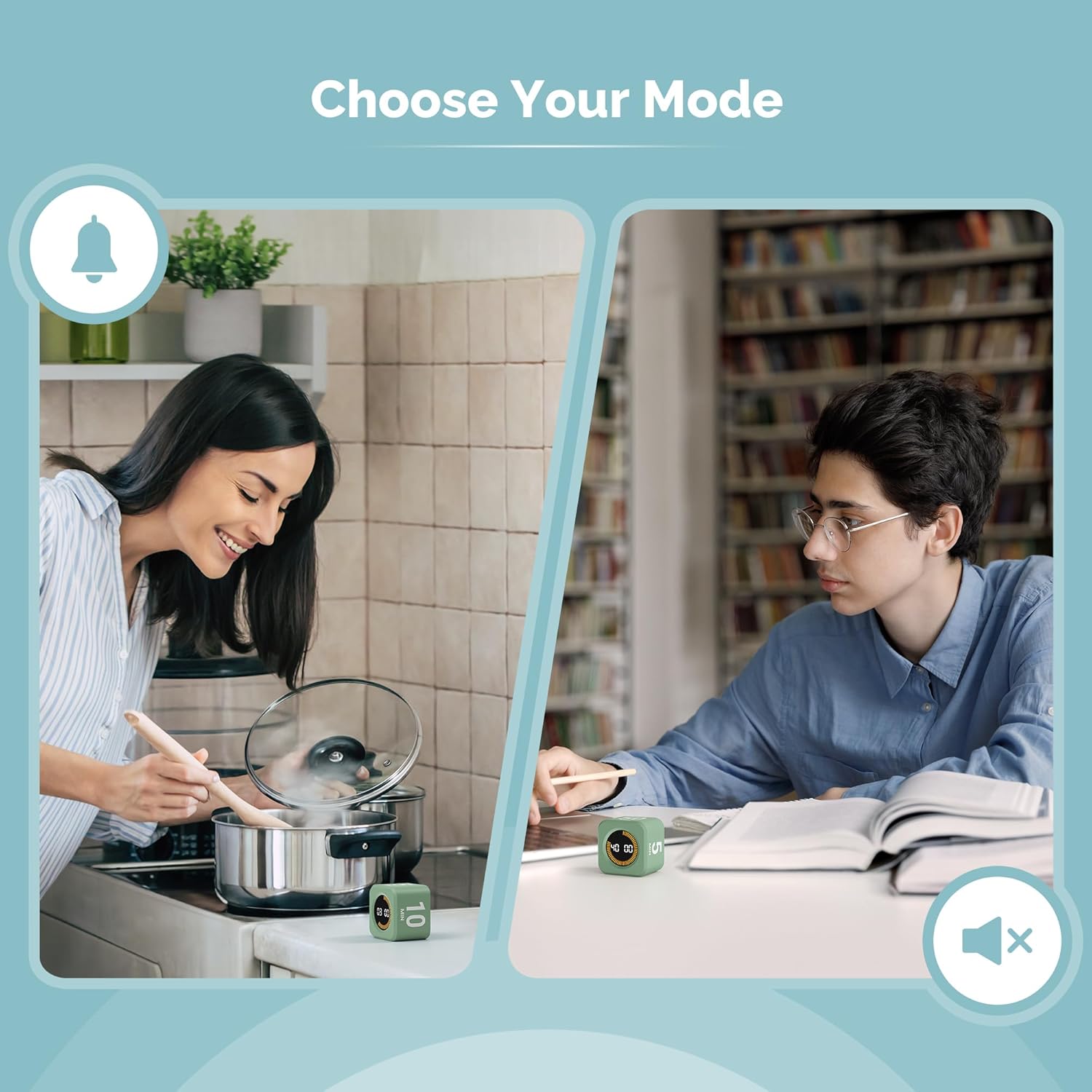
Image 3.6: Timer in use, showing options for audible or silent operation.

Image 3.7: Activating silent mode.
3.5. Pause and Reset
To pause or reset an active timer:
- Pausa: Lay the timer face down on a flat surface. The timer will pause. Lift it upright to resume.
- Resettate: To stop an active timer and reset it, lay the timer face down for a few seconds, then set it upright again. This will clear the current countdown.

Image 3.8: Pausing the timer.

Image 3.9: Resetting the timer.
3.6. Video di u produttu sopraview
For a visual demonstration of the KADAMS Pomodoro Cube Timer's features and operation, please watch the official product video below.
Video 3.10: Official KADAMS Pomodoro Timer Cube product video, demonstrating its various functions and ease of use.
4. Mantenimentu
To ensure the longevity and optimal performance of your KADAMS Pomodoro Cube Timer, follow these maintenance guidelines:
- Pulizia: Wipe the timer with a soft, dry cloth. Avoid using abrasive cleaners or solvents.
- Conservazione: Conservate u timer in un locu frescu è asciuttu, luntanu da a luce diretta di u sole è da temperature estreme.
- Esposizione à l'acqua: The timer is not waterproof. Avoid exposure to water or high humidity.
5. Risoluzione di prublemi
If you encounter any issues with your KADAMS Pomodoro Cube Timer, please refer to the following common solutions:
- U timer ùn si accende micca: Ensure the ON/OFF switch is in the 'ON' position and the battery is charged. Connect the timer to a power source using the Type-C cable.
- Countdown not starting: Verify that the timer is placed with one of the preset minute values (5, 10, 25, 50) facing directly upwards. For custom timers, ensure you have pressed 'SET' and then flipped the timer.
- Nisun sonu: Check if the timer is in silent mode. Long-press the UP button to toggle the sound on.
- Inaccurate timing: Ensure the timer is on a stable, flat surface. If issues persist, try powering the device off and on again.
If these steps do not resolve the issue, please contact KADAMS customer support for further assistance.
6. Specificazioni
| Feature | Detail |
|---|---|
| Marca | KADAMS |
| Numero di mudellu | K5273-02 |
| Materiale | Acrilonitrila Butadiene Stirone |
| Dimensioni di u produttu | 2 "D x 2" W x 1.5 "H |
| Pesu di l'articulu | 2.72 once (0.17 Libbra) |
| Numero di paràmetri | 5 (4 preset + 1 customizable) |
| Fonte d'energia | Rechargeable (Type-C USB) |
7. Garanzia è Support
For information regarding product warranty, returns, or additional support, please refer to the documentation included with your purchase or visit the official KADAMS website. You may also contact KADAMS customer service directly through their Amazon store page: KADAMS Store.


