1. Introduzione
This manual provides detailed instructions for the safe and efficient use of your boAt Rockerz Plus 550 Bluetooth Headphones. Please read this manual thoroughly before using the product and retain it for future reference.
2. Ciò chì hè in a scatula
- boAt Rockerz Plus 550 Headphones
- Cavu di carica
- Cavo AUX
- Manuale d'usu

Image: boAt Rockerz Plus 550 Bluetooth Headphones, showcasing the Blue Psyche color variant and customizable earcups.
3. Produttu Finituview è cuntrolli
Familiarize yourself with the various parts and controls of your headphones.

Imagine: Dettagliata view of the headphone's control buttons and ports, including the charging port and AUX input.
Cuntrolli chjave:
- Pulsante di putenza: Mantene premutu per accende / spegne.
- Volume Up / Next Track: Appughjà brevemente per aumentà u vulume, appughjà longu per a traccia dopu.
- Volume Down/Traccia Precedente: Appughjà brevemente per calà u vulume, appughjà longu per a traccia precedente.
- Pulsante multifunzione (MFB): Riproduce/pausa, risponde/termina e chjame, attiva l'assistente vocale.
- Portu AUX: Per cunnessione cablata.
- Portu di carica: Per carica l'auriculare.
4. Setup
4.1 Caricamentu di l'auricolari
- Cunnette u cavu di carica à u portu di carica di l'auricolari.
- Cunnette l'altra estremità di u cavu à un adattatore di alimentazione USB (micca inclusu) o à a porta USB di un urdinatore.
- L'indicatore LED mostrerà u statu di carica. Si spegnerà o cambierà di culore quandu hè cumpletamente caricatu.
Una carica cumpleta furnisce finu à 100 ore di riproduzione.

Image: The boAt Rockerz Plus 550 headphones highlighting their extended battery life of up to 100 hours.
4.2 Accoppiamentu Bluetooth
- Assicuratevi chì l'auricolari sianu cumpletamente cariche.
- Tenite premutu u buttone di accensione finu à chì l'indicatore LED lampeggi in blu è rossu, chì indica a modalità di accoppiamentu.
- Nant'à u vostru apparechju (smartphone, tableta, laptop), attivate Bluetooth è cercate l'apparechji dispunibili.
- Select "boAt Rockerz Plus 550" from the list of devices.
- Una volta cunnessu, l'indicatore LED lamparà blu pianu pianu.
4.3 Dual Pairing
The headphones support dual pairing, allowing connection to two devices simultaneously.
- Accoppiate l'auricolari cù u primu apparechju cum'è descrittu in a sezione 4.2.
- Disattivate u Bluetooth nant'à u primu apparechju. L'auricolari entreranu torna in modu d'accoppiamentu.
- Accoppiate l'auriculare cù u sicondu dispositivu.
- Enable Bluetooth on the first device. The headphones will automatically connect to both devices.
You can now seamlessly switch between audio sources from both connected devices.
Image: Visual representation of the dual pairing functionality, showing a phone and a tablet simultaneously connected to the headphones.
4.4 Cunnessione AUX
For a wired connection, use the provided AUX cable.
- Connect one end of the AUX cable to the headphone's AUX port.
- Cunnette l'altra estremità à u jack audio di 3.5 mm di u vostru dispositivu audio.
- The headphones will automatically switch to AUX mode.
5. Operating Instructions
5.1 Riproduzione musicale
- Play/Pause: Press u MFB una volta.
- Prussima pista: Appughjà longu u buttone Volume Up.
- Pista Precedente: Appughjà longu u buttone Volume Down.
- Aument du volume : Appughjà brevemente u buttone Volume Up.
- Volume Imbruglia: Appughjà brevemente u buttone Volume Down.
5.2 Gestione di e chjame
- Rispondi / Finisce a chjama: Press u MFB una volta.
- Reject Call: Mantene premutu u MFB per 2 seconde.
5.3 Assistante vocale
Activate your device's voice assistant (Siri, Google Assistant) directly from the headphones.
- Attivà l'Assistente Vocale: Premete duie volte u MFB.
5.4 Customizable Earcups
The boAt Rockerz Plus 550 features customizable earcups, allowing you to change their appearance.
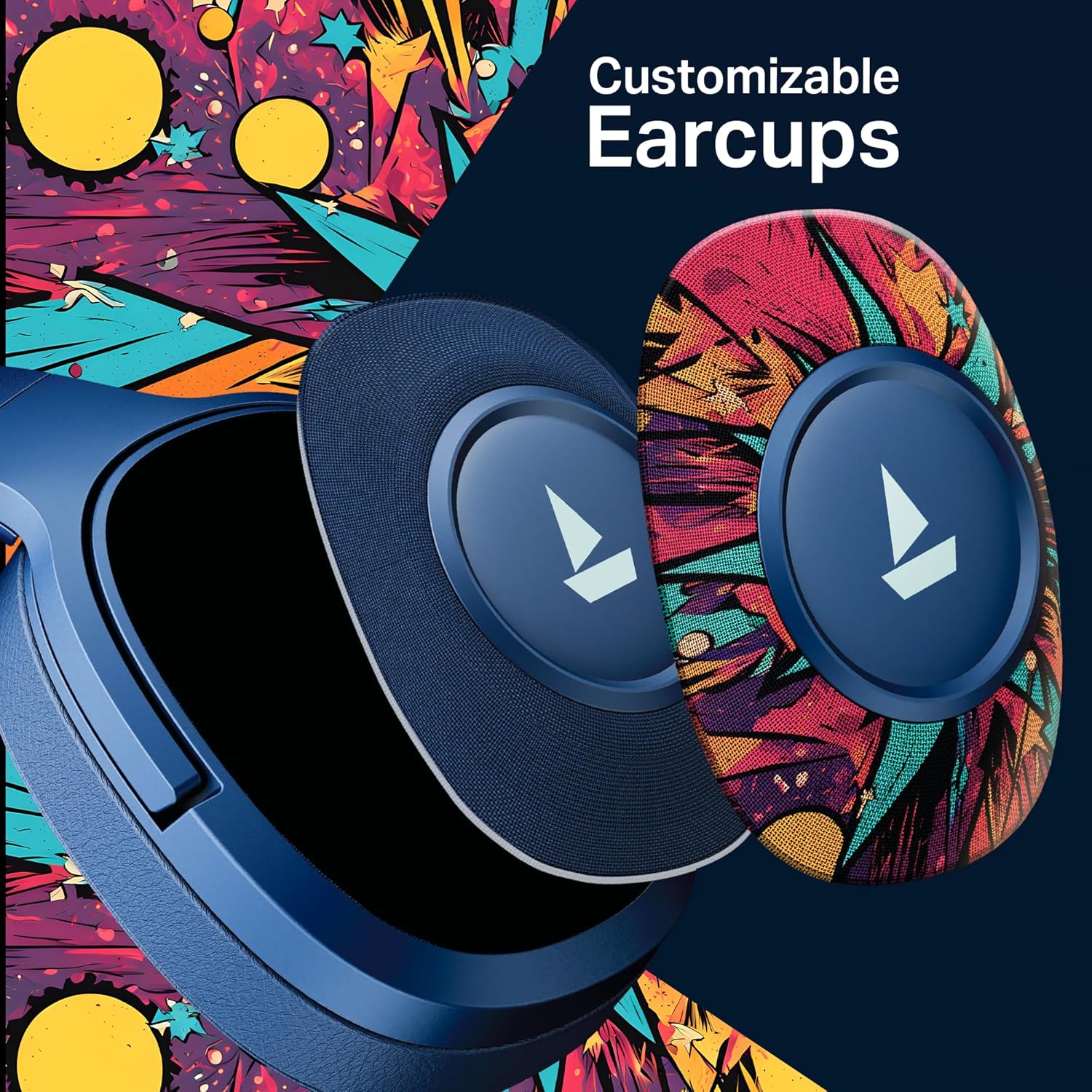
Imagine: Un dettagliu view demonstrating how the customizable earcups can be removed and replaced on the headphones.
5.5 boAt Hearables App Support
Enhance your experience by downloading the boAt Hearables App. The app provides additional features and user guides.

Image: A smartphone showing the boAt Hearables App interface, including a QR code for easy access. Scan the QR code or visit https://l.ead.me/bdAX6k per scaricà l'app.
6. Mantenimentu
- Pulizia: Asciugate l'auricolari cù un pannu dolce è asciuttu. Ùn aduprate micca detergenti abrasivi o solventi.
- Conservazione: Conservate l'auricolari in un locu frescu è asciuttu, luntanu da a luce diretta di u sole è da temperature estreme.
- Cura di a batteria: To prolong battery life, charge the headphones regularly, even if not in frequent use. Avoid fully discharging the battery for extended periods.
7. Risoluzione di prublemi
| Prublemu | Causa Possibile | Soluzione |
|---|---|---|
| L'auricolari ùn s'accendenu micca. | Batteria bassa. | Caricà l'auriculare cumplettamente. |
| Ùn si pò micca accoppià cù u dispusitivu. | Bluetooth micca attivatu, cuffie micca in modalità di accoppiamentu, o dispusitivu troppu luntanu. | Ensure Bluetooth is on, headphones are in pairing mode (flashing red/blue), and within range (10 meters). Try restarting both devices. |
| Nisun sonu o un vulume bassu. | Volume too low on headphones or device, incorrect audio output selected, or loose AUX cable. | Adjust volume on both devices. Check audio output settings. Ensure AUX cable is securely connected. |
| Cunnessione intermittente. | Interference, device too far, or low battery. | Move closer to the device, avoid obstacles, and ensure headphones are charged. Avoid environments with strong Wi-Fi or other Bluetooth signals. |
8. Specificazioni
| Feature | Detail |
|---|---|
| Nome di mudellu | 550 |
| Tecnulugia di cunnessione | Bluetooth v5.4, 3.5 mm Jack |
| Tipu di Driver Audio | Driver dinamicu |
| Size Driver | 50 mm |
| A vita di a batteria | Finu à 100 ore |
| Forma di l'auriculare | Over Ear |
| Controlu di u rumore | Isolamentu Sonoru Passivu |
| Metudu di cuntrollu | Pulsante |
| Pesu di l'articulu | 250 grammi |
| Dimensioni di u produttu | 17 x 9 x 20 cm |
| Tipu di batterie | Lithium Ion (ricaricabile) |
| U fabricatore | Imagine Marketing Ltd |
| Paese d'origine | Cina |

Imagine: Un internu view highlighting the 50mm audio drivers, responsible for the boAt Signature Sound.
9. Garanzia è Support
Your boAt Rockerz Plus 550 headphones come with a standard manufacturer's warranty. Please refer to the warranty card included in your package for specific terms and conditions.
For technical support, service, or warranty claims, please contact boAt customer service:
- Produttore: Imagine Marketing Ltd
- E-mail: info@imaginemarketingindia.com
- Supportu in ligna: Visit the official boAt websitu per FAQ è risorse di supportu.