1. Introduzione
Welcome to the user manual for your XINLEI Mobile TV Stand, model ML70A. This stand is designed to provide a versatile and stable mounting solution for most 32-75 inch flat or curved screen televisions. Please read this manual thoroughly before assembly and use to ensure proper installation and safe operation.
2. Impurtante Information Safety
Please observe the following safety precautions to prevent injury or damage to your product:
- Ùn superate micca a capacità di pesu massima di 88 lbs (40 kg).
- Ensure the VESA mounting pattern of your TV is compatible (Min 100x100mm, Max 600x400mm).
- Always lock the casters when the stand is in a stationary position to prevent accidental movement.
- Assemble the stand on a soft, clean surface to avoid scratches.
- Mantene i zitelli è l'animali alluntanati durante l'assemblea.
- S'ellu ci sò pezzi mancanti o dannighjati, ùn pruvate micca à assemblalli. Cuntattate l'assistenza clienti.
3. Cuntenutu di u pacchettu
Verify that all components are present before beginning assembly. While a detailed parts list is not provided, typical components include:
- X-shaped base components
- Dual support columns
- TV mounting brackets
- Lockable casters (wheels)
- Assembly hardware (screws, washers, nuts, Allen wrench)
- Manuale d'istruzzioni
4. Specifications Product
| Feature | Detail |
|---|---|
| Mudellu | ML70A |
| Marca | XINLEI |
| Dimensioni TV compatible | 32-75 inch |
| Capacità massima di pesu | 88 lbs (40 kg) |
| Compatibilità VESA | Min 100x100mm, Max 600x400mm |
| Gamma di regulazione di l'altezza | 40.91" à 49.76" (4 livelli) |
| Tipu di basa | X-shaped with dual columns |
| A mobilità | 360° Lockable Casters |
| Materiale | Metallu |
| Pesu di l'articulu | 17.22 liri |
| Dimensioni di u pacchettu | 17.24 x 11.97 x 5.87 inch |
5. Setup è Assemblea
Seguite attentamente questi passi per un assemblaggio currettu. Hè cunsigliatu di avè duie persone per certi passi, in particulare quandu si monta u televisore.
Passu 1: Assemble a Base
Connect the X-shaped base components and attach the dual columns. Ensure all screws are tightened securely.

Image description: This image shows the X-shaped base of the TV stand with dual columns attached, highlighting its stability and large bearing area.
Passu 2: Attach Casters
Screw the lockable casters into the designated holes on the base.

Descrizzione di l'imagine: Un primu pianu view of the lockable casters on the TV stand's base, indicating their 360-degree rotation and locking mechanism. This image also shows cable management features.
Step 3: Install TV Mounting Brackets
Attach the TV mounting brackets to the back of your television using the appropriate screws and spacers for your TV's VESA pattern. Ensure the brackets are centered and level.
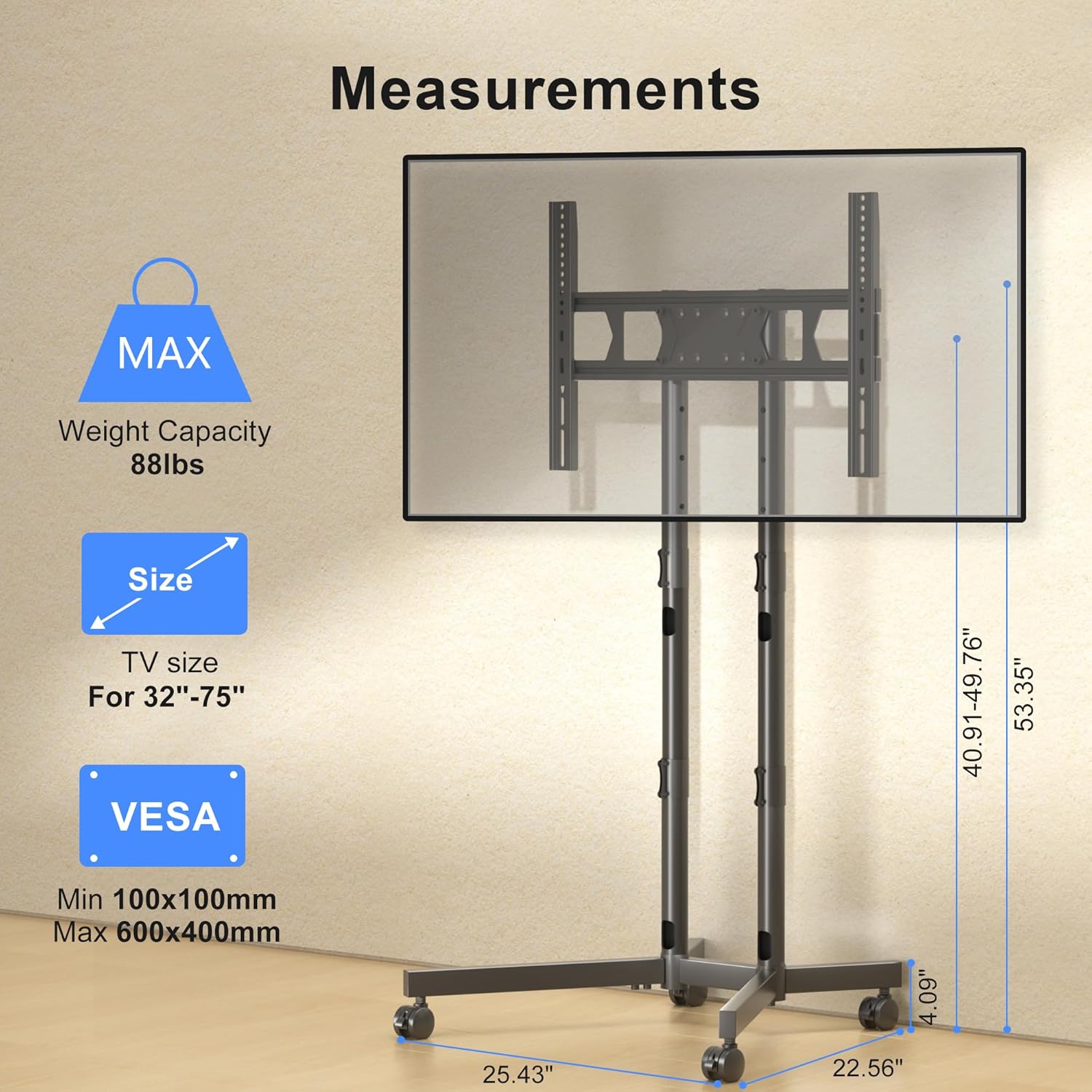
Image description: This diagram illustrates the TV mounting brackets and provides key measurements, VESA compatibility, and maximum weight capacity for the stand.
Step 4: Mount the TV to the Stand
Carefully lift the television and hook the mounting brackets onto the dual columns of the stand. Secure the TV using the safety lock mechanism.
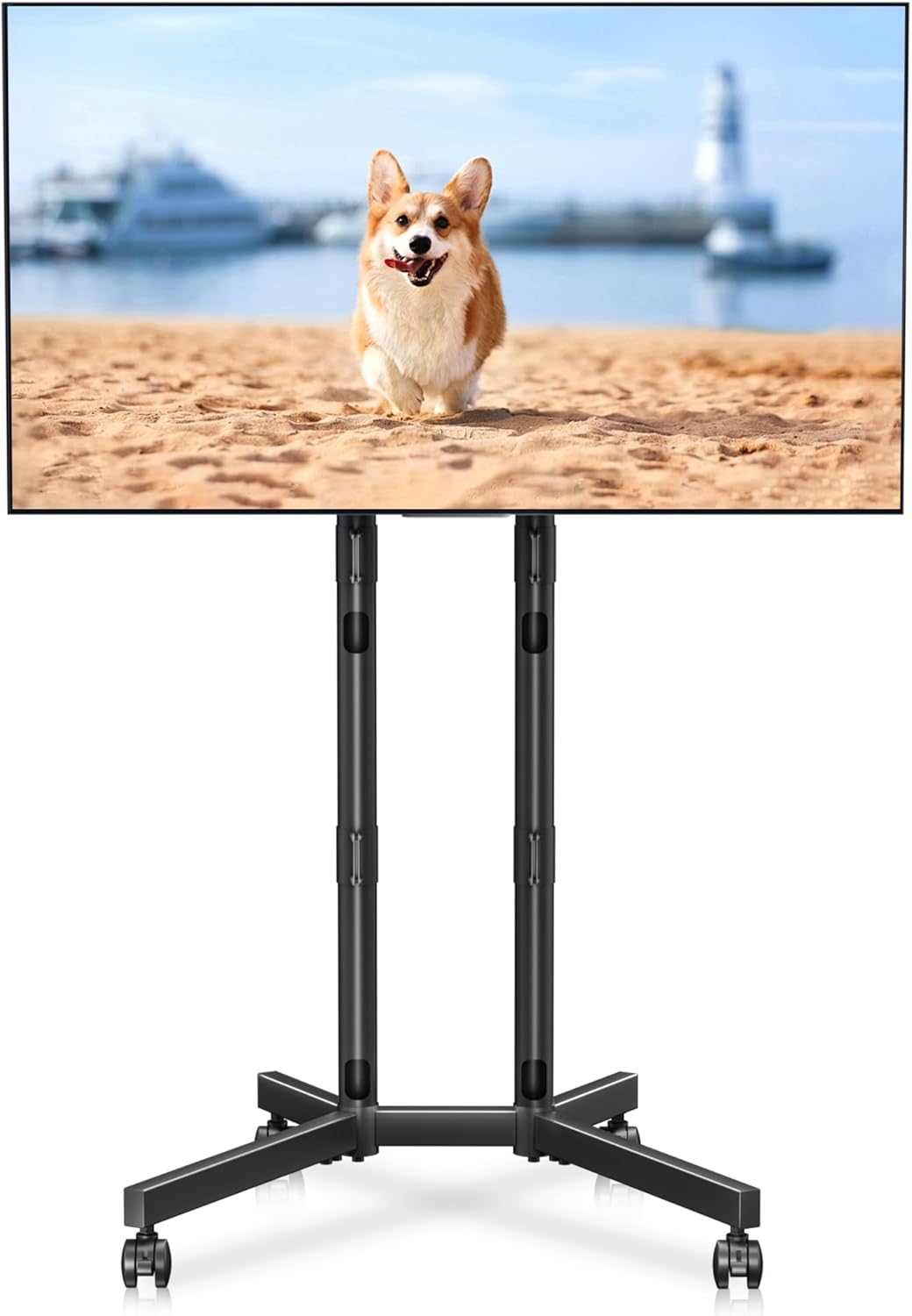
Image description: A fully assembled XINLEI Mobile TV Stand with a large screen television mounted, demonstrating the product's overall appearance and function.
Passu 5: Management Cable
Route TV cables through the integrated cable management holes in the columns for a tidy appearance.
Descrizzione di l'imagine: Una dettagliata view highlighting the cable management feature, showing cables neatly routed through the stand's support columns.
6. Operating Instructions
Ajustamentu di l'altezza
The stand offers 4 levels of height adjustment. To adjust, unlock the safety pins on the columns, raise or lower the TV to the desired height, and re-insert the safety pins securely.

Image description: An illustration demonstrating the four levels of height adjustment available on the TV stand, allowing users to optimize viewing height for different seating positions.
Sposta u Stand
To move the stand, unlock all four casters. Gently push the stand to its new location. Once positioned, lock all casters to prevent unintended movement.
Image description: A close-up of the lockable casters on the X-shaped base, essential for safely moving and securing the TV stand.
7. Mantenimentu
To ensure the longevity and proper function of your TV stand:
- Verificate regularmente tutte e viti è i cunnessione per assicurassi ch'elli sianu sempre ben stretti.
- Pulite u supportu cù un pannu dolce è asciuttu. Evitate detergenti abrasivi o solventi.
- Inspect casters periodically for debris and ensure they roll smoothly.
8. Risoluzione di prublemi
- Problem: The TV stand is unstable.
- Soluzione: Ensure all assembly screws are fully tightened. Verify that the TV weight and VESA pattern are within the specified limits. Make sure the casters are locked when the stand is stationary.
- Problem: Difficulty moving the stand.
- Soluzione: Check that all four casters are unlocked. Clear any obstructions from the caster wheels.
- Problem: TV is not level after mounting.
- Soluzione: Re-check the installation of the TV mounting brackets on the back of the TV. Adjust the height of the columns if necessary to ensure the TV is level.
9. Garanzia è Assistenza Clienti
For warranty information or technical assistance, please refer to the contact details provided with your purchase documentation or visit the official XINLEI websitu. Mantene a vostra ricevuta di compra per i rivendicazioni di garanzia.