Introduzione
Thank you for choosing the xdobo King Max Bluetooth Karaoke Speaker. This portable speaker system is designed to deliver powerful audio and versatile entertainment, featuring wireless microphones for karaoke and a durable, waterproof design. Please read this manual carefully to ensure proper use and maintenance of your device.
Funzioni chjave
- Sonu putente: 140W RMS output with a 40Hz–20kHz frequency range for deep bass and clear treble.
- Integrated Karaoke: Includes two wireless microphones for vocal performances.
- Tempu di ghjocu estensu: 36000mAh battery provides up to 12+ hours of music playback.
- Connettività stabile: Bluetooth 5.3 for high-quality audio streaming with enhanced range.
- Durabilità esterna: IPX5 waterproof rating protects against splashes and light rain.
Chì ci hè in u Box
- xdobo King Max Speaker
- 2 Microfoni Wireless
- Cavu di carica (Tipu C)
- Cavo audio (65 mm)
- Manuale d'uso (stu documentu)
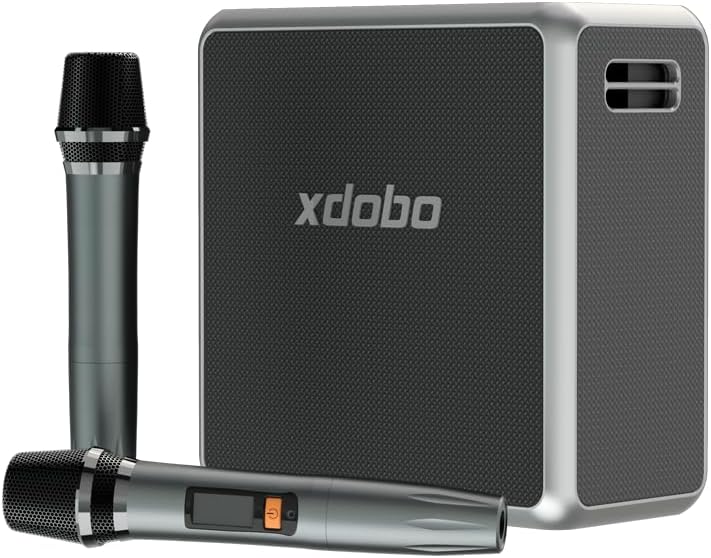
Image: The xdobo King Max speaker shown with its two accompanying wireless microphones, illustrating the complete package contents.
Istituisci
1. Caricà u Speaker
Before first use, fully charge the speaker. Connect the provided Type-C charging cable to the speaker's charging port and a compatible USB power adapter (not included). The charging indicator light will show the charging status. A full charge takes approximately 9 hours.
2. Powering On / Off
- Power On: Press and hold the Power button on the speaker for a few seconds until the indicator light illuminates and you hear a power-on prompt.
- Spegnimentu: Press and hold the Power button again for a few seconds until the indicator light turns off and you hear a power-off prompt.
3. Abbinamentu Bluetooth
- Assicuratevi chì l'altoparlante sia acceso è in modalità di accoppiamentu Bluetooth (a luce indicatrice Bluetooth lampeggerà).
- Nant'à u vostru apparechju (smartphone, tableta, laptop), attivate Bluetooth è cercate l'apparechji dispunibili.
- Select "xdobo King Max" from the list of devices.
- Una volta cunnessu, a luce indicatrice Bluetooth diventerà fissa, è sentirete un sonu di cunferma.
4. Cunfigurazione di u microfonu senza filu
The two wireless microphones are pre-paired with the speaker. Simply insert batteries (not included) into the microphones and power them on. They will automatically connect to the speaker. The microphone display will show connection status.
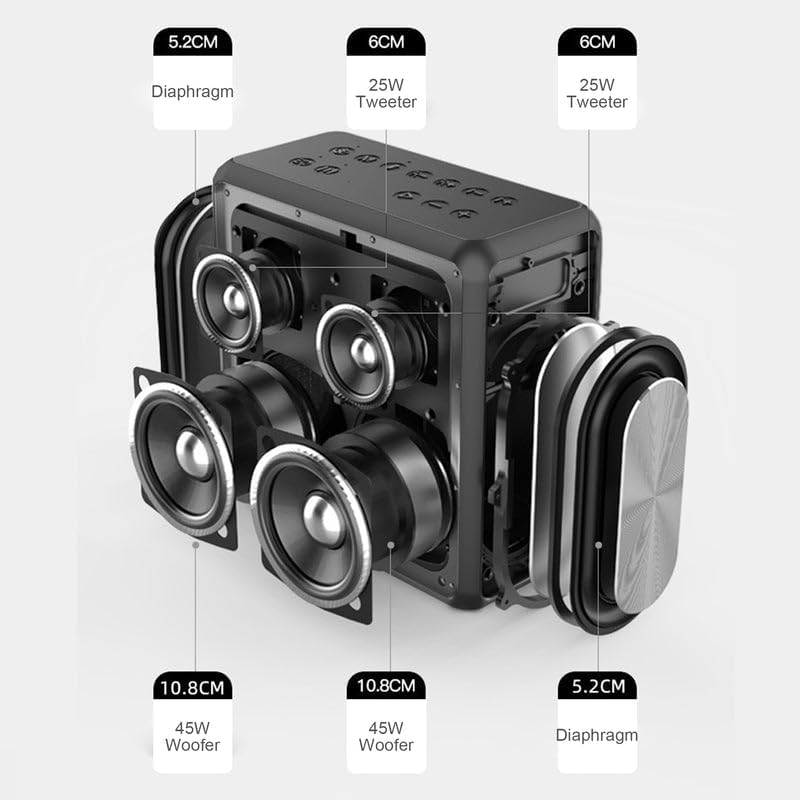
Image: The xdobo King Max speaker positioned on a table, accompanied by its two wireless microphones, ready for use.
5. Connecting Other Audio Sources
- Ingressu AUX: Connect an external audio device using the 3.5mm AUX cable to the speaker's AUX port. The speaker will automatically switch to AUX mode or can be manually selected using the Mode button.
- Unità flash USB: Inserite una chiavetta USB in u portu USB. L'altoparlante riproducerà automaticamente l'audio. files da u drive.
- Carta TF: Insert a TF (MicroSD) card into the TF card slot. The speaker will automatically play audio files da a carta.
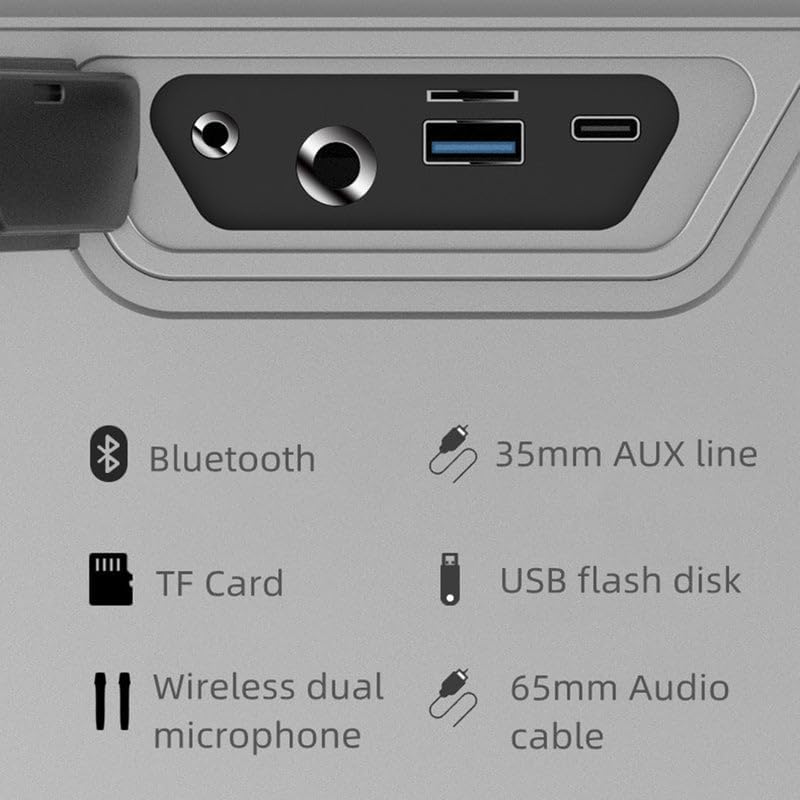
Imagine: Un dettagliu view of the xdobo King Max speaker's connectivity panel, highlighting ports for Bluetooth, 3.5mm AUX line, TF Card, USB flash disk, and wireless dual microphone connections.
Istruzzioni di funziunamentu
Cuntrolli di i Speaker
- Pulsante di putenza: Press and hold to power on/off. Short press to play/pause in Bluetooth/USB/TF mode.
- Pulsante di modu: Short press to switch between Bluetooth, AUX, USB, and TF card modes.
- Volume Up (+): Appughjà brevemente per aumentà u vulume. Appughjà longu per a prossima traccia.
- Volume giù (-) : Appughjà brevemente per diminuisce u vulume. Appughjà longu per a traccia precedente.
- Buttone EQ: Short press to cycle through equalizer presets.
- Pulsante di luce: Short press to change LED light modes.
Funzione Karaoke
- Ensure microphones are powered on and connected.
- Play music from your chosen source (Bluetooth, USB, TF, AUX).
- Adjust microphone volume and echo effects directly on the speaker or microphones (if applicable).
Funzione True Stereo Wireless (TWS)
If you have two xdobo King Max speakers, you can pair them for a stereo sound experience:
- Assicuratevi chì i dui altoparlanti sianu accesi è ùn sianu cunnessi à alcun dispositivu Bluetooth.
- On one speaker (this will be the primary speaker), press and hold the TWS button (if available, or a specific pairing button as indicated in the speaker's physical controls).
- L'altoparlante principale cercherà l'altoparlante secundariu. Una volta cunnessu, sentirete un sonu di cunferma.
- Now, connect your device to the primary speaker via Bluetooth. Audio will play in stereo through both speakers.
Mantenimentu
Pulizia
Wipe the speaker and microphones with a soft, dry cloth. Do not use abrasive cleaners, alcohol, or chemical solvents, as these may damage the surfaces.
Storage
Store the device in a cool, dry place away from direct sunlight and extreme temperatures. If storing for an extended period, charge the battery to approximately 50% every three months to prolong battery life.
Cura di a batteria
The speaker contains a built-in rechargeable battery. Do not attempt to replace the battery yourself. Avoid fully discharging the battery frequently, as this can reduce its lifespan. Use only the provided charging cable.
Resistenza à l'acqua (IPX5)
The xdobo King Max speaker is IPX5 waterproof, meaning it is protected against low-pressure water jets from any direction. It is suitable for outdoor use and can withstand splashes or light rain. Ùn immergete u parlante in acqua. Ensure all port covers are securely closed before exposure to water.
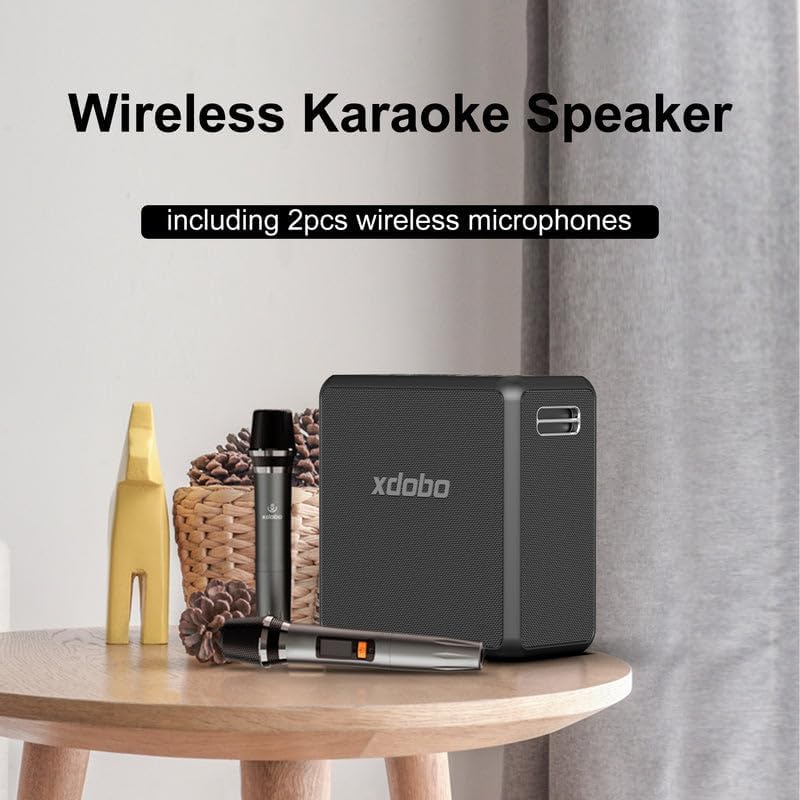
Image: A person carrying the xdobo King Max speaker with its strap, demonstrating its portable design for on-the-go use.
Risoluzione di prublemi
| Prublemu | Soluzione Possibile |
|---|---|
| L'altoparlante ùn s'accende micca. | Assicuratevi chì a batteria sia carica. Cunnette l'altoparlante à una fonte di alimentazione cù u cavu Type-C. |
| Nisun sonu da l'altoparlante. | Check the volume level on both the speaker and your connected device. Ensure the correct input mode (Bluetooth, AUX, USB, TF) is selected. |
| L'associu Bluetooth falla. | Ensure the speaker is in pairing mode. Disable and re-enable Bluetooth on your device. Move the speaker closer to your device. Clear previous Bluetooth connections on your device. |
| I microfoni ùn funzionanu micca. | Check if batteries are correctly inserted and charged in the microphones. Ensure microphones are powered on. |
| Distorsione di u sonu. | Riduce u vulume sia di l'altoparlante sia di u vostru apparechju. Assicuratevi chì a fonte audio sia di bona qualità. |
Specificazioni
| Feature | Detail |
|---|---|
| Nome di mudellu | XD-King Max |
| Potenza massima di output di Speaker | 140 Watt |
| Risposta di Frequency | 40 Hz - 20 kHz |
| Tecnulugia di cunnessione | Bluetooth 5.3, USB Type-C, 3.5mm AUX |
| Capacità batterie | 36000 XNUMX Milliamp Ore |
| Tempu di carica | Circa 9 ore |
| U tempu di ghjocu | Finu à 12 XNUMX+ Ore |
| Livellu di resistenza à l'acqua | IPX5 |
| Dimensioni di u produttu | 9.84 "D x 4.92" W x 9.84 "H |
| Pesu di l'articulu | 10.56 liri (4.8 chilògrammi) |
| Cumpunenti inclusi | Speaker, 2 Wireless Microphones |
| Input Voltage | 5 Volts |
| Impedenza | 4 Ohms |
| Rapportu Signal-to-Noise | 75 dB |
| Dimensione di u driver audio | 52 Millimeters (Speaker), 3 Inches (Woofer) |
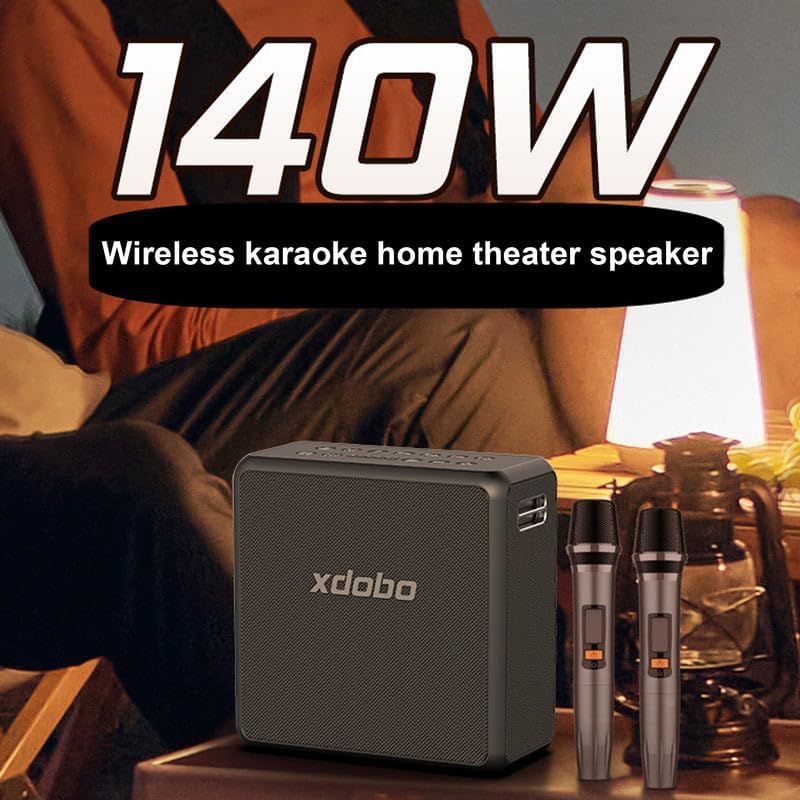
Image: An exploded diagram of the xdobo King Max speaker, detailing its internal acoustic components including 5.2cm diaphragms, 6cm 25W tweeters, and 10.8cm 45W woofers.
Garanzia è Supportu
The xdobo King Max speaker comes with a limited warranty. Please refer to the warranty card included in your package for specific terms and conditions. For technical support or customer service inquiries, please contact xdobo customer support through their official websitu o u rivenditore induve u pruduttu hè statu acquistatu.


