1. Introduzione
This manual provides essential information for the safe and efficient operation of your FOXX C10 10.1-inch Android Tablet. Please read this guide thoroughly before using your device to ensure proper functionality and to understand its features. Keep this manual for future reference.
2. Ciò chì hè in a scatula
Verificate chì tutti l'articuli sò presenti in u pacchettu:
- FOXX C10 Tablet
- Cavu Type-C
- Caricatore (10W)
- Manuale d'usu
- Protective Cover (pre-applied)
- Screen Protector Film (pre-applied)
3. Produttu Finituview
The FOXX C10 tablet features a 10.1-inch HD display, dual 8MP cameras, and a robust 6000mAh battery, all powered by an Android 13 operating system.

Imagine: Davanti è daretu view of the FOXX C10 tablet, showcasing its sleek design and dual camera module on the rear.

Image: An infographic highlighting key features including the 10.1-inch display, Android 13, 6000mAh battery, 8MP cameras, MediaTek quad-core chipset, 4GB RAM + 64GB storage, 4G LTE bands, Wi-Fi, Bluetooth 5.0, Nano SIM, Type-C, and 3.5mm AUX port.
3.1 Display
The tablet is equipped with a 10.1-inch HD TFT V-notch display, offering a resolution of 800x1280 pixels for clear visuals.

Image: Close-up of the tablet's 10.1-inch HD TFT V-notch display, showing vibrant colors and detail.
3.2 Camera
The FOXX C10 features dual 8-megapixel cameras, both on the front and rear, enabling high-quality photos and video calls.
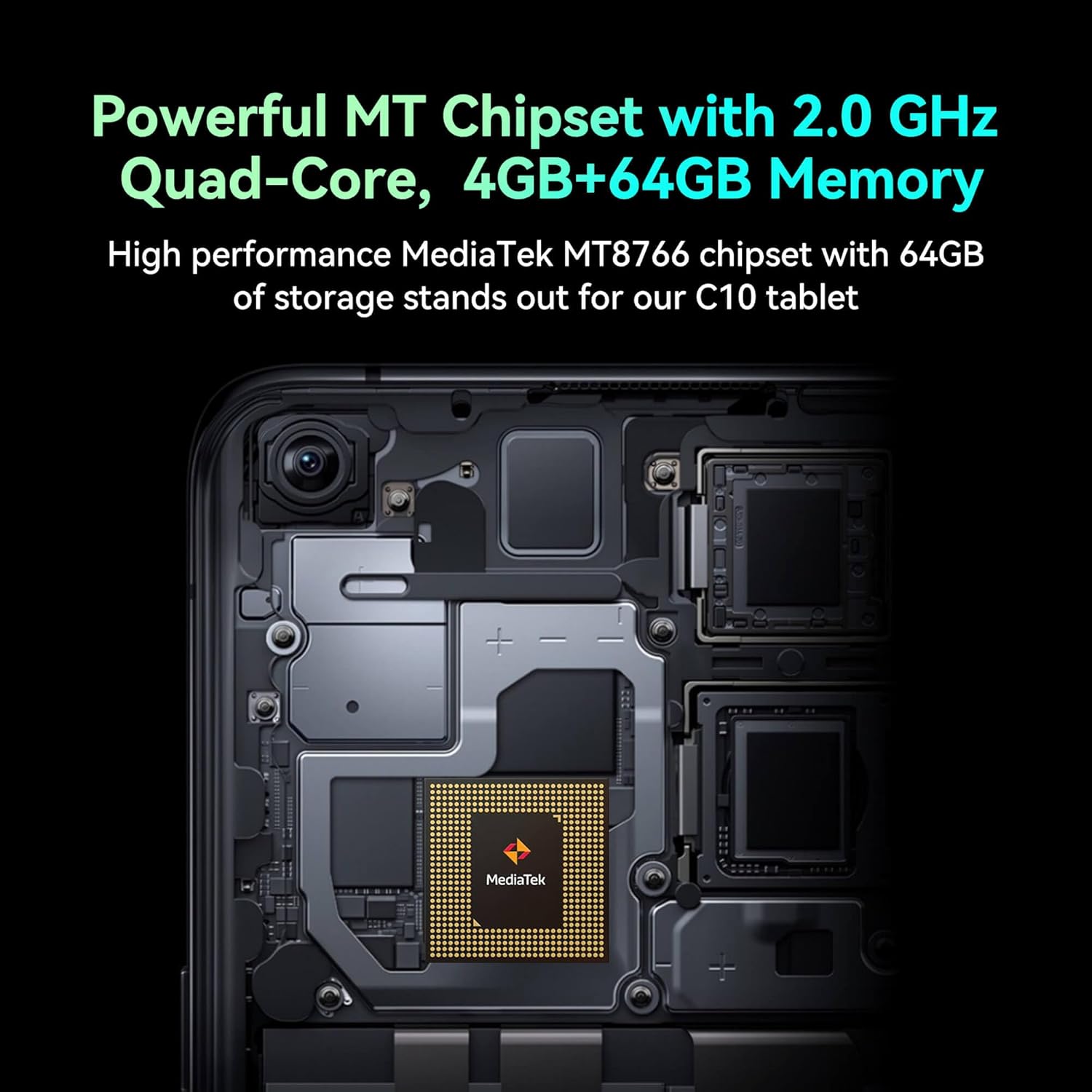
Image: Detail of the tablet's rear camera module, highlighting the 8-megapixel main camera with autofocus capabilities.
3.3 Processore è Memoria
It runs on a 2.0 GHz quad-core MediaTek MT8766 chipset, paired with 4GB of RAM and 64GB of internal storage for smooth performance and ampu spaziu.

Imagine: Un internu view of the tablet's motherboard, showcasing the MediaTek MT8766 quad-core chipset.
3.4 Batteria
A 6000mAh battery provides extended usage time, ensuring the device stays powered throughout the day.
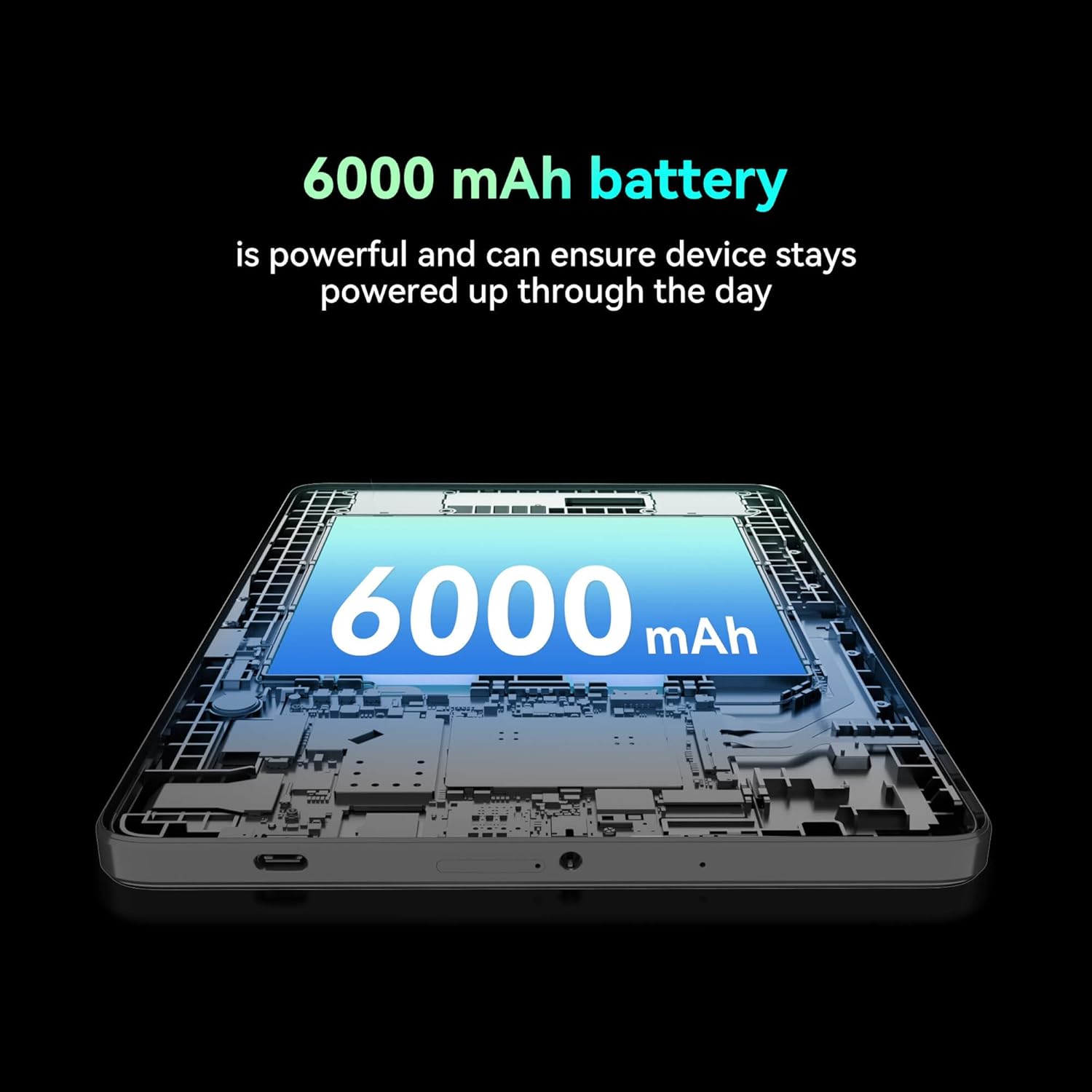
Imagine: Un tagliu view of the tablet highlighting the large 6000 mAh battery component.
4. Setup
4.1 Carica iniziale
Before first use, fully charge your tablet using the provided Type-C cable and 10W charger. The battery indicator on the screen will show charging status.
4.2 Accensione / spegnimentu
- Per accende: Pulsà è manteneu u buttone Power finu à chì u schermu s'illumina.
- Per spegne: Tenite premutu u buttone di accensione, dopu selezziunate "Spegne" da l'opzioni nantu à u screnu.
- Per riavvià: Appughjà è tene premutu u buttone di accensione, dopu selezziunate "Restart" da l'opzioni nantu à u screnu.
4.3 Installazione di a carta SIM
The FOXX C10 supports Nano SIM cards for cellular connectivity. Locate the SIM card tray on the side of the tablet. Use the provided SIM ejector tool to open the tray. Insert the Nano SIM card into the designated slot with the gold contacts facing down. Close the tray securely.
4.4 Installazione di a carta MicroSD (opzionale)
If your tablet supports expandable storage, locate the MicroSD card slot, often combined with the SIM tray. Insert a MicroSD card (up to 128GB, sold separately) into the slot with the gold contacts facing down. Close the tray securely.
5. Operating Instructions
5.1 Navigazione basica
Your tablet runs on Android 13. Use touch gestures for navigation:
- Tap: Selezziunate un articulu o aprite una applicazione.
- Swipe: Scorri trà schermi o liste.
- Pizzicà: Zoom avanti o indietro nantu à l'imagine è web pagine.
- Pressa Longa: Accede à i menu cuntestuali o move l'icone.
5.2 Cunnessione à Wi-Fi
- Andà à Settings > Rete è Internet > Wi-Fi.
- Attivà/disattivà u Wi-Fi On.
- Selezziunate a rete Wi-Fi desiderata da a lista.
- Inserite a password se vi hè dumandatu, dopu toccate Cunnette.
5.3 Making Calls (4G LTE)
With a properly installed and activated Nano SIM card, your tablet can make and receive calls.
- Aprite u telefonu app.
- Dial the desired number or select a contact.
- Toccate u Chjama buttone.
5.4 Usendu a Camera
The tablet features dual 8MP cameras for photography and video recording.
- Aprite u Camera app.
- Toccate u Otturatore buttone per piglià una foto.
- Toccate u Video icon to switch to video recording mode.
- Use the camera switch icon to toggle between front and rear cameras.
5.5 Accoppiamentu Bluetooth
- Andà à Settings > Dispositivi cunnessi > Bluetooth.
- Toggle Bluetooth On.
- Ensure the device you want to pair with is in pairing mode.
- Select the device from the list and follow any on-screen prompts to complete pairing.
6. Mantenimentu
6.1 Cura di a batteria
- Evitate e temperature estreme, chì ponu degradà a durata di a batteria.
- Ùn lasciate micca a tableta in carica per periodi prolungati dopu ch'ella sia cumpletamente carica.
- Aduprate solu u caricatore è u cavu furniti.
6.2 Pulizia
Use a soft, lint-free cloth to clean the screen and body of the tablet. Avoid using harsh chemicals or abrasive materials. For stubborn smudges, slightly dampLavate u pannu cù acqua o un pulitore di schermu cuncepitu per l'elettronica.
6.3 Actualizazioni di u Software
Verificate è installate regularmente l'aghjurnamenti di u software per assicurà chì a vostra tableta abbia l'ultime funzionalità, patch di sicurezza è miglioramenti di e prestazioni. Andate à Settings > Sistema > Actualizazione di u sistema.
7. Risoluzione di prublemi
| Prublemu | Soluzione |
|---|---|
| A tableta ùn si accende micca | Assicuratevi chì a batteria sia carica. Cunnette u caricatore è aspettate uni pochi di minuti prima di pruvà à accende di novu. |
| Ùn pò micca cunnette à Wi-Fi | Verificate s'ellu u Wi-Fi hè attivatu in i paràmetri. Riavviate u vostru router è a tableta. Verificate a password Wi-Fi. |
| L'applicazioni sò lente o si bloccanu | Close unused apps. Clear app cache (Settings > Apps > [App Name] > Storage > Clear cache). Restart the tablet. Ensure sufficient storage space. |
| Nisun serviziu cellulare | Ensure the Nano SIM card is correctly inserted and activated. Check your network settings and contact your service provider if necessary. |
| U screnu ùn risponde micca | Restart the tablet. If the issue persists, perform a factory reset (data will be lost). |
8. Specificazioni
| Feature | Detail |
|---|---|
| Nome di mudellu | FOXX C10 |
| Sistema upirativu | Android 13 |
| Size Screen | 10.1 inch |
| Risoluzione massima di u schermu | 800x1280 Pixel |
| Processore | 2 GHz Quad-Core MediaTek |
| RAM | 4 GB |
| Storage internu | 64 GB |
| Dimensione di a memoria flash | 8 GB (likely referring to system partition or eMMC base) |
| Cameras | Dual 8MP (Front & Rear) |
| Capacità batterie | 6000 mAh |
| Connettività | 4G LTE, Wi-Fi (802.11 b/g/n/ac), Bluetooth 5.0, USB-C, 3.5mm AUX |
| Pesu di l'articulu | 1.26 liri |
| Dimensioni di u produttu | 9.64 x 6.39 x 0.42 inch |
| Culore | Neru |
9. Garanzia è Support
Per infurmazioni nantu à a garanzia è l'assistenza tecnica, vi pregu di cunsultà a ducumentazione furnita cù u vostru acquistu o cuntattate u rivenditore. Cunservate a vostra prova d'acquistu per e richieste di garanzia.


